1
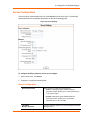
7: 133BSetup Mode: Channel Configuration
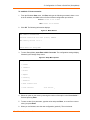
Only use this automatic port increment feature to initiate a connection using TCP. Set the port
to a non-zero value when the unit is in a passive mode or when using UDP instead of TCP.
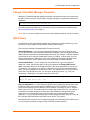
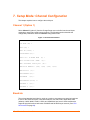
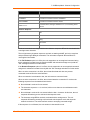
Connect Mode
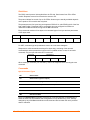
Connect Mode defines how the unit makes a connection, and how it reacts to incoming
connections over the network.
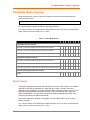
ConnectMode (C0) ? _
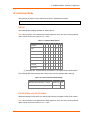
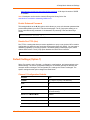
Enter Connect Mode options in hexadecimal notation.
Note: All bit positions in the table that are blank represent “don’t care” bits, for that particular
option, which can be set to either a 0 or 1 value.
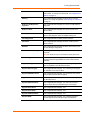
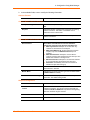
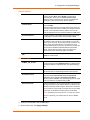
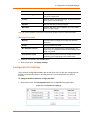
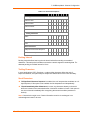
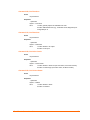
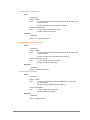
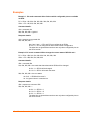
Table 7-6. Connect Mode Options
Connect Mode Option
7
6
5
4
3
2
1
0
a) Incoming Connection
Never accept incoming
0
0
0
Accept with active Modem Control In
0
1
0
Always Accept
1
1
0
b) Response
Nothing (quiet)
0
Character response (C=connect,
D=disconnect, N=unreachable)
1
c) Active Startup
No active startup
0
0
0
0
With any character
0
0
0
1
With active Modem Control In
0
0
1
0
With a specific start character
0
0
1
1
Manual connection
0
1
0
0
Autostart
0
1
0
1
1
1
0
0
1
1
Hostlist
0
0
1
0
d) Datagram Type
Directed UDP
e) Modem Mode
No Echo
XPort® Device Server User Guide
0
0
52