1
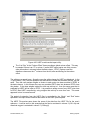
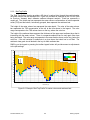
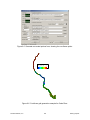
To start a new line, hold the shift key and LMC the first point. Then, to add points LMC on each
point desired until finished. Hold the shift key and LMC to end the polyline/polygon. The last
LMC with the shift key pressed is not included in the defined line. At the end of the line
definition, the user will be asked for a title for the line. This title is used by some utilities for
labeling.
When the toolbar button is pressed again to toggle off the polygon editing, the user is requested
for a file name to write the data to. The default format is P2D. DX files can also be written by
explicitly specifying the file extension as DX.
When the polygon/polyline editing tool is active many of the other standard mouse operations
are disabled.
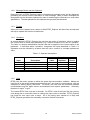
7.2.3.5 View Calibration Data
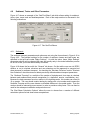
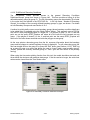
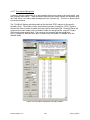
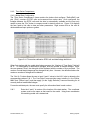
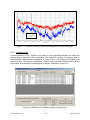
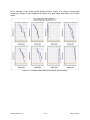
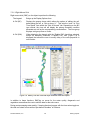
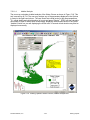
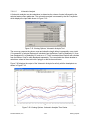
When calibration data in the Time Series (Sect. 5.4.2) or Vertical Profile (Sect. 5.4.4) has been
configured the user can use the “View Calibration Data” function to display calibration
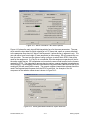
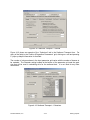
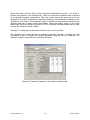
information on selected plots. The symbols, fonts and time tolerance use the data posting
options in the Display Options form (Sect. 7.3). The data components of this function only apply
to the “Water Column” view. When viewing the water column results EFDC_Explorer matches
the viewing parameter to the data parameter. If there is no data currently configured data for
the current viewing parameter a message will be displayed
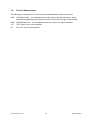
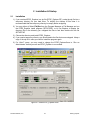
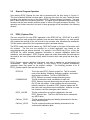
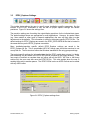
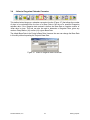
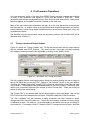
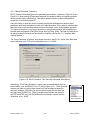
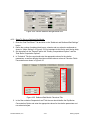
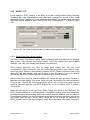
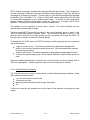
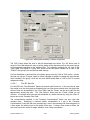
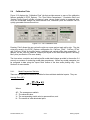
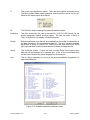
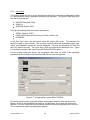
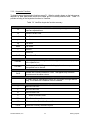
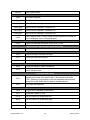
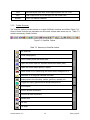
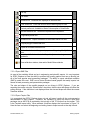
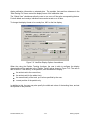
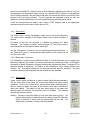
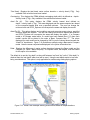
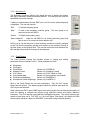
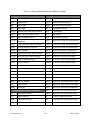
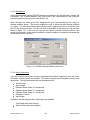
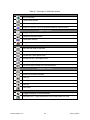
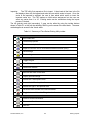
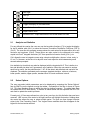
The View Calibration Data toolbar function toggles on and off the display of the following:
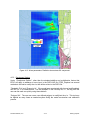
Show Data Stations: Label the current plot with Station IDs. This information will be displayed
on most views even if there is no matching parameter in the calibration data.
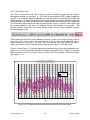
Show Data Values: Labels the current plot with calibration data if there is a parameter match to
the data and the data is within the tolerance time of the current view.
Show Data Residuals: Labels the current plot with residual (Model – Data) if there is a
parameter match to the data and the data is within the tolerance time of the current view.
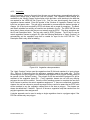
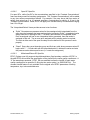
Use Layer Options/Show All Layers: This option enforces the calibration data layer options to
the current view. If not checked the data and residuals displayed will be based on depth
averages.
Set Model/Data Time Tolerance: Allows the user to set the number of minutes allowed between
the model snapshot time and the data time. If the absolute time differences are less
than or equal then EFDC_Explorer will consider the two time the same and display the
appropriate data or residuals.
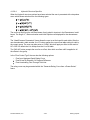
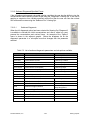
Show Previous Data: This function jumps the current view backwards in time to the previous
model-data match for the current parameter. If a match is not found, or the current
model time is less than the first data record, a message will be displayed in the status
bar indicating that there was no match. Ctrl-< keystroke performs the same function.
Show Next Data: This function jumps the current view up to the next model-data match for the
current parameter. If a match is not found, or the current model time is greater than the
last data record, a message will be displayed in the status bar indicating that there was
no match. Ctrl-> keystroke performs the same function.
DS-International, LLC.
7-12
EFDC_Explorer