1
Using Explicit Messaging
Chapter 3
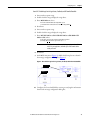
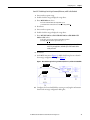
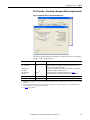
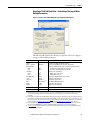
SLC 500 Controller – Formatting a Message to Read Multiple
Parameters
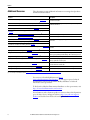
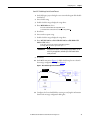
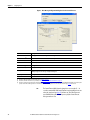
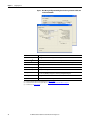
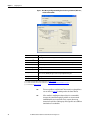
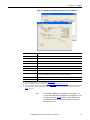
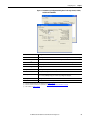
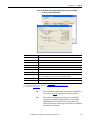
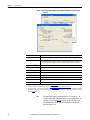
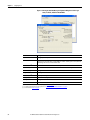
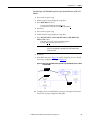
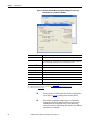
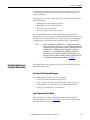
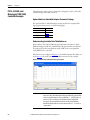
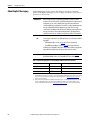
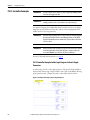
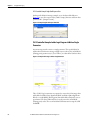
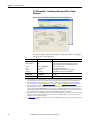
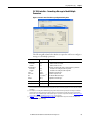
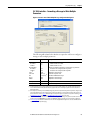
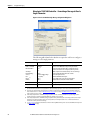
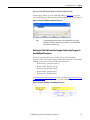
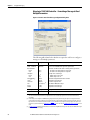
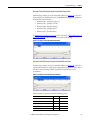
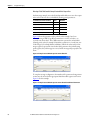
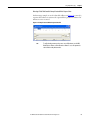
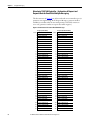
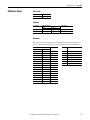
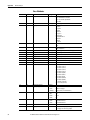
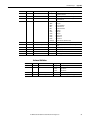
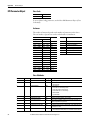
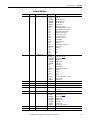
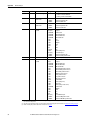
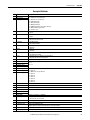
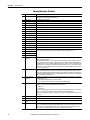
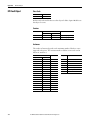
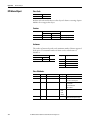
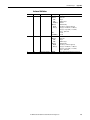
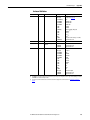
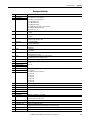
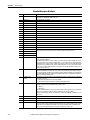
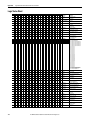
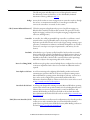
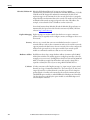
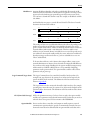
Figure 39 - Custom Scattered Read Message Configuration Dialog Boxes
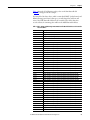
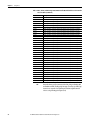
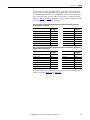
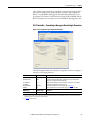
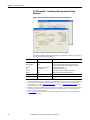
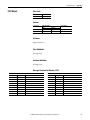
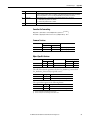
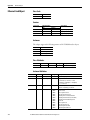
The following table identifies the data that is required in each box to configure a
message to read multiple parameters.
General Tab
Size in Words
Receive Data
Send Data
Data Table Address
Receive Data
Send Data
Service (1)
Service Code
Class
Instance
Attribute
Example Value
Description
N60:0
N70:0
Custom
4D (Hex.)
93 or 9F (Hex.) (3)
0 (Dec.)
0 (Dec.)
Each word size is a 16-bit integer.
Number of words to be received.
Number of words to be sent.
An unused controller data table address containing the message instruction.
This address is the starting word of the response file.
This address is the starting word of the request file.
Required for scattered messages.
Code for the requested service.
Class ID for the DPI Parameter Object.
Required for scattered messages.
Required for scattered messages.
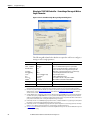
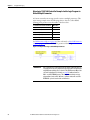
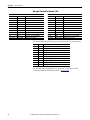
MultiHop Tab
Example Value
Description
To Address
10.91.100.79
IP address of the option module connected to the drive.
20 (2)
20 (2)
(1) The default setting for Service is ‘Custom’, enabling entry of a Service Code not available from the Service pull-down menu. When choosing a
Service other than ‘Custom’ from the pull-down menu, an appropriate Hex. value is automatically assigned to the Service Code box that is dimmed
(unavailable).
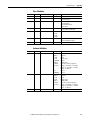
(2) In this example, we are reading five 32-bit REAL (floating point) parameters. Each parameter being read requires four contiguous 16-bit words.
Scattered read messages always assume that every parameter being read is a 32-bit parameter, regardless of its actual size. The data structure
format is shown on page 70. Maximum length is 128 words, which equates to 32 parameters. For parameter numbering, see DPI Parameter Object
on page 94 (Class code 0x93) or Host DPI Parameter Object on page 108 (Class code 0x9F).
(3) See Table 6 on page 50 for limitations of PowerFlex 750-Series drives when using DPI Parameter Object Class code 0x93 or Host DPI Parameter
Object Class code 0x9F for explicit messaging.
Rockwell Automation Publication 750COM-AT001A-EN-P - August 2012
63