1
α2 Simple Application Controllers
Function Blocks 6
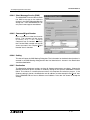
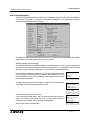
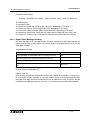
6.30.4 Short Message Service (SMS)
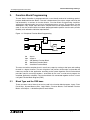
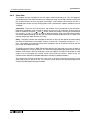
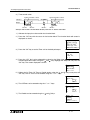
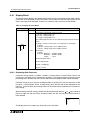
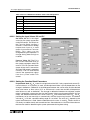
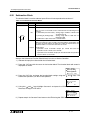
The GSM/SMS Function Block sends
the SMS message to the address
chosen in the Short Message Service
dialog box. Each GSM/SMS FB can
only send a message to one address.
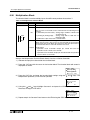
6.30.5 Comment/Signal Number
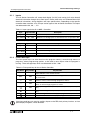
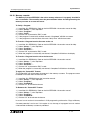
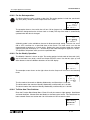
Input a comment to label the function
block. The comment will be shown
o n s c r e e n o n l y i f t h e “ D i s p l ay
Comment” box is checked. Similarly,
the Function Block number will only be
shown onscreen if the “Display Signal
Number” box is checked.
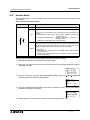
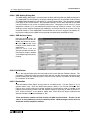
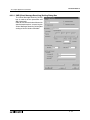
6.30.6 Setting
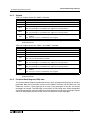
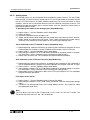
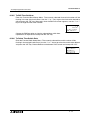
This box will open the SMS Setting Dialog box. The information for the destination locations is
entered in the SMS Setting dialog box but the final destination is chosen in the Destination
area described below.
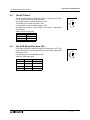
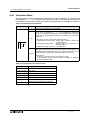
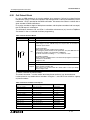
6.30.7 Destination
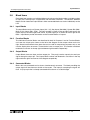
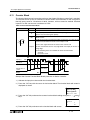
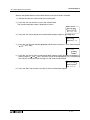
The Destination telephone numbers and e-mail Gateway parameters are shown. Choose the
desired destination phone number or Gateway setting for the specific GSM/SMS Function
Block. The choice of a mobile phone number will complete the selection process. If the
Gateway setting is chosen, the destination e-mail address must be entered in the “E-mail” box.
Every GSM/SMS FB can have a different e-mail address. Press the “OK” button to accept the
settings.
6 - 81