1
Contents
IMPORTANT SAFETY NOTICE ...2
Precautions with regard to
safety .........................................5
Accessories .................................9
Before use ..................................10
Read this page first ...................12
Location and function of each
part...........................................14
Getting started
Setting-up...................................20
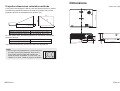
Projection methods, Projector
position, Projection distances
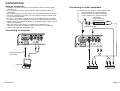
Connections...............................22
Connecting to computer,
Connecting to video equipment,
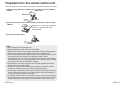
Preparation for the remote
control unit..............................24
Basic operation
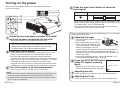
Turning on the power................26
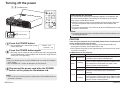
Turning off the power................28
Useful functions
Correcting the image position
automatically...........................30
Turning off the picture and sound
momentarily ............................31
Adjusting the volume ................31
Using the SD memory card.......32
Inserting and removing the SD
memory card, SD selection screen
Playing back images from a SD
memory card ...........................35
Button functions during playback
Setting a detailed playback
method for the SD memory card
..................................................37
MODE, AUTO PLAY, INTERVAL,
EFFECT, AUDIO
Making a presentation without
using a computer....................39
Adjustments and settings
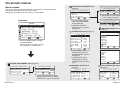
On-screen menus ......................40
Menu screens, Menu operation
4-ENGLISH
Care and maintenance
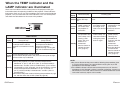
When the TEMP indicator and the
LAMP indicator are
illuminated...............................54
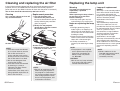
Cleaning and replacing
the air filter ..............................56
Replacing the lamp unit ............57
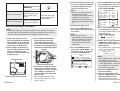
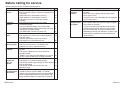
Before calling for service..........60
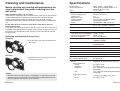
Cleaning and maintenance .......62
Others
Specifications ............................63
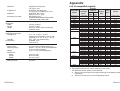
Appendix ....................................65
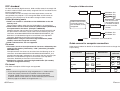
List of compatible signals, DCF
standard, Guide screen for
computer connection, Projection
dimensions calculation methods
Dimensions ................................69
Trademark
acknowledgements ................70
NOTES IMPORTANTES
CONCERNANT LA SECURITE...71
Précautions de sécurité ............72
Avant l’utilisation.......................76
Remplacement du bloc de lampe...78
WARNING
If you notice smoke, strange smells or noise coming from the
projector, disconnect the power cord plug from the wall outlet.
B Do not continue to use the projector in such cases, otherwise fire or
electric shocks could result.
B Check that no more smoke is coming out, and then contact an Authorized
Service Center for repairs.
B Do not attempt to repair the projector yourself, as this can be dangerous.
Do not install this projector in a place which is not strong enough to
take the full weight of the projector.
B If the installation location is not strong enough, it may fall down or tip over,
and severe injury or damage could result.
Installation work (such as ceiling suspension) should only be carried
out by a qualified technician.
B If installation is not carried out correctly, there is the danger that injury or
electric shocks may occur.
If foreign objects or water get inside the projector, or if the projector is
dropped or the cabinet is broken, disconnect the power cord plug from
the wall outlet.
B Continued use of the projector in this condition may result in fire or electric
shocks.
B Contact an Authorized Service Center for repairs.
Do not overload the wall outlet.
B If the power supply is overloaded (for example, by using too many
adapters), overheating may occur and fire may result.
Do not remove the cover or modify it in any way.
B High voltages can cause fire or electric shocks.
B For any inspection, adjustment and repair work, please contact an
Authorized Service Center.
Clean the power cord plug regularly to prevent it from becoming
covered in dust.
B If dust builds up on the power cord plug, the resulting humidity can
damage the insulation, which could result in fire. Pull the power cord plug
out from the wall outlet and wipe it with a dry cloth.
B If not using the projector for an extended period of time, pull the power
cord plug out from the wall outlet.
ENGLISH-5
Preparation
Preparation
Precautions with regard to safety
guide, Returning a setting to the
factory default
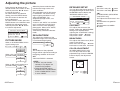
Adjusting the picture.................44
PICTURE MODE,
DAYLIGHTVIEW, DETAILED
SETUP
Adjusting the position...............46
KEYSTONE, ASPECT, POSITION,
DETAILED SETUP
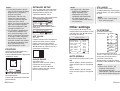
Other settings ............................49
AUTO SIGNAL, TV-SYSTEM,
FRONT/REAR, DESK/CEILING,
HIGHLAND, LAMP RUNTIME, SXGA
MODE, CTRL PANEL, NR
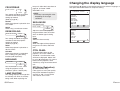
Changing the display
language..................................51
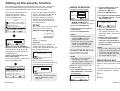
Setting up the security
function ...................................52
SETUP, AMEND PASSWORD,
TO REGISTER SD KEY 1(2),
INSERTED SD KEY