1
Advanced Operations
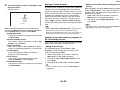
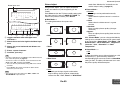
With this setting, you can broaden the width of the
front stereo image when using the Dolby Pro Logic IIx
Music listening mode.
Dimension
` –3 to 0 to +3
With this setting, you can move the sound field
forward or backward when using the Dolby Pro Logic
IIx Music listening mode. Higher settings move the
sound field backward. Lower settings move it forward.
If the stereo image feels too wide, or there’s too much
surround sound, move the sound field forward to
improve the balance. Conversely, if the stereo image
feels like it’s in mono, or there’s not enough surround
sound, move it backward.
Center Width
` 0 to 3 to 7
With this setting, you can adjust the width of the
sound from the center speaker when using the Dolby
Pro Logic IIx Music listening mode. Normally, if you’re
using a center speaker, the center channel sound is
output from only the center speaker. (If you’re not
using a center speaker, the center channel sound will
be distributed to the front left and right speakers to
create a phantom center.) This setting controls the
front left, right, and center mix, allowing you to adjust
the weight of the center channel sound.
■ PL IIz Height Gain
` Low
` Mid
` High
The Height Gain Control in Dolby Pro Logic IIz
enables the listener to select how much gain is
applied to the front high speakers. There are three
settings, “Low”, “Mid” and “High”, and the front high
speakers are accentuated in that order. While “Mid” is
the default listening setting, the listener may adjust
the Height Gain Control to their personal preference.
DTS
Note
• If the “Front High” settings is set to “None” (➔ page 54),
this setting cannot be selected.
• If the “Powered Zone 2” setting is set to “Yes” and Zone 2
is turned on, this setting cannot be selected.
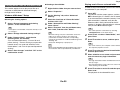
■ Dolby EX
` Auto:
If the source signal contains a Dolby EX flag, the
Dolby EX listening mode is used.
` Manual:
You can select any available listening mode.
This setting determines how Dolby EX encoded
signals are handled. This setting is unavailable if no
surround back speakers are connected. This setting
is effective with Dolby Digital, Dolby Digital Plus and
Dolby TrueHD only.
Note
• If the “Surround Back” setting is set to “None”
(➔ page 54), this setting cannot be selected.
• If the “Powered Zone 2” setting is set to “Yes” and Zone 2
is turned on, this setting cannot be selected.
• If the “Front High” setting is enabled (➔ page 54), this
setting is fixed to “Manual”.
■ TrueHD Loudness Management
` Off
` On
This setting specifies whether or not to apply the Late
Night processing on a Dolby TrueHD source.
Note
• When this setting is set to “Off”, the Late Night function for
Dolby TrueHD sources is automatically fixed to “Off”.
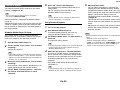
■ Neo:6 Music
Center Image
`0 to 2 to 5
The DTS Neo:6 Music listening mode creates 6channel surround sound from 2-channel stereo
sources. With this setting, you can specify by how
much the front left and right channel output is
attenuated in order to create the center channel.
Changing the value from “0” to “5” will spread the
sound of the center channel to left and right
(outwards).
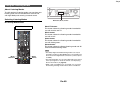
Theater-Dimensional
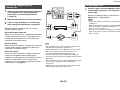
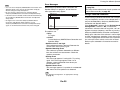
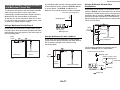
■ Listening Angle
`Wide:
Select if the listening angle is greater than 30
degrees.
`Narrow:
Select if the listening angle is less than 30
degrees.
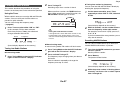
With this setting, you can optimize the TheaterDimensional listening mode by specifying the angle of
the front left and right speakers relative to the
listening position. Ideally, the front left and right
speakers should be equidistant from the listening
position and at an angle close to one of the two
available settings.
Front left speaker
Front right speaker
Listening angle: 30°
En-56
Operating
procedure
(➔ page 50)