1
Advanced Operations
Zone 2
In addition to the main listening room, you can also enjoy playback in another room, or as we call Zone 2. And, you can select a different source for each room.
Making Zone 2 Connections
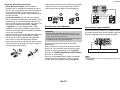
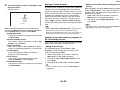
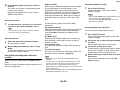
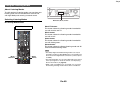
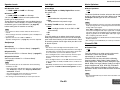
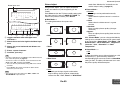
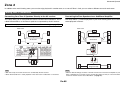
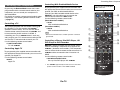
Connecting Your Zone 2 Speakers Directly to the AV receiver
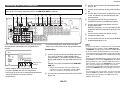
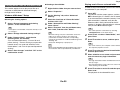
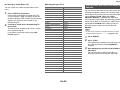
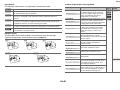
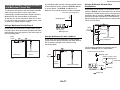
Connecting the Zone Speakers to an Additional Amplifier
This setup allows you to select different sources for Main room and Zone 2. This is
called Powered Zone, as the Zone 2 speakers are powered by the AV receiver.
This setup allows 7.1-channel playback in your main listening room and 2-channel
stereo playback in Zone 2.
To use this setup, you must activate the Powered Zone 2 setting (➔ page 54).
Main room
Main room
TV
TV
AV receiver
AV receiver
Zone 2
Zone 2
IN
R
R
L
L
Receiver/
integrated amp
Note
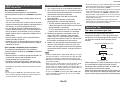
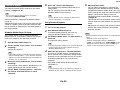
• With this setup, the volume of Zone 2 is controlled by the AV receiver.
• When Powered Zone 2 is used, playback in the main room is reduced to 5.1 channels.
Note
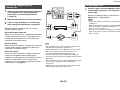
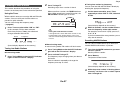
• With the default settings, the Zone 2 volume must be set on the Zone 2 amplifier. If your
Zone 2 amplifier has no volume control, change the setting so that you can set the Zone 2
volume on the AV receiver. See “Multi Zone” (➔ page 63).
En-68