1
Turning On & Basic Operations
Turning On & Basic
Operations
the same circuit. If this is a problem, plug the AV receiver
into a different branch circuit.
• Do not use a power cord other than the one supplied with
the AV receiver. The supplied power cord is designed
exclusively for use with the AV receiver and should not be
used with any other equipment.
• Never disconnect the power cord from the AV receiver
while the other end is still plugged into a wall outlet. Doing
so may cause an electric shock. Always disconnect the
power cord from the wall outlet first, and then the AV
receiver.
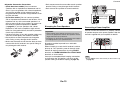
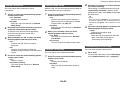
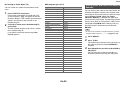
Turning Off
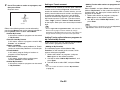
1
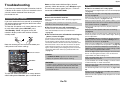
Press 8On/Standby on the front panel.
or
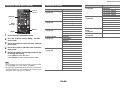
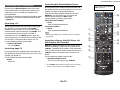
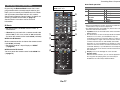
Press Receiver followed by 8Receiver on the
remote controller.
The AV receiver will enter standby mode. To
prevent any loud surprises when you turn on the
AV receiver, always turn down the volume before
you turn it off.
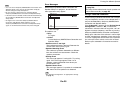
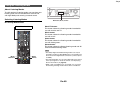
Turning On
Turning On/Off the AV
Receiver
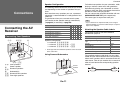
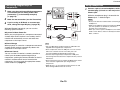
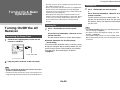
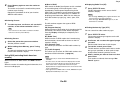
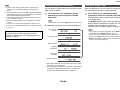
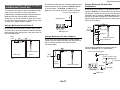
Connecting the Power Cord
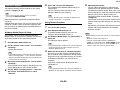
1
Connect the supplied power cord to the AV
receiver’s AC INLET.
Tip
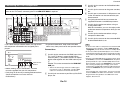
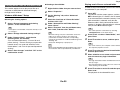
1
Press 8On/Standby on the front panel.
or
Press Receiver followed by 8Receiver on the
remote controller.
The AV receiver comes on and its display lights.
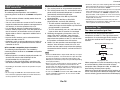
■ Smooth Operation in a Few Easy Steps
(Initial Setup)
To ensure smooth operation, here’s a few easy steps
to help you configure the AV receiver before you use
it for the very first time. These settings only need to
be made once. See “Initial Setup” for details
(➔ page 21).
To AC wall outlet
2
Plug the power cord into an AC wall outlet.
Note
• Before connecting the power cord, connect all of your
speakers and AV components.
• Turning on the AV receiver may cause a momentary power
surge that might interfere with other electrical equipment on
En-20
• The Hybrid Standby indicator may light depending on the
status of settings (➔ page 21).
• For details on power management settings, see “Auto
Standby” (➔ page 65).
• If the HDMI Through setting is not set in standby mode, an
MHL-enabled mobile device cannot be charged even if it is
connected.