1
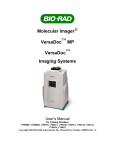
Section 1 General Information 1.1 About this Manual This manual provides instructions for installing, operating and maintaining the VersaDoc Imaging System. This manual uses certain conventions to facilitate understanding of the text material and to assist operators in using the VersaDoc system. Conventions Left and right sides of the instrument are as viewed from the front (operator’s position) unless otherwise stated. Commands that are typed in from the keyboard are referred to as <xxxx>, and when you are expected to use the mouse pointer to activate a button it will be referred to as CLICK xxxx. When you are expected to click and drag the mouse to a certain item it will be referred to as SELECT xxxx. Notes, Cautions and Warnings Notes, cautions and warnings are used to highlight certain operating procedures and recommendations. A note indicates a special procedure, an exception to normal operation or something else of specific interest to the reader. Notes are preceded by the word “Note” in italics. A caution precedes an operational step that could damage the instrument or destroy data unless the operator takes certain precautions. Cautions are located in the main text, are preceded by a Caution: statement and are accompanied by a “Caution Symbol” in the left margin. A warning precedes an operating procedure that could cause injury to the operator if not followed correctly. Warnings are located in the main text, are preceded by a Warning: statement and are accompanied by a “Warning Symbol” in the left margin. User’s Manual • 1-1