1
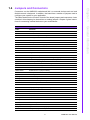
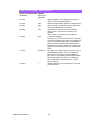
Connectors on the AIMB-223 motherboard link it to external devices such as hard
disk drives and a keyboard. In addition, the board has a number of jumpers used to
configure your system for your application.
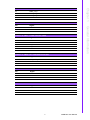
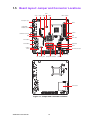
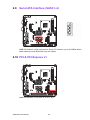
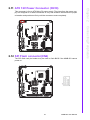
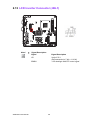
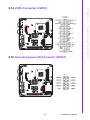
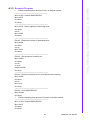
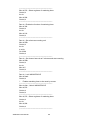
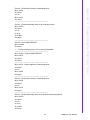
The tables below list the function of each of the board jumpers and connectors. Later
sections in this chapter give instructions on setting jumpers. Chapter 2 gives instructions for connecting external devices to your motherboard.
General Information
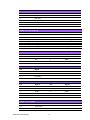
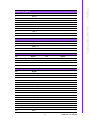
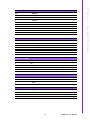
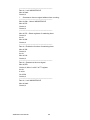
Table 1.1: Jumpers and Connectors
Label
Function
AAFP
Front panel audio connector
AUDIO1
Audio connector
CMOS1
CMOS clear ( Default 1-2 )
CN1
Memory connector channel
CN17
CFast socket
COM3-6
Serial port: COM RS232
CPU_FAN1
CPU FAN connector(3-pin)
GPIO1
GPIO header
CN18
DC IN
CN19
ATX 12 V connector
CN21
PS_ON , 5VSB
JBL1
LVDS1 inverter power
JBL8
Brightness control selector for analog or digital (Default 1-2, Analog)
JBL3
LVDS1 voltage jumper (default 1-2, 3.3V)
JCASE1
CASE open setting
JFP1+JFP2
Power switch/HDD LED/SMBus/speaker
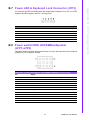
JFP3
Power LED and keyboard lock
JBL6
LVDS1 PIN40 . Default 2-3
JSETCOM3
COM3 5 V/12 V jumper setting
PCIE1
PCI express X1 connector
CN20
PS/2 keyboard and mouse connector
LAN1_USB12
LAN1 / USB port 1, 2
LAN2_USB34
LAN2 / USB port 3, 4
LVDS1
LVDS connector (Internal)
MINIPCIE1
Mini PCI express connector
PCI
PCI slot
PSON1
AT(1-2) / ATX(2-3) ( Default 2-3 )
SATA1
Serial ATA data connector 1
SATA2
Serial ATA data connector 2
SATA3
Serial ATA data connector 3
SATA4
Serial ATA data connector 4
SATA_PWR1
SATA POWER
SATA_PWR2
SATA POWER
CN4
SPI flash update connector.
SPDIF_OUT
Digital Audio connector
SYS_FAN1
System FAN connector(3-pin)
USB56
USB port 5, 6 (on board)
5
Chapter 1
1.4 Jumpers and Connectors
AIMB-223 User Manual