1
•
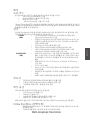
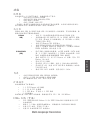
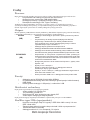
Obsługuje 32-bitowy interfejs szyny PCI
Audio
•
•
•
•
•
•
•
•
•
Zgodność z AC’97 V2.3 CODEC
Obsługa 6-kanałowego audio-CODEC dla multimedialnych systemów komputerowych
Trzy analogowe linie wejścia stereo z 5-bitową regulacją głosnoći:
LINE-IN, CD, AUX
Obsługa funkcji wyjścia S/PDIF
Zgodny z protokołem Azalia, obsługuje 8 kanałowy DACs z SNR.100dB
Zgodność z: 192/96/48/44.1 KHz oraz z 24/20/16 bitami
Obsługuje 8 gniazd We/Wy Smart Jack
Aktywna detekcja gniazd typu jack przez RNM (resistors network method),
która pozwala na monitoring podłączeń do każdego z gniazd.
Obsługuje cyfrowe Wej/Wyj S/PDIF
Zintegrowana obsługa sieci LAN (opcjonalnie)
•
•
•
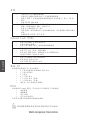
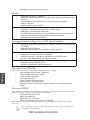
Obsluguje N-drożne automatycznie ustalane operacje z szybkościami
100/10Mb/s
Możliwość Half/Full duplex
Obsługuje funkcję Wake-On-LAN(WOL) I zdalne wake-up
•
•
•
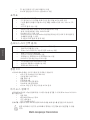
Zintegrowany transceiver LAN 10/100/1000
Obsługuje PCI wersja 2.3, 32-bit, 33/66MHz
Całkowicie zgodny z IEEE802.3, IEEE802.3u and IEEE802.3ab
(Uwaga: Giga LAN obsługuje tylko chipset SiS965)
•
•
•
Obsługuje szybkości przesyłania 10/100Mbps z opcją auto-wyboru
Obsługuje operacje half/full duplex
Zgodny ze standardem IEEE 802.3/802.3u
Zintegrowane We/Wy
Polski
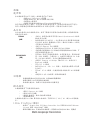
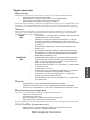
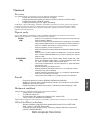
Płyta głwna wyposażona jest w pełny zestaw gniazd i złączy We/Wy:
•
Dwa gniazda PS/2 dla myszy i klawiatury
•
Jedno gniazdo szeregowe (COM1)
•
Jedno gniazdo równoległe
•
Cztery gniazda USB
•
Jedno gniazdo LAN (opcjonalnie)
•
Jedno gniazdo 1394 (opcjonalnie)
•
Gniazdo wejściowe mikrofonowe, gniazdo wejściowe i wyjściowe dzwięku
(audio)
Firmowy BIOS
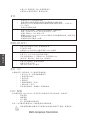
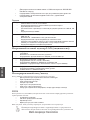
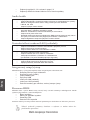
Płyta głwna wyposażona jest w BIOS firmy Award, który pozwala użytkownikowi konfigurować
wiele cech systemu włączając w to następujące właściwości:
•
Zarządzanie poborem mocy
•
Alarmy typu Wake-up
•
Parametry pracy procesora
•
Ustalenia szybkoœci pracy procesora i pamiêci
BIOS może być używany do ustalania parametrów wpływających na szybkości pracy zegara
procesora.
Niektóre parametry dotyczące płyty i jej oprogramowania mogą ulec zmianie bez
uprzedniego powiadomienia.
Multi-Language Translation