1
Chapter 2 Waters Systems
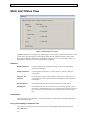
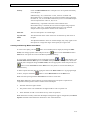
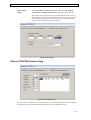
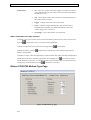
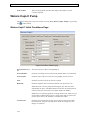
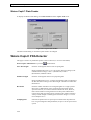
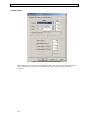
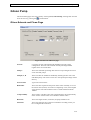
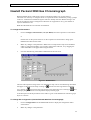
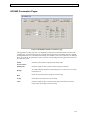
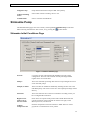
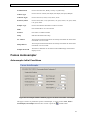
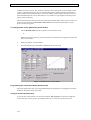
Waters 2790/2795 Column Page
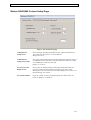
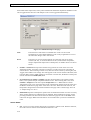
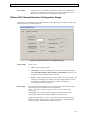
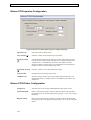
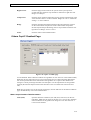
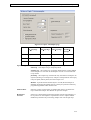
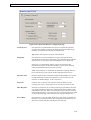
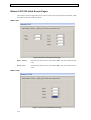
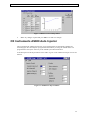
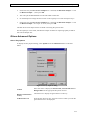
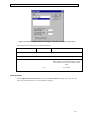
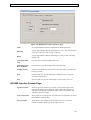
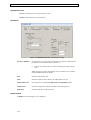
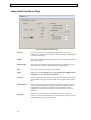
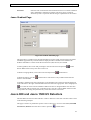
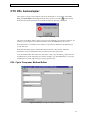
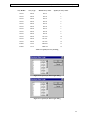
Figure 2.33 Column page
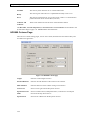
Position
This field allows the column to be selected for the method. The options
available will depend on the column setup on the Waters 2790/2795
Separations Module.
If only one column is installed then this box will display Column 1 and
cannot be changed. For other configurations this box will allow the
selection of a column (between 1 and 6 depending on configuration) or No
change from the drop down list box. Selecting a numbered column will
use this column for the method, selecting No Change will use the column
defined in the last method used to acquire a sample. See the Waters
2790/2795 Separations Module Operator’s Guide for more information
on the column selection valve.
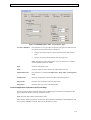
Equilibrium Time
Enter the time required to reach equilibrium (i.e. run in initial conditions),
before performing an injection, after a column change. Range: 0.00 to
999.99 minutes.
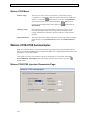
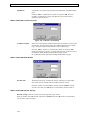
Temperature Set
Enter the target operating temperature for the optional column heater. This
value must be at least 5 °C above ambient. Range: 20 to 60 °C.
Temperature Limit
Enter the maximum deviation in column temperature allowed. If this is
exceeded the current acquisition will stop and the LC Status error light, on
the MassLynx screen, will turn red. Range: ±1 to ±20 °C.
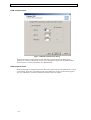
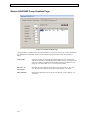
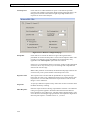
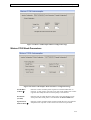
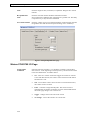
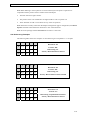
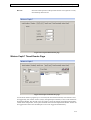
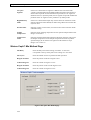
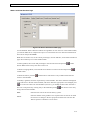
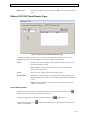
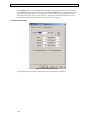
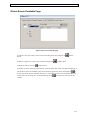
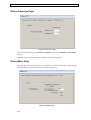
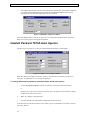
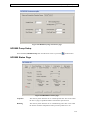
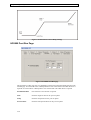
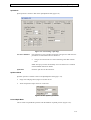
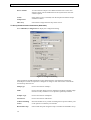
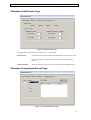
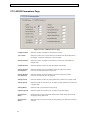
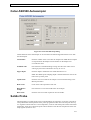
Waters 2790/2795 Rapid Equilibration Page
Path
Select the path to be used for flushing solvent during rapid equilibration
from the drop down list box. Waste, Off or Column 1 to Column 6
depending on the instrument configuration.
Flow
Enter the system equilibration flow rate. Range: 0.00 to 10.00 ml/min.
2-39