1
2.0 System Summary
2.1.1 Installing SymPA on a Series 60 Smartphone using the Application
Manager of the PC Suite
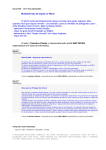
1. In the PC Suite Menu click on the “Install applications” option.
Figure 2. PC Suite Installation. Step 1
2. In the Applications installer on the left side, you can browse from “my
computer” and select the .SIS file you wish to install.
Figure 3. PC Suite Installation. Step 2
User’s Manual
Page 2-2