1
Eject key
(Open the TFT-LCD)
Lights
Lights
Light switch
IFT LCD
SD/MMC/MS port
USB port
Power key
FM emitting key
Volume + key
Volume - key
TFT MENU
Turn key
Play/Pause key
Stop key
Indicator
1
2
5
7
8
11
12
15
18
3
POWER
MENU
PBC
MEDIA
MUTE
1
2
3
4
5
6
7
8
9
10/0
10+
GOTO
DISPLAY
SUBTITLE
SLOW
PROGRAM
TITLE
AUDIO
REPEAT
RETURN
13
14
16
17
20
VOL+
21
SETUP
19
ZOOM
ENTER
4
6
9
10
24
MENU
25
26
FMTX
IR A/B
22
SCREEN
DVD/AV
23
27
28
VOL-
DVD
MPEG4
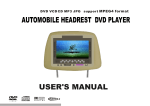
USER'S MANUAL OF AUTOMOBILE FLIP-DOWN DVD PLAYER
P r e s s Di s p l a y B u t t o n fo r t h e fi r s t t i m e , th e L C D sh a l l di s p l a y : (D V D st a t e )
1 ) D i s k f o r m a t , cu r r e n t ti t l e nu m b e r an d t o t a l ti t l e nu m b e r ;
2 ) T h e C u r r e n t c h a p t e r an d to t a l ti t l e nu m b e r ;
3 ) Th e p l a y i n g of c u r r e n t t i t l e .
Play by the lower speed, press the Button successively to make the player
play repeatedly, press " " (Play/Pause) Button to resume to play normally.
In playing DVD disk:
Slow 1/2
Slow 1/3
Slow 1/4
Slow 1/5
Slow 1/6
Slow 1/7
Title
Play
Program
Basic description
Button
Basic description
Button
Slow
USER'S MANUAL OF AUTOMOBILE FLIP-DOWN DVD PLAYER
Setup of programming play: arrange the playing order of disk and then the player shall play the
disks as per the arranged order.
Note: the program Button shall not be available unless PBC is closed, program is not allowed for
MP3 disks; DVD disk should be programmed for its track time and VCD disks should be programmed for its track number. Finally, select Play Button and the player shall play the disks automatically as per the arranged order, at the time, the number Buttons are not available, only the previous/next Button could be used. If you want to cancel the programming function, press Program
Button to enter the menu interface and select Clear Button and then press Enter Button to confirm.
Chapter
1/1
1/29
00 :00:
12
F u rt h er p re ss t he B u t t o n to d i s p l a y :
D i s p l a y t h e c u r r e n t la n g u a g e a n d th e l a n g u a g e n u m b e r s u p p o r t e d , c h a n n e l ty p e ,
s u b t i t l e di s p l a y l a n g u a g e a n d a n g l e t y p e .
Display
2 /3English
OFF
NO
P r e s s t h e B u t t o n f o r t h e th i r d t i m e to d i s p l a y no t h i n g .
T h e di s p l a y ( O S D ) i n pl a y i n g V C D d i s k is as f o l l o w s :
Repea t
MENU
PBC
Repeat play
Repeatedly play the selected title/chapter (DVD) or track/album (VCD/CD disk).
In playing DVD disk, press the Button successively to select the title or chapter of DVD to play.
For other types of disks, press Repeat Button successively to select one track or the album to play
repeatedly.
TRACK 2/15
13
X
00 :00 :12
D i s p l a y t h e d i s k fo r m a t , cu r r e n t tr a c k an d t o t a l t r a c k n u m b e r , m u t e mo d e , PB C
m o d e , an d th e tr a c k nu m b e r o f re p e a t m o d e , a n d th e tr a c k p l a y i ng ti m e.
T he O SD o f MP 3 a n d C D di s k i s sa m e w it h V C D e xc e p t th a t VC D di sk ha s PB C op t io n.
In playing VCD2.0 or SVCD disk, the PBC menu function could be achieved by press PBC Button,
the disks could only be played in order if PBC is closed. In playing DVD disk, press the Button to
stop playing and return to the root menu of disk, press direction Button or number Button to select
your desired contents and press Enter Button to confirm, the player shall start to play as per the
title or contents you set up.
Note: PBC is not available in playing Mp3, CD or VCD 1.1 disks.
PBC
Mute
F i r s t l y p r e s s t h e M u t e B u t t o n, th e p l a y e r sh a l l p l a y t h e i m a g e w i t h o u t so u n d
o u t p u t , f u r t h e r pr e s s th e B u t t o n t o c a n c e l th e m u t e f u n c t i o n a n d r e s u m e t o pl a y
normally.
14