1
Chapter Three
Operation
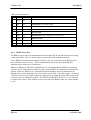
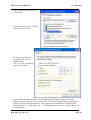
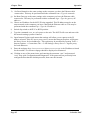
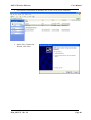
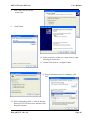
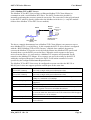
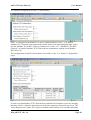
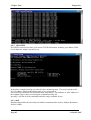
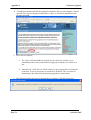
14. On Properties form click Advanced button
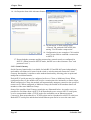
15. On Advanced TCP/IP Settings form>General Tab, uncheck field in PPP link
stating "Use IP header compression".
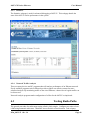
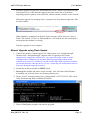
16. Configuration is now complete. Click on this
newly created link to establish a connection
to 805U-E.
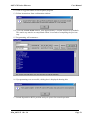
17. Ensure both the username and the password are entered exactly as configured in
805U-E. (When booted in SETUP mode, the PPP server has username “user” and
password “user”.)
3.12.2 Serial Gateway
Serial Gateway functionality is available for both RS-232 and RS-485 ports independently,
and enables serial data to be routed via the wired or wireless network connection. Serial
Gateway functionality is similar to radio modem functionality, allowing point-to-point and
multipoint serial data transfer.
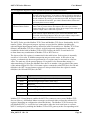
Each 805U-E serial port may be configured as Server, Client, or Multicast Group. When
configured as Server, the module will wait for a connection to be initiated by a remote client.
When configured as Client, the module will automatically attempt to connect to the specified
remote server. When configured as Multicast Group, the module will broadcast data to all
members of the same Multicast Group.
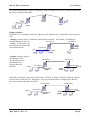
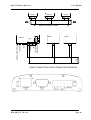
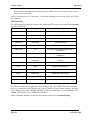
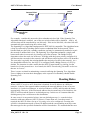
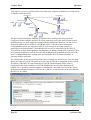
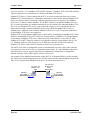
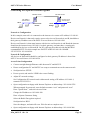
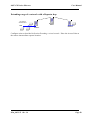
Some of the possible Serial Gateway topologies are illustrated below. As can be seen, it is
possible for serial data from a 805U-E to be transferred to one or more 805U-E serial ports,
or to be encapsulated within a TCP/IP socket for availability on an Ethernet network.
Conversely, data encapsulated in a TCP/IP socket can be reproduced at a 805U-E serial port.
Both 805U-E serial ports and the hard wired Ethernet port can be in use at the same time.
Page 43
© October 2007