1
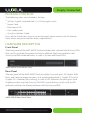
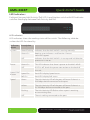
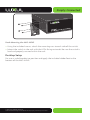
Simply Connected PoE On Connected device is receiving PoE Power. Off Connected device is not receiving PoE power. Green Power being supplied within PD Specified limits Yellow Power exceeds PD Specified limits Yellow Flashing PoE Fault( i.e. problem with Ethernet cable or PoE device). At startup, port LEDs will flash for 1 second as a self test. Rear Panel AMS-4424P Rear Panel View Power Input: Please use the included power cable PREPARING FOR INSTALLATION System Requirements Ethernet Cables to connect the AMS-4424P to Ethernet enabled devices Computer equipped with a Web browser. Supported Web browser versions include Microsoft I.E. 9.0, Firefox 3.6, Safari 5.0, Chrome 6.0, Opera 10.6 and up. The Web browser is used to configure the AMS-4424P. Power must be AC 100-240V~ 3.6A 50/60Hz. © 2015 Luxul. All Rights Reserved. Other trademarks and registered trademarks are the property of their respective owners 5