1
AMS-4424P
Quick Install Guide
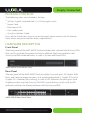
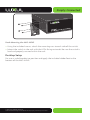
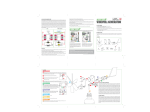
Attaching the Rubber Feet to the AMS-4424P
Network Connections:
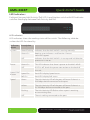
The AMS-4424P supports 10/100/1000 Mbps Ethernet; 10/100 Mbps half/fullduplex mode and 1000 Mbps full-duplex mode. All RJ-45 ports support Auto MDI/
MDIX and can be used as ordinary ports or as Uplink ports. Any RJ-45 port can be
used to connect the AMS-4424P to an Ethernet enabled device (including servers,
routers, and other switches) without a crossover cable.
For the RJ-45 ports, Category-5, super Category-5 or Category-6 unshielded twisted
pair (CAT5/CAT5e/CAT6 UTP) should be used.
NOTE: For best results, it is recommended that Category-6 shielded
twisted pair be used to ensure stable data transmission at 1000 Mbps.
The AMS-4424P also offers 2 optical expansion ports that accommodate both 1
Gigabit SFP and 10 Gigabit SFP+ modules (for stacking). Please see below for recommended SFP module and cable options.
Stacking the AMS-4424P
The AMS-4424P support stacking of up to 16 Switches (total of 384 Ports) enabling
you to Manage the stacked Switches in one easy to use interface. Stacking in the
AMS-4424P is Enabled by default and requires an SFP+ (10Gbps) link to be connected between Switches. When connecting more than two Switches there will
be a Master Switch that feeds the other Switches. Stacked Switches automatically
connect to the IP Address of the Master, facilitating Seamless management of the
entire Stack
8
14203 Minuteman Drive, Suite 201, Draper, UT 84020-1685 | luxul.com | 801-822-5450
LUX-QIG-AMS-4424P 036150505