1
AT-Telecom
Settings
USER-MANUAL
AT-B17D
album.
Set up sound storage, format and
quality.
FM Radio:
Options:
1. Channel list: the corresponding FM frequencies channel
list.
2. Manual input: You can input a FM frequency between:
87.5-108.0 Mhz.
3. Preset Auto search: Automatic frequency / channel
search that will be saved in the FM channel list.
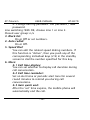
4. Setting: You can set Background play On/Off,
Loudspeaker On/Off, Recording format AMR/WAV, audio
quality Low/High, recording storage Phone/T-Flash card
5. Audio recording: You can activate radio recording.
6. Append: Choose an existing radio recording file to
continue recording. The new recorded content will be
added (apended) to the selected file.
7. File list: To display all recorded files.
Note: You can choose the recording as a ringtone. In 7.
File list, choose a recorded file and go to Options/Use/To
Profiles. In Profiles/Personal Settings/Ring Settings, set
the recording as a ringtone.
- 46 -