1
Daily Activities
Chapter 2–KYC Architecture Overview
Daily Activities
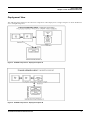
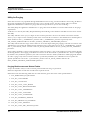
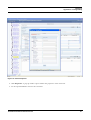
Before starting the daily processing activities, the processing date must be verified in the system using the
Application Parameters screen under the KYC Administration option in the UI for the parameter
KYC_PROCESSING_DATE. For more information, refer to the Enterprise Case Management User Guide.
Real-Time Account On-Boarding Risk Assessment
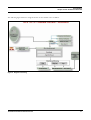
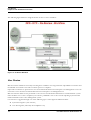
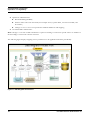
Processing the online request from the Account On-Boarding system assists in the account opening process.
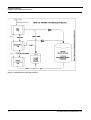
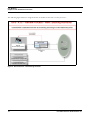
The Real Time Account On-Boarding Risk Assessment (RAOR) workflow is triggered by the request from the
external account opening system.This returns a risk score to the external account opening system. The request and
response is sent as a Web Service Request.
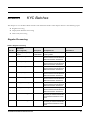
Regular Processing -Account Opening Review
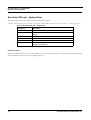
Data for the Account Opening Review System is picked from the ECM application database.
All the accounts which were opened the previous x days and are in Active status will be picked for risk assessment.
The accounts which were opened in the last 7 days and activated the previous day will also be selected. The look
back period is set to 7 days by default, but the value can be modified based on the requirement. The Account Range
for Regular Processing parameter can be modified from the Application Parameters UI screen under the KYC
Administration option by the KYC Administrator. For more information, refer to the Enterprise Case Management User
Guide.
Regular Processing- Accelerated Review
Accelerated Review depends on the alerts generated by the Oracle Financial Services Alert Management system at
EOD or due to changes in customer and account information. The Accelerated Review Processing is executed,
along with Default /Account Opening review, after the Oracle Financial Services Behavior Detection Framework
alert generation is complete.
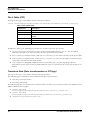
Accelerated Re-Review has eight rules. Each of these rules checks for deviation from the standard for the customer.
A case is initiated against the concerned customers if obtained values exceed the specified thresholds. The threshold
values are stored in the Appln_ReReview_Params table under the following columns:
Look back period
Count of Alerts
Alert Score
Count of Changes
If the threshold is breached, a reason will be created in the Re-Review Case Reasons table (Fct_Rereview_
Ra_Reasons) for the creation of a risk assessment.
Regular Processing - Re-Review / Periodic
After every review (Account Opening Review / Deployment Initiation / Accelerated Review), the next review date
is set for the customer based on the risk assessed. Thus, customers are periodically subjected to Risk Assessment,
which is essential as the risk associated with each customer may change over time.
KYC Administration Guide Release 2.0
19