1
4. Menu
structure
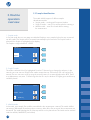
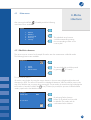
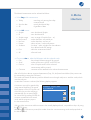
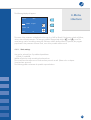
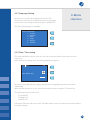
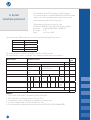
The Worklist mode measurement can be started with the
numeric button 3. The display shows
the following information:
2005.02.12
13:23
SeqNo: 0001
ID: 123abcd
The ID field displays the 1st item of the worklist and the reader accepts the first strip. The reader moves
the strip, the instrument asks for the next strip and displays the next stored ID. The ID of the measured
samples will be removed from the worklist. The ID given by the instrument cannot be changed, only
skipped by pressing the
. icon. The reader jumps to the next ID and the skipped ID remains in the list
for further measurement.
The sequence number of the samples can be set freely.
4.2.2 Memory
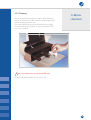
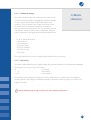
The reader has a non-volatile memory, which automatically stores the last 500 measurements. The oldest
result will be overwritten by a new measurement without any warning.
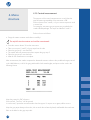
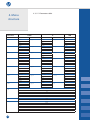
When the actual measurement is finished, the reader stores the result along with the following parameters:
• Results for 10 or 7 parameters, in accordance with the strip PHAN® used.
• Seq.No
• ID
• Date and time
It is possible to add comments to the measurement via external keyboard (see bellow). This comment will
be attached to the selected measurement and also kept in the Memory.
The user can reach the memory from the main Menu by selecting the numeric button 2.
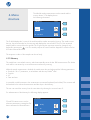
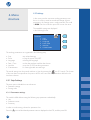
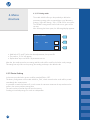
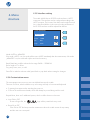
For administration of the Memory the following display appears:
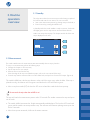
MEMORY
F 2 and F3 buttons serve to set the
selection parameters, pressing the OK
button activates the selected action.
17
Day: Today
Sel:
ID
Act:
Comment