1
______________________________
PROFESSIONAL TIMING
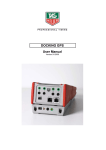
DOCKING BATT
User Manual
Version 01/2009
1. General
•
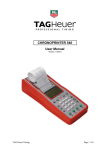
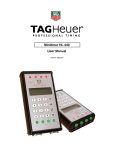
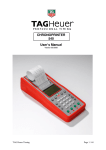
The GPS Docking is equipped with a Li-Ion accumulator ensuring exceptional autonomy to the
Chronoprinter 540, even at very low temperatures (-20°C / -4° F).
•
RESET button - in case of a problem with the Docking. To RESET, press the mini contact located
under the identification plate of the Docking.
Use a small unfolded blunt instrument to gently depress.
2. Important recommendation
•
•
•
•
•
To guarantee the security of your timekeeping, it is necessary to use your CP 540 with the internal
batteries in a charged state
Do not forget to charge the Docking before its use (see « How to charge the Docking »)
If the system is not used for several days, we recommend you to disconnect the Docking from the
Chronoprinter, and remove the batteries from the CP 540.
Do not forget to replace the « red blanking plug into the DOCKING » on the CP 540 to protect its
connector.
Protect the Docking with its original packing.
3. Docking connection
•
•
•
Remove the « DOCKING red blanking plug » from the CP 540 which gives access to the docking
connector.
Place the « DOCKING red blanking plug » on the Docking at the reserved place under the female
connector.
Place the CP 540 on the DOCKING and press firmly to ensure a good connection.
4. Information
⇒ The GPS Docking has « banana » output connector to provide a signal TOP-MINUTE which is useful
to synchronize other timing systems.
⇒ If the GPS is used only for the CP 540, it is recommended to wait 4 – 5 mins before to switching it
OFF (« memorize » the GPS precision)
⇒ The GPS Docking has an Input / output « Master / Slave ». This mode of synchronization between
several CP 540’s is very useful for the timekeeper, to guarantee absolute precision between different
systems.
For example: System A (Master) and the back-up system B (Slave).
Connect the CP 540 A « Master » to CP 540 B « Slave » with the special cable HL540-11.
The CP 540 A is synchronized with the Time of Day, manually or with GPS.
The CP 540 B is automatically synchronized by the CP 540 A by choosing Master/Slave in the
Synchro Menu.
If the Main system A is disconnected or communication fails, the back-up system B will operate with its
own time of base.
The Drift (DEV) described later « Synchronization by GPS » is also into the mode. Thus, if the Main
System A is again operational, it will take its main function as Master if the Drift is lower that 100 µsec.
All information is of course printed.
5. How to charge the Docking accumulator
•
•
•
•
•
The Docking could be charged alone or connected to a CP 540.
Charge the docking with the power supply HL 540-1 from the CP 540
Connect the power supply to the POWER connector of the Docking (connector 3 poles).
The LED located at the bottom of the Docking allows you to see the charging status.
o LED is red during the charge (6 hours for a complete charging)
o LED is green when the docking is fully charged
When the CP 540 is used with the Docking, the external power supply should be connected to the CP
540.
WARNING
The Docking should be not charged with a temperature lower that 0°C / 32°F.
Remark:
The charging status of the Docking is displayed on the CP540 LCD if charged together.
If the Docking is too discharged, the batteries of the CP 540 will power the system. If the power is too
low, the Time on the LCD will flicked and the printer will print « Low battery » before to switching OFF
automatically.
When the charge indicator of the Docking shows 50% on the LCD (Docking Menu), you still have at least
4 hours of autonomy.
6. Technical specification
General
o
o
o
o
Accumulator
o
o
o
Operating condition
External power supply
Top minute output
Connector IN / OUT
-20°C to +60°C
12Vdc
(optocoupler)
for Master / Slave (2 x RJ13)
Type
Charging condition
Charging current
7.4V Li-Po 2700mAh
0° to +40°C
500mA (~5.5 hours)
TAG Heuer
PROFESSIONAL TIMING
6A Louis-Joseph Chevrolet
2300 la Chaux-de-Fonds
Switzerland
Tel : 032 919 8000
Fax : 032 919 9026
E-mail: [email protected]
Http: //www.tagheuer-timing.com