1
De novo sequencing
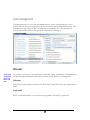
By selecting this option only the auto de novo sequencing is performed. The peptide
sequence tags will be returned for each spectrum.
PEAKS Protein ID
This option tells PEAKS Online to do auto de novo sequencing and protein identification.
Peptide sequences and a list of protein possibilities with their confidence scores will be
returned in the results. This is the most highly recommended function in order to return the
most accurate results.
Use existing de novo results
This option will skip the de novo step and use the existing PEAKS de novo sequencing
results from a previous run to identify the possible protein matches in a specified database.
This option is intended for when a user is loading PEAKS native .ANZ file.
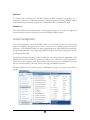
Preprocess
When dealing with MS/MS data, it is often useful to remove outliers, smooth, detrend, or
otherwise treat the data to make it more tractable for analysis and estimation purposes.
PEAKS Online provides effective for carefully and accurately exclusion, detrending and
filtering.
Do preprocess
If checked, PEAKS Online will preprocess the spectral data before doing de novo
sequencing or protein identification. Be careful here, if the data has been preprocessed,
preprocessing again will make the results less correct.
Enable Filter
By enabling the filter feature, data of insufficient quality can be easily removed.
Merge tol. +/If the m/z ratio's of precursors from two or multiple spectra are quite close to each other
(within the tolerance), they can be merged into one spectrum. The resulting spectrum
26