1
PLXX-IPCR User Manual
BIOS SETUP
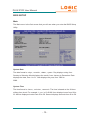
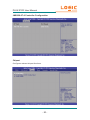
Main
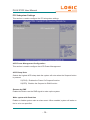
The Main menu is the first screen that you will see when you enter the BIOS Setup
Utility.
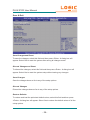
System Date
The date format is <day>, <month>, <date>, <year>. Day displays a day, from
Sunday to Saturday. Month displays the month, from January to December. Date
displays the date, from 1 to 31. Year displays the year, from 1980 to
2099.
System Time
The time format is <hour>, <minute>, <second>. The time is based on the 24-hour
military-time clock. For example, 1 p.m. is 13:00:00. Hour displays hours from 00 to
23. Minute displays minutes from 00 to 59. Second displays seconds from 00 to 59.
- 12 -