1
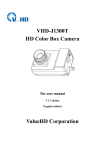
ValueHD Corporation All rights reserved 1. Machine cover MENU 2. Installation positioning tra Exposure 3. The front cover of the machine Color 4. Lens cap Image Operating tips Focus Both sides threaded hole is consistent with the positioning hole size, installation can Noise Reduction be used instead of each other. Setting 5 OSD Menu Operation Version ●Key Restore Factory Settings Description The camera USES five Exit buttons, respectively, to determine key [OK], select key 【 Operating tips 】 up and down, left and right sides choose key "【 】; Under normal image press "OK" key, the screen displays the main menu, press 【 Use the select key up and down【 Choose a menu item,press【OK】 to enter submenu. 】, from top to bottom cycle options menu item and press 【 】 select menu 】 choose[Exit]press【OK】 to exit menu. EXPOSURE options, use a scroll arrow or highlight the EXPOSURE selected item, press menu button "OK" to highlight the menu item; Each menu page has a Mode Full Auto "Return" option, to Return to the superior ExpCompMod Off menu or exit GainLimit 3 Backlight Off DRC Strength 1 Anti Flicker Off the menu. ●MENU(Main Menu) Directly press "OK" button to enter the main menu. Return Operating tips Mode: Set the camera exposure mode, Optional items: Full Auto, Shutter Priority, 4