1
New2001
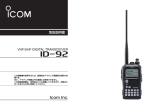
INSTRUCTION MANUAL
VHF/UHF DIGITAL TRANSCEIVER
iE92D
New2001
New
FOREWORD
FEATURES
Thank you for purchase of this fine Icom product. We understand you have a choice of many different radios in the market place. Many hours of research and development went
into the design of your IC-E92D, following Icom’s philosophy
of “technology first.”
❍ DV mode (Digital voice + Low-speed data
communication) operation ready
– Text message and call sign exchange
– Transmitting position data with a thirdparty GPS receiver
(You can also use HM-175GPS)
❍ Waterproof construction (IPX7)
❍ GPS receiver connectable
– Optional HM-175GPS is required
❍ Simple band scope
❍ Dualwatch operation
❍ Optional PC remote control
The IC-E92D VHF/UHF DIGITAL TRANSCEIVER is designed with
Icom’s superior technology and craftsmanship combining
traditional analog technologies with the new digital D-STAR
technologies for a balanced packaged.
With proper care, this product should provide you with years
of trouble-free operation. We want to take a couple of moments of your time to thank you for making your IC-E92D
your radio of choice, and hope you agree with Icom’s philosophy of “technology first.”
IMPORTANT
EXPLICIT DEFINITIONS
WORD
DEFINITION
Personal injury, fire hazard or electric
R-WARNING!
shock may occur.
CAUTION
NOTE
i
Equipment damage may occur.
Recommended for optimum use. No risk of
personal injury, fire or electric shock.
READ ALL INSTRUCTIONS carefully and completely
before using the transceiver.
SAVE THIS INSTRUCTION MANUAL— This instruction manual contains important operating instructions
for the IC-E92D.
New2001
PRECAUTIONS
RWARNING RF EXPOSURE! This device emits
Radio Frequency (RF) energy. Caution should be observed
when operating this device. If you have any questions regarding RF exposure and safety standards please refer to
the Federal Communications Commission Office of Engineering and Technology’s report on Evaluating Compliance
with FCC Guidelines for Human Radio Frequency Electromagnetic Fields (OET Bulletin 65)
RWARNING! NEVER hold the transceiver so that
the antenna is very close to, or touching exposed parts of
the body, especially the face or eyes, while transmitting. The
transceiver will perform best if the microphone is 5 to 10 cm
away from the lips and the transceiver is vertical.
RWARNING! NEVER operate the transceiver with
an earphone, headphones or other audio accessories at
high volume levels. Hearing experts advise against continuous high volume operation. If you experience a ringing in
your ears, reduce the volume level or discontinue use.
RWARNING! NEVER operate the transceiver while
driving a vehicle. Safe driving requires your full attention—
anything less may result in an accident.
NEVER
connect the transceiver to a power source of
more than 16 V DC. This will ruin the transceiver.
NEVER connect the transceiver to a power source using
reverse polarity. This will ruin the transceiver.
DO NOT
operate the transceiver near unshielded electrical blasting caps or in an explosive atmosphere.
DO NOT push the PTT when not actually desiring to transmit.
BE CAREFUL!
The transceiver will become hot when
operating it continuously for long periods.
DO NOT use or place the transceiver in direct sunlight or in areas with temperatures below –20°C or above
+60°C.
Place the unit in a secure place to avoid inadvertent use by
children.
DO NOT use of chemical agents such as benzine or alcohol when cleaning, as they can damage the transceiver’s
surfaces.
1
2
3
4
5
6
7
8
9
10
11
12
13
14
15
16
17
18
19
ii
New2001
New
PRECAUTIONS
SUPPLIED ACCESSORIES
D Important notes when using GPS receiver
The following accessories are supplied with the transceiver.
q Hand strap ····································································· 1
w Antenna ·········································································· 1
e Battery pack (BP-256) ···················································· 1
r Battery charger (BC-167D) ············································ 1
t Belt clip (with screws) ················································· 1 set
• Please do not use the HM-175GPS close the TX antenna.
The transmit signal may cause GPS receiver malfunction.
• The GPS signal cannot pass through the metal object.
When using the HM-175GPS inside a vehicle, you may not
receive GPS signal. We recommend to use it window side.
Please avoid the areas shown in the following:
1. DO NOT use where it will block the driver’s view.
2. DO NOT use where the air bags could deploy.
3. DO NOT use it when becoming the obstacle of driving.
q
• The Global Positioning System (GPS) is built and operated
by the U.S. Department of Defence. The Department is
responsible for accuracy and maintenance of the system.
Any changes by the Department may affect the accuracy
and function of the GPS system.
• When the GPS receiver is activated, please do not cover
the HM-175GPS with any object.
• The GPS receiver may not work if used in the following locations:
1. Tunnels or high-rise buildings
2. Underground parking lot
3. Under a bridge or viaduct
4. In remote forested areas
5. Under bad weather condition (rainy or cloudy day)
iii
w
e
r
t
New2001
NOTICES
D Using the optional HM-175GPS
Noise signals from the HM-175GPS may interfere with the
IC-E92D’s AM radio or HF band reception.
In this case, set the HM-175GPS’s microphone cable as
distant to the antenna as far as possible, or turn off the HM175GPS.
D Data output from HM-175GPS
The optional HM-175GPS outputs GPS data (position data,
etc.) to the IC-E92D at intervals while receiving only.
Therefore, the transceiver is not updated GPS data while
transmitting.
The transceiver transmits GPS data that was received just
prior to the last transmission in the DV mode .
D About OPC-1797
• NEVER connect the optional OPC-1797 CONNECTION CABLE
with non-Icom article specified.
• When connecting a 2.5 (d) mm monaural plug to the microphone jack, it acts as short and becomes a cause of failure.
• Turn power OFF when connecting or disconnecting the
OPC-1797.
Icom, Icom Inc. and the
logo are registered trademarks of Icom
Incorporated (Japan) in the United States, the United Kingdom,
Germany, France, Spain, Russia and/or other countries.
Microsoft, Windows and Windows Vista are either registered trademarks or trademarks of Microsoft Corporation in the United States
and/or other countries.
APRS® is a registered trademark of Mr. Bob Bruninga in the U.S.A.
and other countries.
1
2
3
4
5
6
7
8
9
10
11
12
13
14
15
16
17
18
19
iv
New2001
New
TABLE OF CONTENTS
FOREWORD ····················································································· i
EXPLICIT DEFINITIONS ··································································· i
FEATURES ························································································ i
IMPORTANT ······················································································ i
PRECAUTIONS ············································································ii, iii
SUPPLIED ACCESSORIES ···························································· iii
NOTICES ························································································· iv
TABLE OF CONTENTS ······························································v–vii
1 ACCESSORY ATTACHMENT ·····················································1
■ Antenna ···················································································1
■ Belt clip ····················································································1
■ Hand strap ···············································································1
■ Battery pack ·············································································1
2 PANEL DESCRIPTION ···························································2–7
■ Front, top and side panels ·······················································2
■ Function display ·······································································6
3 BATTERY CHARGING ·························································8–13
■ Caution ····················································································8
■ Regular charging ···································································10
■ Rapid charging·······································································11
■ Optional battery case·····························································12
■ Battery information ································································12
■ External DC power operation·················································13
4 FREQUENCY AND CHANNEL SETTING ··························14–19
■ Main band selection ·······························································14
■ Mode selection·······································································15
■ Operating band selection ·······················································16
■ Setting a tuning step ······························································18
■ Setting a frequency ································································18
v
5 BASIC OPERATION ·····························································20–28
■ Receiving ···············································································20
■ Setting audio volume ·····························································20
■ Setting squelch level ······························································21
■ Operating mode selection ······················································21
■ Monitor function ·····································································22
■ Attenuator function·································································22
■ Band scope ············································································23
■ Transmitting············································································24
■ Transmit power selection ·······················································24
■ Lock function··········································································25
■ Dualwatch operation ······························································25
■ TV channel operation ·····························································28
6 REPEATER AND DUPLEX OPERATIONS ························29–33
■ General ··············································································29
■ Accessing a repeater ·····························································30
■ Duplex operation ····································································32
■ 1750 Hz tone ·········································································33
7 DV MODE OPERATION ······················································34–59
■ Digital mode operation ···························································34
■ Call sign programming ···························································34
■ Digital voice mode operation ·················································38
■ About the D-STAR system ·····················································40
■ Digital repeater operation ······················································41
■ Received call sign ··································································46
■ Copying the call sign······························································48
■ Break-in communication ························································51
■ Message operation ································································52
■ Automatic reply function ························································54
■ EMR (Emergency) communication ········································56
New2001
TABLE OF CONTENTS
■ Low-speed data communication ············································56
■ Other function for DV mode operation ···································58
8 GPS/GPS-A OPERATION ··················································60–70
■ GPS operation ·······································································60
■ GPS set mode items ······························································68
■ GPS-A operation····································································70
9 MEMORY/CALL CHANNELS ···············································71–81
■ General description································································71
■ Selecting a memory channel ·················································72
■ Selecting a call channel ·························································73
■ Memory channel programming ··············································74
■ Memory bank setting ·····························································75
■ Memory bank selection··························································76
■ Programming memory/bank/scan name ································77
■ Selecting memory/bank name indication ·······························78
■ Copying memory/call contents···············································79
■ Memory clearing ····································································80
■ Erasing/transferring bank contents ········································81
10 SCAN OPERATION ····························································82–89
■ Scan types ·············································································82
■ Full/band/programmed scan ·················································83
■ Scan edges programming······················································84
■ Memory scan ········································································85
■ Memory bank scan ································································86
■ Skip channel/frequency setting ··············································87
■ Scan resume condition ··························································89
11 PRIORITY WATCH ······························································90–92
■ Priority watch types ·······························································90
■ Priority watch operation ·························································91
12 MENU SCREEN OPERATION ··········································93–116
■ General ··············································································93
■ MENU screen indication for A band·······································94
■ MENU screen indication for B band·······································94
■ Menu list ··············································································94
■ Items list ··············································································94
■ Set mode items ······································································96
■ DV set mode items·······························································100
■ Scan set mode items ···························································108
■ DUP/TONE set mode items ·················································110
■ Display set mode items························································112
■ Sounds set mode items ·······················································115
13 OTHER FUNCTIONS ······················································117–131
■ Programming a DTMF code ················································117
■ Transmitting a DTMF code ···················································118
■ Clearing a DTMF memory ···················································119
■ Confirming a DTMF memory ···············································120
■ Setting DTMF transfer speed ···············································120
■ Tone frequency and DTCS code ··········································121
■ Digital code and digital call sign setting ······························122
■ Tone/DTCS squelch ·····························································124
■ Digital code/digital call sign squelch ····································124
■ Pocket beep function ···························································125
■ DTCS polarity setting ···························································125
■ Tone scan·············································································126
■ Beep tones···········································································127
■ Dial speed acceleration ·······················································127
■ Key lock effect ······································································127
■ Power save ··········································································129
■ Auto power OFF···································································128
1
2
3
4
5
6
7
8
9
10
11
12
13
14
15
16
17
18
19
vi
New2001
TABLE OF CONTENTS
■ Auto power ON ····································································128
■ Time-out timer ······································································128
■ PTT lock···············································································128
■ Font size ··············································································129
■ Display backlighting ·····························································129
■ LCD contrast ········································································129
■ Cloning function ···································································130
■ Resetting··············································································131
14 TROUBLESHOOTING·····························································132
15 SPECIFICATIONS ···························································133–134
16 OPTIONS ········································································135–137
■ Optional HM-75A REMOTE CONTROL SPEAKER
MICROPHONE ····································································136
■ Connecting to the [DATA/SP/MIC] jack ································137
INDEX ·················································································138–143
17 CE ·················································································146–147
vii
WATERPROOF NOTICES
• BE CAREFUL! The transceiver employs waterproof construction, which corresponds to IPX7 of the international
standard IEC 60529 (2001). However, once the transceiver
has been dropped, waterproofing cannot be guaranteed
due to the fact that the transceiver may be cracked, or the
water-proof seal damaged, etc.
• MAKE SURE the [DATA/SP/MIC] connector cap, flexible
antenna and battery pack are securely attached to the
transceiver, and that the [DATA/SP/MIC] connector cap,
antenna and battery pack are dry before attachment. Exposing the inside of the transceiver to water will result in
serious damage to the transceiver. After exposure to water,
clean the battery contacts thoroughly with fresh water and
dry them completely to remove any water or salt residue.
• NEVER remove or insert the battery pack when the transceiver is wet or soiled. This may result water or dust getting into the transceiver/battery pack and may result in the
transceiver being damaged.
• IMPORTANT: KEEP the transceiver’s [DATA/SP/MIC] connector cap attached when the speaker-microphone is not
in use. If the cover is not attached, water will get into the
transceiver. More over, the terminals (pins) will become
rusty, or the transceiver will function abnormally if the connector has become wet.
• NEVER immerse the connector in water. If the connector
becomes wet, be sure to dry it BEFORE attaching it to the
transceiver.
ACCESSORY ATTACHMENT
■ Antenna
Jack cover
1
■ Hand strap
Slide the hand strap through the
loop on the top of the belt clip as
illustrated at left to facilitate carrying
the transceiver.
Insert the supplied antenna into the
antenna connector and screw down
the antenna as shown at left.
NEVER carr y the transceiver by
holding the antenna.
KEEP the jack cover attached when
jack is not in use to protect the connector from dust and water.
✔ For your information
Third-party antennas may increase transceiver performance. An optional AD-92SMA ANTENNA CONNECTOR
ADAPTER is available to connect an antenna with a BNC
connector.
■ Belt clip
1
Handstrap
■ Battery pack
Attach the Li-Ion battery pack (BP-256) or battery case
(BP-257) as illustrated below.
• Charge the Li-Ion battery pack before use. (pgs. 10, 11)
Supplied screws*
*NOTE:
USE the supplied screws
only. Using screws longer
than specified could damage
the transceiver.
Battery pack/Battery case
q
w
Latch
CAUTION!:
NEVER attach or detach the battery
pack when wet.
Be careful when releasing the latch.
Because the latch is tightly locked,
don’t use a finger nail to open it—
you may injure yourself. Instead, use
something relatively flat, like the
edge of a coin or the tip of a
screwdriver, to carefully release the
latch.
1
New2001
2
New
PANEL DESCRIPTION
■ Front, top and side panels
!6
q
!5
!4
w
Function display
e
r
t
y
u
PWR
D
BAND
1
i
Internal microphone
!3
MAIN
DUAL
MENU
CLR
SCOPE
2
4
5
7
8
DUP
DSQ
TONE
3 A/a
SCAN
LOW
6
SKIP
M.NAME
9
TS
CS
DTMF.M
REC
MODE
0
CQ
.
#
CD
T.SCAN
VFO
A
MHz
MR
B
S.MW
CALLC
RX CS
Speaker
!2
!1
!0
o
q ANTENNA CONNECTOR (p. 1)
Connects the supplied antenna.
• An optional AD-92SMA adapter (p. 135) is available for connecting an antenna with a BNC connector.
2
w TX/RX INDICATOR [TX/RX] (p. 24)
Lights green while receiving a signal or when the squelch
is open; lights red while transmitting.
e PTT SWITCH [PTT] (p. 24)
Push and hold to transmit, release to receive.
r SQUELCH KEY [SQL]
➥ Push and hold to open the squelch temporarily and
monitor the operating frequency. (p. 22)
➥ While pushing and holding this key, rotate [DIAL] to
adjust the squelch level. (p. 21)
t MAIN/DUAL KEY [MAIN/DUAL]
➥ Push to toggle the main band between A and B bands.
(p. 26)
➥ Push and hold for 1 sec. to toggle the dualwatch function ON and OFF. (p. 25)
y POWER KEY [PWR]
Push and hold for 1 sec. to turn the transceiver power ON
and OFF. (p. 20)
u BAND KEY [BAND]
➥ During VFO mode operation, push to select an operating frequency band. (pgs. 16, 17)
➥ During memory bank mode, push to select a memory
bank. (p. 76)
➥ Enters or sends the DTMF code ‘D’. (pgs. 117, 119)
New2001
PANEL DESCRIPTION
i KEYPAD (pgs. 4, 5)
o CALL/RX➝CS KEY [CALL]/[RX➝CS](CALL)
➥ Push to select the call channel/TV channel. (pgs. 16,
28)
➥ During DV mode operation, push and hold for 1 sec. to
set the received call signs (station and repeaters) for
operation. (p. 47)
➥ Enters or sends the DTMF code ‘C’. (pgs. 117, 119)
!0 MEMORY/SELECT MEMORY WRITE KEY [MR]/
[S.MW](MR)
➥ Push to select memory mode. (p. 15)
➥ During memory mode operation, push to toggle between memory and memory bank mode. (p. 76)
➥ Push and hold for 1 sec. to enter select memory write
mode. (p. 74)
➥ Enters or sends the DTMF code ‘B’. (pgs. 117, 119)
!1 VFO/MHz KEY [VFO]/[MHz](VFO)
➥ Push to toggle select VFO mode. (p. 15)
➥ During VFO mode operation, push and hold for 1 sec.
to select and toggle 1 MHz and 10 MHz tuning steps.
(p. 18)
➥ Enters or sends the DTMF code ‘A’. (pgs. 117, 119)
!2 MENU/LOCK KEY [MENU/LOCK]
➥ Push to toggle menu screen indication ON and OFF.
(p. 93)
➥ Push and hold for 1 sec. to toggle the lock function ON
and OFF. (p. 25)
2
!3 EXTERNAL DC IN JACK [DC IN]
➥ Connects the supplied wall charger, BC-167D, to
charge the attached battery pack. (p. 10)
➥ Connect an external DC power supply through the optional CP-12L, CP-19R or OPC-254L for external DC
operation. (p. 13)
2
!4 VOLUME CONTROL [VOL]
Rotate to adjust the audio output level. (p. 20)
!5 CONTROL DIAL [DIAL]
➥ Rotate to tune the operating frequency. (p. 18)
➥ During memory mode, rotate to select the memory
channel. (pgs. 15, 72)
➥ While pushing and holding [BAND], selects the operating band in VFO mode. (p. 18)
➥ While scanning, changes the scanning direction. (p. 83)
➥ While pushing and holding [SQL], sets the squelch
level. (p. 21)
➥ While pushing and holding [BAND], selects the programmed bank in memory mode. (p. 75)
The assigned function for [VOL] and [DIAL can be exchanged in menu screen operation. (p. 99)
!6 EXTERNAL SPEAKER/MICROPHONE JACK
[DATA/SP/MIC]
Connect a communication cable, optional speaker microphone or headset, if desired.
See page 135 for a list of available options.
3
New2001
New
2
PANEL DESCRIPTION
D KEYPAD
KEY
1
CLR
SCOPE
2
SCAN
3 A/a
LOW
Pushed and held for 1 sec.
• Inputs digit ‘1’ for frequency input, memory channel selection, • Displays the simple band scope for a single sweep. (p. 23)
• Displays the simple band scope for continuation sweep. (p. 23)
etc.
• While pushing [PTT], this key sends the DTMF code “1.”
• Inputs digit ‘2’ for frequency input, memory channel selection, • Starts a scan. (p. 83)
etc.
• While pushing [PTT], this key sends the DTMF code “2.”
• Inputs digit ‘3’ for frequency input, memory channel selection, • Toggles the transmit output power between high, mid, low and
etc.
S-low (p. 24).
• While pushing [PTT], this key sends the DTMF code “3.”
- While pushing and holding this key, with [DIAL] rotation selects the output power.
4
• Inputs digit ‘4’ for frequency input, memory channel selection, • Activates the following duplex functions in order.
etc.
- Minus duplex operation— “–DUP” appears.
• While pushing [PTT], this key sends the DTMF code “4.”
- Plus duplex operation— “+DUP” appears.
- Simplex operation— no duplex indicator appears.
- While pushing and holding this key, [DIAL] rotation selects the
duplex function.
5
• Inputs digit ‘5’ for frequency input, memory channel selection, • Turn the frequency skip function ON and OFF in VFO mode, or
etc.
set the memory channel as the following skip channel in mem• While pushing [PTT], this key sends the DTMF code “5.”
ory mode in order (p. 87).
- Skip channel— “SKIP” appears.
- Frequency skip channel— “PSKIP” appears.
- Non-skip channel— no skip indicator appears.
DUP
SKIP
6
M.NAME
4
Pushed momentarily
• Inputs digit ‘6’ for frequency input, memory channel selection, • Turn the memory or bank name indication ON and OFF. (p. 78)
• Memory name (normal), memory name (large), bank name and
etc.
OFF are selectable.
• While pushing [PTT], this key sends the DTMF code “6.”
New2001
PANEL DESCRIPTION
KEY
7
DSQ
TONE
8
TS
9
CS
DTMF.M
0
CQ
.
#
CD
T.SCAN
REC
MODE
Pushed momentarily
2
Pushed and held for 1 sec.
• Inputs digit ‘7’ for frequency input, memory channel selection, • During FM/FM-N mode operation, selects repeater tone, tone
etc.
squelch, tone squelch reverse, DTCS squelch, DTCS squelch re• While pushing [PTT], this key sends the DTMF code “7.”
verse and no tone operation in sequence. (p. 124)
• During DV mode operation, selects digital call sign squelch, digital
code squelch and no squelch operation in sequence. (p. 124)
• Inputs digit ‘8’ for frequency input, memory channel selection, • Selects tuning step selection. (p. 18)
etc.
• While pushing [PTT], this key sends the DTMF code “8.”
• Inputs digit ‘9’ for frequency input, memory channel selection, • Select DTMF memory mode. (p. 117)
etc.
(Push and hold for 2 sec. while operating DV mode.)
• While pushing [PTT], this key sends the DTMF code “9.”
• During DV mode operation, CALL SIGN setting mode is displayed.
(pgs. 38, 48)
• Inputs digit ‘0’ for frequency input, memory channel selection, • During DV mode operation, set “CQCQCQ” for station’s call sign
etc.
for operation.
• While pushing [PTT], this key sends the DTMF code “0.”
• Inputs MHz digit for frequency input.
• During FM/FM-N mode operation, starts tone scan function.
• While pushing [PTT], this key sends the DTMF code “F (#).”
(p. 126)
• During DV mode operation, RX CALL SIGN is displayed. (p. 46)
• During DV mode operation, selects the record track for voice • Selects the operating mode. (p. 21)
memory. (p. 58)
• While pushing [PTT], this key sends the DTMF code “E (✱).”
2
5
New2001
New
2
PANEL DESCRIPTION
■ Function display
• Single band indication
w
q
!7
!6
!5
!4
!3
e
r
t y
-DUP DSQL
DV
PRIO
B
439 706
43
EMR
25
MemoName PSKIP
µ
LOW
ATT
000
u
i
o
!0
!1
!2
i
e
o
PS
!7
q
PRIO
88 100 25 µ
000
y
!6
i
!7
!3
!1
r
!4
-DUP DTCS
!1
!4
t
!0
!8
e o
PS
PRIO EM
439 70675 µ
43
000
!2
6
w
w DUPLEX INDICATOR (p. 32)
“+DUP” appears when plus duplex, “–DUP” appears when
minus duplex is selected.
e PRIORITY WATCH INDICATOR (p. 90)
Appears when priority watch is in use.
• Dualwatch indication
!6
q BATTERY INDICATOR (pgs. 10, 12)
➥“
” (battery indicators) appear when the battery
pack is attached.
➥“
” appears when the battery cells/pack must be
changed/charged.
➥ The indicators show “
,” “
” and “
” in sequence while charging the attached battery pack.
!8
u
!0
r TONE INDICATOR
• While operating in FM/FM-N mode;
➥ “TONE” appears while the subaudible tone encoder is
in use. (pgs. 30, 124)
➥ “TSQL” appears while the tone squelch function is in
use. (p. 124)
➥ “TSQL R” appears while the reverse tone squelch function is in use. (p. 124)
➥ “DTCS” appears while the DTCS squelch function is in
use. (p. 124)
➥ “DTCS R” appears while the reverse DTCS squelch
function is in use. (p. 124)
➥ “S” appears with the “TSQL” or “DTCS” indicator
while the pocket beep function (with CTCSS or DTCS) is
in use. (p. 125)
New2001
PANEL DESCRIPTION
• While operating in DV mode;
➥ “DSQL” appears while the digital call sign squelch function is in use. (p. 124)
➥ “CSQL” appears while the digital code squelch function
is in use. (p. 124)
➥ “S” appears with the “DSQL” or “CSQL” indicator
while the pocket beep function (with digital call sign or
digital code squelch) is in use. (p. 125)
t KEY LOCK INDICATOR (pgs. 25, 127)
Appears when the key lock function is activated.
y AUTO POWER OFF INDICATOR (p. 96)
Appears when the auto power OFF function is in use.
u EMR/BK MODE INDICATOR (pgs. 51, 56, 107)
➥ Appears “EMR” when the EMR mode operation is selected. (p. 56, 107)
➥ Appears “BK” when the break-in communication is selected. (pgs. 51, 107)
i FREQUENCY READOUT
Displays a variety of information, such as operating frequency, set mode contents, memory names.
• The decimal point blinks during scan.
o SKIP INDICATOR (pgs. 87, 88)
➥ “SKIP” appears when the selected memory channel is
set as a skip channel.
➥ “PSKIP” appears when the displayed frequency is set
as a skip frequency.
!0 MEMORY CHANNEL NUMBER INDICATOR
➥ Shows the selected memory channel number.
(pgs. 72, 73)
2
➥ “C” appears when the call channel is selected.
(pgs. 16, 73)
➥ “TV” appears when the TV channel is selected.
(pgs. 16, 28)
2
!1 S/RF METER
➥ Shows the relative signal strength while receiving signals.
➥ Shows the output power level while transmitting. (p. 24)
!2 ATTENUATOR INDICATOR (p. 22)
Appears when the RF attenuator is in use.
!3 POWER INDICATOR (p. 24)
➥ “LOW” appears when low power is selected.
➥ “SLO” appears when S-low power is selected.
➥ “MID” appears when middle power is selected.
➥ No indicator appears when high power is selected.
!4 MEMORY INDICATOR (p. 72)
Appears when memory mode is selected.
!5 NAME INDICATOR (p. 78)
During memory mode operation, the programmed memory or memory bank name is displayed.
!6 MAIN BAND INDICATOR (p. 14)
Shows which operating band, “A” or “B,” is selected for the
main band.
!7 OPERATING MODE INDICATOR (p. 21)
Shows the selected operating mode.
• DV, FM, FM-N, WFM and AM are available, depending on operating band.
7
New2001
3
New
BATTERY CHARGING
■ Caution
Misuse of Lithium-Ion batteries may result in the following hazards: smoke, fire, or the battery may rupture.
Misuse can also cause damage to the battery or degradation of battery performance.
• R DANGER! Use and charge only specified Icom battery
packs with Icom radios. Only Icom battery packs are tested
and approved for use with Icom radios. Using third-party or
counterfeit battery packs may cause smoke, fire, or cause
the battery to burst.
D Battery caution
• R DANGER! DO NOT hammer or otherwise impact the
battery. Do not use the battery if it has been severely impacted or dropped, or if the battery has been subjected to
heavy pressure. Battery damage may not be visible on the
outside of the case. Even if the surface of the battery does
not show cracks or any other damage, the cells inside the
battery may rupture or catch fire.
• R DANGER! NEVER use or leave battery pack in areas
with temperatures above +60˚C. High temperature buildup
in the battery, such as could occur near fires or stoves, inside a sun heated car, or in direct sunlight may cause the
battery to rupture or catch fire. Excessive temperatures
may also degrade battery performance or shorten battery
life.
8
• R DANGER! DO NOT expose the battery to rain, snow,
seawater, or any other liquids. Do not charge or use a wet
battery. If the battery gets wet, be sure to wipe it dry before
using.
• R DANGER! NEVER incinerate a used battery pack since
internal battery gas may cause it to rupture, or may cause
an explosion.
• R DANGER! NEVER solder the battery terminals, or
NEVER modify the battery pack. This may cause heat generation, and the battery may burst, emit smoke or catch
fire.
• R DANGER! Use the battery only with the transceiver for
which it is specified. Never use a battery with any other
equipment, or for any purpose that is not specified in this
instruction manual.
• R DANGER! If fluid from inside the battery gets in your
eyes, blindness can result. Rinse your eyes with clean
water, without rubbing them, and see a doctor immediately.
• WARNING! Immediately stop using the battery if it emits
an abnormal odor, heats up, or is discolored or deformed. If
any of these conditions occur, contact your Icom dealer or
distributor.
• WARNING! Immediately wash, using clean water, any part
of the body that comes into contact with fluid from inside
the battery.
New2001
BATTERY CHARGING
• WARNING! NEVER put the battery in a microwave oven,
high-pressure container, or in an induction heating cooker.
This could cause a fire, overheating, or cause the battery
to rupture.
• CAUTION! Always use the battery within the specified
temperature range, –20˚C to +60˚C. Using the battery out
of its specified temperature range will reduce the battery’s
performance and battery life.
• CAUTION! Keep the battery back below temperature range
conditions while non use for a long time.
–20˚C to +45˚C ( within a month).
–20˚C to +35˚C ( within three months).
–20˚C to +25˚C ( More than a year).
• CAUTION! Shorter battery life could occur if the battery
is left fully charged, completely discharged, or in an excessive temperature environment (above +45˚C) for an
extended period of time. If the battery must be left unused
for a long time, it must be detached from the radio after discharging. You may use the battery until the battery indicator
shows half-capacity, then keep it safely in a cool dry place
with the temperature between –20˚C to +25˚C.
NOTE: When the desktop charger’s charging indicator
blinks orange for 10 sec. since the battery pack (with the
transceiver) to the charger, charge the BP-256 only (without the transceiver), or charge the battery pack reguraly
(using with the battery charger, cigarette lighter cable,
etc.).
3
D Charging caution
• R DANGER! NEVER charge the battery pack in areas with
extremely high temperatures, such as near fires or stoves,
inside a sun heated car, or in direct sunlight. In such environments, the safety/protection circuit in the battery will
activate, causing the battery to stop charging.
3
• WARNING! DO NOT charge or leave the battery in the
battery charger beyond the specified time for charging. If
the battery is not completely charged by the specified time,
stop charging and remove the battery from the battery
charger. Continuing to charge the battery beyond the specified time limit may cause a fire, overheating, or the battery
may rupture.
• WARNING! NEVER insert the transceiver (battery attached
to the transceiver) into the charger if it is wet or soiled. This
could corrode the battery charger terminals or damage the
charger. The charger is not waterproof.
• CAUTION! DO NOT charge the battery outside of the
specified temperature range: 0˚C to +40˚C. Icom recommends charging the battery at +25˚C. The battery may heat
up or rupture if charged out of the specified temperature
range. Additionally, battery performance or battery life may
be reduced.
9
New2001
New
3
BATTERY CHARGING
■ Regular charging
Prior to using the transceiver for the first time, the battery
pack must be fully charged for optimum life and operation.
D Battery indicators
The indicators show “
,” “
” and “
” in sequence
while charging (the transceiver’s power OFF), and indicators
disappear when completely charged.
D Charging note
• BC-167D
Transceiver
to AC outlet
• CP-12L (Optional)
to
[DC IN]
• Be sure to turn the transceiver power OFF.
Otherwise the battery pack will not be charged completely or takes
longer to charge time periods.
• External DC power operation becomes possible when
using an optional CP-12L, CP-19R or OPC-254L. The attached battery pack is also charged simultaneously, except
during transmit. (see p. 11 for more details)
• The external DC power supply voltage must be between 10
–16 V to charge the battery pack and for operation when
using an optional OPC-254L.
BP-256
to cigarette lighter
socket (12 V DC)
• CP-19R (Optional)
Turn power OFF while
charging the battery
pack.
• Charging time period:
Approx. 6 hours
• OPC-254L (Optional)
to 12 V DC
(power supply)
Black: _
White: +
10
New2001
BATTERY CHARGING
3
■ Rapid charging
The optional BC-177 provides rapid charging of the battery
pack.
• Charging period: approx. 2.5 hours (with BP-256)
D Charging note
• Be sure to turn the transceiver power OFF.
Detach the battery pack from the transceiver then charge
the battery pack by itself, or charge the battery with regular charging when the transceiver power cannot be turned
OFF. Otherwise the battery pack will not be charged (charging indicator on the BC-177 blinks orange about 10 sec. after the
battery pack is installed in BC-177).
• The desktop charger, BC-177, can only charge BP-256
battery pack. Other types of rechargeable battery, Ni-Cd or
Ni-MH cannot be charged.
• If the charging indicator blinks orange, there may be a
problem with the battery pack (or charger). In this case, the
battery pack is charged alone (without the transceiver) or
regular charge is carried out. Contact your dealer when the
battery pack isn’t charged.
• The optional CP-12L and OPC-254L can be used instead
of the supplied AC adapter. Connect one of these to the
[DC 13.5V] jack in this case.
Transceiver
(with battery pack)
Turn power OFF.
3
Battery pack
to AC outlet
CP-12L
OPC-254L
to [DC 13.5V]
AC adapter
(supplied
with BC-177)
Charging
terminal
to [AC ADAPTER]
Charging indicator
Charging : Orange
Finished : Green
BC-177 (optional)
Desktop charger
11
New2001
New
3
BATTERY CHARGING
■ Optional battery case
■ Battery information
➥ Install 2 × LR6 (AA) size
alkaline batteries into the
optional BP-257 BATTERY
CASE.
D Battery life
• Be sure to observe the correct polarity.
A built-in step-up convertor in the BP-257 increases the
voltage to 5 V DC.
Approx. 100 mW of output power is possible with the
BP-257 operation. Also, no transmit output power selection is available.
Keep battery contacts clean. It’s a good idea to clean battery terminals once a week.
D Battery information
The batteries may seem to have low capacity when used in
low temperatures such as –10°C or below. Keep the battery
case or pack warm in this case.
D Battery replacement
When the batteries become exhausted, the function display
may blink or have a lower contrast. In these cases, replace
all batteries with new, same brand, alkaline batteries.
12
The transceiver operates with the BP-256 Li-ion as follows.
However, when operating in DV mode, operating time may
be shortened by one-half hour.
• VHF band : Approx. 6 hours
• UHF band : Approx. 5.5 hours (Tx: Rx: Stand-by=1: 1: 8)
Even when the transceiver power is OFF, a small current
still flows in the radio. Remove the battery pack or case
from the transceiver when not using it for a long time. Otherwise, the battery pack or installed batteries will become
exhausted.
The battery protection function sets to Low (2.5 W) automatically while using 0°C. Transmit power selection is also
disable.
D Battery indicator
The battery indicator, “
,” appears only when the BP-256
Li-ion is attached to the transceiver.
The battery indicator does not appear when turning power
ON after charging is completed without disconnecting the
battery charger or external DC power.
Indication
Battery condition
The battery has ample capacity.
The battery is nearing exhaustion. Charging is necessary.
New2001
BATTERY CHARGING
3
■ External DC power operation
An optional cigarette lighter cable (CP-12L or CP-19R; for 12 V
cigarette lighter socket) or external DC power cable (OPC-254L)
can be used for external power operation.
• CP-12L (Optional)
3
Transceiver
D Operating note
• Power supply voltage must be between 10.0–16.0 V DC.
NEVER CONNECT OVER 16 V DC directly into the [DC IN]
jack of the transceiver.
• BE SURE to use CP-12L,CP-19R or OPC-254L when connecting a regulated 12 V DC power supply.
Use an external DC-DC converter to connect the transceiver through optional CP-12L, CP-19R or OPC-254L to a
24 V DC power source.
• The voltage of the external power supply must be within
10–16 V DC when using either CP-12L, CP-19R or OPC254L, otherwise, use the battery pack.
• Disconnect the power cables from the transceiver when
not using it. Otherwise, the vehicle battery will become exhausted.
• The power save function is deactivated automatically during external DC power operation.
to
[DC IN]
to cigarette lighter
socket (12 V DC)
• CP-19R (Optional)
• OPC-254L (Optional)
to 12 V DC
(power supply)
Black: _
White: +
NOTE: Up to 5 W (approx.) of maximum output power is
available when using external DC power. However, when
the supplied voltage exceeds 14 V, the built-in protection
circuit activates to reduce the transmit output power to
2.5 W (approx.).
13
New2001
4
New
FREQUENCY AND CHANNEL SETTING
■ Main band selection
D How to change the main band
The IC-E92D has two independent operating bands; A band
(VFO A) and B band (VFO B). A band (VFO A) can operate
0.495 MHz to 999.990 MHz, and B band (VFO B) can operate 118 MHz to 174 MHz and 350 MHz to 470 MHz.
➥ Push [MAIN/DUAL] to toggle between A and B band.
➥ Push and hold [MAIN/DUAL] for 1 sec. to turn the dualwatch operation ON and OFF.
• While in dualwatch operation, the display indicates A band in
the upper half and B band in the lower half.
NOTE: When in dualwatch mode, transmission is available on the MAIN band only.
➥ During dualwatch operation, push [MAIN/DUAL] to toggle
between A band or B band as the main operating band.
Single band operation
Dualwatch operation
• Selecting A band
• Selecting upper side as main band
+DUP DTCS
FM
PRIO WX EMR
A
+DUP DTCS
144 000
14
144 000
14
MemoName
LOW
ATT
FM
+DUP DTCS
PSKIP
000
W PS
EM
430 000 µPRIO000
43
000
µ
W PS
PRIO
µ
FM
Push
Push
Push
for 1 sec.
• Selecting B band
+DUP DTCS
FM
PRIO WX EMR
B
430 000
43
MemoName
LOW
ATT
14
µ
PSKIP
000
• Selecting lower side as main band
+DUP DTCS
144 000
14
W PS
PRIO
µ
FM
+DUP DTCS
000
W PS
EM
430 000 µPRIO000
43
FM
New2001
FREQUENCY AND CHANNEL SETTING
4
■ Mode selection
D VFO mode
D Memory mode
VFO mode is used to set the desired frequency.
Memory mode is used for operation on memory channels
which store programmed frequencies.
➥ Push [VFO] to select VFO mode.
4
q Push [MR] to select memory mode.
• “µ
” appears when memory mode is selected.
• VFO mode indication
• Memory mode indication
+DUP DTCS
FM
PRIO WX EMR
A
144 000
14
MemoName
VFO
A
MHz
LOW
ATT
µ
+DUP DTCS
FM
PRIO WX EMR
A
PSKIP
000
433 000
43
MemoName
MR
B
LOW
ATT
µ
PSKIP
001
S.MW
Appear
What is VFO?
VFO is an abbreviation of Variable Frequency Oscillator. Frequencies for both transmitting and receiving are generated
and controlled by the VFO.
Set the attenuator function ON (☞p. 22) if the received
signal is blocked by other radio station when using a third
party high-gain antenna.
w Rotate [DIAL] to select the desired memory channel.
• Only programmed memory channels can be selected.
• Enter the memory channel directly to select the desired memory
channel. (p. 72)
• See p. 74 for memory programming details.
15
New2001
New
4
FREQUENCY AND CHANNEL SETTING
D Call/TV* channels
Call channels are used for quick recall of most-often used
frequencies.
*Appears only when TV channels are programmed via the
optional RS-92. Also available for A band operation only.
q Push [CALL] several times to select call channels/TV
channels (A band only).
• Call/TV channels can be selected in sequence.
• Call channel indication
+DUP DTCS
FM
PRIO WX EMR
A
145 000
14
MemoName P
LOW
ATT
µ
The transceiver can receive the AM broadcast, HF bands,
50 MHz, FM broadcast, VHF air, 144 MHz, 300 MHz, 400
MHz or 800 MHz bands. (Some bands are not selectable for B
band operation. See next page for details.)
➥ In VFO mode, push [BAND] several times to select the
desired frequency band.
• If VFO mode is not selected, such as a memory channel/call
channel/TV channel, push [VFO] to select VFO mode first, then
push [BAND] to select the desired band.
w Rotate [DIAL] to select the desired channel.
[DIAL]
■ Operating band selection
➥ While pushing and holding [BAND], rotating [DIAL] also
selects the frequency band.
SKIP
[DIAL]
C0
+DUP DTCS
FM
PRIO WX EMR
• TV channel indication
C
CALL
RX CS
+DUP DTCS
WFM
PRIO WX EMR
A
10 ch 25
MemoName P
LOW
ATT
16
µ
SKIP
TV
A
144 000
14
MemoName
D
BAND
LOW
ATT
µ
PSKIP
000
New2001
FREQUENCY AND CHANNEL SETTING
• Available frequency bands
• A band
+DUP DTCS
AM
PRIO WX EMR
A
001 620
00
MemoName
PSKIP
AM broadcast band
+DUP DTCS
AM
PRIO WX EMR
A
005 000
00
MemoName
PSKIP
HF band
051 000
MemoName
MemoName
PSKIP
+DUP DTCS
FM
PRIO WX EMR
A
+DUP DTCS
AM
PRIO WX EMR
A
430 000
43
MemoName
370 000
37
MemoName
: Push
PSKIP
300 MHz band
400 MHz band
PSKIP
VHF air band
+DUP DTCS
FM
PRIO WX EMR
A
PSKIP
118 000
11
MemoName
PSKIP
144 MHz band
800 MHz band
PSKIP
FM broadcast band
145 000
14
A
088
88000
000
MemoName
PSKIP
+DUP DTCS
FM
PRIO WX EMR
850 000
85
MemoName
+DUP DTCS
WFM
PRIO WX EMR
A
50 MHz band
+DUP DTCS
FM
PRIO WX EMR
A
+DUP DTCS
FM
PRIO WX EMR
A
D
BAND
: Rotating [DIAL] while pushing
D
BAND
Initial frequencies shown differ according to version.
• B band
+DUP DTCS
AM
PRIO WX EMR
A
B
118 000
11
MemoName
VHF air band
PSKIP
+DUP DTCS
FM
PRIO WX EMR
A
B
145 000
14
MemoName
144 MHz band
PSKIP
+DUP DTCS
FM
PRIO WX EMR
A
B
370 000
37
MemoName
300 MHz band
PSKIP
+DUP DTCS
FM
PRIO WX EMR
A
B
430 000
43
MemoName
400 MHz band
PSKIP
4
1
2
3
4
5
6
7
8
9
10
11
12
13
14
15
16
17
18
19
17
New2001
New
4
FREQUENCY AND CHANNEL SETTING
■ Setting a tuning step
■ Setting a frequency
The tuning step can be selected for each frequency band.
The following tuning steps are available for the IC-E92D.
• 5.0 kHz* • 6.25 kHz* • 8.33 kHz† • 9.0 kHz‡ • 10.0 kHz
• 12.5 kHz • 15.0 kHz • 20.0 kHz • 25.0 kHz • 30.0 kHz
• 50.0 kHz • 100.0 kHz • 125.0 kHz • 200.0 kHz
D Using the dial
* Appears for below the 600 MHz bands only.
† Appears for the VHF air band only.
‡ Appears for the AM broadcast band only.
q Push [VFO] to select VFO mode, if necessary.
w Select the desired frequency band with [BAND].
• Or, while pushing and holding [BAND], rotate [DIAL] to select
the desired frequency band.
e Rotate [DIAL] to select the desired frequency.
D Tuning step selection
q Push [VFO] to select VFO mode, if necessary.
w Push [BAND] to select the desired frequency band.
• Or, while pushing and holding [BAND], rotate [DIAL] to select
the desired frequency band.
• The frequency changes according to the preset tuning steps.
See the left-hand side of the page to set the tuning step.
• Push and hold [MHz](VFO) for 1 sec. then rotate [DIAL] to
change the frequency in 1 MHz steps, or push and hold for
1 sec. again then rotate [DIAL] to change the frequency in
10 MHz steps. (Each pushing and holding for 1 sec. toggles
1 MHz or 10 MHz tuning steps. Push [MHz](VFO) to cancel it.)
e Push and hold [TS](8) for 1 sec. to enter tuning step set mode.
[DIAL]
• While pushing and holding [TS](8) , rotate [DIAL] is also available to select tuning step.
r Rotate [DIAL] to select the desired tuning step.
t Push [TS](8) (or [VFO]) to return to VFO mode.
[DIAL]
+DUP DTCS
FM
PRIO WX EMR
A
144 00025
14
[DIAL]
changes
the
frequency according to the
selected tuning step.
D
BAND
VFO
+DUP DTCS
FM
PRIO WX EMR
A
144 00025
14
A
MHz
+DUP DTCS
FM
PRIO WX EMR
A
144 00025
14
PSKIP
µ
SET-TS:5.0kHz
SET
TS:5.0kHz
5 kHz tuning step
8
TS
18
000
After pushing and holding
[MHz](VFO) for 1 sec.,
[DIAL]
changes
the
frequency in 1 MHz/10 MHz
steps.
New2001
4
FREQUENCY AND CHANNEL SETTING
D Using the keypad
The frequency can be directly set via numeric keys.
• If a frequency outside the frequency range is
entered, the previously displayed frequency is
automatically recalled after editing last digit.
q Push [VFO] to select VFO mode, if necessary.
w Enter the desired frequency via the keypad.
• Entering 433.580 MHz
+DUP DTCS
FM
PRIO WX
4
A
DUP
3 A/a
+DUP DTCS
FM
PRIO WX
A
LOW
3 A/a
A
SKIP
A
TS
3 A/a
SCAN
LOW
REC
MODE
VFO
DUP
7
DSQ
TONE
5
6
SKIP
M.NAME
8
9
TS
CS
DTMF.M
0
CQ
.
#
CD
T.SCAN
MR
433 58
43
58025
B
S.MW
CALLC
RX CS
Depending on the tuning step setting, it
may not be possible to input a 1 kHz digit.
In this case, enter “0” as 1 kHz digit, then
rotate [DIAL] to set the desired frequency.
• Changing 100 kHz
and below.
+DUP DTCS
FM
PRIO WX
8
A
TS
0
+DUP DTCS
FM
PRIO WX
A
CQ
.
A
2
A
080 20025
.
+DUP DTCS
FM
PRIO WX
#
CD
T.SCAN
A
1CLR
A
080 200
0025
+DUP DTCS
FM
PRIO WX
A
CQ
080 20
20025
433 14025
43
+DUP DTCS
FM
PRIO WX
SCOPE
+DUP DTCS
FM
PRIO WX
SCAN
0
800 00025
80
+DUP DTCS
FM
PRIO WX
#
CD
T.SCAN
Editing
433.520 MHz
to 433.140 MHz
830 00025
433 140
43
4025
+DUP DTCS
FM
PRIO WX
4
A
0
A
DUP
433 14
43
14025
+DUP DTCS
FM
PRIO WX
CQ
433 14025
43
• Editing to 684 kHz
A
MHz
0
4
433 580
43
8025
+DUP DTCS
FM
PRIO WX
8
2
433 58025
43
+DUP DTCS
FM
PRIO WX
5
1
430 00025
43
+DUP DTCS
FM
PRIO WX
A
LOW
CLR
SCOPE
430 00025
• Entering 80.200 MHz
CQ
+DUP DTCS
FM
PRIO WX
A
433 58
43
580
25
0
CQ
+DUP DTCS
FM
PRIO WX
A
080 200
25
0
CQ
.
#
CD
T.SCAN
6
M.NAME
8
4
TS
DUP
1
2
3
4
5
6
7
8
9
10
11
12
13
14
15
16
17
18
19
19
New2001
5
New
BASIC OPERATION
■ Receiving
■ Setting audio volume
Make sure a charged battery pack (BP-256) or brand new
alkaline batteries (BP-257) are installed (pgs. 1, 12).
Rotate [VOL] to adjust the audio level.
q Push and hold [PWR] for 1 sec. to turn power ON.
w Rotate [VOL] to set the desired audio level.
• If squelch is closed, push and hold [SQL] while setting the audio
level.
• The display shows the volume level while setting.
• The frequency display shows the volume level while setting.
See the section at right for details.
+DUP DTCS
FM
PRIO WX EMR
[VOL]
e Set the receiving frequency. (p. 18)
r Set the squelch level. (p. 21)
144 00025
14
MemoName
• While pushing and holding [SQL], rotate [DIAL].
• The first click of [DIAL] indicates the current squelch level.
• “LEVEL 1” is loose squelch (for weak signals) and “LEVEL 9” is
tight squelch (for strong signals).
• “AUTO” indicates automatic level adjustment by a noise pulse
counting system.
• Push and hold [SQL] to open the squelch manually.
t When a signal is received:
• Squelch opens and audio is output.
• The S/RF-meter shows the relative signal strength level.
r Push for setting
the squelch
(Push to monitor)
A
LOW
ATT
µ
PSKIP
000
[SQL]
PSKIP
µ
000
VOL
Volume level indicator
PSKIP
µ
000
VOL
Minimum setting
(no audio)
e Set frequency
r Set squelch level
PSKIP
w Set audio level
µ
000
VOL
Maximum setting
q [PWR]
e Select band
20
New2001
BASIC OPERATION
5
■ Setting squelch level
■ Operating mode selection
The squelch circuit mutes the received audio signal depending on the signal strength. The receiver has 9 squelch levels,
a continuously open setting and an automatic squelch setting.
Operating modes are determined by the modulation of the
radio signals. The transceiver has total 5 operating modes (A
band: FM, WFM and AM modes, B band FM, FM-N, AM and
DV modes). The mode selection is stored independently for
each band and memory channel.
➥ While pushing and holding [SQL], rotate [DIAL] to select
the squelch level.
• “LEVEL 1” is loose squelch (for weak signals) and “LEVEL 9” is
tight squelch (for strong signals).
• “AUTO” indicates automatic level adjustment by a noise pulse
counting system.
• “OPEN” indicates continuously open setting.
[DIAL]
+DUP DTCS
FM
PRIO WX EMR
A
144 00025
14
MemoName
LOW
ATT
Typically, AM mode is used for the AM broadcast stations
(0.495–1.620 MHz) and air band (118–136.995 MHz), and
WFM is used for FM broadcast stations (76–107.9 MHz).
➥ Push and hold [MODE](REC) for 1 sec. several times to
select the desired operating mode.
• While pushing and holding [MODE](REC) , rotate [DIAL] is
also available to select operating mode .
• Display example
PSKIP
000
µ
FM
A
144 00025
14
PSKIP
[SQL]
FM mode
PSKIP
µ
WFM
000
A
SQUELCH:AUTO
PSKIP
Automatic squelch
REC
PSKIP
µ
000
SQUELCH:LEVEL9
Maximum level
144 00025
14
MODE
WFM mode
AM
A
144 00025
14
PSKIP
AM mode
1
2
3
4
5
6
7
8
9
10
11
12
13
14
15
16
17
18
19
21
New2001
New
5
BASIC OPERATION
■ Monitor function
■ Attenuator function
This function is used to listen to weak signals without disturbing the squelch setting or to open the squelch manually
even when mute functions such as the tone squelch are in
use.
The attenuator prevents distortion of a desired signal by
very strong signals near the desired frequency or when very
strong electric fields, such as from a broadcasting station, are
present at your location. The attenuation is about 10 dB.
➥ Push and hold [SQL] to monitor the operating frequency.
q Enter “ATTENUATOR” in set mode. (p. 96)
• The 1st segment of the S-meter blinks.
❮MENU screen❯ ➪ ❮SET MODE❯ ➪ ❮ATTENUATOR❯
]) (Rotate [DIAL]†, then push [ ](5)‡.)
(Push [MENU/
+DUP DTCS
FM
PRIO WX EMR
A
144 00025
14
MemoName
[SQL]
LOW
ATT
µ
PSKIP
000
w Rotate [DIAL]† to select “ON” or “OFF.”
e Push [ ](5) (or [ ](4)) to return to set mode, and push
] to return to frequency indication.
[MENU/
• “ATT” appears on the function display when “ON” is selected.
[DIAL]
The 1st segment blinks
+DUP DTCS
FM
PRIO WX EMR
A
144 00025
14
MemoName
MENU
The [SQL] key can be set to ‘sticky’ operation in set mode.
See page 97 for details.
PSKIP
000
5
SKIP
†[DIAL]
22
µ
LOW
ATT
Appears.
↔ [ ](2)/[ ](8)
‡[
](5) ↔ [ ](6)
New2001
BASIC OPERATION
5
■ Band scope
D Continuous sweep
The band scope function allows you to visually check a
specified frequency range around the center frequency.
About the sweep steps: The specified tuning step in
each frequency band (in VFO mode) or programmed tuning
step (in memory mode) is used during sweep.
w Push and hold [SCOPE](1) for 3 sec. to start continuous
sweep.
Single watch mode display
+DUP DTCS
FM
PRIO WX EMR
A
B
145 78025
14
µ
q Set the desired frequency as band scope center frequency.
• Push [MAIN/DUAL] to select “MAIN band” during dual watch.
• 2 short beeps sound after 1 short and 1 long beeps.
• Signal conditions (strengths) appear starting from the left of the
range.
e Push and hold [SCOPE](1) for 1 sec. to cancel sweep.
• Pushing [SQL] also cancels sweep.
r Push [VFO] to return to normal operation.
PSKIP
000
+DUP DTCS
FM
PRIO WX EMR
A
B
Band scope indication
Sweep marker
D Single sweep
q Set the desired frequency as band scope center frequency.
• Push [MAIN/DUAL] to select “MAIN band” during dual watch.
w Push and hold [SCOPE](1) for 1 sec. to start a single
sweep.
• 1 short and 1 long beeps sound.
• Signal conditions (strengths) appear starting from the left of the
range.
e Rotate [DIAL] to set the highlighted cursor to the desired
signal and set the frequency of the signal.
r Push [VFO] to return to normal operation.
[SQL]
145 78025
14
µ
PSKIP
000
1CLR
SCOPE
• The receive audio during sweeping can be muted in
sounds set mode. See p. 115 for details.
• We recommend setting the tuning step to less then
20 kHz when using band scope function.
• Even if a strong signal is present, it may not be displayed
on the band scope if the tuning step is set to wide (ex.125
kHz, 200 kHz, etc)
• The display frequency’s audio sounds for single watch operation within 118–174MHz and 350–470MHz regardless
“Scope AF Output” setting in the MENU screen.
• If ghost waveform or audio appear, operate follow to avoid
those. “tuning step changing,” “selecting dualwatch,” or
“changing non sweep frequency if dualwatch operating”.
1
2
3
4
5
6
7
8
9
10
11
12
13
14
15
16
17
18
19
23
New2001
New
5
BASIC OPERATION
■ Transmitting
■ Transmit power selection
CAUTION: Transmitting without an antenna will damage
the transceiver.
NOTE: To prevent interference, listen on the channel before transmitting by pushing and holding [SQL].
qSet the operating frequency.
(pgs. 18, 19)
The transceiver has four output power levels to suit your
operating requirements. S-Low output power during shortrange communications may reduce the possibility of interference to other stations and will reduce current consumption.
➥ Push and hold [LOW](3) for 1 sec. to toggle the transmit output power between High (5W*), Mid (2.5 W*),
Low (0.5 W*) and S-Low (0.1 W*).
*approx.
• Transmission is available on the 144
MHz/430 MHz amateur bands only.
+DUP DTCS
FM
PRIO WX EMR
A
• Select output power if desired. See
the section at right for details.
Appears
w Push and hold [PTT] to transmit.
• Tx/Rx indicator lights red.
• S/RF meter shows the output
power level.
e Speak into the microphone
using your normal voice level.
LOW
ATT
µ
PSKIP
000
SLO
[SQL]
3 A/a
LOW
Tx/Rx
indicator Microphone
• DO NOT hold the transceiver too close to your mouth or speak
too loudly. This may distort your speech.
r Release [PTT] to return to receive.
144 00025
14
MemoName
S-Low power transmission
LOW
Low power transmission
ONLY S-Low power operation is
available while using BP-257.
MID
Mid. power transmission
While pushing and holding [MODE](REC),
rotate [DIAL] is also available to select
transmit power.
High power transmission
LOW
WARNING! NEVER continuously transmit for long periods of time. When the transceiver is used for continuous prolonged
transmission at high power, the transceiver radiates heat to protect itself from overheating and transceiver’s chassis will become hot. This may cause a burn.
DO NOT operate the transceiver in a situation that will obstruct heat dissipation, especially if the transceiver is operated with
an external power supply. Heat dissipation may be affected, and it may cause a burn, warp the casing or damage the transceiver.
CONNECT the rated range voltage when using external power supply.
NOTE: Transmit power set 2.5 W (MID) automatically when the transceiver radiates heat.
24
New2001
BASIC OPERATION
5
■ Lock function
■ Dualwatch operation
To prevent accidental frequency changes and unnecessary
function access, use the lock function.
Dualwatch operation monitors two frequencies simultaneously. The IC-E92D has two independent receiver circuits
as A band and B band (available frequency bands and operating
mode are different depending on bands).
➥ Push and hold [MENU/
function ON and OFF.
] for 1 sec. to turn the lock
•“
” appears while the lock function is activated.
• [PWR], [PTT] and [MENU/
] is operatable while the lock
function is activated.
• The squelch control and volume control can be used while the
lock function is in use with default setting. Either or both the
squelch control and volume control can also be locked in set
mode. (pgs. 98, 127)
D Dualwatch operation
➥ Push and hold [MAIN/DUAL] for 1 sec. to turn the dualwatch operation ON and OFF.
• While in dualwatch operation, the display indicates A band in
the upper side and B band in the lower side.
+DUP DTCS
FM
PRIO WX EMR
A
Appears
144 00025
14
MemoName
PSKIP
µ
000
+DUP DTCS
W PS
FM
+DUP DTCS
W PS
LOW
ATT
+DUP DTCS
FM
PRIO WX EMR
A
MENU
144 00025
14
MemoName
LOW
ATT
µ
PSKIP
000
MAIN
DUAL
PRIO
144 000 25
14
000
µ
PRIO EM
430 000 50
43
000
µ
FM
1
2
3
4
5
6
7
8
9
10
11
12
13
14
15
16
17
18
19
25
New2001
New
5
BASIC OPERATION
D Main band selection
➥ Push [MAIN/DUAL] to select upper side band or lower
side band as the main operating band alternately.
+DUP DTCS
W PS
FM
+DUP DTCS
W PS
144 000 µPRIO000
14
EM
430 000 µPRIO000
43
FM
MAIN
DUAL
+DUP DTCS
W PS
PRIO
144 000 µ
14
FM
+DUP DTCS
000
D Setting audio volume
The audio level for dualwatch operation can be adjusted
both on upper side band and lower side band simultaneously
(default).
This setting can be set separately for each band in sounds
set mode.
q Push and hold [MAIN/DUAL] for 1 sec. to enter the dualwatch operation, if necessary.
w Rotate [VOL] to adjust the audio level for the main band.
• If squelch is closed, push and hold [SQL] to verify the audio
level.
• The display shows the volume level while setting.
W PS
EM
430 000 µPRIO000
43
[VOL]
+DUP DTCS
W PS
FM
+DUP DTCS
W PS
144 000 µPRIO000
14
FM
EM
430 000 µPRIO000
43
FM
+DUP DTCS
W PS
PRIO
144 000 25 µ
14
000
VOL
+DUP DTCS
W PS
PRIO EM
75 µ
430 000
43
000
FM
Setting for A band (upper side)
W PS
+DUP DTCS
PRIO
25 µ
144 000
14
000
FM
+DUP DTCS
W PS
PRIO EM
430 00075 µ
43
000
VOL
Setting for B band (lower side)
26
New2001
BASIC OPERATION
5
D Volume setting for dualwatch
D Setting squelch level
The volume setting for dualwatch can be set for both bands
simultaneously or for each band separately in set mode.
q Push and hold [MAIN/DUAL] for 1 sec. to enter the dualwatch operation, if necessary
w While pushing and holding [SQL], rotate [DIAL] to adjust
the main band’s squelch level.
q Enter “VOLUME SELECT” in sounds set mode. (p. 115)
❮MENU screen❯ ➪ ❮SOUNDS❯ ➪ ❮VOLUME SELECT❯
(Push [MENU/
]) (Rotate [DIAL]†, then push [
](5)‡.)
w Rotate [DIAL]† to select “BOTH” or “SEPARATE.”
e Push [ ](5) (or [ ](4)) to return to sounds set mode, and
push [MENU/LOCK] to return to frequency indication.
• “LEVEL 1” is loose squelch and “LEVEL 9” is tight squelch.
• “AUTO” indicates automatic level adjustment with a noise pulse
count system.
• “OPEN” indicates continuously open setting.
[DIAL]
[SQL]
+DUP DTCS
W PS
FM
+DUP DTCS
W PS
144 000 µPRIO000
14
EM
430 000 µPRIO000
43
FM
MAIN
DUAL
+DUP DTCS
W PS
PRIO
144 000 25 µ
14
000
SQUELCH:AUTO
+DUP DTCS
W PS
PRIO EM
75 µ
430 000
43
000
FM
Setting for A band (Upper side)
W PS
+DUP DTCS
PRIO
25 µ
144 000
14
000
FM
+DUP DTCS
W PS
PRIO EM
430 000 75 µ
43
000
SQUELCH:LEVEL6
Setting for B band (Lower side)
†[DIAL]
↔ [ ](2)/[ ](8)
‡[
](5) ↔ [ ](6)
1
2
3
4
5
6
7
8
9
10
11
12
13
14
15
16
17
18
19
27
New2001
New
5
BASIC OPERATION
■ TV channel operation
TV channel operation is available only when TV channels
are programmed using the optional RS-92. (p. 135) Also
available for A band operation only.
w Rotate [DIAL] to select the channel to be skipped.
• To clear the skip setting, rotate [DIAL] while pushing and holding [BAND] to select a skip channel.
e Push and hold [SKIP](5) for 1 sec. to toggle the skip setting ON and OFF.
D TV channel receiving
q Push [CALL] several times to select TV channels.
• “SKIP” appears when the channel is set as skip channel.
[DIAL]
• “TV” and channel number appear.
w Rotate [DIAL] to select the desired channel.
Appears
• While pushing and holding [BAND], rotating [DIAL] selects the
all channels including skip channel.
+DUP DTCS
WFM
PRIO WX EMR
A
[DIAL]
5
+DUP DTCS
WFM
PRIO WX EMR
A
10
RX CS
LOW
ATT
CALLC
LOW
ATT
SKIP
TV
RX CS
SKIP
25
MemoName
CALLC
µ
BAND
Channel indication
25
MemoName P
D
TV mode indication
12
µ
P SKIP
TV
D Automatic TV channel programming
TV channels can be programmed automatically.
q Push [CALL] several times
to select TV channels.
D Skip channel setting
Unwanted channels can be skipped for rapid selection, etc.
q Push [CALL] several times to select TV channels.
• “TV” and channel number appear.
28
• “TV” and channel number appear.
w Push [SCAN](2) to start TV
channel programming.
+DUP DTCS
WFM
PRIO WX EMR
A
2
25
MemoName P
LOW
ATT
µ
SKIP
TV
• The programming will automatically stop after scanning all
channels.
New2001
REPEATER AND DUPLEX OPERATIONS
■ General
Repeaters allow you to extend the operational range of your
radio because a repeater has much higher output power
than the typical transceiver.
Normally, a repeater has independent frequencies for each
receiver and transmitter.
A subaudible tone may also be required to access a repeater.
Reference amateur radio hand books and local ham magazines for details of local repeaters such as repeater input/
output frequencies and locations.
Repeater
144.700 MHz
145.300 MHz
Station A
144.700 MHz
145.300 MHz
Uplink
(transmitting freq.)
Downlink
(receiving freq.)
Station B
6
• Repeater operation flow chart
Step 1:
Set the desired band to operate the repeater.
Step 2:
Set the desired receive frequency (repeater output frequency).
Step 3:
Set the duplex (shifting) direction (– duplex or +duplex).
- Set the offset frequency (shifting value), if required.
Step 4:
Set the subaudible tone (repeater tone) encoder function ON.
- Set the subaudible tone frequency, if required.
• Repeater settings can be stored into a memory channel.
1
2
3
4
5
6
7
8
9
10
11
12
13
14
15
16
17
18
19
29
New2001
New
6
REPEATER AND DUPLEX OPERATIONS
■ Accessing a repeater
q Set the receive frequency (repeater output frequency).
w Set the shift direction of the transmit frequency. (–DUP or
+DUP; see p. 32 for details.)
“–DUP”or “+DUP” appears.
r Push and hold [PTT] to transmit.
• The displayed frequency automatically changes to the transmit
frequency (repeater input frequency).
• If “OFF” appears, check the offset frequency or shift direction.
(p. 31)
-DUP TONE
FM
A
145300
While receiving
-DUP TONE
FM
A
145300
PSKIP
PSKI
e Push and hold [TONE](7) for 1 sec. to activate the subaudible tone encoder, according to repeater requirements.
• “TONE” appears.
Refer to p. 121 for tone frequency settings.
[SQL]
7
DSQ
TONE
30
While transmitting
-DUP TONE
FM
A
144700
PSKIP
PSKI
t Release [PTT] to receive.
y Push and hold [SQL] to check whether the other station’s
transmit signal can be directly received or not.
New2001
REPEATER AND DUPLEX OPERATIONS
6
D Checking the repeater input signal
D Off band indication
The transceiver can check whether the other station’s transmit signal can be received directly or not, by listening on the
repeater input frequency.
If the transmit frequency is out of the amateur band, the off
band indication, “OFF,” appears on the display when [PTT]
is pushed. Check the offset frequency or duplex direction in
this case. (p. 32)
➥ Push and hold [SQL] to check whether the other station’s
transmit signal can be received directly or not.
• When the other station’s signal can be directly received, move
to a non-repeater frequency to use simplex. (duplex OFF)
-DUP TONE
FM
A
OFF
PSKIP
PSKI
Indication while receiving.
-DUP TONE
FM
A
145300
PSKIP
PSKI
Push and hold
[SQL]
[SQL]
Receives –0.6 MHz shift frequency.
-DUP TONE
FM
A
144 700
14
PSKIP
PSKI
Blinks while pushing and holding [SQL].
✔ CONVENIENT!
Tone scan function: When you don’t know the subaudible
tone used for a repeater, the tone scan is convenient for detecting the tone frequency.
➥ Push and hold [T.SCAN](.) for 1 sec. to start the tone
scan. See p. 126 for more information.
1
2
3
4
5
6
7
8
9
10
11
12
13
14
15
16
17
18
19
31
New2001
New
6
REPEATER AND DUPLEX OPERATIONS
■ Duplex operation
Although [DIAL] and [ ](5) are used for description in this
section, [ ](2)/[ ](8) and [ ](6) are available instead of
[DIAL] and [ ](5).
D Setting duplex direction
➥ Push and hold [DUP](4) for 1 sec. to select “–DUP” (negative offset) or “+DUP” (positive offset).
• “–DUP” or “+DUP” indicates the transmit frequency for minus
shift or plus shift, respectively.
D Setting offset frequency
q Enter “OFFSET FREQ” in DUP/TONE… set mode. (p. 110)
❮MENU screen❯ ➪ ❮DUP/TONE…❯ ➪ ❮OFFSET FREQ❯
(Push [MENU/
]) (Rotate [DIAL]†, then push [ ](5)‡.)
w Rotate [DIAL]† to set offset frequency.
• 1 MHz and 10 MHz tuning steps are available by pushing and
holding [MHz](VFO) for 1 sec.: push [MHz](VFO) to cancel it.
e Push [ ](5) (or [ ](4)) to return to DUP/TONE… set
mode, and push [MENU/
cation.
DUP
] to return to frequency indi• When offset frequency is 0.6 MHz.
No offset frequency
OFFSET FREQ
4
0.6 MHz offset
OFFSET FREQ
0.000.00
0.600.00
–Duplex example
Receiving
-DUP TONE
FM
A
145300
+Duplex example
Receiving
+DUP TONE
FM
145300
A
PSKIP
PSKI
Transmitting
-DUP TONE
FM
A
144700
PSKIP
PSKI
32
†[DIAL]
↔ [ ](2)/[ ](8)
‡[
](5) ↔ [ ](6)
PSKIP
PSKI
Transmitting
+DUP TONE
FM
A
145900
PSKIP
PSKI
New2001
REPEATER AND DUPLEX OPERATIONS
6
■ 1750 Hz tone
Some European repeaters require a 1750 Hz tone burst to
be accessed. For such European repeaters, perform the following.
• This tone can be use as a ‘Call signal’ in countries out of Europe.
q Push and hold [DTMF.M](.) for 1 sec. to select DTMF
memory.
DTMF MEMORY
r
Ch01
w Rotate [DIAL]† counter-clockwise until “T-CALL” appears.
DTMF MEMORY
r
T-CALL
e Push [ ](5) to set.
r Push [VFO] to exit DTMF memory.
t Set the receive frequency (repeater output frequency).
y Set the shift direction of the transmit frequency. (–DUP or
+DUP; see p. 32 for details.)
u While pushing [PTT], push [SQL] to transmit a 1750 Hz
tone burst signal.
• If “OFF” appears, check the offset frequency or shift direction.
(pgs. 32, 110)
• The displayed frequency automatically changes to the transmit
frequency (repeater input frequency).
i Push and hold [PTT] to transmit.
o Release [PTT] to receive.
!0 Push and hold [SQL] to check whether the other station’s
transmit signal can be received directly or not, by listening
on the repeater input frequency.
1
2
3
4
5
6
7
8
9
10
11
12
13
14
15
16
17
18
19
33
New2001
7
New
DV MODE OPERATION
Although [DIAL] and [ ](5) are used for description in this
section, [ ](2)/[ ](8) and [ ](6) are available instead of
[DIAL] and [ ](5).
■ Digital mode operation
The IC-E92D can be operated in digital voice mode and
low-speed data operation for both transmit and receive. It
can also be connected to a GPS receiver (compatible with an
RS-232 output/NMEA format/4800 bps/9600 bps) and transmit/receive position data.
D Your own call sign programming
Your own call sign must be programmed for both digital voice
and low-speed data communications (including GPS transmission).
q Select B band as the main band. (p. 14)
w Enter “MY” in call sign set mode.
❮MENU screen❯ ➪ ❮CALL SIGN❯ ➪ ❮MY❯
(Push [MENU/
]) (Rotate [DIAL]†, then push [
](5)‡.)
• Pushing and holding [CS](9) for 1 sec. is also available to enter
call sign set mode.
• MY CALL SIGN screen is displayed.
MY CALL SIGN
r
M01
■ Call sign programming
Four types of call sign memories are available; your own
call sign “MY CALL SIGN,” other station call sign “YOUR
CALL SIGN,” repeater call sign “RPT1 CALL SIGN” and
“RPT2 CALL SIGN.” “MY CALL SIGN” can store up to 6 call
signs, “YOUR CALL SIGN” can store up to 60 call signs and
“RPT1/2 CALL SIGN” can store up to 60 call signs, and each
call sign can be programmed with up to 8 characters.
/
:SET
:BACK
:SEL
:EDIT
CLR:CLR
e Rotate [DIAL]† to select the desired call sign memory,
“M01” to “M06.”
r Push [ ](6) to enter call sign programming mode.
• The 1st digit blinks.
MY CALL SIGN
r
M01
†
/
:SET
:SEL
AB
CLR:CLR
A/a:CHAR
:CUR
t Rotate [DIAL]† to select the desired character or code.
• Push [A/a](3) to change the character group from “AB” (alphabetical characters; capital letters), “12” (numbers) and “/” (symbols) in sequence.
34
New2001
DV MODE OPERATION
y Push [ ](6) to select 2nd digit, then rotate [DIAL]† to select the desired character or code.
• Push [ ](6) to move the cursor right; push [ ](4) to move the
cursor left.
• 2nd digit blinks (1st digit stops blinking).
!0 Push [ ](5) to store the programmed call sign with note
and returns to MY CALL SIGN screen.
!1 Push [MENU/
] to return to frequency indication.
MY CALL SIGN
r
M01
M†
/
:SET
:SEL
AB
CLR:CLR
A/a:CHAR
:CUR
u Repeat the steps t and y to enter your own call sign.
• Up to a 8-digit of call sign can be set.
• If an unwanted character is entered, push [ ](6) or [ ](4) to
select the character, then push [CLR](1) to erase the selected
character, or push and hold [CLR](1) for 1 sec. to erase all
characters following the cursor.
• When programming a note (up to a 4-digit for operating radio
type or area, etc.), go to step i, otherwise go to step !0.
i Push [ ](6) several times to set the cursor beside “/” indication.
o Repeat steps t to y to program the desired 4-character
note.
MY CALL SIGN
r
M01
MYCALL
/IC92
:SET
:BACK
7
:SEL
:EDIT
CLR:CLR
†[DIAL]
↔ [ ](2)/[ ](8)
‡[
](5) ↔ [ ](6)
1
2
3
4
5
6
7
8
9
10
11
12
13
14
15
16
17
18
19
35
New2001
New
7
DV MODE OPERATION
D Station call sign programming
Station call sign must be programmed to call a specific station as well as for repeater operation in both digital voice and
low-speed data communications.
q Select B band as the main band. (p. 14)
w Enter “UR” in call sign set mode.
❮MENU screen❯ ➪ ❮CALL SIGN❯ ➪ ❮UR❯
(Push [MENU/
]) (Rotate [DIAL]†, then push [
YOUR CALL SIGN
YOUR CALL SIGN
U
CQCQCQ
:SEL
:EDIT
CLR:CLR
e Rotate [DIAL]† to select the desired call sign memory,
“U01” to “U60.”
r Push [ ](6) to enter call sign programming mode.
• The 1st digit blinks.
YOUR CALL SIGN
AB
:SET
:SEL
CLR:CLR
A/a:CHAR
:CUR
0:CQ
u Repeat the steps t and y to enter the desired station
call sign.
• Up to an 8-digit call sign can be set.
• If an un-necessary character is entered, push [ ](6) or [ ](4)
to select the character, then push [CLR](1) to erase the selected character, or push and hold [CLR](1) for 1 sec. to erase
all characters following the cursor.
YOUR CALL SIGN
r
U01
STATION1
:SET
:BACK
:SEL
:EDIT
CLR:CLR
†
:SET
:SEL
CLR:CLR
A/a:CHAR
:CUR
0:CQ
t Rotate [DIAL]† to select the desired character or code.
• Push [A/a](3) to change the character group from “AB” (alphabetical characters; capital letters), “12” (numbers) and “/” (symbols) in sequence.
36
AB
S†
](5)‡.)
r
rU01
• Push [ ](6) to move the cursor right; push [ ](4) to move the
cursor left.
• 2nd digit blinks (1st digit stops blinking).
rU01
• Pushing and holding [CS](9) for 1 sec. is also available to enter
call sign set mode.
• YOUR CALL SIGN screen is displayed.
:SET
:BACK
y Push [ ](6) to select 2nd digit, then rotate [DIAL]† to select the desired character or code.
i Push [ ](5) to store the programmed call sign and returns to YOUR CALL SIGN screen.
] to return to frequency indication.
o Push [MENU/
New2001
DV MODE OPERATION
NOTE: During the call sign programming mode (r to u),
push [CQ](0) to set “CQCQCQ,” and push [CQ](0)
again to return to the previously stored call sign.
✔ For your information
The IC-E92D has a call sign edit record function.
When editing a call sign stored in a call sign memory, regular memory or call channel, the default setting is to store the
edited call sign into a blank channel automatically. (“FULL” is
displayed when all call sign memory is programmed.)
The edited call sign can be over-written when the setting of
the EDIT RECORD is set to OFF or SELECT. (p. 106)
However, you must manually over-write a programmed call
sign in regular memory and call channels. (Temporary operation without over-writing is possible.)
†[DIAL]
↔ [ ](2)/[ ](8)
‡[
](5) ↔ [ ](6)
7
1
2
3
4
5
6
7
8
9
10
11
12
13
14
15
16
17
18
19
37
New2001
New
7
DV MODE OPERATION
■ Digital voice mode operation
q Set the desired frequency in B band. (pgs. 14, 18)
• Select output power, if desired. (p. 24)
w Select DV mode. (p. 21)
e Set your own call sign for DV operation as follows.
z Enter “MY” in call sign set mode.
❮MENU screen❯ ➪ ❮CALL SIGN❯ ➪ ❮MY❯
]) (Rotate [DIAL]†, then push [
(Push [MENU/
](5)‡.)
• Pushing and holding [CS](9) for 1 sec. is also available to enter
call sign set mode.
x Rotate [DIAL]† to select your own call sign (if you have
programmed several call signs) then push [ ](5) to set the
call sign and return to CALL SIGN screen.
• See page 34 for your own call sign programming details.
CALL SIGN
r
UR:
R1:
R2:NOT USE*
MY:MYCALL
/IC92
r Set the desired call sign as described in “When calling the
desired station (p. 39)” or “When sending a CQ (p. 39).”
t Push and hold [PTT] to transmit and speak into the microphone at normal voice level.
• Tx/Rx indicator lights red and the RF meter shows the output
power.
38
y Release [PTT] to return to receive.
• The other station’s call sign will be received.
• Received call signs can be stored into the received call record
automatically. See page 101 for details.
NOTE: The digital mode operation is vastly different from
FM mode. One of the differences is that in digital mode
the squelch does not function as in FM mode. Changing the squelch setting will not open it to hear the hiss of
“white noise.” It only activates for digital squelch functions
such as CSQL (Digital code squelch) or DSQL (Digital call
sign squelch).
New2001
DV MODE OPERATION
D When calling the desired station
D When sending a CQ
Continued instruction from step x on page 38.
Continued instruction from step x on page 38.
c Rotate [DIAL]† to select “UR,” then push [ ](5)†.
c Rotate [DIAL]† to select “UR,” then push [ ](5)†.
• YOUR CALL SIGN screen is displayed.
v Rotate [DIAL]† to select the call sign channel in which the
desired station’s call sign is programmed.
• See page 36 for station call sign programming details.
b Push [ ](5) to set the station’s call sign and return to
CALL SIGN screen.
• YOUR CALL SIGN screen is displayed.
v Rotate [DIAL]† to select the call sign channel in which
“CQCQCQ” is programmed.
Or, select “U” then push [ ](6) and [CQ](0) in sequence
to set “CQCQCQ.”
b Push [ ](5) to set “CQCQCQ” as the call sign and return
to CALL SIGN screen.
CALL SIGN
r
UR:STATION1
R1:
R2:NOT USE*
MY:MYCALL
/IC92
] to return to frequency indication.
n Push [MENU/
m Perform the instruction steps t and y on page 38.
7
CALL SIGN
r
UR:CQCQCQ
R1:
R2:NOT USE*
MY:MYCALL
/IC92
to return to frequency indication.
n Push [MENU/
m Perform the instruction step t and y on page 38.
†[DIAL]
↔ [ ](2)/[ ](8)
‡[
](5) ↔ [ ](6)
1
2
3
4
5
6
7
8
9
10
11
12
13
14
15
16
17
18
19
39
New2001
New
7
DV MODE OPERATION
■ About the D-STAR system
In the D-STAR system, repeater linking via a 10 GHz band
backbone and internet network (gateway connection) capabilities are available. This system provides you with much
wider coverage range during digital voice mode operation.
Also, the D-STAR system repeaters are connectable through
the internet— gateway connection capability.
• D-STAR system outline
Repeater A
For current repeater operation, stations that are communicating must both be in the same repeater’s operating area.
However, in the D-STAR system as in the illustration at left,
the repeaters can be linked via the system repeaters (with
a 10 GHz signal). Thus stations A and B can communicate
even though they are in different repeater operating areas.
10 GHz
Repeater B
430 MHz
430 MHz
Station
B
Station
A
For example, when station B uses the gateway connection
station B can communicate with the station C!
By using the gateway connection, long distance communication like DX operation may be possible with 144 or 430 MHz
digital voice!
In the D-STAR system, an independent repeater’s operating
area is called an Area and a group that of linked repeaters
via a 10 GHz backbone is called a Zone.
Internet
network
10 GHz
Repeater D
Repeater C
430 MHz
Station C
40
430 MHz
Station D
About time-out timer function
The IC-E92D has a time-out timer function for digital repeater operation. The timer limits a continuous transmission for approx. 10 min. Warning beeps will sound before
30 sec. (approx.) and just before the timer functioning.
New2001
DV MODE OPERATION
7
■ Digital repeater operation
Repeater call signs must be programmed for repeater operation in both digital voice and low-speed data communications.
D Repeater call sign programming
q Select B band as the main band. (p. 14)
w Enter “R1” or “R2” in call sign set mode.
❮MENU screen❯ ➪ ❮CALL SIGN❯ ➪ ❮R1❯/❮R2❯
(Push [MENU/
]) (Rotate [DIAL]†, then push [ï](5)‡.)
• RPT1 or RPT2 CALL SIGN screen is displayed.
• Pushing and holding [CS](9) for 1 sec. is also available to enter
call sign set mode.
u Repeat the steps t and y to enter the desired repeater
call sign.
• Up to an 8-digit of call sign can be set.
• Push [7] when setting with the gateway connection if the
selected repeater has gateway capability. (The gateway connection can be set in RPT1 only when “NOT USE✱” is set to
RPT2.)
• If an un-necessary character is entered, push [ ](6) or
[ ](4) to select the character, then push [CLR](1) to erase the
selected character, or push and hold [CLR](1) for 1 sec. to all
characters following the cursor.
RPT1 CALL SIGN
r
R01
RPT1AA G
e Rotate [DIAL]† to select the desired call sign memory,
“R01” to “R60.”
r Push [ ](6) to enter call sign programming mode.
:SET
:BACK
:SEL
:EDIT
CLR:CLR
• The 1st digit blinks.
t Rotate [DIAL]† to select the desired character or code.
• Push [A/a](3) to change the character group from “AB” (alphabetical characters; capital letters), “12” (numbers) and “/” (symbols) in sequence.
• Set “/” at the 1st digit then set the desired area repeater’s call
sign (in a different zone) for CQ call (“/” stands for “CQCQCQ”)
in a different zone operation. (p. 44)
i Push [ ](5) to store the programmed call sign and returns to RPT1 or RPT2 CALL SIGN screen.
] to return to frequency indication.
o Push [MENU/
y Push [ ](6) to select 2nd digit, then rotate [DIAL]† to select the desired character or code.
• Push [ ](6) to move the cursor right; push [ ](4) to move the
cursor left.
• 2nd digit blinks (1st digit stops blinking).
†[DIAL]
↔ [ ](2)/[ ](8)
‡[
](5) ↔ [ ](6)
1
2
3
4
5
6
7
8
9
10
11
12
13
14
15
16
17
18
19
41
New2001
New
7
DV MODE OPERATION
D Repeater operation in the same zone
q Set the desired repeater’s frequency, offset and shift direction in B band. (pgs. 18, 32)
m Push [MENU/
] to return to frequency indication.
t Push [PTT] to transmit; release to receive.
• Select DV mode in advance. (p. 21)
w Set your own call sign. (p. 38)
• See p. 34 for your own call sign programming.
e Set the desired station call sign. (p. 39)
• See p. 36 for station call sign programming.
r Set the repeater’s call sign as follows;
z Enter “R1” in call sign set mode.
❮MENU screen❯ ➪ ❮CALL SIGN❯ ➪ ❮R1❯
(Push [MENU/
]) (Rotate [DIAL]†, then push [
](5)‡.)
• Pushing and holding [CS](9) for 1 sec. is also available to
enter call sign set mode.
x Rotate [DIAL]† to select the nearest repeater’s call sign.
c Push [ ](5) to set the call sign for “R1.”
• Return to CALL SIGN screen.
v Rotate [DIAL]† to select “R2” then push [ ](5)†.
• RPT2 CALL SIGN screen is displayed.
b Rotate [DIAL]† to select the desired repeater’s (in the
same zone) call sign.
• Select “NOT USE✱” when not operating RPT2.
n Push [ ](5) to set the call sign for “R2.”
• Return to CALL SIGN screen.
CALL SIGN
r
UR:CQCQCQ
R1:RPT1AA
R2:NOT USE*
MY:MYCALL
/IC92
42
†[DIAL]
↔ [ ](2)/[ ](8)
‡[
](5) ↔ [ ](6)
New2001
DV MODE OPERATION
7
• Setting example 1
Zone
Area 1
Repeater 1
: A11111
Area 2
Repeater 2
: A22222
Station A
: A2222A
Station B
: A2222B
✔ What is the area?
The Area is the communication range that is
covered by a single repeater.
The repeater is called an area repeater in the
D-STAR system.
❑ The setting when Station A is calling Station B
UR
: A2222B
R1
: A22222
R2
: NOT USE✱
MY
: A2222A
Area 3
(Gateway)
Internet
network
to another Zone
Repeater 3
: A33333
Area 4
Repeater 4
: A44444
Station C
: A4444C
✔ What is the zone?
The Zone is composed of several areas, that
are linked by a 10 GHz microwave link.
The areas 1 to 4 make up a zone in the
example above.
❑ The setting when Station A is
making a CQ call in Area 1
UR
: CQCQCQ
R1
: A22222
R2
: A11111
MY
: A2222A
❑ The setting when Station A is calling Station C
UR
: A4444C
R1
: A22222
R2
: A44444
MY
: A2222A
1
2
3
4
5
6
7
8
9
10
11
12
13
14
15
16
17
18
19
43
New2001
New
7
DV MODE OPERATION
D Repeater operation into another zone
q Set the desired repeater’s frequency, offset and shift direction in B band. (pgs. 18, 32)
n Push [ ](5) to set the call sign for “R2.”
• Return to CALL SIGN screen.
• Select DV mode in advance. (p. 21)
w Set your own call sign. (p. 38)
• See p. 34 for your own call sign programming.
e Set the desired station call sign. (p. 39)
• When making a CQ call
Set the desired repeater’s (in a different zone) call sign
with a “/” symbol at the 1st digit, for the area in which
you want to make a CQ call, into “UR.”
CALL SIGN
r
UR:CQCQCQ
R1:RPT1AA
R2:NOT USE*
MY:MYCALL
/IC92
m Push [MENU/
] to return to frequency indication.
t Push [PTT] to transmit; release to receive.
• See p. 36 for station call sign programming.
r Set the repeater’s call sign as follows;
z Enter “R1” in call sign set mode.
❮MENU screen❯ ➪ ❮CALL SIGN❯ ➪ ❮R1❯
(Push [MENU/
]) (Rotate [DIAL]†, then push [ ](5)‡.)
• Pushing and holding [CS](9) for 1 sec. is also available to
enter call sign set mode.
x Rotate [DIAL]† to select the nearest repeater’s call sign.
• If the nearest repeater is a gateway repeater, select the repeater’s call sign with “G” setting at the 8th digit.
c Push [ ](5) to set the call sign for “R1.”
• Return to CALL SIGN screen.
v Rotate [DIAL]† to select “R2” then push [ ](5)†.
b Rotate [DIAL]† to select the gateway repeater’s (in the
same zone) call sign.
• The call sign should have “G” set as at the 8th digit.
• When gateway repeater call sign is set in “R1,” select “NOT
USE✱” for “R2” setting.
†[DIAL]
44
↔ [ ](2)/[ ](8)
‡[
](5) ↔ [ ](6)
New2001
DV MODE OPERATION
7
• Setting example 2
Zone A
Area 1
Area 2
Repeater 1
: A11111
Repeater 2
: A22222
Station A
: A2222A
Area 3
(Gateway)
Repeater 3
: A33333
Area 4
Repeater 4
: A44444
Internet
network
Station B
: A3333B
Zone B
Area 5
Repeater 5
: B55555
Area 6
Repeater 6
: B66666
Area 7
(Gateway)
Area 8
Repeater 7
: B77777
Repeater 8
: B88888
Station C
: B6666C
❑ The setting when Station A is calling Station C
UR
: B6666C
R1
: A22222
R2
: A33333 G
MY
: A2222A
❑ The setting when Station A is
making a CQ call in Area 8
UR
: /B88888
R1
: A22222
R2
: A33333 G
MY
: A2222A
❑ The setting when Station B is calling Station C
UR
: B6666C
R1
: A33333 G
R2
: NOT USE✱*
MY
: A3333B
1
2
3
4
5
6
7
8
9
10
11
12
13
14
15
16
17
18
19
*Repeater operation is available even if it doesn’t input “R2”.
45
New2001
New
7
DV MODE OPERATION
■ Received call sign
• Station call sign
• Called station call sign
RX CALL SIGN
When a call is received in DV mode, the calling station and
the repeater call signs being used can be stored into the received call record. The stored call signs are viewable in the
following manner.
Up to 20 calls can be recorded.
RX CALL SIGN
r
r
RX01
CALLER:
AAAAAA
/
:CALLED
:COPY
RX01
CALLED:
CQCQCQ
:RXRPT1
:SEL
CLR:CLR
:COPY
:SEL
CLR:CLR
Push
5
SKIP
D Desired call record indication
• Repeater 2 call sign
q Enter RX call sign set mode.
RX CALL SIGN
❮MENU screen❯ ➪ ❮RX CALL SIGN❯
(Push [MENU/
]) (Rotate [DIAL]†, then push [
RX01
RXRPT2:
: The station call sign that made a call.
: The station call sign called by the caller.
: The repeater call sign used by the caller station.
: The repeater call sign linked from RXRPT1.
r Push [MENU/
†[DIAL]
46
] to return to frequency indication.
↔ [ ](2)/[ ](8)
‡[
r
RX01
RXRPT1:
](5)‡.)
w Rotate [DIAL]† to select the desired record channel.
e To confirm the received call, push [ ](5) several times
to select the desired call sign from CALLER, CALLED,
RXRPT1 and RXRPT2.
CALLER
CALLED
RXRPT1
RXRPT2
RX CALL SIGN
r
• Pushing and holding [CD](.) for 1 sec. is also available to enter
RX call sign set mode.
• RX CALL SIGN screen is displayed.
](5) ↔ [ ](6)
:CALLER
:COPY
• Repeater 1 call sign
:SEL
CLR:CLR
:RXRPT2
:COPY
:SEL
CLR:CLR
NOTE: When a call is received in DV mode when the
power save function is activated, the call sign may not be
received correctly.
This is normal, not a malfunction, because the call sign
information cannot be detected during power save.
Turn the power save function OFF (p. 129) if you want to
receive a call sign correctly even in stand-by operation.
✔ For your information
When receiving a call, the received station call sign is automatically displayed and scrolled in sequence at the bottom
line of the function display.
This can be turned OFF in display set mode. (p.113)
New2001
DV MODE OPERATION
D One-touch reply using the call record
The stored call signs in the call record can be used to the
call.
q After receiving a call, push and hold [RX➝CS](CALL) for
1 sec.
Or, while pushing and holding [RX➝CS](CALL), rotate
[DIAL] to select the desired call sign record.
-DUP
DV
B
7
Important!
Setting call signs with the “One-touch reply using the call
record” operation as at left are for temporary operation
only. Therefore, the set call signs will be overwritten when
another call record is used to set call signs.
• Never saved into a call sign memory.
If you want to save the set call signs, see “Copying the call
record contents into call sign memory” (p. 50) for details.
439 70625
43
AAAAAA
The received call sign is displayed while pushing and
holding [CALL/RX➝CS] when [DIAL] is rotated while
[CALL/RX➝CS] is pushed.
• Set your own call sign (MY) in advance. (p. 34)
• The call sign stored in “CALLER” is stored as “UR,” “RXRPT1” is
stored as “R2” and “RXRPT2” is stored as “R1.”
• Error beeps sound when a call sign is received incorrectly, and
no call sign is set in this case.
w Push [PTT] to transmit; release to receive.
✔For your information
When a call specifying your call sign is received, the call
signs of the calling station and the repeater it is using can be
automatically used for operation.
• When “RX call sign auto write” (p. 101) is set to “AUTO,” the
station call sign in “CALLER” is set to “UR” automatically.
• When “Repeater call sign auto write” (p. 101) is set to
“AUTO,” the stored station call sign in “RXRPT1” is stored
as “R2” and “RXRPT2” is stored as “R1” automatically.
1
2
3
4
5
6
7
8
9
10
11
12
13
14
15
16
17
18
19
47
New2001
New
7
DV MODE OPERATION
■ Copying the call sign
D Copying the call sign memory contents
This function is convenient when or modifying a part of the
current call sign.
NOTE: Make sure that the “EDIT RECORD” item in DV
set mode is set to “AUTO” or “SELECT” in advance.
• Pushing and holding [CS](9) for 1 sec. is also available to enter
call sign set mode.
• CALL SIGN screen is displayed.
w Rotate [DIAL]† to select “UR,” “R1” or “R2” as desired,
then push [ ](5)†.
e Rotate [DIAL]† to select the desired call sign channel to
be copied.
48
• A blank channel is selected automatically.
• The 1st digit of the selected call sign blinks.
YOUR CALL SIGN
rU21
AB
:SET
:SEL
CLR:CLR
A/a:CHAR
:CUR
0:CQ
](5)‡.)
q During DV mode operation, enter call sign set mode.
• U01–U60 and R01–R60 are available.
r Push [ ](6) to select the call sign programming mode.
†AAAAA
AAAAA
(p. 106)
❮MENU screen❯ ➪ ❮CALL SIGN❯
(Push [MENU/
]) (Rotate [DIAL]†, then push [
• When “AUTO” is set to “EDIT RECORD” item
t Edit or modify the selected call sign as described in “Station call sign programming” (p. 36) or “Repeater call sign
programming” (p. 41).
y Push [ ](5) to store the edited/modified call sign into the
selected blank channel.
NOTE: The message “FULL” is displayed when no blank
channel is available in station or repeater call sign memory.
In this case, select the desired call sign channel number
as described in step e is set to “EDIT RECORD” item” at
right.
New2001
DV MODE OPERATION
• When “SELECT” is set to “EDIT RECORD” item
r Push [ ](6) to select the call sign programming mode.
• The 1st digit of the selected call sign blinks.
t Edit or modify the selected call sign as described in “Station call sign programming” (p. 36) or “Repeater call sign
programming” (p. 41).
y Push [ ](5).
• Call sign channel number blinks.
YOUR CALL SIGN
rU21
Call sign channel
number blinks.
AB
AAAAA1
:SET
:SEL
CLR:CLR
A/a:CHAR
:CUR
0:CQ
u Rotate [DIAL]† to select the desired call sign channel to
store.
i Push [ ](5) to store the edited/modified call sign into the
selected channel.
†[DIAL]
↔ [ ](2)/[ ](8)
‡[
](5) ↔ [ ](6)
7
1
2
3
4
5
6
7
8
9
10
11
12
13
14
15
16
17
18
19
49
New2001
New
7
DV MODE OPERATION
D Copying the call record contents into call sign memory
This is a way to copy the call record contents (“CALLER,”
“RXRPT1” and “RXRPT2”) into call sign memory (“UR,” “R1” and
“R2”) at the same time or individually.
q Perform the steps q to e of “D Desired call record indication” (p. 46) to select the desired call record or call sign.
w Push [ ](6) to select copy select mode.
• COPY SELECT screen is displayed.
• When “CALLER,” “RXRPT1” or “RXRPT2” is
selected
z Push [ ](6) then rotate [DIAL]† to select the desired condition of call sign memory channel selection to be copied
to from “AUTO” and “LIST SEL.”
• “AUTO” selection won’t appear when the appropriate call sign
memory has no blank channel.
• Go to step r when “AUTO” is selected.
COPY SELECT
COPY SELECT
RX01
RX01
rALL
rAUTO
:BACK
:SEL
:LIST
C:CURR
LIST SEL
:BACK
:SEL
:LIST
e Rotate [DIAL]† to select the desired call sign to be copied
from “ALL,” “RXRPT1,” “RXRPT2” and “CALLER.”
• “ALL” selection won’t appear when either station or repeater call
sign memory has no blank channel.
• When “ALL” is selected
➥ Push [ ](6) to copy the selected record’s contents into
the appropriate call sign memory.
x Push [ ](6), then select the desired call sign memory
channel to copy to with [DIAL]†.
c Push [ ](6) to copy the call sign into the selected call
sign memory.
• Returns to RX CALL SIGN screen automatically.
r Push [MENU/
] to return to frequency indication.
• Returns to RX CALL SIGN screen automatically.
†[DIAL]
50
↔ [ ](2)/[ ](8)
New2001
DV MODE OPERATION
■ Break-in communication
The break-in function allows you to break into a conversation, where the two original stations are communicating with
call sign squelch enabled.
q While receiving an another station’s communication, push
and hold [RX➝CS](CALL) for 1 sec. to set the communicating station’s call sign.
• When a call sign has not been received correctly, error beeps
sound and no call sign is set. Try to set the call sign of a communicating signal again, or set the call sign manually.
w Turn the Break-in function ON in the MENU screen operation (p. 107), then exit the MENU screen operation.
• “BK” appears.
DV
B
BK
430 71250
43
Appears
• How to use the break-in?
While operating with the call sign squelch (p. 124) , the
squelch never opens (no audio sounds) even if a call is received, unless your own call sign (“MY”) is specified.
However, when the call including the “BK ON” signal
(break-in call) is received, the squelch will open and audio
sounds even if the call is specified for another station.
• Station C calling to Station A with “BK OFF”
Station A and B are
communicating
using the call sign
squelch.
Station A
• The programmed call sign station receives the break-in call as
well as your call sign.
r Wait for the reply call from the station who receives the
break-in call.
t After receiving the reply call, communicate normally.
y To cancel the break-in function, turn the Break-in function
OFF in the MENU screen operation (p. 107).
NOTE: The break-in function is turned OFF automatically
when turning transceiver’s power OFF
Station B
Station B never hears that
Station C is calling Station A.
Station C
LOW
ATT
e When both stations are in standby, push [PTT] to transmit
a break-in call.
7
• Station C calling to Station A with “BK ON”
Station A and B are
communicating
using the call sign
squelch.
Station A
Station B
Station B also hears that
Station C is calling Station A.
Station C
1
2
3
4
5
6
7
8
9
10
11
12
13
14
15
16
17
18
19
51
New2001
New
7
DV MODE OPERATION
■ Message operation
D TX message programming
TX messages are available for up to 5 channels and each
channel can be programmed with a message of up to 20
characters. Available characters are 0 to 9, A to Z (capital letters), a to z (lower case letters), some symbols and space.
q Enter “TX MESSAGE” in message/position set mode.
❮MENU screen❯ ➪ ❮MESSAGE/POSITION❯ ➪ ❮TX MESSAGE❯
(Push [MENU/
]) (Rotate [DIAL]†, then push [ ](5)‡.)
• TX MESSAGE screen is displayed.
w Rotate [DIAL]† to select the desired transmit message
channel.
• Ch01 to Ch05 and OFF are available.
• Previously message is displayed if programmed.
e Push [ ](6) to select the message edit condition.
• The 1st digit of the message blinks.
r Rotate [DIAL]† to select the desired character or symbol.
• Push [A/a](3) to change the character group from “AB” (alphabetical characters; capital letters), “ab” (alphabetical characters;
lower case letters), “12” (numbers) and “ !” ” (symbols) in sequence.
• If an un-necessary character is entered, push [ ](6) or [ ](4)
to select the character, then push [CLR](1) to erase the selected character, or push and hold [CLR](1) for 1 sec. to erase
all characters following the cursor.
t Push [ ](6) to select 2nd digit, then rotate [DIAL]† to select the desired character or code.
• Push [ ](6) to move the cursor right; push [ ](4) to move the
cursor left.
• 2nd digit blinks (1st digit stops blinking).
y Repeat the steps r and t to enter the desired message.
• Up to 20-character messages can be set.
TX MESSAGE
TX MESSAGE
rCh01
AB
rCh01
!'
'
Hello!†
Hello!
†
:SET
:BACK
:SEL
:EDIT
:SET
:SEL
CLR:CLR
A/a:CHAR
:CUR
CLR:CLR
u Push [ ](5) to store the message.
i Push [MENU/
] to return to frequency indication.
52
New2001
DV MODE OPERATION
7
D Message Transmission
Toggle the message transmission function ON (Ch01–05) and
OFF. When a message channel is selected, the transceiver
transmits a text message (pre-programmed).
(default: OFF)
q Set the operating frequency, call signs and other settings,
such as repeater operation, as desired in B band.
w Perform the steps q to e in “D TX message programming” as at left.
e Rotate [DIAL]† to select the desired message channel.
• “Ch01” to “Ch05” available.
• See left-hand pages for message programming.
r Push [ ](5) to set the message for transmission.
t Push [PTT] to transmit the selected message.
✔ For your information
The automatic received call sign and/or message indication
can be turned OFF in display set mode, if desired.
➥ RX CALL SIGN (p. 113)
➥ RX MESSAGE (p. 113)
NOTE: Only one message can be stored in the IC-E92D.
The received message is cleared by turning power OFF,
or overwritten when another message is received.
A transmitted message that includes lower case characters from the IC-E92D may not be decoded and displayed
correctly by the IC-V82/U82, etc.
• The message is transmitted each time [PTT] is pushed.
• The message is transmitted each 30 sec. automatically during
continuous transmission.
y Release [PTT] to return to receive.
u When the reply call with a message is received, the call
sign and the message scrolls at the bottom of the function
display.
DV
B
430 71250
43
MSG:Hello!
Scrolls the received message.
†[DIAL]
↔ [ ](2)/[ ](8)
‡[
](5) ↔ [ ](6)
1
2
3
4
5
6
7
8
9
10
11
12
13
14
15
16
17
18
19
53
New2001
New
7
DV MODE OPERATION
■ Automatic reply function
D RX message indication
The received message can also be checked in message/position set mode.
q Select “RX MESSAGE” in message/position set mode.
❮MENU screen❯ ➪ ❮MESSAGE/POSITION❯ ➪ ❮RX MESSAGE❯
(Push [MENU/
]) (Rotate [DIAL]†, then push [ ](5)‡.)
• The received message is displayed in RX MESSAGE screen.
RX MESSAGE
rMESSAGE:
Hello!
:BACK
:CALLER
w Rotate [DIAL] or push [ ](8) to display the station call
sign.
RX MESSAGE
The automatic reply function replies to calls by a station that
specified your call sign.
Two methods of replying are available— one is making a
reply call with your own call sign, and other one is making
a reply call with reply voice audio that has been recorded in
DV voice memory.
D Automatic reply function setting
q Enter “AUTO REPLY” in DV set mode. (p. 100)
❮MENU screen❯ ➪ ❮DV SET MODE❯ ➪ ❮AUTO REPLY❯
]) (Rotate [DIAL]†, then push [ ](5)‡.)
(Push [MENU/
• AUTO REPLY screen is displayed.
w Rotate [DIAL]† to select the desired reply condition.
OFF
: Deactivate the automatic reply function. (default)
ON
: Reply to the call with your own call sign.
VOICE : Reply to the my call sign, etc with the recorded
voice memory automatically.
rCALLER:
AUTO REPLY
rOFF
BBBBBB
/
:BACK
e Push [ ](5) or [ ](4) to return to MESSAGE/POSITION
screen.
] to return to frequency indication.
r Push [MENU/
54
ON
VOICE
:MSG
e Push [ ](5).
• Returns to DV SET MODE screen automatically.
r Push [MENU/
] to return to frequency indication.
New2001
DV MODE OPERATION
D Voice memory recording for automatic reply
IMPORTANT!
Deactivate the dualwatch function and set minimum [VOL]
level when recording the DV voice memo.
Otherwise received audio or unwanted noise from A band
is also recorded into the voice memory.
q Select DV mode in B band, and deactivate the priority
watch (p. 91) if activated.
w Enter “REPLY VOICE” in DV voice memo set mode.
❮MENU screen❯ ➪ ❮DV VOICE MEMO❯ ➪ ❮REPLY VOICE❯
]) (Rotate [DIAL]†, then push [ ](5)‡.)
(Push [MENU/
• REPLY VOICE screen is displayed.
D Play-back or erase the voice memory
q Push [MENU/
] to select menu mode indication.
w Rotate [DIAL]† to select “DV VOICE MEMO,” then push
[ ](5)†.
e Rotate [DIAL] † to select “REPLY VOICE,” then push
[ ](5)†.
• REPLY VOICE screen is displayed.
• “REPLY V✱” is displayed when voice memory has been recorded.
r To play-back the recorded voice memory, push [ ](5).
• Push [
back.
](5) again to pause, push [ ](6) to cancel the play-
t To erase the recorded voice memory, push and hold
[CLR](1) for 1 sec.
• “✱” disappears when voice memory erases.
REPLY VOICE
rREPLY
V
:
PTT: ●
:BACK
CLR:CLR
e While pushing and holding [PTT], speak into the microphone.
• Up to 10 seconds of message is recordable.
• The recording stops after 10 seconds or when [PTT] is released.
r Push [ ](4) to return to DV VOICE MEMO screen.
t Push [MENU/
] to return to frequency indication.
7
†[DIAL]
↔ [ ](2)/[ ](8)
‡[
](5) ↔ [ ](6)
1
2
3
4
5
6
7
8
9
10
11
12
13
14
15
16
17
18
19
55
New2001
New
7
DV MODE OPERATION
■ EMR (Emergency) communication
■ Low-speed data communication
The EMR communication mode is available for digital mode
operation. In the EMR communication mode, no call sign
setting is necessary. When an EMR communication mode
signal is received, the audio (voice) will be heard at the
specified level even the volume setting level is set to minimum level, or digital call sign/digital code squelch is in use.
In addition to the digital voice communication, low-speed
data communication is available.
The optional OPC-1799 DATA COMMUNICATION CABLE and
serial data communication software (purchase locally) are required in addition.
q Set the desired frequency in 144 or 430 MHz band then
push [MENU/
] to select menu mode indication.
w Rotate [DIAL] † to select “DV SET MODE,” then push
[ ](5)†.
e Rotate [DIAL]† to select “EMR,” then push [ ](5)†.
r Rotate [DIAL]† to select the desired EMR condition.
OFF
: EMR communication set OFF. (default)
ON
: EMR communication set ON.
• “EMR” appears when selecting "ON".
t Push [ ](5).
The optional RS-92 REMOTE CONTROL SOFTWARE (OPC-1799
supplied) also includes a low-speed data communication capability.
NOTE: Turn OFF the GPS mode (p. 60) in advance to operate the low-speed data communication.
D Connection
Connect the transceiver to your PC using with the optional
OPC-1799 as illustrated below.
• Returns to DV SET MODE screen automatically.
y Push [MENU/
DV
B
] to return to frequency indication.
EMR
430 71250
43
Appears
NOTE: The EMR communication function is turned OFF
automatically when turning transceiver’s power OFF
56
to [DATA/SP/MIC]
to
RS-232C
OPC-1799
Supplied with
RS-92
New2001
DV MODE OPERATION
D Low-speed data communication application
setting
Configure the low-speed data communication application as
follows.
• Port
: The same COM port number as IC-E92D’s
• Baud rate : 38.4 kbps (fixed value)
• Data
: 8 bit
• Parity
: None
• Stop
: 1 bit
• Flow control : Xon/Xoff
D Low-speed data communication operation
NOTE: Confirm that in AUTO, the computer controls when
[PTT] is activated to send data and the user doesn’t have
to operate the radio.
q Set your own, station call signs, etc. as described in “Digital voice mode operation” (p. 38) and “Digital repeater operation” (p. 41).
w Refer to the instructions of the low-speed data communication application.
e To transmit data
• At the same time as your voice audio, push and hold [PTT] to
transmit while sending data from the PC. Release [PTT] to receive.
• Under computer control, see Transmission condition setting at
right.
7
D Transmission condition setting
q Enter “DV DATA TX” in DV set mode. (p. 100)
❮MENU screen❯ ➪ ❮DV SET MODE❯ ➪ ❮DV DATA TX❯
(Push [MENU/
]) (Rotate [DIAL]†, then push [ ](5)‡.)
w Rotate [DIAL]† to select “PTT” or “AUTO.”
PTT
: The input data from [DATA/SP/MIC] are transmitted when pushing [PTT]. (default)
AUTO : The input data from [DATA/SP/MIC] are transmitted automatically when the data are input.
e Push [ ](5) (or [ ](4)) to return to DV set mode, and push
] to return to frequency indication.
[MENU/
✔ For your information
While operating low-speed data communication via the internet network from one zone to another zone, some packets
may be lost due to network error (poor data throughput performance). In such a case, the IC-E92D displays an “L” in the
upper right corner on the display to indicate Packet Loss has
occurred.
DV
B
†[DIAL]
L
430 71250
43
↔ [ ](2)/[ ](8)
‡[
Appears
](5) ↔ [ ](6)
1
2
3
4
5
6
7
8
9
10
11
12
13
14
15
16
17
18
19
57
New2001
New
7
DV MODE OPERATION
■ Other functions for DV mode operation
D DV voice memory
The IC-E92D has a DV voice memory that records a total 30
seconds (approx.) of received audio.
The DV voice memory is divided into 2 tracks, 15 seconds
each in a track, as the default setting.
q Select DV mode in B band, and deactivate the priority
watch (p. 91) if activated.
w While receiving a DV signal, push [REC].
DV
430 012
43
50
qREC
REC TRACK:2
e Rotate [DIAL] to select the desired track.
• “✱” is displayed beside the track number when the selected
track has been recorded.
r Push [REC] to start recording.
• Track counter (bar meter) is displayed during record.
• The recording is paused automatically when the DV signal is
interrupted or when the DV audio signal cannot be received
correctly. Re-starts the recording when the DV audio signal is
received correctly.
t Push [REC] again to stop recording.
• The recording stops automatically when the track becomes full.
58
The track size can be changed with the following instruction.
q Enter “TRACK SIZE” in DV voice memo set mode.
❮MENU screen❯ ➪ ❮DV VOICE MEMO❯ ➪ ❮TRACK SIZE❯
]) (Rotate [DIAL]†, then push [ ](5)‡.)
(Push [MENU/
◆ Recording received audio
B
◆ Track size setting
• TRACK SIZE screen is displayed
TRACK SIZE
r10S/3TRACK
15S/2TRACK
30S/1TRACK
w Rotate [DIAL]† to select the desired track size.
10S/3TRACK : Makes 3 tracks and 10 seconds audio
can be recorded in each track.
15S/2TRACK : Makes 2 tracks and 15 seconds audio
can be recorded in each track.
30S/1TRACK : Makes 1 track only and 30 seconds audio
can be recorded in a track.
e Push [ ](5) (or [ ](4)) to return to DV VOICE MEMO
screen.
] to return to frequency indication.
r Push [MENU/
New2001
DV MODE OPERATION
7
◆ Playing-back and erasing the recorded audio
D DV auto detect
q Select DV mode in B band, and deactivate the priority
watch (p. 91) if activated.
w Enter “TRACK” in DV voice memo set mode.
The “DV” mode indicator blinks when a non-DV signal is received during DV mode operation.
When a signal other than DV mode is received, the IC-E92D
DV automatic detection switches to monitor in FM mode
❮MENU screen❯ ➪ ❮DV VOICE MEMO❯ ➪ ❮TRACK❯
]) (Rotate [DIAL]†, then push [ ](5)‡.)
(Push [MENU/
❮MENU screen❯ ➪ ❮DV SET MODE❯ ➪ ❮AUTO DETECT❯
(Push [MENU/
]) (Rotate [DIAL]†, then push [ ](5)‡.)
• TRACK screen is displayed
TRACK
rTRACK:1
:SEL
*
:
:BACK CLR:CLR
e Rotate [DIAL] † to select the desired audio track to be
played back or erased.
• “✱” is displayed beside the track number when the selected
track has been recorded.
r Push [ ](5) to play-back the recorded audio.
• Push [
q Enter “AUTO DETECT” in DV set mode. (p. 106)
](5) again to pause, push [ ](6) to stop play-back.
t Push and hold [CLR](1) for 1 sec. to erase the recorded
audio.
y Push [ ](4) to return to DV VOICE MEMO screen.
u Push [MENU/
] to return to frequency indication.
w Rotate [DIAL]† to turn the DV automatic detect function
ON and OFF.
OFF : “DV” mode indicator blinks, however the transceiver receives in DV mode even if non-DV mode
signals are received.
ON : “DV” mode indicator blinks and the transceiver
monitors the signal when receiving except DV
mode signal in FM mode.
e Push [ ](5) (or [ ](4)) to return to DV SET MODE screen
r Push [MENU/
] to return to frequency indication.
NOTE: The received FM audio may be distorted when receiving an FM signal with DV automatic detect function.
†[DIAL]
↔ [ ](2)/[ ](8)
‡[
](5) ↔ [ ](6)
1
2
3
4
5
6
7
8
9
10
11
12
13
14
15
16
17
18
19
59
New
New2001
8
GPS/GPS-A OPERATION
■ GPS operation
Displaying (FM/FN-N/WFM/AM/DV mode) or transmitting
(DV mode only) GPS data is available when connecting an
optional HM-175GPS (GPS speaker microphone) or 3rd
party GPS receiver* (RS-232C output/NMEA format). GPS data
pass through the [DATA/SP/MIC] jack of the IC-E92D.
In addition, the GPS message transmission is also available
in GPS mode operation.
D Sentence formatter setting
q Enter “GPS TX MODE” in DV set mode. (p. 102)
❮MENU screen❯ ➪ ❮DV SET MODE❯ ➪ ❮GPS TX MODE❯
(Push [MENU/
]) (Rotate [DIAL]†, then push [ ](5)‡.)
• GPS TX MODE screen is displayed.
GPS TX MODE
OFF
*GPS receiver with RS-232C terminal is required.
*Set “GPS TX MODE” to “GPS” or “GPS-A” at r operation of right
colum when connecting a 3rd party GPS receiver.
rGPS
GPS-A
:SENTENCE
w Rotate
to select “GPS.”
e Push [ ](5)† to select GPS SENTENCE screen.
r Rotate [DIAL]† to select the desired GPS sentence, then
push [ ](5)†.
[DIAL]†
NOTE: See p. iv about the optional
HM-175GPS outputs GPS data for
details.
to [DATA/SP/MIC]
HM-175GPS
(optional)
to RS-232C port
(null modem
GPS
adapter is required)
receiver
OPC-1799
(Optional)
60
• A total 6 sentences, RMC, GGA, GLL, GSA, VTG and GSV are
available.
t Rotate [DIAL]† to turn the sentence usage ON and OFF.
y Push [ ](5) (or [ ](4)) to return to GPS SENTENCE
screen.
u Repeat the steps r to y to set another GPS sentence
usage.
• Up to 4 GPS sentences are usable at the same time.
i Push [MENU/
] to return to frequency indication.
New2001
GPS/GPS-A OPERATION
NOTE: Set the GSV sentence to OFF when sending the
GPS message to conventional digital transceivers
(IC-E2820, IC-E91, IC-V82, IC-U82).
The GSV sentence is incompatible with them.
Those transceivers will not display GPS messages
properly if sent as a GSV sentence from the ICE92D.
8
e Rotate [DIAL]† to select the desired character or symbol.
• Push [A/a](3) to change the character group from “AB” (alphabetical characters; capital letters), “ab” (alphabetical characters;
lower case letters), “12” (numbers) and “ !” ” (symbols) in sequence.
r Push [ ](6) to select 2nd digit, then rotate [DIAL]† to select the desired character or code.
• Push [ ](6) to move the cursor right; push [ ](4) to move the
cursor left.
• 2nd digit blinks (1st digit stops blinking).
t Repeat the steps r and t to enter the desired message.
D GPS message programming
• Up to 20-character messages can be set.
q Enter “GPS” in message/position set mode.
GPS MESSAGE
rDATA:
❮MENU screen❯ ➪ ❮MESSAGE/POSITION❯ ➪ ❮GPS❯
(Push [MENU/
]) (Rotate [DIAL]†, then push [ ](5)‡.)
:SET
:SEL
:CUR
• GPS MESSAGE screen is displayed.
GPS MESSAGE
rDATA:
AB
†
:SET
:SEL
:CUR
AB
Hello!†
Hello!
CLR:CLR
A/a:CHAR
y Push [ ](5) to store the message.
u Push [MENU/
] to return to frequency indication.
CLR:CLR
A/a:CHAR
w Push [ ](6) to select the message edit condition.
• The 1st digit of the message blinks.
†[DIAL]
↔ [ ](2)/[ ](8)
‡[
](5) ↔ [ ](6)
1
2
3
4
5
6
7
8
9
10
11
12
13
14
15
16
17
18
19
61
New2001
New
8
GPS/GPS-A OPERATION
D GPS message automatic transmission
q Enter “GPS AUTO TX” in DV set mode. (p. 106)
❮MENU screen❯ ➪ ❮DV SET MODE❯ ➪ ❮GPS AUTO TX❯
(Push [MENU/
]) (Rotate [DIAL]†, then push [ ](5)‡.)
[NOTICE]
Only use GPS message automatic transmission in simplex mode.
Automatic GPS message transmission through a repeater may
interfere with other communications.
• GPS AUTO TX screen is displayed.
GPS AUTO TX
rOFF
5SEC
10SEC
30SEC
1MIN
w Rotate [DIAL]† to select the desired position data transmitting interval from 5 sec., 10 sec., 30 sec., 1 min., 3
min., 5 min., 10 min., 30 min. and OFF.
D Received GPS message indication
❮MENU screen❯ ➪ ❮MESSAGE/POSITION❯ ➪ ❮RX GPS❯
(Push [MENU/
]) (Rotate [DIAL]†, then push [ ](5)‡.)
q Enter “RX GPS” in message/position set mode.
RX GPS MESSAGE
rDATA:
• The GPS message is also transmitted if programmed.
e Push [ ](5) (or [ ](4)) to return to DV SET MODE screen.
r Push [MENU/
] to return to frequency indication.
NOTE: Your own call sign (“MY”) must be set to activate
the GPS automatic transmission.
[NOTICE]
“5SEC” cannot be selected when 4 GPS sentences are selected.
62
Call from
Osaka!
:BACK
• RX GPS MESSAGE screen is displayed.
w Push [ ](5) (or [ ](4)) to return to MESSAGE/POSITION
screen.
] to return to frequency indication.
e Push [MENU/
New2001
GPS/GPS-A OPERATION
D Position indication
8
[Indication items]
q Enter “POSITION” in message/position set mode.
❮MENU screen❯ ➪ ❮MESSAGE/POSITION❯ ➪ ❮POSITION❯
(Push [MENU/
]) (Rotate [DIAL]†, then push [ ](5)‡.)
• MY POSITION
• RX POSITION
• ELEVATION
• DISTANCE
: Displaying own latitude and longitude.
: Displaying other station latitude and longitude.
: Displaying own elevation and the time.
: Displaying distance from other station.
• GPS POSITION screen is displayed.
GPS POSITION
rMY
POSITION
34 °56.78
123 °45.67
:BACK
N
E
:RX POS
w Rotate [DIAL]† to select the received position data indication.
• MY POSITION and ELEVATION or RX POSITION and DISTANCE display at the same tine when selecting SMALL on the
FONT SIZE in the set mode.
e Push [ ](5) (or [ ](4)) to return to MESSAGE/POSITION
screen.
r Push [MENU/
D Saving own/received position data
q Operate q – r of “Position indication” (See left column),
and select the desired position data.
w Push and hold [S.MR](MR) for 1 sec. to save the selected
position data to GPS memory (CH00).
• The M-CH number advances automatically in case the next
M-CH is already contains information.
• 100 GPS M-CH are available.
• Push [MR] to display stored position data.
] to return to frequency indication.
NOTE: The ELEVATION may be overwritten by received
signal strength.
†[DIAL]
↔ [ ](2)/[ ](8)
‡[
](5) ↔ [ ](6)
1
2
3
4
5
6
7
8
9
10
11
12
13
14
15
16
17
18
19
63
New2001
New
8
GPS/GPS-A OPERATION
D Displaying own/received position data with
compass
Displaying own direction, received station’s direction and set
position and direction in the GPS memory.
q Enter “COMPAS” in message/position set mode.
❮MENU screen❯ ➪ ❮MESSAGE/POSITION❯ ➪ ❮COMPAS❯
(Push [MENU/
]) (Rotate [DIAL]†, then push [ ](5)‡.)
• COMPAS screen is displayed.
N
W
MY
NORTH
UP
ELEVAT
E
15m
TIME
21:00
S
35°45
35
45.00 N
135°36
135
36.00 E
w Rotate [DIAL]† to select the received position data indication.
• MY, RX or SET is available.
[Indication items]
• MY
: Displays own latitude, longitude, elevation, the time
and direction.
• RX : Displays other station latitude, longitude, distance
from own and direction.
• SET : Displays latitude, longitude, distance from own position and direction of alarm setting for GPS memory.
64
e Push and hold [S.MR](MR) for 1 sec. to save the selected
position data to GPS memory (CH00).
• The M-CH number advances automatically in case the next
M-CH is already contains information.
• 100 GPS M-CH are available.
• Push [MR] to display stored position data.
r Push [ ](5) (or [ ](4)) to return to MESSAGE/POSITION
screen.
t Push [MENU/
] to return to frequency indication.
New2001
GPS/GPS-A OPERATION
D GPS data addition
q Enter “GPS MEMORY” in message/position set mode.
❮MENU screen❯ ➪ ❮MESSAGE/POSITION❯ ➪ ❮GPS MEMORY❯
(Push [MENU/
]) (Rotate [DIAL]†, then push [ ](5)‡.)
8
r Rotate [DIAL] † to select desired items (NAME, TIME,
LATITUDE, LONGITUDE, BANK or BANK NAME), then
push [ ](6) to edit the selected item.
<ADDITION>
rNAME:
• GPS MEMORY screen is displayed.
GPS MEMORY
:SET
:BACK
r
RX
ALL
A:
:SET
:BACK
C
:SEL
:EDIT
:ALM
w Rotate [DIAL]† to select the desired memory bank or ALL,
then push [ ](6).
e Rotate [DIAL] † to select <ADDITION>, then push
[ ](5).
:SEL
:EDIT
t Rotate [DIAL]† to select the desired character or symbol.
y Push [ ](6) to select 2nd digit, then rotate [DIAL]† to select the desired character or code.
• Push [ ](6) to move the cursor right; push [ ](4) to move the
cursor left.
• 2nd digit blinks (1st digit stops blinking).
<ADDITION>
BANK A
rNAME:
r<ADDITION>
:SET
:BACK
:SET
:BACK
AB
:SEL
:EDIT
u Repeat the steps r and t to enter the desired message.
• Up to 8-character messages can be set.
i Push [ ](5) to add the GPS data.
o Push [MENU/
] to return to frequency indication.
†[DIAL]
↔ [ ](2)/[ ](8)
‡[
](5) ↔ [ ](6)
1
2
3
4
5
6
7
8
9
10
11
12
13
14
15
16
17
18
19
65
New2001
New
8
GPS/GPS-A OPERATION
D GPS alarm setting
GPS alarm sounds when your own position is close the
specified position. This function can be set to use information from the received channel, a specified GPS memory
channel, all GPS memory channels or a memory bank.
e Push [ ](6), then rotate[DIAL] † to select the desired
memory channel.
BANK A
<ADDITION>
r01:BAY
01:BAY-AREA
AREA
02:KOBE-AIR
02:KOBE
AIR
:SET
:BACK
q Enter “GPS MEMORY” in message/position set mode.
❮MENU screen❯ ➪ ❮MESSAGE/POSITION❯ ➪ ❮GPS MEMORY❯
(Push [MENU/
]) (Rotate [DIAL]†, then push [ ](5)‡.)
• GPS MEMORY screen is displayed.
C
:SEL
:EDIT
:ALM
r Push [C](CALL) to switch alarm function ON or OFF.
BANK A
<ADDITION>
GPS MEMORY
r01:BAY
01:BAY-ARE
ARE
r
RX
ALL
A:
02:KOBE-AIR
02:KOBE
AIR
:SET
:BACK
:SET
:BACK
C
:SEL
:EDIT
:ALM
w Rotate
to select the desired memory bank or
memory channel.
[DIAL] †
• “RX”, “ALL”, one of the memory bank or memory channel can
be selected.
• Skip e and operate r when alarm RX, ALL, BANK A–Z set.
66
C
:SEL
:EDIT
:ALM
Alarm mark
appears at 8-digits
of memory name.
t Push [ ](4) to return to GPS MEMORY screen.
y Push [MENU/
] to return to frequency indication.
✔ For your information!
• When “ALL” or memory channel is selected above step r,
alarm functions depending on “ALM AREA1” setting in the
GPS set mode (p. 69).
• When “RX” or memory bank is selected above step r,
alarm functions depending on “ALM AREA2” setting in the
GPS set mode (p. 69).
New2001
GPS/GPS-A OPERATION
D GPS memory clearing
r Push and hold [CLR](1) for 1 sec. to clear.
q Enter “GPS MEMORY” in message/position set mode.
❮MENU screen❯ ➪ ❮MESSAGE/POSITION❯ ➪ ❮GPS MEMORY❯
(Push [MENU/
]) (Rotate [DIAL]†, then push [ ](5)‡.)
• 1 beep sounds, then the memory channel is cleared.
• Remaining channels scroll up.
t Push [ ](4) to return to GPS MEMORY screen.
y Push [MENU/
] to return to frequency indication.
• GPS MEMORY screen is displayed.
GPS MEMORY
r
RX
ALL
A:
:SET
:BACK
C
:SEL
:EDIT
:ALM
w Rotate [DIAL]† to select “ALL” or desired memory bank or
memory channel.
• Skip e and operate r when ALL or each all channels of bank
A–Z delete.
e Push [ ](6), then rotate[DIAL]† to select the desired GPS
memory channel.
BANK A
<ADDITION>
r01:BAY
01:BAY-AREA
AREA
02:KOBE-AIR
02:KOBE
AIR
:SET
:BACK
C
:SEL
:EDIT
:ALM
†[DIAL]
↔ [ ](2)/[ ](8)
‡[
](5) ↔ [ ](6)
8
1
2
3
4
5
6
7
8
9
10
11
12
13
14
15
16
17
18
19
67
New2001
New
8
GPS/GPS-A OPERATION
■ GPS set mode items
D Entering GPS set mode
D GPS SPEED
q Enter “GPS SET MODE” in message/position set mode.
Selects the data transmission speed for packet operation
from 4800 bps (default) and 9600 bps.
❮MENU screen❯ ➪ ❮MESSAGE/POSITION❯ ➪ ❮GPS SET MODE❯
(Push [MENU/
]) (Rotate [DIAL]†, then push [ ](5)‡.)
• GPS SET MODE screen is displayed.
GPS SET MODE
rGPS
SPEED
FORMAT
UNITS
COMPASS DIR
UTC OFFSET
w Rotate [DIAL]† to select the desired item, and then push
[ ](5)†.
e Rotate [DIAL]† to select the desired value or condition.
r Push [ ](5) (or [ ](4)) to return to GPS SET MODE
screen.
] to return to frequency indication.
t Push [MENU/
D FORMAT
Selects the displaying position format from dddºmm.mm´
(default) and dddºmm´ss´´.
D UNITS
Selects display units for distance and elevation from “m” or
“ft/ml.”
(default : m)
D COMPASS DIRECTION
Selects compass indication type from “NORTH REF” (default)
and “SOUTH REF.”
D UTC offset
Sets time difference from UTC (Universal Time Coordinated)
within –12:00 to +12:00 range in 5 min. steps. (default: 0:00)
†[DIAL]
68
↔ [ ](2)/[ ](8)
‡[
](5) ↔ [ ](6)
New2001
GPS/GPS-A OPERATION
8
D Alarm area 1
D Alarm area 2
Sets GPS alarm active range within 00′05″ to 59′59″ in
1 sec. (00′01″) steps.
(default: 00′15″)
q Enter “GPS MEMORY” in message/position set mode.
Selects GPS alarm active range from “LIMITED,” “EXTENDED” and “BOTH” when “CH” or “RX” is selected at
GPS alarm setting.
• LIMITED
: GPS alarm* 1 will sound when a target
position enters 500 m* range.
• EXTENDED : GPS alarm* 1 will sound when a target
position enters 1 km* range.
• BOTH
: GPS alarm* 2 will sound when a target
position enters both 500 m* and 1 km*
range. (default)
❮MENU screen❯ ➪ ❮MESSAGE/POSITION❯ ➪ ❮GPS SET MODE❯
(Push [MENU/
]) (Rotate [DIAL]†, then push [ ](5)‡.)
w The alarm area 1 function is available when the “GPS
ALARM” function of ALL or BANK A–Z is turned ON.
*Approximate
Your position
: 35°N/135°E
ALM AREA1 setting : 00’15’’ (default)
Point A
Your position
Point C
• Position of point A
• Position of point B
• Position of point C
• Position of point D
00’15’’ 00’15’’
Point B
N
00’15’’ 00’15’’
• Example:
*1Three beep sounds.
*2One beep sounds when coming into 500 m and three
beep sounds when coming into 1 km.
• Example:
Extended range
(approx. 1 km)
Point D
: 35°00’15’’N/134°59’45’’E
: 35°00’15’’N/135°00’15’’E
: 34°59’45’’N/134°59’45’’E
: 34°59’45’’N/135°00’15’’E
When the target position enters the area as above, the GPS
alarm will sound.
Your position
Limited range
(approx. 500 m)
When the target position is coming into either/each area as
above, the GPS alarm will sound.
1
2
3
4
5
6
7
8
9
10
11
12
13
14
15
16
17
18
19
69
New2001
New
8
GPS/GPS-A OPERATION
■ GPS-A operation
D GPS-A function
D GPS-A code details
Set the following for activate the GPS-A function.
q Select the DV mode operation (p. 38)
w Select the DV data transmission to AUTO. (p. 100)
e Select the GPS transmission selection to GPS-A. (p. 102)
r Set the GPS auto transmission interval. (p. 106)
t Set the GPS-A set items. (p. 103)
While in GPS-A operation, following codes are transmitted to
your connecting PC. GPS-A code is based on APRS® code.
(APRS® : Automatic Position Reporting System)
• GPS-A code details
Your own call sign
Unproto address
Time stamp
Time stamp
h; H.M.S (Hour/Minute/Second)
z; D.H.M (Day/Hour/Minute)
Latitude
Longitude
Data extension
Comment
JA3YUA-1>GPS-A,IC-E92D:/002338h3437.38N/13534.24E>000/000/I am here! Can you watch me?
GPS-A symbol (Car)
70
New2001
MEMORY/CALL CHANNELS
9
■ General description
The IC-E92D has 850 memory channels in the A band, 450
memory channels in the B band, and 2 call channels in each
band. Memory channels in each band include 50 scan edge
memory channels (25 pairs) for storage of often-used frequencies, respectively.
And a total of 26 memory banks, A to Z, are available in
each band for storing groups of frequencies, etc. Up to 100
channels can be assigned into a bank.
D Memory channel contents
The following information can be programmed into memory
channels:
• Operating frequency (p. 18)
• Operating mode (p. 21)
• Duplex direction (+DUP or –DUP) with an offset frequency (p. 32)
• Subaudible tone encoder (p. 121) , tone squelch or
DTCS squelch ON/OFF (p. 124)
• Subaudible tone frequency (p. 121), tone squelch frequency or DTCS code with polarity (pgs. 121, 125)
• Scan skip information (p. 87)
• Memory bank (p. 75)
• Memory name (p. 77)
• Tuning step (p. 18)
• Call sign squelch or Digital code squelch* (p. 124)
• Station call sign* (p. 36)
• RPT1/RPT2 call sign* (p. 41)
*Available for B band operation only.
CAUTION!
Memory data can be erased by static electricity, electric
transients, etc.
In addition, they can be erased by malfunction and during
repairs.
Therefore, we recommend that memory data be written
down or be saved to a PC using the optional RS-92 REMOTE CONTROL SOFTWARE.
1
2
3
4
5
6
7
8
9
10
11
12
13
14
15
16
17
18
19
71
New2001
New
9
MEMORY/CALL CHANNELS
■ Selecting a memory channel
D Using [DIAL]— Programmed channels
D Using [DIAL]— All channels
q Push [MR] to select memory mode.
w Rotate [DIAL] to select the desired memory channel.
q Push [MR] to select memory mode.
w Push and hold [S.MW](MR) for 1 sec. to enter select
memory write mode.
• Only programmed channels are displayed.
• 1 short and 1 long beep sound.
• Memory channel number blinks.
[DIAL]
e Rotate [DIAL] to select the desired memory channel.
FM
A
144 000
14
µ
MR
B
S.MW
Appears
000
Rotate [DIAL] to select
the memory channel.
• All channels are displayed.
• Push [VFO] to return to memory mode indication.
[DIAL]
Blinks
FM
r
144 000 µ
14
000
BANK :---MNAME:
SKIP :OFF
MR
B
S.MW
72
Rotate [DIAL] to select
the memory channel.
New2001
MEMORY/CALL CHANNELS
D Using the KEYPAD
q Push [MR] to select memory mode.
w Use the keypad to enter 3 digits to select the desired
memory channel.
9
■ Selecting a call channel
q Push [CALL] to select call channel mode.
• Pushing [CALL] toggles call and TV* channels.
w Rotate [DIAL] to select the desired call channel.
• The blank channels are also selectable.
• “C0” and “C1” are selectable.
• Example— selecting memory channel “25”
Push [MR] then push [0], [2], [5].
*Appears only when TV channels are programmed via the
optional RS-92. Also available for A band operation only.
FM
A
145 600
14
µ
VHF band call channel
Appears
[DIAL]
FM
A
025
145 000
14
Keypad
MR
B
S.MW
C0
The entered memory
channel is selected.
UHF band call channel
FM
A
CALLC
RX CS
430 000
43
C1
1
2
3
4
5
6
7
8
9
10
11
12
13
14
15
16
17
18
19
73
New2001
New
9
MEMORY/CALL CHANNELS
■ Memory channel programming
q Push [VFO] to select VFO mode.
w Set the desired frequency:
➥ Select the desired band with [BAND].
➥ Set the desired frequency with [DIAL].
➥ Or set the desired frequency with keypad directly.
In this case, the band and frequency settings with
[BAND] and [DIAL] as above are not required.
➥ Set other data (e.g. offset frequency, duplex direction,
tone squelch, etc.), if desired.
e Push and hold [S.MW](MR) for 1 sec. to enter select
memory write mode.
• 1 short and 1 long beep sound.
• Memory channel number blinks.
r Rotate [DIAL] to select the desired channel.
[EXAMPLE]: Programming 145.870 MHz into memor y
channel 11 (blank channel).
B
Push and hold MR
S.MW
for 1 sec. to program.
VFO mode
FM
A
FM
145 870
14
A
145 870
14
PSKIP
Push and hold
for 1 sec.
Enter select memory
write mode.
µ
MR
000
BANK :----
• Call channels (C0, C1), VFO (VFO) and scan edge channels
(0A/0B to 24A/24B), as well as regular memory channels, can
be programmed in this way.
B
Return to the VFO mode.
FM
A
145 010 µ
14
011
S.MW
FM
r
PSKIP
145 870
14
PSKIP
MNAME:
SKIP :OFF
[DIAL]
t Push and hold [S.MW](MR) for 1 sec. to program.
• 3 beeps sound.
• Memory channel number automatically increases when continuing to push and hold [S.MW](MR) for 1 sec. after programming.
Rotate [DIAL] to select
channel 11.
r
µ
011
BANK :---MNAME:
SKIP :OFF
Channel 11
74
MR
B
S.MW
New2001
MEMORY/CALL CHANNELS
■ Memory bank setting
The IC-E92D has a total of 26 banks (A to Z). Regular memory channels, 000 to 799 (A band) / 000 to 399 (B band), are
assigned to the desired bank for easy memory management.
r Push [ ](4) or [ ](6) to select the desired bank group (A–
Z) or bank channel (0–99) digit.
[DIAL]
q Push and hold [S.MW](MR) for 1 sec. to enter select
memory write mode.
r
• 1 short and 1 long beep sound.
• Memory channel number blinks.
• Bank group and channel number is displayed if the selected
memory channel has already been previously assigned to a
bank.
FM
011
BANK :C-00
145 870 µ
14
6
4
M.NAME
DUP
011
r
MNAME:
SKIP :OFF
Bank group is selected
with [DIAL].
t Rotate [DIAL] to select the bank group (from “A” to “Z”) or
bank channel number (from “00” to “99”).
BANK :----
[DIAL]
145 870 µ
14
MNAME:
SKIP :OFF
w Rotate [DIAL] to select the desired memory channel.
e Push [ ](2) or [ ](8) to select “BANK.”
r
9
145 870 µ
14
011
BANK :C-05
MNAME:
SKIP :OFF
Push 2SCAN or 8TS
Bank channel is
selected with [DIAL].
2
SCAN
MR
B
S.MW
8
r
145 870 µ
14
011
BANK :----
TS
MNAME:
SKIP :OFF
y Push and hold [S.MW](MR) for 1 sec. to assign the channel to the bank.
• Return to the previous indication.
1
2
3
4
5
6
7
8
9
10
11
12
13
14
15
16
17
18
19
75
New2001
New
9
MEMORY/CALL CHANNELS
■ Memory bank selection
q Push [MR] several times to select memory bank mode.
w While pushing and holding [BAND], rotate [DIAL] to select the desired bank (A to Z).
• Only programmed banks are displayed.
• Pushing [BAND] also can be select the band.
e Rotate [DIAL] to select the bank channel.
• Only programmed channels are displayed.
[DIAL]
Memory bank mode
FM
A
Memory mode
µ
FM
A
[DIAL]
145 870
14
µ
Push
MR
B
S.MW
D
.
011
Memory channel
is displayed.
BAND
Memory bank mode
MR
B
S.MW
FM
A
145 870
14
µ
C05
Bank channel is
displayed.
76
145 620
14
C01
Bank channel is
selected with [DIAL].
r Push [MR] to return to regular memory condition.
New2001
MEMORY/CALL CHANNELS
9
■ Programming memory/bank/scan name
Each memory channel can be programmed with an alphanumeric channel name for easy recognition and can be indicated independently by channel. Names can be a maximum
of 8 characters.
NOTE: Scan name indication can be turned ON or OFF in
display set mode. (p. 114)
q Push [MR] to select memory mode.
• When programming a call channel name, push [CALL] to select call channel mode.
w Rotate [DIAL] to select the desired memory channel.
• Select scan edge channels (0A/0B to 24A/24B) for programming a scan name.
e Push and hold [S.MW](MR) for 1 sec. to enter select
memory write mode.
• 1 short and 1 long beep sound.
• Memory channel number blinks.
r Push [ ](2) or [ ](8) several times to select “BNAME,”
“MNAME” or “SNAME” when programming the bank
name, the memory name or the scan name, respectively.
• After selecting the name to be programmed, a cursor blinks for
the first character.
t Rotate [DIAL] to select the desired character.
• The selected character blinks.
• Push [A/a](3) to change the character group from “AB” (alphabetical characters; capital letters), “ab” (alphabetical characters; lower
case letters), “12” (numbers) and “ !” ” (symbols) in sequence.
• Push [ ](6) to move the cursor right; push [ ](4) to move the
cursor left.
• Push [CLR](1) to erase the selected character, or push and
hold [CLR](1) for 1 sec. to erase all characters following the
cursor.
y Repeat step t until the desired channel name is programmed.
u Push and hold [S.MW](MR) for 1 sec. to program the
name and exit channel name programming.
• 3 beeps sound.
NOTE: Only one bank name can be programmed into
each bank. Therefore, the previously programmed bank
name will be displayed when bank name indication is selected. Also, the programmed bank name is assigned for
the other bank channels automatically.
D Available characters
ABCDEFGHIJKLMNOPQRSTUVWXYZ
abcdefghijklmnopqrstuvwxyz
0123456789
! '' # $ % & ' ( ) * + , - . / : ; < = > ? @ [ \ ]
^ _ ` { | } ~ (Space)
1
2
3
4
5
6
7
8
9
10
11
12
13
14
15
16
17
18
19
77
New2001
New
9
MEMORY/CALL CHANNELS
[EXAMPLE]: Programming the bank name “AIR” into the
scan edge channel 03A.
B
Push MR
S.MW
to select memory mode.
Push
2
SCAN
or 8TS
to select BNAME *.
AM
127 500 µ
12
FM
145 870
14
A
µ
r
011
03A
BANK :A-01
BNAME:A
MNAME:
SNAME:
6
A , push M.NAME
.
AM
A
127 500
12
µ
AM
127 500 µ
12
03A
Push and hold
for 1 sec.
Enter select memory
write mode.
r
MR
B
During memory mode operation, either the programmed
memory name or bank name can be displayed below the
frequency indication.
NOTE: The programmed scan name is displayed during
the programmed scan edge channel selection.
Rotate [DIAL] to enter
Rotate [DIAL] to select
scan edge channel 03A.
■ Selecting memory/bank name
indication
03A
q Push [MR] to select memory mode.
w While pushing [M.NAME](6), rotate [DIAL] to select display indication type from memory name (normal size),
memory name (large size), bank name and OFF.
• Push and hold [M.NAME](6) for 1 sec. can be also selectable.
BANK :A-01
BNAME:AI
MNAME:
SNAME:
Name indication OFF.
AM
A
µ
Enter I and R
6
with [DIAL] and M.NAME
.
127 500 µ
12
Memory name indication
(Normal)
AM
A
03A
BANK :A-01
BNAME:
MNAME:
SNAME:
Scan edge channel 03A
*Select “MNAME” or “SNAME”
when programming the memory
name or the scan name,
respectively.
AM
127 500 µ
12
r
127 500
12
AIRPORT
03A
BANK :A-01
BNAME:AIR
MNAME:
SNAME:
µ
03A
Memory name indication
(Large)
AIRPORT
AM
6
M.NAME
A
127.500
B
Push and hold MR
S.MW
for 1 sec. to program.
µ
03A
Bank name indication
AM
A
127 500
12
AIR
78
03A
[DIAL]
AM
r
127 500
12
S.MW
µ
03A
New2001
MEMORY/CALL CHANNELS
9
■ Copying memory/call contents
This function transfers a memory channel’s contents to
VFO (or another memory/call channel). This is useful when
searching for signals around a memory channel frequency
and for recalling the offset frequency, subaudible tone frequency etc.
D Memory/call➪VFO
q Select the memory (call) channel to be copied.
➥ Push [MR] or [CALL] to select memory mode or call
channel mode, then rotate [DIAL] to select the desired
channel.
w Push and hold [S.MW](MR) for 1 sec. to enter select
memory write mode.
• 1 short and 1 long beep sound.
• Memory channel number blinks.
e Rotate [DIAL] to select “VFO.”
r Push and hold [S.MW](MR) for 1 sec. to write the selected
channel contents to VFO mode.
Holding [S.MW](MR) for 2 sec. at the step w, will also
copy the memory contents to VFO. In this case, the steps
e and r are not necessary.
D Memory/call➪memory/call
q Select the memory (call) channel to be copied.
➥ Push [MR] or [CALL] to select memory mode or call
channel mode, then rotate [DIAL] to select the desired
memory channel.
w Push and hold [S.MW](MR) for 1 sec. to enter select
memory write mode.
• 1 short and 1 long beep sound.
• Memory channel number blinks.
• Do not hold [S.MW](MR) for more than 2 sec. otherwise the
memory contents will be copied to VFO.
e Rotate [DIAL] to select the target memory (call) channel.
r Push and hold [S.MW](MR) for 1 sec. again to copy.
• Returns to VFO mode automatically.
[EXAMPLE]: Copying memory channel 11 to VFO.
During memory mode,
rotate [DIAL] to select
memory channel 11 . Push and hold
B
MR for 1 sec.
FM
S.MW
A
145 870
14
µ
011
Rotate [DIAL] to select
VFO .
FM
r
145 870 µ
14
FM
011
145 000 µ
14
VFO
BANK :----
Push and hold
B
MR for 1 sec.
S.MW
FM
A
145 870
14
PSKIP
MNAME:
SKIP :OFF
1
2
3
4
5
6
7
8
9
10
11
12
13
14
15
16
17
18
19
VFO is selected.
79
New2001
New
9
MEMORY/CALL CHANNELS
■ Memory clearing
Contents of programmed memories can be cleared (erased),
if desired.
VFO mode
A
q Push and hold [S.MW](MR) for 1 sec. to enter select
memory write mode.
• 1 short and 1 long beeps sound.
• Memory channel number blinks.
• Do not hold [S.MW](MR) for more than 2 sec. otherwise the
memory contents will be copied to VFO.
w Rotate [DIAL] to select the desired memory channel to be
cleared.
e Push [∫](2) or [√](8) to select “CLEAR.”
r Push and hold [S.MW](MR) for 1 sec. to clear the contents.
• 3 beeps sound.
• The cleared channel changes to blank channel
• Return to select memory write mode.— Memory channel
number blinks. Push [VFO] to exit select memory write mode.
NOTE: Be careful!— the contents of cleared memories
CANNOT be recalled.
Push 2SCAN or 8TS
FM
145 870
14
to select CLEAR .
145 000 µ
14
PSKIP
Push and hold
B
MR for 1 sec.
S.MW
005
MNAME:
SKIP :OFF
r
CLEAR
Enter select memory
write mode.
B
FM
r
145 010 µ
14
000
BANK :---MNAME:
SKIP :OFF
Push and hold MR
S.MW
for 1 sec. to clear.
r
µ
005
BANK :---MNAME:
SKIP :OFF
Rotate [DIAL] to select
the desired channel.
r
145 000 µ
14
005
BANK :----
Push
MNAME:
SKIP :OFF
A
VFO
A
MHz
.
FM
145 870
14
PSKIP
Return to the VFO mode.
80
New2001
MEMORY/CALL CHANNELS
9
■ Erasing/transferring bank contents
The bank contents of programmed memory channels can be
cleared or reassigned to another memory bank.
INFORMATION: Even if the memory bank contents are
cleared, the memory channel contents still remain programmed.
q Select the desired bank contents to be transferred or
erased from the bank. (p. 76)
➥ Push [MR] several times to select memory bank mode.
➥ While pushing [BAND], rotate [DIAL] to select the desired memory bank group.
e Push [ ](2) or [ ](8) several times to select “BANK.”
r Push [ ](4) or [ ](6) to select the desired bank group or
bank channel to be transferred.
t Rotate [DIAL] to select the desired bank group or channel.
• Select “– – – –” indication when erasing the contents from the
bank.
To transfer the bank contents
to ch 11 in Bank B.
FM
[DIAL]
r
• Pushing [BAND] also can be select the band.
➥ Rotate [DIAL] to select the bank channel.
145 600 µ
14
[DIAL]
Bank channel is
displayed.
2
SCAN
FM
A
433 000
43
6
4
M.NAME
DUP
TS
D
BAND
MR
µ
C05
B
S.MW
w Push [S.MW](MR) for 1 sec. to enter select memory write
mode.
• 1 short and 1 long beeps sound.
• Displays the original memory channel number automatically
and memory channel number blinks.
• Do not hold [S.MW](MR) for more than 2 sec., otherwise the
memory contents will be copied to VFO.
MR
B
To erase
FM
S.MW
8
025
BANK :B-11
BNAME:
MNAME:
SKIP :OFF
r
145 600 µ
14
025
BANK :---BNAME:
MNAME:
SKIP :OFF
is displayed.
y Push [S.MW](MR) for 1 sec. to erase/transfer the bank
contents.
1
2
3
4
5
6
7
8
9
10
11
12
13
14
15
16
17
18
19
81
New2001
New
10
SCAN OPERATION
■ Scan types
SELECTED BAND SCAN Repeatedly scans all fre(p. 83)
Scanning searches for signals automatically and makes it
easier to locate new stations for contact or listening purposes.
FULL SCAN (p. 83)
495
kHz
999.990
MHz
Scan
Jump
PROGRAMMED SCAN
(p. 83)
Band
edge
Scan edges
Band
xxB edge
xxA
Scan
Jump
ALL/SELECTED BANK
SCAN (p. 86)
SKIP
A00
A01
A02
A99
82
A05
A04
Band
edge
Scan
MEMORY (SKIP) SCAN
Repeatedly scans between
two user-programmed frequencies. Used for checking
for frequencies within a specified range such as repeater
output frequencies, etc.
FREQUENCY/MEMORY
SKIP FUNCTION (p. 87)
Repeatedly scans all bank
channels or selected bank
channels. The skip scan is
also available.
SKIP
quencies over the entire selected band.
Jump
Repeatedly scans all freq u e n c i e s ove r t h e e n t i r e
band. Some frequency
ranges are not scanned according to the frequency
coverage of the transceiver’s
version.
A03
A98
Band
edge
(p. 85)
SKIP
M1
M2
M3
M 199
M6
M5
M0
M4
Band
edge
SKIP
Band
edge
Scan
SKIP
Jump
SKIP
Repeatedly scans memory
channels except those set
as skip channel. Skip channels can be turned ON and
OFF by pushing and holding
[SKIP](5) in memory mode.
Skips unwanted frequencies or channels that inconve n i e n t l y s t o p s c a n n i n g .
This function can be turned
ON and OFF by pushing and
holding [SKIP](5) in either
VFO or memory mode.
BAND MEMORY (SKIP) SCAN (p. 85)
Repeatedly scans memory channels same band as displaying band.
MODE MEMORY (SKIP) SCAN (p. 85)
Repeatedly scans memory channels same mode as displaying mode.
PROGRAMMED LINK SCAN (p. 83)
BANK-LINK SCAN (p. 86)
Repeatedly programmed scans user-programmed frequencies selected at P-LINK items in the menu mode.
Repeatedly scans bank channels selected at BANK-LINK
items in the menu mode.
New2001
SCAN OPERATION
10
■ Full/band/programmed scan
r To start the scan, release [SCAN](2).
q Push [VFO] to select VFO mode.
• Select the desired frequency band with [BAND], if desired.
w Set the squelch level.
e While pushing and holding [SCAN](2), rotate [DIAL] to
select the desired scanning type.
• “ALL” for full scan; “BAND” for band scan, “P-LINK” for programmed link scan, “PROG-xx (or scan name if programmed)”
for programmed scan (xx= 0 to 24; programmed scan edges
numbers are only displayed), “DUP” (appears only when duplex
operation is set) for duplex scan.
• Scan pauses when a signal is received.
• Rotate [DIAL] to change the scanning direction, or resumes
manually.
• Push [VFO] to stop the scan.
• During full/band scan
• During programmed scan
FM
148 888
14
A
FM
148 888
14
A
PSKIP
PSKI
PSKIP
PSKI
P01
• Full scan selection
FM
A
144 000
14
PSKIP
PSKI
[DIAL]
SCAN:ALL
FM
A
• Band
scan800
selection
148
14
PSKIP
PSKI
SCAN:BAND
FM
A
• Programmed
link scan selection
148 800
14
2
SCAN
PSKIP
PSKI
VFO
A
MHz
About the scanning steps: The selected tuning step in
each frequency band (in VFO mode) is used during scan.
Duplex scan function: Repeatedly scans two frequencies (transmission/reception) during duplex scan operation.
Scan name selection
SCAN:P-LINK
FM
A
• Programmed
scan selection
148 800
14
PSKIP
PSKI
FM
A
144 800
14
PSKIP
PSKI
SCAN:PROG-01
Selectable between “ 00” to “24”
if programmed.
FM
A
148 888
14
PSKIP
PSKI
P01
SCAN:SCANNAME
Scan edge number
Scan name
Scan name is not displayed during a programmed scan.
1
2
3
4
5
6
7
8
9
10
11
12
13
14
15
16
17
18
19
83
New2001
New
10
SCAN OPERATION
■ Scan edges programming
t Push and hold [S.MW](MR) for 1 sec.
• 3 beeps sound.
Scan edges can be programmed in the same manner as
memory channels. Scan edges are programmed into scan
edges, 00A/00B to 24A/24B, in memory channels.
• The other scan edge channel “B,” 00B to 24B, is automatically
selected when continuing to push [S.MW](MR) after programming.
q Push [VFO] to select VFO mode.
w Set the desired frequency:
➥ Select the desired band with [BAND].
➥ Set the desired frequency with [DIAL].
➥ Program different frequencies in “✱✱A” and “✱✱B” respectively.
➥ Set other data (e.g. offset frequency, duplex direction, tone
squelch, etc.), if desired.
e Push and hold [S.MW](MR) for 1 sec. to enter the select
memory write mode.
y To program a frequency for the other pair of scan edges,
00B to 24B, repeat steps w and r.
• If the same frequency is programmed into a pair of scan edges,
programmed scan will not function.
[DIAL]
• 1 short and 1 long beeps sound.
• Memory channel number blinks.
D
r Rotate [DIAL] to select the desired programmed scan
edge channel from 00A to 24A.
VFO
BAND
A
MHz
MR
B
S.MW
[EXAMPLE]: Programming 145.300 MHz into scan edges 03A.
Push and hold
MR
B
S.MW
for 1 sec.
145 300
14
r
144 000 µ
14
001
r
µ
03A
BANK :----
BANK :----
MNAME:
SKIP :OFF
MNAME:
SNAME:
for 1 sec.
FM
A
145 300
14
PSKIP
PSKI
PSKIP
PSKI
84
B
S.MW
FM
FM
FM
A
MR
Push and hold
Rotate [DIAL].
03A
FM
A
145 300
14
PSKIP
PSKI
New2001
SCAN OPERATION
10
■ Memory scan
IMPORTANT!: To perform memory scan, 2 or more memory channels MUST be programmed, otherwise the scan
will not start.
q Push [MR] to select memory mode.
w Set the squelch level.
e While pushing and holding [SCAN](2), rotate [DIAL] to
select the desired scanning type.
• “ALL” for full memory scan; “BAND” for band memory scan,
“MODE” for mode scan, “DUP” (appears only when duplex operation is set) for duplex scan.
• All memory scan selection
FM
A
[DIAL]
144 000
14
PSKIP
PSKI
µ
088
SCAN:ALL
FM
A
148 800
14
• Band memory scan selection
PSKIP
PSKI
µ
VFO
2
A
MHz
SCAN
MR
088
FM
SCAN:BAND
A
148 800
14
• Mode scan selection
B
PSKIP
PSKI
S.MW
µ
088
FM
SCAN:MODE
A
148 800
14
• Duplex scan selection
PSKIP
PSKI
µ
SCAN:DUP
088
r Release [SCAN](2) to start the selected scan.
• Scan pauses when a signal is received.
• Rotate [DIAL] to change the scanning direction, or resumes
manually.
t To stop the scan, push [VFO].
• During memory scan
FM
A
148 888
µ
012
Band memory scan function: Repeatedly scans all
memory channels programmed with any frequencies of
the band programmed in the memory channel selected
for scanning.
Mode scan function: Repeatedly scans all memory
channels in which the same operating mode as the selected memory channel has been programmed.
Duplex scan function: Repeatedly scans two frequencies (transmission/reception) during duplex scan operation.
1
2
3
4
5
6
7
8
9
10
11
12
13
14
15
16
17
18
19
85
New2001
New
10
SCAN OPERATION
■ Memory bank scan
IMPORTANT!: To perform memory bank scan, 2 or more
bank channels MUST be programmed, otherwise the
scan will not start.
q Push [S.MW](MR) several times to select memory bank
mode.
w Set the squelch level.
e While pushing and holding [SCAN](2), rotate [DIAL] to
select the desired scanning type.
• “ALL” for all bank scan; “BANK-LINK” for bank link scan or
“BANK-x” for bank scan (x= A to Z; programmed bank groups
are only displayed.), “DUP” (appears only when duplex operation is set) for duplex scan.
• All bank scan selection
FM
A
144 000
14
µ
A01
FM
SCAN:ALL
A
148 800
14
• Bank link scan selection
PSKIP
PSKI
µ
2
A
148 800
14
•ADuplex scan selection
PSKIP
PSKI
SCAN
MR
B
S.MW
µ
A01
FM
SCAN:DUP
A
148 800
14
• Bank scan selection
PSKIP
PSKI
µ
A01
SCAN:BANK-A
86
t To stop the scan, push [VFO].
• During all bank/bank link scan • During bank scan
FM
A
148 888
µ
888
FM
A
148 888
µ
A88
The bank-link setting can be changed in scan set mode.
See page 109 for details.
Duplex scan function: Repeatedly scans two frequencies (transmission/reception) during duplex scan operation.
A01
SCAN:BANK-LINK
FM
MHz
• Scan pauses when a signal is received.
• Rotate [DIAL] to change the scanning direction, or resumes
manually.
PSKIP
PSKI
[DIAL]
VFO
r Release [SCAN](2) to start the selected scan.
Selectable between “A” to “Z” if programmed.
Memory bank scan skips any memory channels in the selected bank that are set to “SKIP” or “PSKIP”.
Memory bank scan stops at the first channel when all
channels in a bank are set to “SKIP” or “PSKIP”.
New2001
SCAN OPERATION
10
■ Skip channel/frequency setting
Memory channels can be set to be skipped during memory
skip scan. In addition, memory channels can be set to be
skipped during both memory skip scan and frequency skip
scan. This is useful to speed up the scan rate.
e Push [∫](2) or [√](8) several times to select “SKIP.”
FM
r
MNAME:
SKIP :OFF
2
Push SCAN or 8TS
several times.
2
SCAN
B
FM
144 000 µ
14
012
TS
FM
145 870
14
µ
MR
MR
S.MW
8
A
012
BANK :----
q Select a memory channel:
➥ Push [MR] to select memory mode.
➥ Rotate [DIAL] to select the desired channel to be a
skip channel/frequency.
[DIAL]
144 000 µ
14
020
r
MNAME:
SKIP :OFF
CLEAR
B
S.MW
w Push and hold [S.MW](MR) for 1 sec. to enter select
memory write mode.
r Rotate [DIAL] to select the skip condition from “SKIP,”
“PSKIP” or “OFF” for the selected channel.
• PSKIP : The channel is skipped during memory/bank scan and
the programmed frequency is skipped during VFO
scan, such as programmed scan.
• SKIP : The channel is skipped during memory or bank scan.
• OFF : The channel is scanned during any scan.
(Continue to the next page.)
1
2
3
4
5
6
7
8
9
10
11
12
13
14
15
16
17
18
19
87
New2001
New
10
SCAN OPERATION
t Push and hold [S.MW](MR) for 1 sec. to store the skip
condition into the memory.
• “SKIP” or “PSKIP” indicator appears, according to the skip selection in the step r.
• Skip channel setting
FM
A
145 700
14
µ
SKIP
033
“SKIP” appears
• Program skip setting
FM
A
145 700
14
µ
PSKIP
PSKI
033
“PSKIP” appears
✔ CONVENIENT!
The skip setting can be set with the following operation.
q Select the desired memory channel to be set as a skip
channel/frequency.
w While pushing [SKIP](5), rotate [DIAL] to select the skip
condition from “PSKIP,” “SKIP” and “OFF (no indication).”
✔ CONVENIENT!
During VFO scanning, such as programmed scan, the skip
setting can be programmed into the highest blank memory
channel which is automatically selected with the following
operation.
q Start the VFO scan.
➥ Push [VFO] to select VFO mode.
• Select the desired frequency band with [BAND], if desired.
➥ Set the squelch level.
➥ While pushing and holding [SCAN](2), rotate [DIAL] to
select the desired scan type.
• “ALL” for full scan; “BAND” for band scan, “P-LINK” for
programmed link scan, “PROG-xx (or scan name if programmed)” for programmed scan (xx= 0 to 24; programmed
scan edges numbers are only displayed), “DUP” for duplex
scan.
➥ To start the scan, release [SCAN](2).
• Scan pauses when a signal is received.
• Rotate [DIAL] to change the scanning direction, or resumes
manually.
w When scan pauses and you want to set the paused frequency as a skip frequency.
➥ Push and hold [SKIP](5) for 1 sec. to store the paused
frequency into the highest blank memory channel.
• While pushing and holding [SKIP](5), scan pauses; and
when releasing [SKIP](5) scan resumes.
88
New2001
SCAN OPERATION
10
■ Scan resume condition
D Scan pause timer
D Scan resume timer
The scan pauses when receiving signals according to the
scan pause time. It can be set from 2 to 20 sec. or unlimited.
The scan restarts after the signal disappears according to
the resume time. It can be set from 0–5 sec. or unlimited.
q Enter “PAUSE TIMER” in scan set mode. (p. 108)
q Enter “RESUME TIMER” in scan set mode. (p. 108)
❮MENU screen❯ ➪ ❮SCAN❯ ➪ ❮PAUSE TIMER❯
(Push [MENU/
]) (Rotate [DIAL]†, then push [ ](5)‡.)
w Rotate [DIAL]† to set the desired scan pausing time from
2–20 sec. (2 sec. steps) or “HOLD.”
• “2SEC”–“20SEC” : Scan pauses for 2–20 sec. while receiving a
signal.
• “HOLD”
: Scan pauses on a received a signal until it
disappears.
e Push [ ](5) (or [ ](4)) to return to scan set mode.
r [MENU/
] to return to frequency indication.
• Pause timer setting
❮MENU screen❯ ➪ ❮SCAN❯ ➪ ❮RESUME TIMER❯
]) (Rotate [DIAL]†, then push [ ](5)‡.)
(Push [MENU/
w Rotate [DIAL]† to set the desired scan resume time from
0–5 sec. (1 sec. steps) and “HOLD.”
• “0SEC”
: Scan restarts immediately after the signal
disappears.
• “1SEC”–“5SEC” : Scan restarts 1–5 sec. after the signal disappears.
• “HOLD”
: Scan restarts by rotating [DIAL] only.
e Push [ ](5) (or [ ](4)) to return to scan set mode.
r [MENU/
] to return to frequency indication.
• Resume timer setting
PAUSE TIMER
RESUME TIMER
4SEC
6SEC
8SEC
r
10SEC
12SEC
1SEC
2SEC
3SEC
4SEC
5SEC
r
Scan resume timer must be set shorter than the scan
pause timer, otherwise this timer does not activate.
†[DIAL]
↔ [ ](2)/[ ](8)
‡[
](5) ↔ [ ](6)
1
2
3
4
5
6
7
8
9
10
11
12
13
14
15
16
17
18
19
89
New2001
11
New
PRIORITY WATCH
■ Priority watch types
Priority watch checks for signals on the frequency every
5 sec. while operating on a VFO frequency or scanning. The
transceiver has 3 priority watch types to suit your needs.
The watch resumes according to the selected scan resume
condition. See page 89 for details.
NOTE: If the pocket beep function is activated, the transceiver automatically selects the tone squelch function
when priority watch starts.
MEMORY/CALL CHANNEL WATCH
While operating on a VFO frequency, priority watch checks
for a signal on the selected
channel every 5 sec.
5 sec.
VFO
frequency
• A memory channel with skip information can be watched.
Memory
(Call)
channel
MEMORY SCAN WATCH
D About priority beep function
When receiving a signal on the priority frequency, you can
be alerted with beeps and a blink “S.” This function can
be activated when setting the priority watch function ON.
While operating on a VFO frequency, priority watch checks
for signals on each memory
channel in sequence.
5 sec.
Mch 000
VFO
frequency
• The memory skip function and/or
memory bank scan is useful to
speed up the scan.
SKIP Mch 001
Mch 001
Mch 999
VFO SCAN WATCH
While scanning in VFO mode,
priority watch checks for signals
on the selected channel every
5 sec.
90
5 sec.
VFO
scan
Memory
(Call)
channel
New2001
PRIORITY WATCH
11
■ Priority watch operation
Although [DIAL] and [ ](5) are used for description in this
section, [ ](2)/[ ](8) and [ ](6) are available instead of
[DIAL] and [ ](5).
• During priority watch
FM
A
PRIO
433 260
43
D Memory/call channel and memory scan watch
q Select VFO mode; then, set an operating frequency.
w Select the channel(s) to be watched.
For memory channel watch:
Select the desired memory channel.
For call channel watch:
Select the desired call channel.
For memory scan watch:
Select memory mode, or the desired bank group; then,
push and hold [SCAN](2) for 1 sec. to start memory/bank
scan.
e Enter “PRIO WATCH” in scan set mode. (p. 108)
❮MENU screen❯ ➪ ❮SCAN❯ ➪ ❮PRIO WATCH❯
(Push [MENU/
]) (Rotate [DIAL]†, then push [ ](5)‡.)
FM
A
PRIO
145 180
14
PSKIP
PSKI
Monitors VFO frequency
for 5 sec.
µ
Pauses on a memory or
call channel
when a
signal is received.
• During priority watch with priority beep
FM
A
PRIO
433 260
43
FM
A
PRIO
145 180
14
PSKIP
PSKI
µ
• Select “BELL” if the priority beep function is desired.
] to exit scan set mode and start the
• “PRIO” indicator appears.
• The transceiver checks the memory/bank channel(s) or call
channel every 5 sec.
• The watch resumes according to the selected scan resume
condition. (p. 89)
y Push [VFO] to cancel the watch.
035
Emits beep and blinks “S” indicator when a signal is
received on a memory or call channel.
r Rotate [DIAL]† to select “ON.”
t Push [MENU/
watch.
035
†[DIAL]
↔ [ ](2)/[ ](8)
‡[
](5) ↔ [ ](6)
1
2
3
4
5
6
7
8
9
10
11
12
13
14
15
16
17
18
19
91
New2001
11
PRIORITY WATCH
D VFO scan watch
q Select the channel(s) to be watched.
For memory channel watch:
Select the desired memory channel.
For call channel watch:
Select the desired call channel.
For memory scan watch:
Select memory mode, or the desired bank group; then,
push and hold [SCAN](2) for 1 sec. to start memory/bank
scan.
w Enter “PRIO WATCH” in scan set mode. (p. 108)
❮MENU screen❯ ➪ ❮SCAN❯ ➪ ❮PRIO WATCH❯
(Push [MENU/
]) (Rotate [DIAL]†, then push [ ](5)‡.)
e Rotate [DIAL]† to select “ON.”
• Select “BELL” if the priority beep function is desired.
r Push [VFO] to exit scan set mode and start the watch.
i Push [VFO] to cancel the watch.
• During priority watch
FM
A
PRIO
888 800
FM
A
PSKIP
PSKI
Searches VFO frequencies
for 5 sec.
µ
• During priority watch with priority beep
FM
A
PRIO
888 800
FM
A
PRIO
145 000
14
PSKIP
PSKI
µ
000
Emits beep and blinks “S” indicator when a signal is
received on a memory or call channel.
• The transceiver checks the memory/bank channel(s) or call
channel every 5 sec.
• The watch resumes according to the selected scan resume
condition. (p. 89)
†[DIAL]
92
000
Pauses on a memory or
call channel
when a
signal is received.
• “PRIO” indicator appears.
t Push and hold [SCAN](2) for 1 sec. to enter scan type selection.
y Rotate [DIAL] to select the desired scan type from “ALL,”
“BAND” and “PROG-xx (xx= 0–24),” “DUP.”
u Release [SCAN](2) to start the VFO scan watch.
PRIO
145 000
14
↔ [ ](2)/[ ](8)
‡[
](5) ↔ [ ](6)
MENU SCREEN OPERATION
12
■ General
MENU screen is used for programming infrequently changed
values or conditions of functions.
r Rotate [DIAL]† to select the desired value or condition,
then push [ ](5) to return to the setting item selection
mode.
D Entering MENU screen and operation
AUTO POWER OFF
OFF
30MIN
60MIN
90MIN
120MIN
r
e.g.) Set “AUTO power OFF” to 30 minutes.
] to enter MENU screen.
q Push [MENU/
• MENU groups
appear.
***** MENU *****
r
MESSAGE/POS
SET MODE
SCAN
DUP/TONE...
DISPLAY
t Push [MENU/
] to return to frequency indication, repeat steps w to r to set another items.
[DIAL]
w Rotate [DIAL]† to select the desired menu group, then
push [ ](5)†.
• Setting items
appear.
SET MODE
r
AP OFF
POWER SAVE
ATTENUATOR
MONITOR
DIAL SPEED
MENU
2
5
SCAN
SKIP
6
4
M.NAME
DUP
e Rotate [DIAL] † to select the desired item, then push
[ ](5)†.
8
TS
AUTO POWER OFF
r
OFF
30MIN
60MIN
90MIN
120MIN
†[DIAL]
↔ [ ](2)/[ ](8)
‡[
](5) ↔ [ ](6)
1
2
3
4
5
6
7
8
9
10
11
12
13
14
15
16
17
18
19
93
New2001
New
12
MENU SCREEN OPERATION
■ MENU screen indication for A
band
While A band is selected, MENU screen shows following indication.
***** MENU *****
MESSAGE/POS
SET MODE
SCAN
r
DUP/TONE...
DISPLAY
■ Menu list
MENU
REF.
—
CALL SIGN†,*
MENU
REF.
DV SET MODE *
pgs. 100–107
RX CALL SIGN†, *
—
SCAN
pgs. 108, 109
MESSAGE/POSITION†
—
DUP/TONE…
pgs. 110–112
—
DISPLAY
pgs. 112–114
pgs. 96–99
SOUNDS
pgs. 115, 116
†,*
DV VOICE MEMO
SET MODE
†Refer
to the chapter 7 and 8 for details.
*B BAND only.
MENU screen indication for A band.
■ MENU screen indication for B
band
While B band is selected, MENU screen shows following indication.
***** MENU *****
RX CALL S
MESSAGE/POS
DV VOICE M
r
SET MODE
DV SET MODE
MENU screen indication for B band.
94
■ Items list
D Set mode
AUTO POWER OFF
REF.
p. 96
LOCK
REF.
p. 98
POWER SAVE
p. 96
PTT LOCK
p. 98
ATTENUATOR
p. 96
BUSY LOCKOUT
p. 98
MONITOR
p. 97
TIME-OUT TIMER
p. 99
DIAL SPEED-UP
p. 97
ACTIVE BAND
p. 99
MIC SIMPLE MODE
p. 97
DIAL REPLACE
p. 99
AUTO POWER ON
p. 97
ITEMS
ITEMS
New2001
MENU SCREEN OPERATION
D DV set mode
D DUP/TONE set mode
Available for B band.
Not available for the TV band mode selection.
AUTO REPLY
REF.
p. 100
DIGITAL CODE
p. 100
DV DATA TX
p. 100
➥ GPS-A SET MODE
p. 103
DIGITAL MONITOR
p. 101
➥ UNPROTO ADDRESS
p. 103
DIGITAL RPT SET
p. 101
DATA EXTENSION
p. 104
RXCALL WRITE
p. 101
TIME STAMP
p. 104
RXRPT WRITE
p. 101
GPS-A SYMBOL
p. 105
GPS TX MODE
p. 102
COMMENT
p. 105
➥ GPS SENTENCE
ITEMS
REF.
p. 103
ITEMS
REF.
VTG
OFFSET FREQ
p. 110
DTCS POLARITY
p. 111
GSV
p. 103
REPEATER TONE
p. 110
DTMF SPEED
p. 111
CTCSS TONE
p. 110
DTMF TX KEY
p. 112
DTCS CODE
p. 111
ITEMS
REF.
p. 114
ITEMS
p. 103
GPS AUTO TX
p. 106
➥ RMC
p. 103
DV AUTO DETECT
p. 106
GGA
p. 103
EDIT RECORD
p. 106
GLL
p. 103
BK
p. 107
GSA
p. 103
EMR
p. 107
D Scan set mode
REF.
p. 108
BANK LINK
REF.
p. 109
PAUSE TIMER
p. 108
➥ BANK-A
p. 109
RESUME TIMER
p. 108
PSCAN LINK
p. 109
ITEMS
➥ PSCAN-00
‡Not
ITEMS
REF.
D DISPLAY set mode
ITEMS
BACKLIGHT
REF.
p. 112
SCROLL
BUSY LED
p. 112
SCAN NAME
p. 114
LCD CONTRAST
p. 113
OPENING LOGO
p. 114
RX CALL SIGN*1
p. 113
OPENING CALL S*1
p. 114
SIGN*1
p. 113
FONT SIZE
p. 114
TX CALL
RX
MESSAGE*1
p. 113
*1Available for B band.
PRIO WATCH‡
ITEMS
12
available during the TV band mode selection.
p. 109
D SOUNDS set mode
ITEMS
REF.
ITEMS
REF.
BEEP LEVEL
p. 115
VOLUME SELECT
p. 115
KEY-TOUCH BEEP
p. 115
STANDBY BEEP*1
p. 116
SCAN STOP BEEP
p. 115
SUB BAD MUTE
p. 116
SCOPE AF OUTPUT
p. 115
*1Available for B band.
1
2
3
4
5
6
7
8
9
10
11
12
13
14
15
16
17
18
19
95
New2001
New
12
MENU SCREEN OPERATION
■ Set mode items
D Auto power OFF
POWER SAVE
The transceiver can be set to automatically turn OFF after
a specified time period with a beep when no key operations
are performed.
30 min., 60 min., 90 min., 120 min. and OFF (default) can be
specified. The specified time period is retained even when
the transceiver is turned OFF by the auto power OFF function. To cancel the function, select “OFF” in this item.
AUTO POWER OFF
r
OFF
30MIN
60MIN
90MIN
120MIN
POWER SAVE
r
OFF
AUTO1
AUTO2
NOTE: Power save function is disable when using the
external power supply (More than 10 V DC) or if the Auto
replay function is set to ON or VOICE (☞p. 100).
AUTO POWER OFF
OFF
30MIN
60MIN
90MIN
120MIN
r
D Power save
The power save function reduces the current drain to conserve battery power. This power save function can be turned
OFF, if desired, by turning power ON and OFF.
• “AUTO1” selects “1:4” duty ratio when receiving no signal for 5
sec., then “1:8” 15 sec. after that.
• “AUTO2” suppresses the consumption of the battery by stopping
the operation of a digital block of the DV mode in addition to the operation of Auto1.
96
OFF
r
AUTO1
AUTO2
D Attenuator
The attenuator prevents distortion of a desired signal by very
strong RF signals near the desired frequency or when very
strong electric fields, such as from a broadcasting station,
are present at your location.
Select the attenuator function ON and OFF (default).
ATTENUATOR
r
OFF
ON
ATTENUATOR
OFF
ON
r
New2001
MENU SCREEN OPERATION
12
D Monitor key action
D Microphone simple mode
The monitor key, [SQL] , can be set as a ‘sticky’ key. When
set to the sticky condition, each push of [SQL] toggles the
monitor function ON and OFF.
• PUSH : Pushing and holding [SQL] to monitor the frequency. (default)
• HOLD : Push [SQL] momentarily to monitor the frequency
and push momentarily again to cancel it.
Microphone simple mode is used to change the function
assignments for keys on the optional HM-75A REMOTE CONTROL SPEAKER-MICROPHONE. (pgs. 135, 136)
• SIMPLE
• NORM-1 (default)
• NORM-2
MONITOR
r
PUSH
HOLD
MONITOR
PUSH
r
HOLD
D Dial speed acceleration
The dial speed acceleration automatically speeds up the
tuning dial speed when rotating [DIAL] rapidly.
• OFF : The dial speed acceleration is turned OFF.
• ON : The dial speed acceleration is tuned ON.
(default)
DIAL SPEED-UP
OFF
r
ON
DIAL SPEED-UP
r
OFF
ON
MIC SIMPLE MODE
SIMPLE
r
NORM-1
NORM-2
MIC SIMPLE MODE
r
SIMPLE
NORM-1
NORM-2
D Auto power ON
Auto power ON function turns the transceiver power ON automatically after passing the set time period from power OFF.
Select the desired time period within 30 minutes to 24 hours
in 30 minutes steps and OFF.
(default: OFF)
AUTO POWER ON
OFF
AUTO POWER ON
24:00
1
2
3
4
5
6
7
8
9
10
11
12
13
14
15
16
17
18
19
97
New2001
New
12
MENU SCREEN OPERATION
D Key lock type
D PTT lock
While the key lock function is ON, [PWR], [PTT], [SQL],
[VOL] and [MENU](Lock function only) can still be accessed.
Accessible keys can be set to 1 of 4 groups.
• NORMAL : [PWR], [PTT], [SQL], [VOL] and [MENU]
(Lock function only) accessible. (default)
• NO SQL : [PWR], [PTT], [VOL] and [MENU] (Lock function only) are accessible.
• NO VOL : [PWR], [PTT], [SQL] and [MENU] (Lock function only) are accessible.
• ALL
: [PWR], [PTT] and [MENU] (Lock function only)
are accessible.
Turns the PTT lock function ON and OFF.
Transmission with [PTT] is inhibited when ON is selected to
prevent accidental transmission, etc.
(default: OFF)
LOCK
r
NORMAL
NO SQL
NO VOL
ALL
LOCK
NORMAL
NO SQL
NO VOL
ALL
r
PTT LOCK
r
OFF
ON
OFF
ON
D Busy lockout
Turns the busy lockout function ON and OFF.
This function inhibits transmission while receiving a signal or
when the squelch is open.
(default: OFF)
BUSY LOCKOUT
r
OFF
ON
98
PTT LOCK
r
BUSY LOCKOUT
OFF
ON
r
New2001
MENU SCREEN OPERATION
12
D Time-out timer
D Dial replace
To prevent accidental prolonged transmission, etc., the
transceiver has a time-out timer. This function cuts transmission OFF after 1, 3, 5 or 10 min. of continuous transmission.
This timer can be cancelled.
• OFF
: The time-out timer is turned OFF. (default)
• 1 to 10 MIN : The transmission is cut OFF after the set
period elapses.
Exchanging [DIAL] and [VOL] function.
• OFF
: The dial replace function is turned OFF.
(default)
• ON
: The dial replace function is turned ON.
TIME-OUT TIMER
r
OFF
1MIN
3MIN
5MIN
10MIN
TIME-OUT TIMER
OFF
1MIN
3MIN
5MIN
r
10MIN
D Active band
Allows continuous frequency selection of the operating frequency across all bands.
• SINGLE
: A single operating frequency can be
selected within the current band. Push
[BAND] for band selection in this case.
• ALL
: The operating frequency can be selected
continuously. (default)
ACTIVE BAND
SINGLE
r
ALL
ACTIVE BAND
r
SINGLE
ALL
DIAL REPLACE
r
OFF
ON
DIAL REPLACE
OFF
ON
r
1
2
3
4
5
6
7
8
9
10
11
12
13
14
15
16
17
18
19
99
New2001
New
12
MENU SCREEN OPERATION
■ DV set mode items
The following items are selectable for B band.
D Auto reply
This function replies to an individual station call even you are
away from the transceiver.
After a manual transmission (pushing [PTT]), the Auto Reply
setting returns to OFF automatically.
• OFF : No reply is performed even if a call is received.
(default)
• ON
: Sets the caller’s call sign and replies to the call
with the programmed own call sign.
• VOICE : Sets caller’s call sign and replies to the call with
the recorded audio in REPLY VOICE memory
of DV VOICE MEMO.
AUTO REPLY
r
OFF
ON
VOICE
D Digital code
Sets the desired digital code for digital code squelch operation. Total of 100 codes (00–99) are available. (default: 00)
DIGITAL CODE
00
99
D DV data TX
During low-speed data operation, auto data transmission
function is available. This function transmits when data has
been input from PC via the [DATA] jack.
(default: PTT)
DV DATA TX
r
PTT
AUTO
DV DATA TX
PTT
AUTO
r
AUTO REPLY
OFF
ON
r
VOICE
• PTT
• AUTO
NOTE: When “ON” or “VOICE” is set in the auto reply
function, the power save function (p. 96) stop functioning
automatically to receive call sign signal properly.
100
DIGITAL CODE
: Data from [DATA/SP/MIC] transmits when
[PTT] is pushed. (default)
: Data from [DATA/SP/MIC] transmits automatically.
New2001
MENU SCREEN OPERATION
12
D Digital monitor
D RX call sign auto write
Sets the desired monitoring mode during digital mode operation from “Auto,” “Digital” and “Analog.”
• AUTO
: The transceiver sets monitoring mode to FM
and DV according to the received signal. (de-
When an individual station call is received, the calling station
call sign can be automatically set in “UR.”
(default: OFF)
fault)
RXCALL WRITE
r
OFF
AUTO
RXCALL WRITE
OFF
AUTO
r
• DIGITAL : Monitors in DV mode.
• ANALOG : Monitors in FM mode.
DIGITAL MONITOR
DIGITAL MONITOR
r
AUTO
DIGITAL
ANALOG
AUTO
DIGITAL
ANALOG
r
D Digital repeater setting
When accessing a digital repeater with a call sign different
than is programmed, the repeater call sign can be stored
into “RPT1” and/or “RPT2” automatically by reading the repeater’s transmission. The previously stored repeater’s call
sign can be recalled when selecting the repeater call sign.
(default: ON)
DIGITAL RPT SET
OFF
ON
r
D Repeater call sign auto write
When accessing a repeater with a call sign different than is
programmed, the repeater call sign can be set into “RPT1”
and/or “RPT2” automatically by reading the repeater’s transmission.
(default: OFF)
RXRPT WRITE
r
OFF
AUTO
RXRPT WRITE
OFF
AUTO
r
DIGITAL RPT SET
r
OFF
ON
The transceiver sets the received repeater call sign for
operation, overwriting the previously set repeater call
sign.
1
2
3
4
5
6
7
8
9
10
11
12
13
14
15
16
17
18
19
101
New2001
New
12
MENU SCREEN OPERATION
D GPS TX mode
Sets the transmission of data from a connected GPS receiver ON and OFF.
When the position information is received from a connected
GPS receiver and the GPS Auto TX Timer setting (p. 106) is
set to a specific time, the transceiver automatically transmits
the current position and message at the set interval.
(default: DISABLE)
• DISABLE : Transmitting position data is disabled. (default)
• GPS
: Transmitting position data in GPS mode.
• GPS-A : Transmitting position data in GPS-A mode.
GPS TX MODE
r
DISABLE
GPS
GPS-A
GPS TX MODE
DISABLE
GPS
rGPS-A
• Sentence formatter setting
q Select “GPS” in GPS TX mode item, then push [ ](5)‡ to
enter the sentence formatter selection.
w Rotate [DIAL]† to select the desired sentence formatter.
• RMC, GGA, GLL, GSA, VTG and GSV are selectable.
GPS SENTENCE
r
RMC:OFF
GGA:ON
GLL:OFF
GSA:OFF
VTG:OFF
GPS SENTENCE
RMC:OFF
GGA:ON
GLL:OFF
GSA:OFF
VTG:OFF
r
e Push [ ](5)‡ to enter the desired sentence formatter selection.
r Rotate [DIAL]† to select the setting.
• See next page for details.
:GPS-A SET
RMC SENTENCE
r
OFF
ON
RMC SENTENCE
OFF
ON
r
t Push [ ](5) or [ ](6) to select ON/OFF.
y Rotate [DIAL]† to select next sentence and repeat steps
w to t, or push [MENU/
] to return to frequency indication.
• Only four sentence formatters can be activated at same time.
†[DIAL]
102
↔ [ ](2)/[ ](8)
‡[
](5) ↔ [ ](6)
New2001
MENU SCREEN OPERATION
12
D Unproto Address
56 characters address can be entered for unproto address.
q Push [ ](5) ‡ twice to enter the unproto address edit
mode.
w Rotate [DIAL]† to select the desired character.
• RMC : (Default OFF)
Set RMC sentence ON or OFF.
• GGA : (Default ON)
Set GGS sentence ON or OFF.
• GLL : (Default OFF)
Set GLL sentence ON or OFF.
• GSA : (Default OFF)
Set GSA sentence ON or OFF.
• VTG : (Default OFF)
Set VTG sentence ON or OFF.
• GSV : (Default OFF)
Set GSV sentence ON or OFF.
• The selected character blinks.
• Push [A/a](3) to change the character group from “AB” (alphabetical characters; capital letters), “ab” (alphabetical characters; lower
case letters), “12” (numbers) and “ !” ” (symbols) in sequence.
• Push [ ](6) to move the cursor right; push [ ](4) to move the
cursor left.
• Push [CLR](1) to erase the selected character, or push and
hold [CLR](1) for 1 sec. to erase all characters following the
cursor.
D GPS-A Set mode
Enter GPS-A operation set mode by selecting "GPS-A" in
GPS TX mode, then push [ ](5)‡. This set mode is available
to set unproto address, data extension, time stamp, GPS-A
symbol and comment.
GPS-A SET MODE
r
UNPROTO ADD
DATA EXTENS
TIME STAMP
GPS-A SYMBO
COMMENT
GPS-A SET MODE
UNPROTO ADD
DATA EXTENS
TIME STAMP
r
GPS-A SYMBO
COMMENT
e Repeat step w until the desired unproto address is programmed.
r Push [ ](5) to program the unproto address and exit the
unproto address edit mode.
t Push [ ](4) to return to GPS-A SET MODE screen mode.
UNPROTO ADDRESS
API92,DSTA
R*
:SET
:BACK
:EDIT
CLR:CLR
UNPROTO ADDRESS
AB
†PI92,DSTA
PI92,DSTA
R*
:SET
:SEL
:CUR
CLR:CLR
A/a:CHAR
1
2
3
4
5
6
7
8
9
10
11
12
13
14
15
16
17
18
19
103
New2001
New
12
MENU SCREEN OPERATION
D DATA extension
D Time stamp
Sets the data extension capability to “COURSE/SPEED” or
OFF (default).
The transceiver’s course and speed information is additionally transmitted with position data when “COURSE/SPEED”
is selected.
Selects transmitting time stamp type from DHM, HMS and
OFF. This function can be transmitted UTC (Universal Time
Coordinated) time only.
• OFF
: No time stamp is transmitted. (default)
• DHM
: Time stamp in the format of Day, Hour and
Minute is transmitted.
• HMS
: Time stamp in the format of Hour, Minute and
Second is transmitted.
NOTE: When “COURSE/SPEED” is selected, number of
character for “COMMENT” is limited to 36-character.
DATA EXTENSION
r
OFF
COURSE/SPEE
DATA EXTENSION
OFF
r
COURSE/SPEE
TIME STAMP
r
OFF
DHM
HMS
†[DIAL]
104
↔ [ ](2)/[ ](8)
TIME STAMP
OFF
DHM
rHMS
‡[
](5) ↔ [ ](6)
New2001
MENU SCREEN OPERATION
12
D GPS-A symbol
D Comment
Selects the desired GPS-A symbol.
Available symbols: Ambulance, Bus, Fire Truck, Bicycle,
Yacht, Helicopter, Small Aircraft, Ship (Power Boat), Car
(default), Motorcycle, Balloon, Jeep, Recreational Vehicle,
Truck, Van and Other.
Program up to a 43-character* comment. The programmed
comment is transmitted with the GPS position data.
*36-character comment can only be programmed when
“COURSE/SPEED” is selected in data extension.
If “Other” is selected, set the desired symbol code as follows;
q Push [ ](5)‡ to begin programming.
w Rotate [DIAL] to select the 1st character from “\” and “/.”
e Push [ ](6) to select the 2nd digit.
r Rotate [DIAL] to select the 2nd digit character.
t Push [ ](5)‡ to program the symbol code, then exit programming.
y Push [ ](4) to return to GPS-A SET MODE screen mode.
When “Other” is selected, check the symbol codes of
APRS® and set it correctly.
GPS-A SYMBOL
r
Helicopter
Small Aircr
Ship(power
Car
Motorcycle
GPS-A SYMBOL
Helicopter
Small Aircr
Ship(power
r
Car
Motorcycle
q Push [ ](5)‡ twice to enter programming.
w Rotate [DIAL] to select the desired character.
• The selected character blinks.
• Push [A/a](3) to change the character group from “AB” (alphabetical characters; capital letters), “ab” (alphabetical characters; lower
case letters), “12” (numbers) and “ !” ” (symbols) in sequence.
• Push [ ](6) to move the cursor right; push [ ](4) to move the
cursor left.
• Push [CLR](1) to erase the selected character, or push and
hold [CLR](1) for 1 sec. to erase all characters following the
cursor.
e Repeat step w until the desired comment is programmed.
r Push [ ](5) to program the comment and exit comment
programming.
t Push [ ](4) to return to GPS-A SET MODE screen mode.
COMMENT
COMMENT
AB
†
:SET
:BACK
:EDIT
CLR:CLR
:SET
:SEL
:CUR
CLR:CLR
A/a:CHAR
1
2
3
4
5
6
7
8
9
10
11
12
13
14
15
16
17
18
19
105
New2001
New
12
MENU SCREEN OPERATION
D GPS auto TX timer
D Call sign edit record
Selects the desired interval for automatic position transmission function from OFF (default), 5, 10, 30 seconds, 1, 3, 5,
10 and 30 minutes.
Selects call sign programming when the call sign is edited or
corrected with the pre-programmed call sign.
• OFF
: The edited or corrected call sign is over written.
• SELECT : The edited or corrected call sign is programmed into the selected call sign memory.
• AUTO
: The edited or corrected call sign is programmed into a blank channel automatically.
GPS AUTO TX
r
OFF
5SEC
10SEC
30SEC
1MIN
GPS AUTO TX
OFF
5SEC
10SEC
r
30SEC
1MIN
(default)
NOTE: When 4th GPS sentence are selected at “GPS
SENTENCE” (pgs. 102, 103), “5SEC” can not be selected.
EDIT RECORD
OFF
SELECT
r
AUTO
EDIT RECORD
OFF
SELECT
AUTO
r
D DV auto detect
When a signal other than DV mode is received during DV
mode operation, the transceiver has capability of automatic
FM mode selection.
• OFF
: Operating mode is fixed in DV. (default)
• ON
: The transceiver automatically selects FM
mode for temporary operation.
DV AUTO DETECT
r
OFF
ON
DV AUTO DETECT
OFF
ON
r
†[DIAL]
106
↔ [ ](2)/[ ](8)
‡[
](5) ↔ [ ](6)
New2001
MENU SCREEN OPERATION
12
D Break-in function
D EMR function
The break-in function allows you to break into a conversation
where the two original stations are communicating with call
sign squelch enabled.
• OFF
: The break-in function is set to OFF. (default)
• ON
: The break-in function is set to ON.
• “BK” appears on the display.
The EMR communication mode is available for digital mode
operation. In the EMR communication mode, no call sign
setting is necessary. When an EMR communication mode
signal is received, the audio (voice) will be heard at the
specified level even the volume setting level is set to minimum level, or digital call sign/digital code squelch is in use.
• OFF
: The EMR function is set to OFF. (default)
• ON
: The EMR function is set to ON.
• “EMR” appears on the display.
BK
r
OFF
ON
BK
OFF
ON
r
EMR
NOTE: The break-in function is turned OFF automatically
when turning transceiver’s power OFF
r
OFF
ON
EMR
OFF
ON
r
NOTE: The EMR communication function is turned OFF
automatically when turning transceiver’s power OFF
1
2
3
4
5
6
7
8
9
10
11
12
13
14
15
16
17
18
19
107
New2001
New
12
MENU SCREEN OPERATION
■ Scan set mode items
D Priority watch
D Scan resume timer
Activates priority watch or priority watch with alert (Bell).
• OFF : The priority watch is turned OFF. (default)
• ON : The transceiver checks the memory channel frequency every 5 sec.
• BELL : The transceiver checks the memory channel
frequency every 5 sec. You can be alerted with
beeps and blinking “S.”
Selects the scan resume time from a pause after the received signal disappears.
• 0 SEC
: Scan resumes when a received signal disappears.
• 1–5 SEC : Scan pauses 1–5 sec. after a received signal
disappears. (default: 2 sec.)
• HOLD
: Scan remains paused on the received signal even if it disappears. Rotate [DIAL]† to
resume manually.
PRIO WATCH
r
OFF
ON
BELL
PRIO WATCH
OFF
ON
r
BELL
RESUME TIMER
1SEC
2SEC
3SEC
4SEC
5SEC
r
D Scan pause timer
Selects the scan pause time. When receiving signals, the
scan pauses according to the scan pause time.
• 2–20 SEC : Scan pauses for 2–20 sec. on a received
signal in 2 sec. steps. (default: 10 sec.)
• HOLD
: Scan pauses on a received signal until it
disappears. Rotate [DIAL] to resume manually.
108
PAUSE TIMER
PAUSE TIMER
4SEC
6SEC
8SEC
r
10SEC
12SEC
14SEC
16SEC
18SEC
20SEC
r
HOLD
RESUME TIMER
2SEC
3SEC
4SEC
5SEC
r
HOLD
Scan resume timer must be set shorter than scan pause
timer (previous item), otherwise this timer does not activate.
New2001
MENU SCREEN OPERATION
12
D Memory bank link function
D Program scan link function
Sets the memory bank link function ON (default) and OFF.
The link function provides continuous bank scan, scanning
all contents in the selected banks during bank scan.
Sets the program scan link function ON (default; P-01–P24)
and OFF (default; P-00). The link function provides continuous
program scan in the selected program scan number during
program scan.
• Bank link setting
q Rotate [DIAL] † to select the bank that you want to
change.
BANK LINK
r
BANK-A:ON
BANK-B:ON
BANK-C:ON
BANK-D:ON
BANK-E:ON
BANK LINK
\
BANK-V:ON
BANK-W:ON
BANK-X:ON
BANK-Y:ON
r
BANK-Z:ON
w Push [ ](5)‡ to enter bank setting.
e Rotate [DIAL]† to select the setting.
BANK-A
OFF
ON
r
BANK-A
r
OFF
ON
• Program scan link setting
q Rotate [DIAL]† to select the program scan number that
you want to change.
PSCAN LINK
r
P-00:OFF
P-01:ON
P-02:ON
P-03:ON
P-04:ON
†[DIAL]
↔ [ ](2)/[ ](8)
‡[
](5) ↔ [ ](6)
P-01:ON
P-02:ON
P-03:ON
r
P-04:ON
P-05:ON
w Push [ ](5)‡ to enter program scan setting.
e Rotate [DIAL]† to select the setting.
PSCAN-00
r
r Push [ ](5) to set and return to the BANK LINK screen.
t Rotate [DIAL]† to select next bank and repeat steps w to
r, or push [MENU/
] to exit scan set mode.
PSCAN LINK
\
OFF
ON
PSCAN-00
OFF
ON
r
r Push [ ](5) to set and return to the PSCAN LINK screen.
t Rotate [DIAL]† to select next program scan and repeat
] to exit MENU screen
steps w to r, or push [MENU/
operation.
1
2
3
4
5
6
7
8
9
10
11
12
13
14
15
16
17
18
19
109
New2001
New
12
MENU SCREEN OPERATION
■ DUP/TONE set mode items
D Offset frequency
D TSQL frequency
Selects tone frequency for tone squelch or pocket beep operation from one of 50 available frequencies (67.0–254.1 Hz).
(default: 88.5)
Sets the offset frequency for duplex (repeater) operation
within a 0 to 159.995 MHz range.
CTCSS TONE
CTCSS TONE
88.5
OFFSET FREQ
0.000.00
159.995.00
The default value may differ according to the selected frequency band (before accessing DUP/TONE set mode) and transceiver version.
The selected tuning step in VFO mode is used when setting the offset frequency.
D Repeater tone frequency
Selects subaudible tone frequency for accessing a repeater,
etc. 50 tone frequencies (67.0–254.1 Hz) are available.
(default: 88.5)
REPEATER TONE
88.5
110
254.1
OFFSET FREQ
REPEATER TONE
254.1
• Available subaudible tone frequencies
67.0
69.3
71.9
74.4
77.0
79.7
82.5
85.4
88.5
91.5
94.8
97.4
100.0
103.5
107.2
110.9
114.8
118.8
123.0
127.3
131.8
136.5
141.3
146.2
151.4
156.7
159.8
162.2
165.5
167.9
171.3
173.8
177.3
179.9
183.5
186.2
189.9
192.8
196.6
199.5
203.5
206.5
210.7
218.1
225.7
229.1
233.6
241.8
250.3
254.1
The transceiver has 50 tone frequencies and consequently their spacing is narrow compared with units
having 38 tones. Therefore, some tone frequencies may
receive interference from adjacent tone frequencies.
New2001
MENU SCREEN OPERATION
12
D DTCS code
D DTCS polarity
Selects DTCS (both encoder/decoder) code for DTCS squelch
operation. Total of 104 codes (023–754) are available.
Sets DTCS polarity from “BOTH N” (TX/RX: normal), “TN-RR”
(TX: normal, RX: reverse), “TR-RN” (TX: reverse, RX: normal) and
“BOTH R” (TX/RX: reverse).
(default: BOTH N)
Transmitting or receiving DTCS code’s polarity is sets by this
item at transmitting side and receiving side respectively.
(default: 023)
DTCS CODE
DTCS CODE
023
754
DTCS POLARITY
r
BOTH N
TN-RR
TR-RN
BOTH R
• Available DTCS codes
023
025
026
031
032
036
043
047
051
053
054
065
071
072
073
074
114
115
116
122
125
131
132
134
143
145
152
155
156
162
165
172
174
205
212
223
225
226
243
244
245
246
251
252
255
261
263
265
266
271
274
306
311
315
325
331
332
343
346
351
356
364
365
371
411
412
413
423
431
432
445
446
452
454
455
462
464
465
466
503
506
516
523
526
532
546
565
606
612
624
627
631
632
654
662
664
703
712
723
731
732
734
743
754
TX/RX: Normal polarity
DTCS POLARITY
BOTH N
TN-RR
TR-RN
r
BOTH R
TX/RX: Reverse polarity
D DTMF speed
Select the desired DTMF transmission speed from 100
msec., 200 msec., 300 msec., 500 msec.
• 100 : 100-msec. interval; 5.0 characters per second
(default)
• 200
• 300
• 500
: 200-msec. interval; 2.5 characters per second
: 300-msec. interval; 1.6 characters per second
: 500-msec. interval; 1.0 character per second
DTMF SPEED
r
100
200
300
500
DTMF SPEED
100
200
300
r
500
1
2
3
4
5
6
7
8
9
10
11
12
13
14
15
16
17
18
19
111
New2001
New
12
MENU SCREEN OPERATION
D DTMF TX KEY
Selects DTMF transmitting code when pushing and holding
[PTT], then pushing one of the 10-key keypad buttons.
• KEY
• DTMF-M
: [1]–[9], [0], [A], [B], [C], [D], [E](✱) or [F](#)
DTMF tones are transmitted when the key
is pressed. (default)
: The DTMF memory contents Ch01–Ch10
and transmitted.
DTMF TX KEY
r
KEY
DTMF-M
DTMF TX KEY
KEY
DTMF-M
r
■ Display set mode items
D Display backlighting
The transceiver has display backlighting with a 5 sec. timer
for night time operation. The display backlighting can be
turned ON continuously or turned OFF, if desired.
• OFF : The backlight is turned OFF.
• ON : The backlight continuously lights ON.
• AUTO : Lights when an operation is performed, goes out
after 5 sec. (default)
BACKLIGHT
OFF
ON
r
AUTO
BACKLIGHT
r
OFF
ON
AUTO
D Busy LED
The TX/RX indicator lights green while receiving a signal or
when the squelch is open. This indication can be turned OFF
to conserve the battery power, if desired.
• OFF : The indicator does not function even if a signal is
received.
• ON : The indicator lights green while receiving a signal
or when the squelch is open. (default)
BUSY LED
OFF
ON
r
112
BUSY LED
r
OFF
ON
New2001
MENU SCREEN OPERATION
12
D LCD contrast
D TX call sign display (B band only)
The contrast of the LCD can be selected from 16 levels.
• 1 (Low contrast) to 16 (High contrast)
(default: 8)
Selects call sign display function from YOUR, MY and OFF.
When this setting is set to YOUR or MY, the transceiver
automatically indicates the set station or your own call sign
during digital mode transmission.
(default: YOUR)
LCD CONTRAST
LCD CONTRAST
8
16
TX CALL SIGN
Default (8)
High contrast (16)
OFF
YOUR
MY
r
TX CALL SIGN
OFF
YOUR
MY
r
D RX call sign display (B band only)
When a cal is received, the calling station call sign can be
indicated automatically.
(default: AUTO)
RX CALL SIGN
OFF
r
AUTO
RX CALL SIGN
r
OFF
AUTO
D RX message display (B band only)
Sets auto received message display function AUTO and
OFF. When this setting is set to AUTO, the transceiver automatically displays and scrolls the received message.
(default: AUTO)
RX MESSAGE
OFF
AUTO
r
RX MESSAGE
r
OFF
AUTO
1
2
3
4
5
6
7
8
9
10
11
12
13
14
15
16
17
18
19
113
New2001
New
12
MENU SCREEN OPERATION
D Scroll speed
D Opening call sign
Set the displayed message, call sign, etc. scrolling speed.
• FAST : Scroll speed is set to fast. (default)
• SLOW : Scroll speed is set to slow.
The set my call sign, can be displayed at power ON.
(default: OFF)
OPENING CALL S
SCROLL
r
FAST
SLOW
SCROLL
FAST
rSLOW
D Scan name
The programmed scan or bank name is displayed during the
scan type selection.
• ON
: The programmed scan or bank name is displayed. (default)
• OFF : The programmed scan or bank name is not displayed.
SCAN NAME
OFF
ON
r
SCAN NAME
r
OFF
ON
Displayed character size during MENU mode indication in
the function display is selectable from Large and Small.
• LARGE : Makes 5 lines (Max. 5 items are displayed at the
same time). (default)
• SMALL : Makes 6 lines (Max. 6 items are displayed at the
same time).
r
OFF
ON
D Opening logo
The opening logo indication (Icom logo and transceiver name)
that is displayed at power ON can be skipped, if desired.
• ON
: Opening logo is displayed at power ON. (default)
• OFF : Opening logo indication is skipped.
OFF
r
ON
114
OFF
ON
r
D Font size
FONT SIZE
SMALL
LARGE
r
OPENING LOGO
OPENING CALL S
OPENING LOGO
r
OFF
ON
FONT SIZE
r
SMALL
LARGE
New2001
MENU SCREEN OPERATION
12
■ Sounds set mode items
D Scope audio output
D Beep output level
Adjusts the key-touch beep tone level to the desired level
within 39 levels.
BEEP LEVEL
BEEP LEVEL
39
0
Select the audio output function capability during sweep with
band scope function.
• ON : The received audio is heard during sweep. (default)
• OFF : No audio is heard during sweep.
SCOPE AF OUTPUT
Minimum level
Maximum level
The key-touch beep (following item) must be set to ON to
have a beep tone.
D Key-touch beep
Turns the key-touch beep ON or OFF.
KEY-TOUCH BEEP
OFF
ON
r
(default: ON)
KEY-TOUCH BEEP
D Scan stop beep
SCAN STOP BEEP
r
OFF
ON
OFF
ON
D Volume select
Select the volume level adjustment from Both and Separate
for dualwatch operation.
• BOTH
: Both A band and B band volume level is
adjusted with [VOL] at the same time. (de-
r
OFF
ON
fault)
• SEPARATE : The Volume setting is adjusted independently in A and B bands with [VOL].
VOLUME SELECT
r
BOTH
SEPARATE
SCAN STOP BEEP
OFF
ON
r
Turns the scan stop beep function ON or OFF. (default: OFF)
SCOPE AF OUTPUT
r
OFF
r
ON
VOLUME SELECT
BOTH
SEPARATE
r
1
2
3
4
5
6
7
8
9
10
11
12
13
14
15
16
17
18
19
115
New2001
12
MENU SCREEN OPERATION
D Standby beep (B band only)
Turns the beep emission capability ON and OFF when the
communicating station finishes transmitting or the receive
STANDBY BEEP
OFF
ON
r
STANDBY BEEP
r
OFF
ON
signal disappears while in the digital mode operation. (default:
ON)
D Sub-band muting function
Sub-band audio signal condition is selectable while dualband operating.
• OFF
: Disable sub-band muting function. (default)
• MUTE
: Sub-band audio signal is muted when receiving signal on MAIN band.
• BEEP
: Beep sounds when finishing to receive
sub-band signal.
SUB BAND MUTE
r
OFF
MUTE
BEEP
116
SUB BAND MUTE
OFF
MUTE
BEEP
r
OTHER FUNCTIONS
DTMF MEMORY
r
Ch01
13
■ Programming a DTMF code
DTMF codes are used for autopatching, accessing repeaters, controlling other equipment, etc. The transceiver has 10
DTMF memory channels (Ch01–Ch10) for storage of oftenused DTMF codes of up to 16 digits.
q Push and hold [DTMF.M](9) for 1 sec. to enter DTMF
memory.
w Rotate [DIAL]† to select the desired DTMF memory channel.
• “T-CALL” appears when a 1750 Hz tone burst signal is selected.
(p. 33)
DTMF MEMORY
DTMF memory
channel
r
r Push the desired keys to input the characters.
• [0]–[9] input “0”–“9,” [A](VFO) inputs “A,” [B](MR) inputs “B,”
DTMF MEMORY
[C](CALL) inputs “C,” [D](BAND)
inputs “D,” [#](.) inputs “#” and
rCh01
[✱](REC) inputs “✱.”
6
• Up to 16 digits can be programmed.
• Push [MAIN/DUAL] to delete the cursor placed code.
• Push and hold [MAIN/DUAL] for 1 sec. to delete the character
at the cursor and all following characters.
t Repeat step r until the desired code is input.
DTMF MEMORY
DTMF MEMORY
r
r
Ch01
01234567
89AB 6
The cursor can
be moved when
rotating [DIAL].
Ch01
DTMF MEMORY
r
SQL:SET MAIN:CLR
Ch01
Displays NO indication when
the blank channel is selected.
Ch01
012345 67
89AB
SQL:SET MAIN:CLR
DTMF MEMORY
r
Ch01
01234567
89ABC*#0
e Push [ ](6) to enter programming mode.
• Previously programmed DTMF code is displayed if proDTMF MEMORY
grammed.
:SET
:BACK
r
Ch01
6 DTMF MEMORY
rCh01
6
when
The cursor is blinking
entering programming mode.
:SEL
:EDIT
The display after 16th digit of
channel 01 is input.
] to program the DTMF code and exit
y Push [MENU/
programming mode.
• Entering 16th digit automatically exits the programming mode.
u Push [VFO] to exit DTMF memory.
DTMF MEMORY
Ch01
01234567
DTMF MEMORY
6
89AB
Ch01
01234567
SQL:SET 89AB
MAIN:CLR
6
SQL:SET MAIN:CLR
DTMF MEMORY
Ch01
67
012345
DTMF MEMORY
89AB
Ch01
012345 67
SQL:SET 89AB
MAIN:CLR
SQL:SET MAIN:CLR
†[DIAL]
↔ [ ](2)/[ ](8)
1
2
3
4
5
6
7
8
9
10
11
12
13
14
15
16
17
18
19
117
New2001
13
OTHER FUNCTIONS
■ Transmitting a DTMF code
D Transmitting from DTMF memory
D Transmitting from DTMF memory via keypad
The selected DTMF code is transmitted at each push of the
[SQL] switch while transmitting.
The selected DTMF memory can be transmitted via keypad
directly while transmitting. Pushing [1]–[9] or [0] to transmit
DTMF memory channel (Ch01–Ch09 or Ch10) respectively.
The transmitting speed at which DTMF memories send
individual DTMF characters can be set in “DTMF SPEED”
menu. (p. 111)
q Set the desired frequency. (p. 18)
w Push and hold [DTMF.M](9) for 1 sec. to enter DTMF
memory.
e Rotate [DIAL]† to select the desired DTMF memory channel.
r Push [ ](5) to set the DTMF memory.
t Push [VFO] to exit DTMF memory.
y While pushing [PTT], push [SQL] to transmit the selected
DTMF code.
[DIAL]
+DUP DTCS
FM
PRIO WX EMR
A
438 500
43
MemoName PSKIP
µ
[SQL]
VFO
A
MHz
9
CS
DTMF.M
118
000
5D28AB4
The DTMF code is displayed here
when transmitting the code.
q Set the desired frequency. (p. 18)
w Enter “DTMF TX KEY” in DUP/TONE… set mode. (p. 112)
❮MENU screen❯ ➪ ❮DUP/TONE...❯ ➪ ❮DTMF TX KEY❯
]) (Rotate [DIAL]†, then push [ ](5)‡.)
(Push [MENU/
e Rotate [DIAL] † to select DTMF transmitting key
(DTMF–M) as below.
DTMF TX KEY
KEY
DTMF-M
r
r Push [ ](5) (or [ ](4)) to return to DUP/TONE… set
] to return to frequency indimode, and push [MENU/
cation.
t While pushing [PTT], push the desired keys to transmit
the selected DTMF memory.
• [1]–[9] transmits “Ch01”–“Ch09” and [0] transmits “Ch10.”
OTHER FUNCTIONS
13
■ Clearing a DTMF memory
D Transmitting a DTMF code directly
An unwanted DTMF memory can be cleared (erased).
DTMF code can be transmitted via keypad directly while
transmitting.
q Push and hold [DTMF.M](9) for 1 sec. to enter DTMF
memory mode.
w Rotate [DIAL]† to select the desired DTMF memory channel to be cleared.
e Push and hold [CLR](1) for 1 sec. to clear the selected
DTMF memory channel.
r Push [VFO](A) to exit DTMF memory.
q Set the desired frequency. (p. 18)
w Enter “DTMF TX KEY” in DUP/TONE…
set mode. (p. 112)
+DUP DTCS
FM
PRIO WX EMR
❮MENU screen❯ ➪ ❮DUP/TONE...❯
❮DTMF TX KEY❯
A 438➪
500
†, then push [
]) (Rotate [DIAL]
](5)‡.)
(Push [MENU/
MemoName
PSKIP
µ
000
e Rotate [DIAL] † to select DTMF 5D28AB4
transmitting key
(KEY).
r While pushing [PTT], push the desired keys to transmit
the DTMF code.
[DIAL]
• When entering DTMF programming
mode.
DTMF MEMORY
r
Ch01
01234567
• [0]–[9] input “0”–“9,” [A](VFO) inputs “A,” [B](MR) inputs “B,”
[C](CALL) inputs “C,” [D](BAND) inputs “D,” [#](.) inputs “#” and
[✱](REC) inputs “✱.”
89AB
:SET
:BACK
1
CLR
SCOPE
9
CS
DTMF.M
FM
A
• After clearing the DTMF memory.
DTMF MEMORY
r
Ch01
:SET
:BACK
438 500
43
:SEL
:EDIT
:SEL
:EDIT
PSKIP
PSKI
DTMF code keys
DTMF codes do not appear on
the display when transmitting
codes directly.
†[DIAL]
↔ [ ](2)/[ ](8)
‡[
](5) ↔ [ ](6)
1
2
3
4
5
6
7
8
9
10
11
12
13
14
15
16
17
18
19
119
New2001
New
DTMF MEMORY
Ch01
01234567
89AB
13
OTHER FUNCTIONS
:SET
:BACK
:SEL
:EDIT
■ Confirming a DTMF memory
■ Setting DTMF transfer speed
A DTMF memory can be confirmed with a DTMF tone.
The DTMF transfer speed can be selected.
DTMF MEMORY
Ch01
:SET
:BACK
:SEL
:EDIT
q Push and hold [DTMF.M](9) for 1 sec. to enter DTMF
memory mode.
w Rotate [DIAL]† to select the desired DTMF memory channel.
e Push [SQL] to confirm the DTMF memory contents.
r Push [VFO](A) to exit DTMF memory.
[DIAL]
Push [SQL], then sounds DTMF
codes.
DTMF MEMORY
r
Ch01
01234567
89ABC*#0
:SET
:BACK
[SQL]
9
CS
DTMF.M
:SEL
:EDIT
q Enter “DTMF SPEED” in DUP/TONE… set mode. (p. 111)
❮MENU screen❯ ➪ ❮DUP/TONE...❯ ➪ ❮DTMF SPEED❯
(Push [MENU/
]) (Rotate [DIAL]†, then push [ ](5)‡.)
w Rotate [DIAL]† to select DTMF transfer speed as below.
100: Transfer the DTMF tones at about 100 msec. per
tone.
200: Transfer the DTMF tones at about 200 msec. per
tone.
300: Transfer the DTMF tones at about 300 msec. per
tone.
500: Transfer the DTMF tones at about 500 msec. per
tone.
***** MENU *****
SET
MODE
e Push [ ](5) (or [DV
](4))
to return
to DUP/TONE… set
SCAN
] to return to frequency indimode, and pushr[MENU/
DUP/TONE...
cation.
DTMF SPEED
r
120
100
200
300
500
New2001
OTHER FUNCTIONS
13
■ Tone frequency and DTCS code
D Subaudible (repeater) tone
Some repeaters require subaudible tones to be accessed.
Subaudible tones are superimposed over your normal signal
and must be set in advance.
D Tone and DTCS squelches
The tone squelch (CTCSS) or DTCS squelch opens only
when receiving a signal containing a matching subaudible
tone or DTCS code, respectively. You can silently wait for
calls from group members using the same tone or code.
Separate tone frequencies can be set for repeater and tone
squelch/pocket beep operation.
D Reverse tone/DTCS squelch (RX only)
The reverse tone/DTCS squelch is convenient if you want to
ignore a specific signal. The transceiver mutes the squelch
when a signal with the matched tone or code is received.
“TSQL R” / “DTCS R” is displayed when the reverse tone/
DTCS is set.
D Setting subaudible tones for repeater or
tone squelch
q Enter “CTCSS TONE (or RPT TONE)” in DUP/TONE…
set mode. (p. 110)
w Rotate [DIAL]† to select the desired repeater or CTCSS
tone frequency.
❮MENU screen❯ ➪ ❮DUP/TONE...❯ ➪ ❮CTCSS TONE❯
]) (Rotate [DIAL]†, then push [ ](5)‡.)
(Push [MENU/
• Each operating band and each memory channel have independent settings.
•*****
See page
110 for available tone frequencies for details.
MENU *****
DV [SET
MODE
e Push
](5) (or
[ ](4)) to return to DUP/TONE… set
SCAN
] to return to frequency indimode,
and push [MENU/
r
DUP/TONE...
cation.
CTCSS TONE
88.5
200
r300
500
REPEATER TONE
88.5
200
300
500
r
D Pocket beep
These functions use subaudible tones or DTCS codes for
calling and can be used as a “common pager” to inform
you that someone has called while you were away from the
transceiver.
***** MENU *****
DV SET MODE
SCAN
DUP/TONE...
r
†[DIAL]
↔ [ ](2)/[ ](8)
‡[
](5) ↔ [ ](6)
1
2
3
4
5
6
7
8
9
10
11
12
13
14
15
16
17
18
19
121
DTCS CODE
023
200
r300
New2001
New
13
OTHER FUNCTIONS
***** MENU *****
DVDTCS
SETcode
MODE
■ Tone frequency and
(Continued)
SCAN
DUP/TONE...
D Setting DTCS code for DTCS squelch or
beep
r
CTCSS TONE
■ Digital code and digital call
sign setting
D Setting digital code for digital code squelch
or beep
REPEATER TONE
q Enter “DTCS CODE”88.5
in DUP/TONE... set mode. (p. 111)
88.5
200
200
❮MENU screen❯ r➪
❮DUP/TONE...❯ ➪ ❮DTCS r
CODE❯
300
300
‡.)
(Push [MENU/
]) 500
(Rotate [DIAL]†, then push [ ](5)500
w Rotate [DIAL]† to select the desired DTCS tone code.
• Each operating band and each memory channel have independent settings.
• See page 111 for*****
availableMENU
DTCS codes
for details.
*****
SET MODE
e Push [ ](5) (or [DV
](4))
to return to DUP/TONE… set
SCAN
] to return to frequency indimode, and pushr
[MENU/
DUP/TONE...
cation.
q Push [MAIN/DUAL] to select B band, then push and hold
[MODE](REC) for 1 sec. several times to select DV mode.
w Enter “DIGITAL CODE” in DV SET MODE. (p. 100)
❮MENU screen❯ ➪ ❮DV SET MODE❯ ➪ ❮DIGITAL CODE❯
†, then push [
]) (Rotate
[DIAL]
](5)‡.)
(Push [MENU/
*****
MENU
*****
DV VOICE M
e Rotate [DIAL]† toSET
selectMODE
the desired digital code.
rband
• Each operating
each
memory channel have indeDV and
SET
MODE
pendent settings.
DIGITAL CODE
DTCS CODE
023
200
r300
500
DTCS phase mode can be selected in “DTCS POLARITY” menu. (p. 111)
00
200
r300
500
r Push [ ](5) (or [ ](4)) to return to DV SET MODE, and
] to return
to frequency indication.
push [MENU/ *****
MENU *****
r
CALL SIGN
RX CALL S
MESSAGE/POS
YOUR CALL SIGN
r
122
U01
ABCDEF
r300
500
MY CALL SIGN
200
300
500
New2001
r
OTHER FUNCTIONS
***** MENU *****
13
r
CALL SIGN
RX CALL S
MESSAGE/POS
***** MENU *****
DV VOICE M
SET MODE
DV SET MODE
r
D Setting the YOUR and MY call signs for digital call signDIGITAL
squelch CODE
or beep
00
q Push [MAIN/DUAL]
to select B band, then push and hold
200
r300
[MODE](REC) for
1 sec. several times to select DV mode.
500
❮MENU screen❯ ➪ ❮CALL SIGN❯ ➪ ❮YOUR CALL SIGN❯
]) (Rotate [DIAL]†, then push [ ](5)‡.)
(Push [MENU/
YOUR CALL SIGN
r
y Rotate
MY CALL SIGN
r
M01
GHIJKL
300
500
r
CALL SIGN
e Rotate [DIAL]† toRX
select
the desired
call sign.
CALL
S
• Input the call signMESSAGE/POS
if the desired call sign is not stored in the
transceiver. See p. 36 for detail.
YOUR CALL SIGN
r
U01
ABCDEF
300
500
r
r Push [ ](5) to return to CALL SIGN set mode.
• Push [ ](4) to return
to CALL
SIGN set mode without storing
MY CALL
SIGN
rM01
call sign.
GHIJKL
t Rotate [DIAL]† r
to300
select “MY CALL SIGN” in CALL SIGN
500
set mode, then push
[ ](5)† to enter “MY CALL SIGN”
setting.
❮MENU screen❯ ➪ ❮CALL SIGN❯ ➪ ❮MY CALL SIGN❯
]) (Rotate [DIAL]†, then push [ ](5)‡.)
(Push [MENU/
call sign.
• Input the call sign if the desired call sign is not stored in the
transceiver. See pgs. 34 and 35 for detail.
w Enter “YOUR CALL
SIGN” in CALL SIGN set mode. (p. 36)
***** MENU *****
r
U01
ABCDEF
r300
†
[DIAL] to 500
select the desired
u Push [ ](5) to set call sign and push [MENU/
turn to frequency indication.
] to re-
CAUTION!: Use digital code squelch when operating with
more than 3 stations. Because the digital call sign squelch
function recognizes “MY CALL SIGN,” the digital call sign
squelch function can be used when operating with only
one station.
NOTE:
• The tone/DTCS code squelch opens sometimes when
other stations communicate with adjacent tone frequency
or DTCS code.
• No audio sounds with S-meter swaying when receiving
signal except my call sign on DV mode .
†[DIAL]
↔ [ ](2)/[ ](8)
‡[
](5) ↔ [ ](6)
1
2
3
4
5
6
7
8
9
10
11
12
13
14
15
16
17
18
19
123
New2001
New
13
OTHER FUNCTIONS
■ Tone/DTCS squelch
q Set the desired operating frequency, CTCSS tone and
DTCS code.
w Push and hold [TONE](7) for 1 sec. several times to activate the tone or DTCS squelch. (TONE, TSQL or DTCS)
• Subaudible tone encoder “TONE,” tone squelch “TSQL,” tone
squelch reverse “TSQL R,” pocket beep “TSQLS,” DTCS
squelch “DTCS,” DTCS squelch reverse “DTCS R,” DTCS beep
“DTCSS” and no tone operation are activated in order.
• Rotating [DIAL] while pushing [TONE](7) also selects the tone
functions.
e Operate the transceiver in the normal way.
r When the received signal includes a matching tone/code,
the squelch opens and the signal can be heard.
• When the received signal’s tone/code does not match, tone/
DTCS squelch does not open, however, the S-indicator shows
signal strength.
• To open the squelch manually, push and hold [SQL].
Subaudible tone encoder No tone operation
+DUP TONE
FM
PRIO WX EMR
B
145300
25
MemoName PSKIP
+DUP DTCS
FM
PRIO WX EMR
B
14530025
Tone squelch
+DUP DTCS
FM
PRIO WX EMR
B
14530025
MemoNamePSKIP
DTCS squelch
+DUP TSQL
FM
PRIO WX EMR
14530025
MemoName PSKIP
+DUP TSQL R
FM
PRIO WX EMR
145300
25
MemoName PSKIP
124
+DUP DTCS
FM
PRIO WX EMR
B
PSKIP
PSKIP
• Digital call sign squelch “DSQL,” Digital call sign beep
“DSQLS”, Digital code squelch “CSQL,” Digital code beep
25
B
25
B
145300
“CSQLS”
and no tone
operation
are activated
in order.
145300
MemoName
• Rotating
[DIAL] while pushingMemoName
[DSQ](7) also selects the tone
functions.
+DUP TSQL
FM
PRIO WX EMR
+DUP DTCS
FM
PRIO WX EMR
PSKIP
PSKIP
+DUP TSQL
FM
PRIO WX EMR
+DUP DTCS
FM
PRIO WX EMR
25
e Operate145300
the transceiver
in the145300
normal way.25
MemoName
r When MemoName
the received signal includes
a matching call sign/
code, the squelch opens and the signal can be heard.
25
• When the
received signal’s
call 145300
sign/code does
25 not match, dig145300
B
B
PSKIP
+DUP TSQL R
FM
PRIO WX EMR
B
PSKIP
+DUP DTCS R
FM
PRIO WX EMR
B
MemoName
ital call
sign/digital code squelch
does not open, however, the
MemoName
S-indicator shows signal strength.
• To open the squelch manually, push and hold [SQL].
PSKIP
Digital call sign beep
+DUP DSQL
DV
PRIO WX EMR
B
14530025
MemoName PSKIP
+DUP DTCS
FM
PRIO WX EMR
B
14530025
MemoNamePSKIP
Tone squelch (reverse) DTCS squelch (reverse)
B
+DUP TONE
FM
PRIO WX EMR
B
PSKIP
DTCS beep
MemoName PSKIP
B
q Set the desired operating frequency on DV mode, Digital
code and MY CALL SIGN.
w Push and hold [DSQ](7) for 1 sec. several times to activate the digital code25or digital call sign squelch. (DSQL or
145300
14530025
CSQL)MemoName
MemoName
MemoName PSKIP
Pocket beep
+DUP TSQL
FM
PRIO WX EMR
B
14530025
■ Digital code/digital call sign
squelch
+DUP DTCS R
FM
PRIO WX EMR
B
145300
25
MemoNamePSKIP
Digital call sign squelch
+DUP DSQL
DV
PRIO WX EMR
B
145300
25
MemoName PSKIP
Digital code beep
+DUP CSQL
DV
PRIO WX EMR
B
14530025
MemoName PSKIP
Digital code squelch
+DUP CSQL
DV
PRIO WX EMR
B
14530025
MemoName PSKIP
New2001
MemoName PSKIP
+DUP TSQL
FM
PRIO WX EMR
14530025
B
MemoName PSKIP
+DUP TSQL R
FM
PRIO WX EMR
145300
25
B
MemoName PSKIP
145300
MemoNamePSKIP
+DUP DTCS
FM
PRIO WX EMR
B
14530025
MemoNamePSKIP
OTHER FUNCTIONS
+DUP DTCS R
FM
PRIO WX EMR
B
145300
MemoNamePSKIP
■ Pocket beep function
■ DTCS polarity setting
q Set the desired operating frequency.
w Set the desired CTCSS tone, DTCS code, Digital call sign
or Digital145300
code.
25
14530025
MemoName
e Push and
hold [TONE](7)/[DSQ](7)
MemoNamefor 1 sec. several
times to activate the pocket beep, DTCS beep, Digital
call sign beep or Digital code beep. (“TSQLS,” “DTCS
25
145300
14530025
S,” “DSQLS”
or “CSQLS”)
q Enter “DTCS P” in DUP/TONE... set mode. (p. 111)
+DUP DSQL
DV
PRIO WX EMR
B
+DUP CSQL
DV
PRIO WX EMR
B
PSKIP
❮MENU screen❯ ➪ ❮DUP/TONE...❯ ➪ ❮DTCS P❯
(Push [MENU/
]) (Rotate [DIAL]†, then push [ ](5)‡.)
PSKIP
+DUP DSQL
DV
PRIO WX EMR
B
DUP/TONE...
r
RPT TONE
CTCSS TONE
rDTCS
CODE
rDTCS
P
+DUP CSQL
DV
PRIO WX EMR
B
MemoName PSKIP
MemoName
• Rotating [DIAL] while pushing [TONE](7)/[DSQ](7)
also selects
the tone functions.
PSKIP
r When a signal with the correct tone, code, digital call sign
or digital code is received, the transceiver emits beep
tones for 30 sec. and blinks “S.”
Pocket beep
DTCS beep
+DUP TSQL
FM
PRIO WX EMR
438 50025
43
B
MemoName PSKIP
Digital call sign beep
+DUP DSQL
DV
PRIO WX EMR
B
438 500
43
25
MemoName PSKIP
13
25
+DUP DTCS
FM
PRIO WX EMR
B
438 50025
43
MemoName PSKIP
Digital code beep
+DUP CSQL
DV
PRIO WX EMR
B
438 50025
43
MemoName PSKIP
w Rotate [DIAL]† to select the desired DTCS polarity mode.
• BOTH N : Normal phase is used for both TX and RX.
(Default)
• TN-RR
: Normal phase is used for TX; Reverse phase
for RX.
• TR-RN
: Reverse phase is used for TX; Normal phase
for RX.
• BOTH R : Reverse phase is used for both TX and RX.
e Push [ ](5) (or [ ](4)) to return to DUP/TONE… set
] to return to frequency indimode, and push [MENU/
cation.
t Push [PTT] to answer or push [SQL] to stop the beeps
and blinking.
†[DIAL]
↔ [ ](2)/[ ](8)
‡[
](5) ↔ [ ](6)
1
2
3
4
5
6
7
8
9
10
11
12
13
14
15
16
17
18
19
125
New2001
New
13
OTHER FUNCTIONS
■ Tone scan
The transceiver can detect the subaudible tone frequency
and DTCS code in a received signal. By monitoring a signal
that is being transmitted on a repeater input frequency, you
can determine the tone frequency required to access the repeater.
q Set the desired frequency or memory channel to be
checked for a tone frequency or DTCS code.
w Push and hold [TONE](7) for 1 sec. several times to activate the repeater tone, tone squelch or DTCS squelch.
(TONE, TSQL or DTCS)
• Rotating [DIAL] while pushing and holding [TONE](7) also selects the tone functions.
e Push and hold [T.SCAN](.) for 1 sec. to start the tone
scan.
• To change the scanning direction, rotate [DIAL].
r When the tone frequency or DTCS code is decoded, the
set mode contents are programmed with the frequency or
code.
• The tone scan pauses for the set period in scan pause timer
(p. 108) when a tone frequency or DTCS code is detected.
• The decoded tone frequency is used for the repeater tone frequency when the tone squelch is OFF.
• The decoded tone frequency is used for the tone squelch frequency (CTCSS TONE) when the tone squelch is ON.
• The decoded DTCS code is used for the DTCS code when the
DTCS squelch is ON.
126
[DIAL]
.
#
CD
T.SCAN
7
DSQ
TONE
Tone scan for tone squelch/
repeater tone.
Tone scan for DTCS squelch.
+DUP DTCS
FM
PRIO WX EMR
A
1713
25
MemoName PSKIP
+DUP DTCS
DV
PRIO WX EMR
A
662
25
MemoName PSKIP
The decimal point is blinking while
tone scanning.
t Push [VFO] to stop the scan.
• If the scan is cancelled before the transceiver detects the tone
or code, the set mode contents are not changed.
• The detected tone is used for temporary operation only. The
stored tone setting in memory or call channel won’t be changed.
NOTE: Tone frequency is over-written automatically when it corresponds with the scanning tone frequency in tone squelch mode.
However, it is not over-written in memory or call channel mode.
New2001
OTHER FUNCTIONS
■ Beep tones
■ Key lock effect
You can select to have confirmation beeps sound at the
push of a switch. The output level can be adjusted within 39
levels with “BEEP LEVEL” in sounds set mode. (p. 115)
❮MENU screen❯ ➪ ❮SOUNDS❯ ➪ ❮BEEP LEVEL❯
D Lock function
(Push [MENU/
]) (Rotate [DIAL]†, then push [
](5)‡.)
You can select silent operation by turning beep tones OFF
with “KEY-TOUCH BEEP” in sounds set mode. (p. 115)
❮MENU screen❯ ➪ ❮SOUNDS❯ ➪ ❮KEY-TOUCH BEEP❯
(Push [MENU/
]) (Rotate [DIAL]†, then push [ ](5)‡.)
13
The lock function prevents accidental frequency changes
and accidental function access.
➥ Push [MENU/
ON and OFF.
] for 1 sec. to toggle the lock function
• [PWR], [VOL], [SQL] and [PTT] can still be accessed while the
lock function is ON. (default)
Appears.
FM
A
439 540
43
■ Dial speed acceleration
The dial speed acceleration automatically speeds up the
tuning dial speed when rotating [DIAL] rapidly.
This function can be turned ON and OFF with “DIAL SPEED”
in menu screen operation. (p. 97)
❮MENU screen❯ ➪ ❮SET MODE❯ ➪ ❮DIAL SPEED❯
(Push [MENU/
]) (Rotate [DIAL]†, then push [ ](5)‡.)
PSKIP
PSKI
D Key lock type
While the lock function is ON, [PWR], [VOL], [SQL] and
[PTT] can still be accessed. Accessible switches can be set
to one of 4 groups with “LOCK” in set mode. (p. 98)
❮MENU screen❯ ➪ ❮SET MODE❯ ➪ ❮LOCK❯
(Push [MENU/
]) (Rotate [DIAL]†, then push [ ](5)‡.)
• “NORMAL”
• “NO SQL”
• “NO VOL”
• “ALL”
†[DIAL]
: [PWR], [VOL], [SQL] and [PTT] are accessible.
: [PWR], [SQL] and [PTT] are accessible.
: [PWR], [VOL] and [PTT] are accessible.
: [PWR] and [PTT] are accessible.
↔ [ ](2)/[ ](8)
‡[
](5) ↔ [ ](6)
1
2
3
4
5
6
7
8
9
10
11
12
13
14
15
16
17
18
19
127
New2001
New
13
OTHER FUNCTIONS
■ Auto power OFF
■ Time-out timer
The transceiver can be set to automatically turn OFF after a
specified period with a beep when no switch is pushed.
To prevent accidental prolonged transmission, etc., the
transceiver has a time-out timer. This timer cuts a transmission OFF after 1, 3, 5 or 10 min. of continuous transmission.
This timer can be cancelled (default).
120 min., 90 min., 60 min., 30 min. and OFF can be specified. The specified period is retained even when the transceiver is turned OFF by the auto power-off function. To
cancel the function, select “OFF” in the auto power-off item
in set mode.
This can be selected with “AP OFF” in set mode. (p. 96)
❮MENU screen❯ ➪ ❮SET MODE❯ ➪ ❮AP OFF❯
]) (Rotate [DIAL]†, then push [ ](5)‡.)
(Push [MENU/
■ Auto power ON
The transceiver can be set to automatically turn ON after a
specified period. The timer can be selected within 30 min. to
24 hrs. in 30 min. steps.
This can be selected with “AP ON” in set mode. (p. 97)
❮MENU screen❯ ➪ ❮SET MODE❯ ➪ ❮AP ON❯
(Push [MENU/
]) (Rotate [DIAL]†, then push [ ](5)‡.)
When operating with battery pack or case and the battery
is exhausted, auto power-on does not function.
During standby, a small current still flows in the radio.
128
Approx. 10 sec. before the time-out timer is activated, the
transceiver emits a beep tone as a warning.
This can be selected with “TOT” in set mode. (p. 99)
❮MENU screen❯ ➪ ❮SET MODE❯ ➪ ❮TOT❯
(Push [MENU/
]) (Rotate [DIAL]†, then push [ ](5)‡.)
■ PTT lock
To prevent accidental transmission, etc., the transceiver has
a PTT lock function.
This can be selected with “PTT LOCK” in set mode. (p. 98)
❮MENU screen❯ ➪ ❮SET MODE❯ ➪ ❮PTT LOCK❯
(Push [MENU/
]) (Rotate [DIAL]†, then push [ ](5)‡.)
New2001
OTHER FUNCTIONS
13
■ Font size
■ Power save
Displayed character size during MENU mode indication in
the function display is selectable from Large and Small.
The power save function reduces the current drain to conserve battery power.
❮MENU screen❯ ➪ ❮DISPLAY❯ ➪ ❮FONT SIZE❯
]) (Rotate [DIAL]†, then push [ ](5)‡.)
(Push [MENU/
NOTE: The set font size is available in menu, DTMF memory and select memory write screens only.
■ Display backlighting
The transceiver has display backlighting with a 5 sec. timer
for night time operation. The display backlighting can be
turned ON continuously, turned AUTO or turned OFF, if desired.
❮MENU screen❯ ➪ ❮DISPLAY❯ ➪ ❮BACKLIGHT❯
(Push [MENU/
]) (Rotate [DIAL]†, then push [ ](5)‡.)
■ LCD contrast
The power save duty cycle, the ratio of receive circuit on
to receive circuit off during standby, can be set to automatic1 (default), 1 : 4 (150 msec. : 600msec.), 1 : 8 (150 msec. :
1200msec.), automatic2, in addition stopping the operation of
a digital block at the DV mode, or OFF with “POWER SAVE”
in set mode. (p. 96)
❮MENU screen❯ ➪ ❮SET MODE❯ ➪ ❮POWER SAVE❯
(Push [MENU/
]) (Rotate [DIAL]†, then push [ ](5)‡.)
• “AUTO1” selects “1:4” duty ratio when receiving no signal for 5
sec., then “1:8” 15 sec. after that.
• “AUTO2” suppresses the consumption of the battery by stopping
the operation of a digital block of the DV mode in addition to the operation of Auto1.
Circuit ON
No signal
5 sec.
600 msec.
1200 msec.
Circuit OFF
150 msec.
15 sec.
The contrast of the LCD can be selected from 16 levels.
❮MENU screen❯ ➪ ❮DISPLAY❯ ➪ ❮LCD CONT❯
(Push [MENU/
]) (Rotate [DIAL]†, then push [ ](5)‡.)
†[DIAL]
↔ [ ](2)/[ ](8)
‡[
](5) ↔ [ ](6)
1
2
3
4
5
6
7
8
9
10
11
12
13
14
15
16
17
18
19
129
New
New2001
13
OTHER FUNCTIONS
■ Cloning function
The IC-E92D has transceiver-to-transceiver data cloning
capability. This function is useful when you want to copy all
of the programmed contents from one IC-E92D to another.
• An optional OPC-474 CLONING CABLE and OPC-1797 CONNECTION CABLE are required.
q Turn the transceiver’s power OFF, then connect an optional OPC-474 and OPC-1797 between both [SP] jacks.
], push and hold
w While pushing [MR] and [MENU/
[PWR] for 1 sec. to enter cloning mode.
• “CLONE M” appears.
e Push [PTT] on the “master” transceiver.
• “CLONE OUT M” appears and the bar meter shows that cloning
is taking place.
• After the cloning is completed, the display returns to “CLONE
END.”
r Push and hold [PWR] for 1 sec. to turn power OFF.
to [SP]
to [SP]
OPC-474 (optional)
OPC-1797 (optional)
to [DATA/SP/MIC]
130
The optional RS-92 REMOTE CONTROL SOFTWARE is also
available to clone/edit contents with a PC (for Microsoft
® Windows ® 98/98SE/ME/2000/XP/Windows Vista TM) and
using ICF format files.
New2001
OTHER FUNCTIONS
13
■ Resetting
The display may occasionally display
erroneous information (e.g. when first
applying power). This may be caused
externally by static electricity or by
other factors.
If this problem occurs, turn power OFF.
After waiting a few seconds, turn power
ON again. If the problem persists, perform either or both procedures below.
D All reset
D Partial reset
q Push and hold [PWR] for 1 sec. to
turn power OFF.
w While pushing and holding [VFO],
[MR] and [BAND], then turn power
ON to reset the CPU.
q Push and hold [PWR] for 1 sec. to
turn power OFF.
w While pushing and holding [VFO],
then turn power ON to partially reset
the transceiver.
• “ALL RESET” appears when resetting
the CPU (See the illustration below).
• All reset
Reset the CPU before operating the
transceiver for the first time, or if the
internal CPU malfunctions, to clear and
return all programmed contents to their
default settings.
[NOTE]: No message appears on the
display after the partial reset is done.
ALL RESET
+DUP DTCS
FM
PRIO WX EMR
A
B
145 000
14
PWR
VFO
MHz
• Partial reset
If you want to initialize the operating conditions (VFO frequency, VFO
settings, set mode contents) without
clearing the memory contents, a partial
reset function is available for the transceiver.
A
D
BAND
MR
CAUTION: Resetting the CPU
B
S.MW
returns all programmed contents to
their default settings.
ALL RESET
+DUP DTCS
FM
PRIO WX EMR
A
B
145 000
1
2
3
4
5
6
7
8
9
10
11
12
13
14
15
16
17
18
19
131
New2001
14
New
TROUBLESHOOTING
If your transceiver seems to be malfunctioning, please check the following points before sending it to a service center.
PROBLEM
No power comes ON.
No sound comes from the
speaker.
Transmitting is impossible.
No contact possible with
another station.
Frequency can not be set.
Program scan function can
not start.
Memory scan function can
not start.
The displayed frequency is
erroneous.
Can not charge the battery
with BC-177 (LED blinks
orange).
132
POSSIBLE CAUSE
SOLUTION
REF.
• The batteries are exhausted.
• Loose connection of a battery pack (case).
• The battery polarity is reversed.
• Volume level is too low.
• Exter nal speaker is connected with
OPC-1797.
• The batteries are exhausted.
• A frequency outside of the 144/430 MHz
amateur bands is set.
• Different tone is selected with tone/DTCS
squelch.
• The lock function is activated.
• Memory mode or call channel is selected.
• Memory mode or call channel is selected.
• Same frequencies are programmed both
“✱A” and “✱B” of PROGRAM-CH.
• VFO mode or call channel is selected.
• The programmed memory channel is only one.
• The CPU malfunctioned.
• External factors caused a fault.
• Replace the batteries or charge the battery pack.
• Clean battery terminals.
• Check the battery polarity.
• Rotate [VOL] to suitable level.
• Check the connection of the external speaker or
OPC-1797 correctly.
• Replace the batteries or charge the battery pack.
• Reset the frequency within 144/430 MHz amateur
bands.
• Check the tone/DTCS using tone scan.
pgs. 1, 10–12
p. 12
–
] for 1 sec. to cancel the function.
• Push [MENU/
• Push [VFO] to set VFO mode.
• Push [VFO] to set VFO mode.
• Programming different frequencies in “✱A” and “✱B”
respectively.
• Push [MR] to set memory mode.
• Program more than 2 memory channels.
• Reset the transceiver.
• Remove and re-attach the battery pack or battery
case.
• The transceiver’s power is ON.
• Turn the transceiver’s power OFF, or insert only the
battery pack into the BC-177 to charge it.
• The battery pack is fault electric dis- • The battery pack is charged alone (without the transcharge.
ceiver) or regular charge is carried out.
p. 20
–
pgs. 1, 10–12
p. 24
p. 126
p. 25
p. 15
p. 15
p. 84
p. 15
pgs. 74, 85
p. 131
p. 1
pgs. 9, 11
New2001
SPECIFICATIONS
D General
Rx
• Frequency coverage
Version
:
(unit: MHz)
A band
(Duty 1:4)
B band
Tx: 144–146, 430–440
Rx: 0.495–999.990*1, *2
EUR
Power save
Tx: 144–146, 430–440
Rx: 118–174*2, 350–470*1
standby
*1Guaranteed 430–440 MHz only, *2Guaranteed 144–146 MHz only,
• Mode
• No. of memory channels
: FM, FN-N, AM (Rx only), WFM (Rx only), DV
: 1304
(incl. 100 scan edges and 4 call channels)
• Usable temp. range
• Tuning steps
: –20°C to +60°C
: 5‡, 6.25‡, 8.33‡, 9‡, 10, 12.5, 15, 20,
25, 30, 50, 100, 125 and 200 kHz
• Frequency stability
: ±2.5 ppm (–20°C to +60°C)
• Power supply
: 10.0–16.0 V DC for external DC power,
or specified Icom’s battery pack
• Digital transmission speed : 4.8 kbps
• Voice coding speed
: 2.4 kbps
• Current drain (at 7.4 V DC) :
Tx High 144 MHz
1.8 A typical
430/440 MHz 2.1 A typical
Tx Mid. 144 MHz
1.2 A typical
430/440 MHz 1.5 A typical
Tx Low 144 MHz
0.6 A typical
430/440 MHz 0.7 A typical
Tx S-Low
0.4 A typical
Rx
Rated output 150 mA typical (single watch; FM)
(at 7.4V DC)
180 mA typical (dualwatch; FM/FM)
200 mA typical (single watch; DV)
220 mA typical (dualwatch; FM/DV)
‡Selectable
• Antenna connector
• Dimensions
15
38 mA typical (single watch; FM)
43 mA typical (dualwatch; FM/FM)
47 mA typical (single watch; DV)
50 mA typical (dualwatch; FM/DV)
65 mA typical (single watch; FM)
90 mA typical (dualwatch; FM/FM)
110 mA typical (single watch; DV)
130 mA typical (dualwatch; FM/DV)
: SMA (50 Ω)
: 59(W)×112(H)×34.2(D) mm;
(projections not included)
• Weight (approx.)
: 325 g (with antenna and BP-256)
D Transmitter
• Modulation system
FM
DV (Digital)
• Output power (at 7.4 V DC)
(Typical)
:
Variable reactance freq. modulation
GMSK reactance freq. modulation
: High 5.0 W, Mid. 2.5 W, Low 0.5 W,
S-Low 0.1 W
• Max. frequency deviation : ±5.0 kHz (FM wide: approx.)
±2.5 kHz (FM narrow: approx.)
• Spurious emissions
: Less than –60 dBc at High/Mid.
Less than –13 dBm at Low/Slow
• Ext. mic. impedance
: 2 kΩ
1
2
3
4
5
6
7
8
9
10
11
12
13
14
15
16
17
18
19
depending on the operating frequency band.
133
New2001
New
15
SPECIFICATIONS
D Receiver
• Receive system
:
Except WFM
Double-conversion superheterodyne
WFM
Triple-conversion superheterodyne
• Intermediate frequencies :
1st
A band
61.65 MHz/59.25 MHz (WFM only)
B band
46.35 MHz
2nd
450 kHz/13.35 MHz (WFM only)
3rd
1.95 MHz (WFM only)
• Sensitivity (except spurious points):
AM (1 kHz/30% Mod.; 10 dB S/N)
0.495–4.995 MHz
1.3 µV typ.
5.000–29.995 MHz
0.56 µV typ.
118.000–137.000 MHz
0.5 µV typ.
222.000–246.995 MHz
0.79 µV typ.
247.000–329.995 MHz
1 µV typ.
FM (1 kHz/3.5 kHz Dev.; 12 dB SINAD)
VHF (Amateur band only) 0.14 µV typ.
UHF (Amateur band only) 0.16 µV typ.
1.625–29.995 MHz
0.4 µV typ.
30.000–117.995 MHz
0.25 µV typ.
118.000–173.995 MHz
0.14 µV typ.
174.000–259.995 MHz
0.32 µV typ.
260.000–349.995 MHz
0.32 µV typ.
350.000–469.995 MHz
0.16 µV typ.
470.000–599.995 MHz
0.32 µV typ.
600.000–999.990 MHz
0.56 µV typ.
WFM (1 kHz/52.5 kHz Dev.; 12 dB SINAD)
76.000–108.000 MHz
1 µV typ.
175.000–221.995 MHz
1.8 µV typ.
470.000–770.000 MHz
2.5 µV typ.
DV (digital/PN9 4.8 kbps; BER 1%)
VHF (Amateur band only)
0.22 µV typ.
UHF (Amateur band only)
0.22 µV typ.
134
• Audio output power
: More than 200 mW at 10% distortion
with an 8 Ω load
• Selectivity
:
FM (Wide), AM
More than 50 dB
FM (Narrow), DV
More than 45 dB
WFM
More than 300 kHz/–3 dB
Less than 700 kHz/–20 dB
• Ext. speaker connector
: 3-conductor 3.5(d) mm; (1⁄8˝)/8 Ω
• Spurious and image rejection ratio :
VHF More than 60 dB
UHF More than 50 dB
(Intermediate freq.; More than 60 dB)
• Squelch Sensitivity (except spurious points):
AM (1 kHz/30% Mod.)
0.495–4.995 MHz
1.3 µV typ.
5.000–29.995 MHz
0.56 µV typ.
118.000–137.000 MHz
0.5 µV typ.
222.000–246.995 MHz
0.79 µV typ.
247.000–329.995 MHz
1 µV typ.
FM (1 kHz/3.5 kHz Dev.)
1.625–29.995 MHz
0.4 µV typ.
30.000–75.995 MHz
0.25 µV typ.
76.000–117.995 MHz
0.25 µV typ.
118.000–173.995 MHz
0.14 µV typ.
174.000–259.995 MHz
0.32 µV typ.
260.000–349.995 MHz
0.32 µV typ.
350.000–469.995 MHz
0.16 µV typ.
470.000–599.995 MHz
0.32 µV typ.
600.000–999.990 MHz
0.56 µV typ.
WFM (1 kHz/52.5 kHz Dev.)
76.000–108.000 MHz
1 µV typ.
175.000–221.995 MHz
1.8 µV typ.
470.000–770.000 MHz
2.5 µV typ.
(at 7.4 V DC)
New2001
OPTIONS
D Battery pack and charger
• BP-257 BATTERY CASE
Battery case for LR6 (AA) × 2 alkaline batteries.
• BP-256 LI-ION BATTERY PACK
7.4 V/1620 mAh Lithium Ion battery pack. Battery life: 6 hrs.
(approx.; VHF, FM, high power, Tx : Rx : Standby = 1:1:8)
• BC-167D BATTERY CHARGER
For regular charging of battery packs. Charging time : Max.
6 hrs.
• BC-177 DESKTOP CHARGER+BC-123E AC ADAPTER
Rapidly charges BP-256 LI - ION BATTERY PACK in approx.
2.5 hrs.
D Microphones
• HM-75A* REMOTE CONTROL SPEAKER MICROPHONE
Allows you to remotely select operating channels, etc.
• HM-131* SPEAKER-MICROPHONE
For operation while conveniently hanging the transceiver
from your belt, etc.
• HM-153/HM-166* EARPHONE-MICROPHONE
Ideal for hands-free operation by clipping the microphone
with the PTT switch to your lapel or breast pocket.
• HM-174 WATERPROOF SPEAKER-MICROPHONE
Allows you to operate in rainly condition.
• HM-175GPS GPS WATERPROOF SPEAKER-MICROPHONE
Allows you to operate in rainly condition and GPS antenna
is included.
• SP-13* EARPHONE
Provides clear receive audio in noisy environments.
• HS-85* HEADSET WITH VOX/PTT UNIT
Hands-free headset with VOX control box.
16
D Other options
• RS-92 REMOTE CONTROL SOFTWARE
Allows you to operate the transceiver, as well as the easy
memory management from the connected PC for Microsoft®
Windows® 98/98SE/ME/2000/XP/Vista with an RS-232C
(COM) port. In addition, low-speed data communication is
enabled with this software for DV mode operation. A data
communication cable, OPC-1799, is supplied with the software.
• CP-12L CIGARETTE LIGHTER CABLE WITH NOISE FILTER
• CP-19R CIGARETTE LIGHTER CABLE WITH DC-DC CONVERTER
Allows you to operate the transceiver through a 12 V cigarette lighter socket, and also charge the attached battery
pack (during stand-by only) regularly.
CP-19R: A built-in DC-DC converter outputs 11 V DC.
• OPC-254L DC POWER CABLE
For operation and charging via an external power supply.
• OPC-474* CLONING CABLE
Used for handheld-to-handheld cloning.
• OPC-1799* DATA COMMUNICATION CABLE
Allows you to GPS operation in DV mode operation.
• OPC-1797 CONNECTION CABLE
For connecting with microphone, earphone, etc.
• LC-168 CARRYING CASE
Helps protect the transceiver from scratches, etc.
• AD-92SMA ANTENNA CONNECTOR ADAPTER
Allows you to connect an external antenna with a BNC connector.
* Requires OPC-1797 for connection to the transceiver.
1
2
3
4
5
6
7
8
9
10
11
12
13
14
15
16
17
18
19
135
New2001
New
16
OPTIONS
■ Optional HM-75A REMOTE CONTROL SPEAKER MICROPHONE
The optional HM-75A allows you to remotely select operating frequencies, memory channels, etc. When using this microphone, OPC-1797 is required.
Remote control functions can be selected from 3 settings.
These can be selected with “MIC SIMPLE MODE” in set
mode. (p. 97)
❮MENU screen❯ ➪ ❮SET MODE❯ ➪ ❮MIC SIMPLE MODE❯
(Push [MENU/LOCK]) (Rotate [DIAL]†, then push [ï](5)‡.)
Microphone
Transmit LED
B
OFF
Selects band.
Toggles VFO mode and memory mode.
Frequency or memory channel “UP”.
Frequency or memory channel “DOWN”.
• NORM-2:
[A]
[B]
[Y]
[Z]
Toggles the monitor function.
Toggles VFO mode and memory mode.
Frequency or memory channel “UP”.
Frequency or memory channel “DOWN”.
• SIMPLE:
Speaker
ON
LOCK
Earphone jack
The HM-75A has a lock switch on the backside to prevent
accidental frequency changes, etc.
Be sure to turn power OFF when plugging the HM-75A/
unplugging OPC-1797 to/from the [DATA/SP/MIC] jack.
136
[A]
[B]
[Y]
[Z]
A
PTT switch
†[DIAL]
• NORM-1: (default)
↔ [ ](2)/[ ](8)
‡[
](5) ↔ [ ](6)
[A]
[B]
[Y]
[Z]
Toggles the monitor function.
Selects call channel C0.
Selects memory channel 000 in memory mode.
Selects memory channel 001 in memory mode.
• COMMON (NORM-1/NORM-2/SIMPLE):
[A]
[Y]
[Z]
Transmits T-CALL (1750 Hz tone) while pushing [PTT].
Volume “UP” while operating the monitor function.
Volume “DOWN” while operating the monitor function.
VFO mode cannot be selected via the microphone when
SIMPLE mode is selected.
SIMPLE mode can select only 3 channels and is useful
for group operations during touring, etc.
New2001
OPTIONS
16
■ Connecting to the [DATA/SP/MIC] jack
When connecting the optional HM-174 WAT E R P RO O F
SPEAKER - MICROPHONE , HM-175GPS GPS WATERPROOF
SPEAKER - MICROPHONE or OPC-1799 DATA COMMUNICATION
CABLE, OPC-1797 CONNECTION CABLE to the [DATA/SP/MIC]
jack, follow the procedure below.
• Connecting to the [DATA/SP/MIC] jack
q Remove the rubber cap. from the [DATA/SP/MIC] jack.
Rubber cap
CAUTION!:
Turn power OFF the transceiver before connecting/
disconnecting cable to/from the [DATA/SP/MIC] jack.
Rotate the fix screw tighten.
No Sound from the inside
speaker when connecting
OPC-1797.
[DATA/SP/MIC] jack
w Orient the connector’s flat face and the [DATA/SP/MIC]
jack’s flat face in same direction, (Verifying triangular
mark) then insert it tightly.
e Rotate the threaded connector shell clockwise to tighten
the connector.
[DATA/SP/MIC] jack (Upside view)
Flat face
Connector (Side view)
Triangular mark
Flat face
Triangular mark
• Disconnecting from the [DATA/SP/MIC] jack
q Rotate the threaded connector shell counter-clockwise to
loosen the connector.
w Disconnect the cable from the [DATA/SP/MIC] jack.
e Reattach the rubber cap tightly to the [DATA/SP/MIC] jack.
1
2
3
4
5
6
7
8
9
10
11
12
13
14
15
16
17
18
19
137
New2001
New
–1–
1750 Hz tone ··················································································33
–A–
About the D-STAR system ······························································40
About priority beep function····························································90
Accessing a repeater ······································································30
Accessory attachment ······································································1
Active band ·····················································································99
Alarm area 1 ···················································································69
Alarm area 2 ···················································································69
All reset·························································································131
Antenna ····························································································1
Attenuator ·······················································································96
Attenuator function ·········································································22
Auto power OFF ·····································································96, 128
Auto power ON ·······································································97, 128
Auto reply ·····················································································100
Automatic reply function ·································································54
Automatic reply function setting ······················································54
Automatic TV channel programming···············································28
–B–
Band scope·····················································································23
Basic operation ···············································································20
Battery charging ···············································································8
Battery indicator ······································································10, 12
Battery information ·········································································12
Battery life·······················································································12
138
Battery pack··············································································1, 135
Battery replacement ·······································································12
Beep output level ··········································································115
Beep tones ···················································································127
Belt clip ·····························································································1
Break-in communication ·································································51
Break-in function···········································································107
Busy LED······················································································112
Busy lockout ···················································································98
–C–
Call channel ··············································································16, 71
Call sign edit record ······································································106
Call sign programming····································································34
Caution ·····························································································8
CE ································································································146
Channel setting···············································································14
Charger·························································································135
Charging caution ··············································································9
Charging note ···········································································10, 11
Checking the repeater input signal ·················································31
Clearing a DTMF memory ····························································119
Cloning function ············································································130
Comment ······················································································105
Compass direction ··········································································68
Confirming a DTMF memory ························································120
Connecting to the [DATA/SP/MIC] jack ·········································137
Connection ·····················································································56
Continuous sweep ··········································································23
New2001
INDEX
Copying memory/call contents ·······················································79
Copying Memory/call to memory/call ·············································79
Copying Memory/call to VFO ··························································79
Copying the call record contents into call sign memory ·················50
Copying the call sign ······································································48
Copying the call sign memory contents ··········································48
–D–
DATA extension ·············································································104
Desired call record indication ·························································46
Dial replace·····················································································99
Dial speed acceleration ··························································97, 127
Digita call sign squelch ·································································124
Digital code ···················································································100
Digital code and digital call sign setting ·······································122
Digital code squelch ·····································································124
Digital mode operation····································································34
Digital monitor···············································································101
Digital repeater operation ·······························································41
Digital repeater setting··································································101
Digital voice mode operation ··························································38
Display backlighting ······························································112, 129
DISPLAY set mode ·········································································95
Display set mode items ································································112
Displaying own/received position data with compass ·····················64
DTCS code ···················································································111
DTCS polarity ···············································································111
DTCS polarity setting····································································125
DTCS squelch ··············································································124
DTMF speed ·················································································111
DTMF TX KEY ··············································································112
Dualwatch operation ·······································································25
DUP/TONE set mode ·····································································95
DUP/TONE set mode items ··························································110
Duplex operation ············································································32
DV auto detect ········································································59, 106
DV data TX ···················································································100
DV mode operation ·········································································34
DV set mode ···················································································95
DV set mode items ·······································································100
DV voice memory ···········································································58
–E–
EMR (Emergency) communication ·················································56
EMR function ················································································107
Entering GPS set mode ··································································68
Entering MENU screen and operation ············································93
Erasing/transferring bank contents ·················································81
Explicit definitions ·············································································· i
External DC power operation ·························································13
–F–
Features ···························································································· i
Font size ···············································································114, 129
Foreword···························································································· i
Format ···························································································68
Frequency setting ···········································································14
Front, top and side panels ································································2
1
2
3
4
5
6
7
8
9
10
11
12
13
14
15
16
17
18
19
139
New2001
New
INDEX
Full/band/programmed scan ··························································83
Function display ················································································6
–G–
General ·············································································29, 93, 133
General description ········································································71
GPS alarm setting ··········································································66
GPS auto TX timer········································································106
GPS data addition ··········································································65
GPS memory clearing ····································································67
GPS message automatic transmission···········································62
GPS message programming ··························································61
GPS operation ················································································60
GPS set mode items·······································································68
GPS speed ·····················································································68
GPS TX mode···············································································102
GPS-A code details ········································································70
GPS-A function ···············································································70
GPS-A operation ······································································60, 70
GPS-A Set mode ··········································································103
GPS-A symbol ··············································································105
–H–
Hand strap ························································································1
How to change the main band ························································14
–I–
Important ··················································································· i, 146
140
Items list ·························································································94
–K–
Key lock effect···············································································127
Key lock type ··········································································98, 127
Keypad ·····························································································4
Key-touch beep·············································································115
–L–
LCD contrast·········································································113, 129
Lock function ··········································································25, 127
Low-speed data communication ·····················································56
Low-speed data communication application setting ·······················57
Low-speed data communication operation ·····································57
–M–
Main band selection··································································14, 26
Memory bank link function ····························································109
Memory bank scan ·········································································86
Memory bank selection ··································································76
Memory bank setting ······································································75
Memory channel ············································································71
Memory channel contents ······························································71
Memory channel programming ·······················································74
Memory clearing ·············································································80
Memory mode ················································································15
Memory scan ·················································································85
Memory/call channel and memory scan watch ······························91
Menu list ·························································································94
MENU screen indication for A band ···············································94
New2001
INDEX
MENU screen indication for B band ···············································94
Menu screen operation ···································································93
Message operation ·········································································52
Message transmission ····································································53
Microphone simple mode ·······························································97
Microphones ·················································································135
Mode selection ···············································································15
Monitor function ··············································································22
Monitor key action···········································································97
–N–
Notice ···························································································· iv
–O–
Off band indication··········································································31
Offset frequency ···········································································110
One-touch reply using the call record ·············································47
Opening call sign ··········································································114
Opening logo ················································································114
Operating band selection································································16
Operating mode selection·······························································21
Operating note ················································································13
Optional battery case ·····································································12
Optional HM-75A REMOTE CONTROL MICROPHONE ·············136
Options ·························································································135
Other functions ·············································································117
Other functions for DV mode operation ··········································58
Other options ················································································135
–P–
Panel description ··············································································2
Partial reset ··················································································131
Play-back or erase the voice memory ············································55
Pocket beep ··················································································121
Pocket beep function ····································································125
Position indication ···········································································63
Power save ·············································································96, 129
Precautions······················································································· ii
Priority watch ··········································································90, 108
Priority watch operation ··································································91
Priority watch types ········································································90
Program scan link function ···························································109
Programming a DTMF code ·························································117
Programming memory/bank/scan name·········································77
PTT lock ·················································································98, 128
–R–
Rapid charging ···············································································11
Received call sign···········································································46
Received GPS message indication ················································62
Receiver ·······················································································134
Receiving ························································································20
Regular charging ············································································10
Repeater call sign auto write ························································101
Repeater call sign programming·····················································41
Repeater operation ·········································································29
Repeater operation in the same zone ············································42
Repeater operation into another zone ············································44
1
2
3
4
5
6
7
8
9
10
11
12
13
14
15
16
17
18
19
141
New2001
New
INDEX
Repeater tone frequency ······························································110
Resetting ······················································································131
Reverse tone/DTCS squelch ························································121
RX call sign auto write ··································································101
RX call sign display ······································································113
RX message display ·····································································113
RX message indication ···································································54
–S–
Saving own/received position data ·················································63
Scan edges programming ······························································84
Scan name ···················································································114
Scan operation ···············································································82
Scan pause timer····································································89, 108
Scan resume condition ···································································89
Scan resume timer ·································································89, 108
Scan set mode················································································95
Scan set mode items ····································································108
Scan stop beep·············································································115
Scan types ······················································································82
Scope audio output·······································································115
Scroll speed ··················································································114
Selecting a call channel ··································································73
Selecting a memory channel ··························································72
Selecting memory/bank name indication ········································78
Sentence formatter setting ·····························································60
Set mode ························································································94
Set mode items···············································································96
Setting a frequency·········································································18
142
Setting a tuning step ·······································································18
Setting audio volume ································································20, 26
Setting digital code for digital code squelch or beep ····················122
Setting DTCS code for DTCS squelch or beep ····························122
Setting DTMF transfer speed························································120
Setting duplex direction ··································································32
Setting offset frequency ··································································32
Setting squelch level ·································································21, 27
Setting subaudible tones for repeater or tone squelch ·················121
Setting the YOUR and MY call signs for digital call sign
squelch or beep ············································································123
Single sweep ··················································································23
Skip channel setting ·······································································28
Skip channel/frequency setting·······················································87
Sounds set mode············································································95
Sounds set mode items ································································115
Specifications ···············································································133
Standby beep ···············································································116
Station call sign programming ························································36
Subaudible (repeater) tone ···························································121
Sub-band muting function·····························································116
Supplied accessories······································································· iii
–T –
Table of contents ·············································································· v
Time stamp ···················································································104
Time-out timer ········································································99, 128
Tone and DTCS squelches ···························································121
Tone frequency and DTCS code ··················································121
New2001
INDEX
Tone scan ·····················································································126
Tone squelch ················································································124
Transmission condition setting························································57
Transmit power selection ································································24
Transmitter ····················································································133
Transmitting ····················································································24
Transmitting a DTMF code ···························································118
Transmitting a DTMF code directly ···············································119
Transmitting from DTMF memory ·················································118
Transmitting from DTMF memory via keypad ·······························118
Troubleshooting ············································································132
TSQL frequency ···········································································110
Tuning step selection ······································································18
TV channel ·····················································································16
TV channel operation ·····································································28
TV channel receiving ······································································28
TX call sign display ·······································································113
TX message programming ·····························································52
–U–
Units ···························································································68
Unproto Address···········································································103
Using [DIAL]-All channels ·······························································72
Using [DIAL]-Programmed channels ··············································72
Using the dial ··················································································18
Using the keypad ······································································19, 73
UTC offset ······················································································68
–V –
VFO mode ······················································································15
VFO scan watch ·············································································92
Voice memory recording for automatic reply ··································55
Volume select ···············································································115
Volume setting for dualwatch ··························································27
–W –
When calling the desired station·····················································39
When sending a CQ ·······································································39
–Y –
Your own call sign programming ·····················································34
1
2
3
4
5
6
7
8
9
10
11
12
13
14
15
16
17
18
19
143
New2001
New
MEMO
144
New2001
MEMO
1
2
3
4
5
6
7
8
9
10
11
12
13
14
15
16
17
18
19
145
New2001
17
New
CE
IMPORTANT
• List of Country codes (ISO 3166-1)
• When transmitting with a portable radio, hold the radio in
a vertical position with its microphone 2.5 to 5 centimeters
from your head and body.
1
2
3
4
5
6
7
8
9
10
11
12
13
14
15
16
17
• If you wear a portable two-way radio on your body, ensure
that the antenna is at least 2.5 centimeters from your body
when transmitting.
CE Versions of the IC-E92D which display the
‘CE’ symbol on the serial number seal, comply
with the essential requirements of the European Radio and Telecommunication Terminal
Directive 1999/5/EC.
This warning symbol indicates that this equipment operates in non-harmonised frequency
bands and/or may be subject to licensing conditions in the country of use. Be sure to check
that you have the correct version of this radio
or the correct programming of this radio, to
comply with national licensing requirements.
146
Country
Austria
Belgium
Bulgaria
Croatia
Czech Republic
Cyprus
Denmark
Estonia
Finland
France
Germany
Greece
Hungary
Iceland
Ireland
Italy
Latvia
Codes
AT
BE
BG
HR
CZ
CY
DK
EE
FI
FR
DE
GR
HU
IS
IE
IT
LV
18
19
20
21
22
23
24
25
26
27
28
29
30
31
32
33
Country
Liechtenstein
Lithuania
Luxembourg
Malta
Netherlands
Norway
Poland
Portugal
Romania
Slovakia
Slovenia
Spain
Sweden
Switzerland
Turkey
United Kingdom
Codes
LI
LT
LU
MT
NL
NO
PL
PT
RO
SK
SI
EP
SE
CH
TR
GB
New2001
CE
17
1
2
3
4
5
6
7
8
9
10
11
12
13
14
15
16
17
18
19
147
New2001
#03 Europe
< Intended Country of Use >
DK
AT
CZ
CY
BE
HU
FI
GR
DE
FR
MT
IT
LU
LT
LV
ES
PL
SI
SK
PT
CH
GB
NO
LI
IS
RO
HR
TR
EE
IE
NL
SE
BG
A-6617H-1EU
Printed in Japan
© 2007 Icom Inc.
Printed on recycled paper with soy ink.
1-1-32 Kamiminami, Hirano-ku, Osaka 547-0003, Japan