1
22
IP Utility Listing User Interface
IP Utility is designed with a user-friendly interface, and deployed with minimal
training.
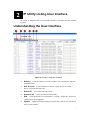
Understanding the User Interface
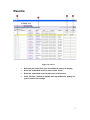
Figure 2. IP Utility Listing User Interface
1.
Refresh:
Click this button to search available servers and display the new
searched results.
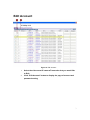
2.
Edit Account:
Click this button to display a page for you to set this
device’s account and password.
3.
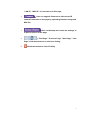
Select All:
4.
Unselect All:
5.
Edit:
Select all listed connections.
Cancel all selected connections.
Click this button to let “Hostname” “LAN IP” “WAN IP” of selected
connections to be changeable.
6.
Update:
Update all setting of selected connections, and servers will reboot
after several minutes.
1