1
IntR – Interactive GUI for R
Fabio Veronesi
Variogram & Anisotropy
In IntR there are two modules that are used for performing some preliminary studies upon the study area. These
two modules are “Variogram Plot” and “Anisotropy”.
Variogram Plot
Variogram plot studies the spatial variability of the dataset performing the variogram computation. The results
are a series of three images, the omnidirectional variogram, four directional variograms a 0, 45, 90 and 135
degrees and a variogram map that can be used to assess the anisotropy of the field.
Installation
Simply run the script START.exe and select Variogram Plot from the buttons.
In order to run the software all the data and covariates that you need for running the interpolation must be in the
folder c:\RHOME.
Running the Program
The working flow for Variogram Plot is the following:
select data file
input of ID number of the projection
select number and covariates files
input the linear regression model
select the variogram model
execute the cross-validation
This module can be used for an ordinary kriging variogram or for computing a regression variogram, which uses
a linear regression module. Even if the user wants to perform a simple ordinary kriging variogram, he needs to
insert a covariate file that will be used for the variogram boundary.
Results
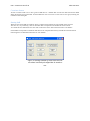
At the end of the module, IntR displays a window with three buttons that are used to show the images of the
variograms.
Anisotropy
Anisotropy is a module that is used to provide the user with the two values used to assess the geometrical
anisotropy of the field.
A geometrical anisotropy is evident when the directional variograms show the same sill but different ranges. To
correct this anisotropy the user needs to insert two parameters, the angle of the direction of maximum
continuity, in positive degrees from north, and the ratio between the range in the direction of maximum
continuity and the range in the direction of minimum continuity.
Installation
Simply run the script START.exe and select Anisotropy from the buttons.
In order to run the software all the data that you need for running the interpolation must be in the folder
c:\RHOME.
Running the Program
This module asks only for the data file, the projection and an ascii grid for bounding the variograms.
Results
At the end of the module, IntR displays a window with the values of the two parameters used to correct the
geometrical anisotropy. Those 2 values are saved in a txt file called parameters.txt within the RHOME folder.
To correct the anisotropy the user needs to insert manually the two parameters when asked in one of the kriging
modules.