1
M. Open Play Missions
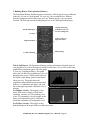
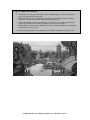
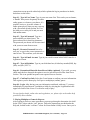
In addition to the historical missions included in Emperor, you may also play open-ended
missions where your objective is simply to build the best city you can with no time limit
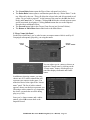
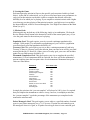
or pressures. On the Choose Game screen (p.13), select the Open Play button to play an
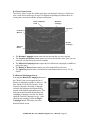
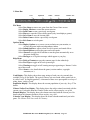
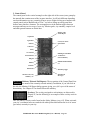
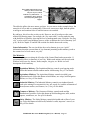
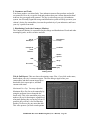
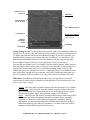
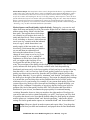
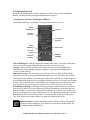
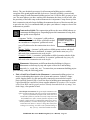
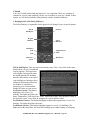
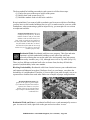
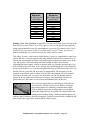
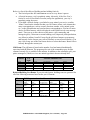
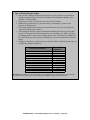
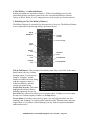
open-ended mission. This takes you to the Open Play dialog. The Open Play Dialog asks
you to set a number of conditions under which your mission will be played.
•
•
•
•
•
•
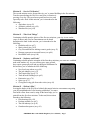
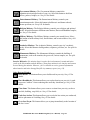
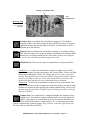
Select a period you wish
the mission to be played
(either bronze, iron, or
steel).
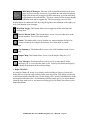
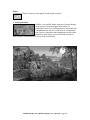
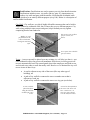
Select a difficulty level
between very easy and
very hard.
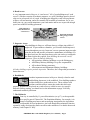
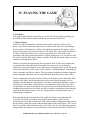
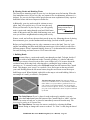
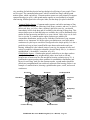
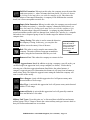
Select a density of city
(either low, medium, or
high). This setting
indicates the number of
other AI-controlled cities
on the Empire Map (see
p.72).
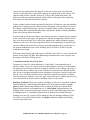
Select a non-player relation (either neutral, aggressive, ferocious, peaceful, or
harmless). The setting you choose will determine the attitude all cities have towards
you. Obviously, choosing an aggressive or ferocious posture means you’ll be having a
lot of enemy armies over for dinner.
Select a disaster frequency (either none, rare, occasional, frequent). This indicates
how many floods, earthquakes, or droughts you may have during play.
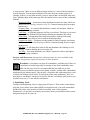
Select city map to select a pre-designed map. Setting the option to “random” asks the
game to select one for you.
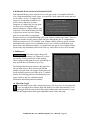
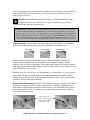
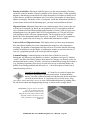
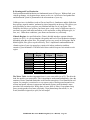
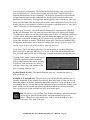
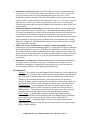
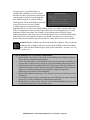
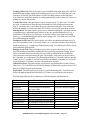
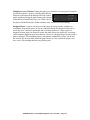
Random Seed Feature: The Random Seed feature allows you to “save” the
mission you’re about to play. After setting play options, type in any alphanumeric name (or some sort of identifier) for the city map in the space provided.
If, after playing, you wish to play again on the exact same map, return to this
screen and type in the identifier in exactly the same was as you typed it in the first
time. Afterwards, select “Play Game” and the same map appears as before. One
word of caution, however. If you change any of the options before typing in the
seed identifier, the game generates an entirely new map. So make sure your
settings are exactly the same as they were the first time you typed in the identifier.
The exception to this is the difficulty setting; you can change this without
changing map generation.
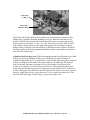
Once you’ve made your selections, you’re ready to play. Select Play Game to begin. The
city map opens and you’re ready to go. From here, play proceeds as normal.
No Mission Goals: There are no mission goals in Open Play missions.
EMPEROR: Rise of the Middle Kingdom (User’s Manual) – Page 121