1
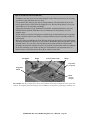
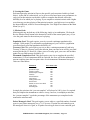
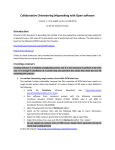
connection screens provide online help which explains the log-in procedures in details,
but below are the basics.
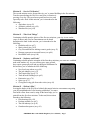
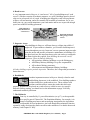
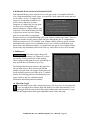
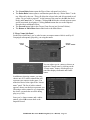
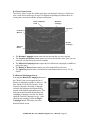
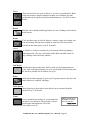
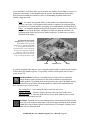
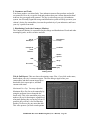
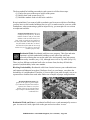
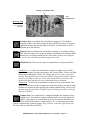
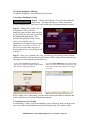
Step #1 – Type in User Name. Type in your user name first. This can be your real name,
a “handle” that you use frequently for other
online games, or whatever you choose. It’s
possible, however, given the volume of
online game players, that you may come up
with a user name already spoken for. If so,
the lobby server tells you so and you must
find another name.
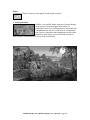
Step #2 – Type in Password. Type in a
password that you (alone) know. The
password must be at least four characters.
The password you choose will be associated
with your user name from now on.
Step #3 – Re-enter Password. Just to be
sure you’ve type in the correct password, reenter it here. This confirms your selection.
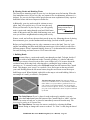
Step #4 – Type in Email Account. Type in your email account in this field. It must be a
legitimate account.
Step #5 – Type in Birthdate. Type in your birth date here, divided my month (MM), day
(DD), and year (YYYY).
Step #6 – Promotional Materials from Sierra Online (optional). If you wish, you may
check mark the box alongside the option to receive info and special offers from Sierra
On-line. This is an optional step and is not required for user creation.
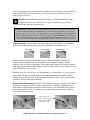
Step #7 – Confirm User Info. Select the Create button to confirm your user information.
This registers you for future play for Emperor multiplayer (online) games.
Step #8 – Login. After having your user information confirmed with step #7, you may
immediately log into Emperor’s multiplayer lobby by selecting the Login button in the
upper left corner of the screen. You are now ready to play!
For any further details, online rules and regulations, etc. please refer to the online help
provided by Sierra Online.
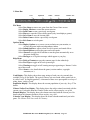
3. Playing Multiplayer Games in Emperor
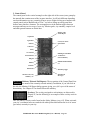
After logging in, there are more procedures you must go through to determine who shall
be the “host” player and the “join” players. Follow the instructions provided under the
Help tab, located on the “welcome” screen for Sierra Online’s lobby server. Once you’ve
EMPEROR: Rise of the Middle Kingdom (User’s Manual) – Page 126