1
SMS Operations
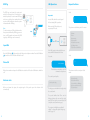
RFID Tag
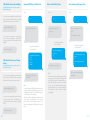
The RFID tag can disarm the system and
unlock the electronic door (if connected to a
wireless keyboard). You can rename RFID tags
and store a mobile phone number that will
receive an SMS notification when the system
is disarmed with a RFID tag.
Send:
Important
Nancy
?
Insert a SIM card in the control panel
before starting SMS operations.
Nancy came home
Note
To start receiving an SMS notification when
the system is disarmed by RFID tag, you must
store an SMS number and rename the RFID
tags (up to 4 RFID tags can be renamed).
Request the Menu
Make sure the SIM card does not
request any PIN code.
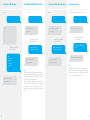
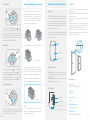
The system sends the first part of the menu:
‘0’ Disarm
‘1’ Arm
‘2’ Home mode
‘3’ Two-way talk
‘4’ Call-back voice memo
‘00’ Settings inquiry
‘??’ Store phone and SMS No
Mom
Administrator
...
Speed Dial
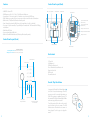
Press the Call Button { }: the panel auto-dials the pre-stored phone number. Press the Call Button
{ } to end the call. The LED turns off after the call.
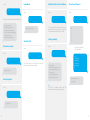
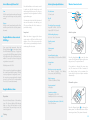
Each SMS operation included in this user
manual will be illustrated as follows:
Phone Call
Dial a phone number and press the Call Button to start the call. Press the Call Button to finish the
call.
Send:
You send:
SMS Command
The first blue speech bubble is the SMS
command sent by the user.
??
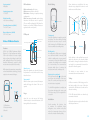
The system sends the second part of the
menu:
The control panel replies:
Electronic Lock
Control panel’s reply
When you disarm the system, the output signal of the panel opens the electronic lock
automatically.
The first grey speech bubble is the reply sent by
the control panel.
‘5’ Store phone No.
‘6’ Store alarm SMS No.
‘7’ Store SMS No. for RFID tags
‘8’ Store speed dial phone No.
‘???’ System setups
The speech bubbles that follow are the
dialogue between the user and the control
panel (SMS sent by the user are in blue, SMS
sent by the control panel are in grey).
The system is in English as per default
setting. To change the system’s language,
refer to page 13.
4
5