1
<<Contents>> <<Index>>
General
Specifications
YSS1000
Setting Software
GS 01B08K01-01E
nGENERAL
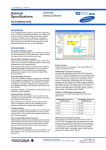
The YSS1000 setting software (hereinafter referred to
as the YSS1000) is package software to configure the
functions of the YS1000 series (hereinafter referred
to as the YS1000) devices. Writing and reading of
parameters and user programs of the YS1000, and
PID tuning and monitoring of user programs can be
performed through the use of communication.
n��������
FEATURES
Parameter Setting Function:
A function to set parameters of the YS1000. Functions
can be configured, and PID parameters, linearizer function table, scale, and constants can be set.
User Program Creation Function:
A function to create user programs of the YS1700. Programs can be created by selecting either function block
programming or text programming.
Text programming enables programs to be created by
describing operation commands in text format (Compatible with YS170). Function block programming
enables user programs to be created by graphically
linking modules.
Event Indicating Function:
A function to display a pop-up window with a message
on the operation display of the YS1000 when an alarm
is generated on the YS1000. This function is enabled
by setting a parameter to trigger event indication and
an indication message. ��������������������������������
(This function �����������������
cannot be set on
the YS1000.�)
Japanese, English, and Chinese etc. fonts can be used
to display event messages.
Communication Function:
Parameters and user programs can be written to the
YS1000, and parameters and user programs stored in
the YS1000 can be read out.
Note: Writing to the YS1000 can be performed only
when the operation status is stop. (Reading can be
performed without the need to stop operation.)
Tuning Function:
A function to adjust PID parameters of the YS1700 and
YS1500 controllers. PID parameters can be set while
viewing the PV, SV, and MV trend graphs through the
use of communication.
User Program Monitoring Function:
Selected parameters can be monitored while communicating with the YS1700. When function block programming is selected, the input and output values of modules can be monitored on the function block screen.
File Management Function:
Set data such as parameters and user programs can
be saved to a PC, and saved data can be read out
from a PC.
Print Function:
Parameters and user programs can be printed with a
printer connected to a PC.
YS100 Data Conversion Function :
A function to convert the data of the YS100 series to
that of the YS1000. Parameters and user programs can
be read out from the YS100 and converted to the data
of the YS1000 (user programs are converted to text
format). Furthermore, parameters and user programs
created with the YSS10 and YSS20 program creation
packages for the YS100 series can be converted to the
data of the YS1000. Converted data can be manipulated as YSS1000 data; for example, edited, saved as
files, printed, and written to the YS1000.
YS100 to YS1000 Data Conversion List
Data can be converted according to the conversion
table below.
Model before Conversion
(YS100 Series)
→
Model after Conversion
(YS1000 Series)
YS170
→
YS1700
YS150
→
YS1500
YS131
→
YS1310
YS135
→
YS1350
YS136
→
YS1360
SLPC Data Conversion Function :
A function to convert the data of the SLPC to that of
the YS1700. Parameters and user programs are read
out from the user ROM of the SLPC and converted to
the data of the YS1700 (user programs are converted
to text format). Converted data can be manipulated
as YSS1000 data; for example, edited, saved as files,
printed, and written to the YS1700.
Yokogawa Electric Corporation
2-9-32, Nakacho, Musashino-shi, Tokyo, 180-8750 Japan
GS 01B08K01-01E
©Copyright Jan. 2007 (KP)
5th Edition Feb.28,2011�����
(KP)
<<Contents>> <<Index>>
Check Support Function:
This function indicates check procedures for maintenance person by showing Check Operation Guide
windows on the YSS1000 screen.
The check result can be recorded in the internal memory of the YS1000 series or saved in the PC. It can be
printed on reported format.
Main check items
Input / output check(X,Y,DI,DO)
Display function check(LCD, LED, operation KEY)
Hard manual function check
Record of Model name, serial number, check date,
checker
n����������
OPERATING �����������
ENVIRONMENT
OS:
Windows XP Professional (Service Pack 2 or later) 32bit
Windows Vista Business 32bit
Windows 7 Professional (32bit/64bit)
.NET Framework 2.0 is installed.
Supported Languages:
Languages that can be inputted in the comment and
title fields
Japanese OS: English and Japanese
English OS: English
Chinese OS: Chinese and English
CPU:
Windows XP; Pentium4 processor, 2.4GHz or higher
or CoreSolo Processor, 1.66GHz or higher recommended
Windows Vista/Windows 7; Pentium4 processor,
3.0GHz or higher or Core2Duo Processor, 1.8GHz or
higher recommended
Main memory capacity:
Windows XP; 512MB or more
Windows Vista/Windows 7; 2GB or more
Hard Drive Capacity:
Package program storage:��������������
100����������
MB or more
.Net Framework2.0 program storage: 280MB or more
Display:
1024 x 768 pixels or more
Font: Small font
Color: 256 or more colors
CD Drive:
One (required for installation)
Printer:
Required for printing, support for letter or A4 size
Communication Specifications
Three connection methods available: USB connection (using a exclusive cable), RS485 connection,
and Ethernet connection.
USB Connection
The USB port on a PC and the communication port
inside the front panel of the YS1000 can be connected with a exclusive cable. (A1053UR)
PC specification: USB1.0
Ethernet Connection
The Ethernet port on a PC and the Ethernet port on the
back panel of the YS1000 can be connected with an
Ethernet cable.
Specification:IEEE802.3 compliant
10BASE-T/100BASE-TX
RJ45 connector
For a connection via a hub: Straight cable
For a direct connection: Cross cable
RS485 Connection
RS485 communication is possible via the RS485 communication terminal on the back panel of the YS1000.
Specification: EIA RS485 compliant
nCONNECTION METHODS
USB Connection
Connect the exclusive cable to the inside panel at the bottom of the front panel of the YS1000.
YS1000
Swing up the front panel
PC
To a USB terminal
Exclusive cable
0103E.ai
Note: The communication port inside the front panel of the YS1000 is incorporated into the YS1000 as standard.
All Rights Reserved. Copyright © 2007, Yokogawa Electric Corporation
GS 01B08K01-01E
Feb.28,2011-00
<<Contents>> <<Index>>
RS485 Connection
RS485 communication is possible via the RS485 communication terminal on the back panel of the YS1000.
PC
RS-232C
straight cable
RS-485 communication (31 units max. and 1200 m max.)
•••
YS1000
YS1000
YS1000
0104E.ai
Note: The RS485 option (/A31) is required for the YS1000.
Furthermore, an RS485 communication device is required for the PC. When using the RS232C port on the
PC, we recommend Yokogawa’s ML2 RS485/RS232C converter.
Ethernet Connection
The Ethernet port on the PC and the Ethernet port on the back panel of the YS1000 can be connected with an Ethernet cable.
PC
* Device that can be connected
over Ethernet
Data transmission/
reception
HUB
Ethernet
Ethernet port of YS1000
10BASE-T/100BASE-TX can be automatically
detected, and the status confirmed by LEDs on
the Ethernet port.
Link LED (right)
Color
Content
Out
Stop
Orange 10 Mbps
Green 100 Mbps
Active LED (left)
Color
Out
Orange
Green
Content
Stop
Half-duplex
Full-duplex
0105E.ai
Note: The Ethernet option (/A34) is required for the YS1000.
All Rights Reserved. Copyright © 2007, Yokogawa Electric Corporation
GS 01B08K01-01E
Feb.28,2011-00
<<Contents>> <<Index>>
n����������������
SUPPORTED MODELS
The YSS1000 can be used for all of the following YS1000 series models.
ü : Available
Supported Models
Parameter
Setting
Event Indicating
Setting
Tuning
User Program Creation &
Monitoring
YS1700 Programmable Indicating c���������
����������
ontroller
ü
ü
ü
ü
YS1500 Indicating controller
ü
ü
ü
N/A
YS1360 ����������������������������
Manual����������������������
���������������������
setter for MV setting
ü
ü
N/A
N/A
YS1350 ����������������������������
Manual����������������������
���������������������
setter for SV setting
ü
ü
N/A
N/A
YS1310 Indicator with alarm
ü
ü
N/A
N/A
n���������������
MODEL & SUFFIX CODE
����
Model
Suffix Code
YSS1000
Description
Setting software (for the YS1000 series)
-0
Always 0
0
Always 0 (CD media plus exclusive cable included)
Package Contents:
Package distribution media: CD
Connection cable: Exclusive cable for YS1000 connection (A1053UR)
Manuals: Installation Manual (A4 paper), User’s Manual (CD)
n����������������������
ITEMS TO BE SPECIFIED �����
WHEN ��������
ORDERING
Model and suffix code.
YSS1000-00
n������������������
Cable outline view
unit : mm
2240±50
107
YS1000side
350±10
PC side (USB)
EMC Standards
EN55022
EN61326
Trademarks
* Windows XP, Windows Vista and Windows 7 are registered trademarks of Microsoft Corporation in the United
States.
* All other product names and company names are trademarks or registered trademarks of their respective holders.
All Rights Reserved. Copyright © 2007, Yokogawa Electric Corporation
GS 01B08K01-01E
Feb.28,2011-00
<<Contents>> <<Index>>
n��������������������
Operation confirmed ����
ROM ������
Writer
Product name : The universal programmer MODEL1882
Maker name: MINATO ELECTRONICS INC.
4105 Minami Yamada-cho Tsuzuki-ku, Yokohama, 224-0026 Japan
Phone: 81-45-592-5549
Fax: 81-45-592-2854
e-mail: [email protected]
URL:http://www.minato.co.jp
Distributors
http://www.minato.co.jp/company_info/distributors_e.html
Price: Open price
n��������������������������
SLPC data exchange diagram
Overview of SLPC ROM Data Conversion
SLPC
Parameter Sheet for
SLPC-YS1700 Data Conversion
Record the operation
parameters while
the power is on.
SLPC
Set the parameters
in YSS1000.
Turn the power off and
remove the SLPC user ROM.
PC
A commercially
available
ROM writer
Set the user ROM in
a commercially available
ROM writer.
Create a binary file with
the software supplied with
the ROM writer.
Read and convert
the binary file in YSS1000.
All Rights Reserved. Copyright © 2007, Yokogawa Electric Corporation
Subject to change without notice.
GS 01B08K01-01E
Feb.28,2011-00