1
OSD QUICK MANUAL
EASY QUICK MANUAL TO SET UP OSD
600TVL (2D-DNR)
About Smart-IR/D-WDR/BLC/2D DNR(600TVL)
Core Technology
Smart
MD
Multi
Language
New Smart-HD DSP Chipset Ensures 600TVL Ultra High Resolution.
OSD
D&N
600TVL
Smart-i
Low
Light
DNRⅡ
RS-485
HLC
Innovative Technology of Powerful High-Resolution under Ultra Low Light Level :
Min. Illumination 0.00001 Lux
Smart-i HD DSP is the 3rd generation core chipset actualizing 600TVL ultra high resolution!
One Step Upgrade: The best video quality even at night is ensured
through 2D filtering with the function of noise removal.
2D-DNR, Min. Illumination 0.01 Lux
All In One: 2D DNR, Smart IR, Privacy Zone, RS-485 (Option)
Lens
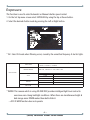
1. Move the arrow indicator to LENS using the Up and Down buttons on the Set Up menu screen.
2. Select the desired lens type by pressing the Left or Right button.
SETUP
DC
LENS
EXPOSURE
WHITE BAL.
BACKLIGHT
DAY&NIGHT
DPC
SPECIAL
RESET
EXIT
ATW1
OFF
AUTO
DC:DC Auto Iris Lens
※Default: Fixed board lens & Manual vari-focal lens are set at MANUAL.
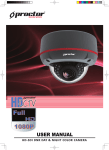
-1(600TVL) 2D-DNR DAY & NIGHT COLOR CAMERA