1
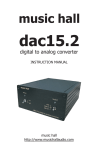
c-dac 15.3 dac cd player
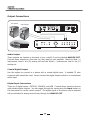
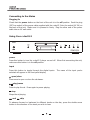
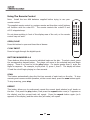
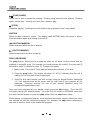
(PLAY/PAUSE)
Allows you to start or pause disc playing. Pressing once, starts the disc playing. Pressing
again, pauses play. Pressing one more time, resumes play.
(STOP)
Stops disc playing. Pressing twice will delete a stored program once it has played.
MUTING
Mutes the dac cd player's output. The display reads MUTING when the control is active.
Press the button again and muting is turned off.
(FAST BACKWARD)
Scans backward while the disc is playing.
(FAST FORWARD)
Scans forward while the disc is playing.
PROG (PROGRAM)
The prog button, allows you to program as many as 16 tracks on the current disc for
playback in a specific order. For example, you could program the c-dac15.3 to play track 5,
followed by track 3, followed by track 13. To begin a program:
1. Insert a disc. The c-dac15.3 will read and display the contents of the disc.
2. Press the prog button. The display will show, 00 00:00, indicating that the unit is
waiting for the first track to be programmed.
3. Enter the first track number you wish to hear using the keypad buttons numbered
1-0. Your selected track will be shown and the total time of your program will be
displayed. Continue entering the rest of your desired selections using the
numbered keypad buttons only.
Once you have programmed your playlist, simply press the play button. The c-dac15.3
will begin playing your selected tracks. The c-dac15.3 will remain in PROGRAM mode until
you open the disc drawer or press the play button then the stop button twice.
While playing a programmed playlist, most functions that would normally affect the entire
disc operate on just the memorized program. For example, the skip button advances to
the next or previous track in the memorized program.
8