1
DAB Radio (not available in WFR-28 sold in the US)
Using DAB mode for the first time
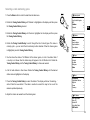
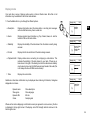
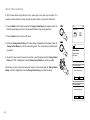
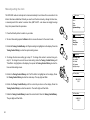
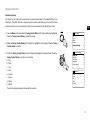
1. Carefully extend the telescopic aerial.
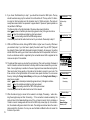
2. Press the Standby button to switch on the radio. If the radio has been used before the last
used mode will be selected.
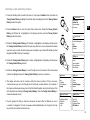
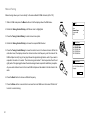
3. Press the Mode button and rotate the Tuning control Rotary as needed so that DAB radio mode
is selected on the display. Press the Tuning Control Rotary to select the option.
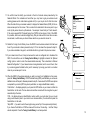
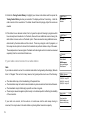
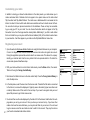
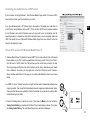
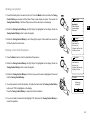
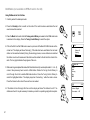
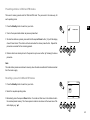
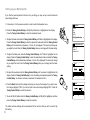
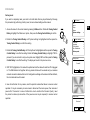
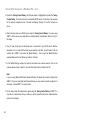
4. If this is the first time that DAB mode is used a quick scan of the Band III DAB channels will be
carried out. The display will show 'Scanning'. (If the radio has been used before the last used
station will be selected instead.) During the scanning process, as new stations are detected
the station counter will increase and the stations will be added to the list which is stored in the
radio. The bar graph indicates the progress of the scan.
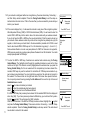
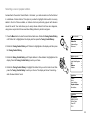
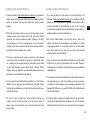
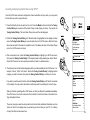
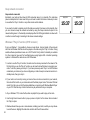
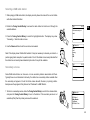
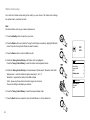
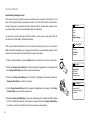
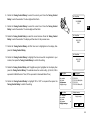
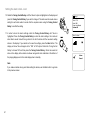
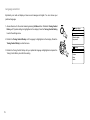
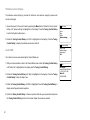
5. When scanning is completed the radio will list the stations found (in numeric-alpha order 0....9...A...Z),
unless it has previously been tuned to a DAB station. Rotate the Tuning Control Rotary to
scroll through the list of available DAB radio stations. Press the Tuning Control Rotary to
select the highlighted station. The display may show 'Connecting...' while the radio re-tunes.
Press the Volume buttons to set the sound level as needed.
2
Scan
Stations: 24
Scanning
3
Station list
5
Heart
heat
Kerrang
Kiss
LBC
DAB
12:34
LBC
London’s Biggest
Conversation - LBC
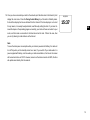
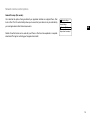
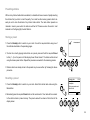
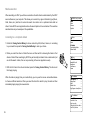
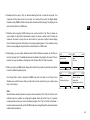
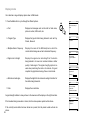
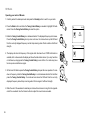
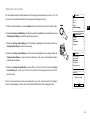
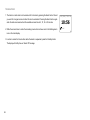
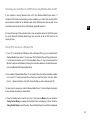
6. If the station list is still empty after the scan the display will show "No stations found". If no
stations are found it may be necessary to relocate your radio to a position giving better reception.
5
47
DAB
radio
DAB Radio