1
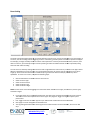
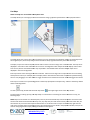
Video Playback
7
2
1
4
6
3
5
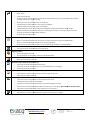
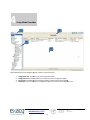
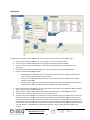
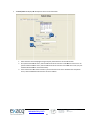
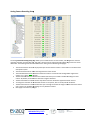
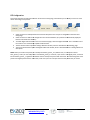
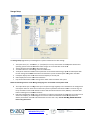
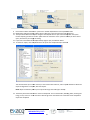
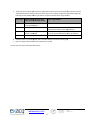
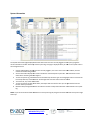
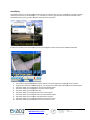
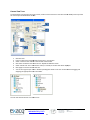
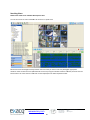
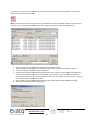
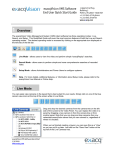
To play back video, complete a search as described in the previous section and complete the following steps:
3.
4.
5.
6.
7.
8.
9.
Select
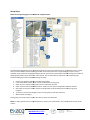
elect a camera for video playback by clicking on a camera name in the search results area. To select multiple
cameras for playback, press and hold the Control
Control key and then click each of the camera names. To select a range
of consecutive cameras, press and hold the Shift key, click the first camera name in the range, and then click the
final camera name in the range.
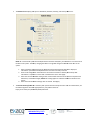
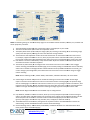
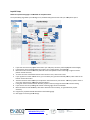
Click the play button to start displaying
displayi video at the beginning of the timeline.
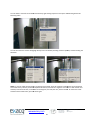
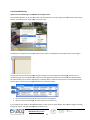
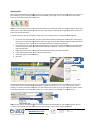
To play video starting at another point on the timeline, double-click
double click a recorded video bar in the appropriate
location under the timeline. Or, you can click once on the recorded video bar and then click the Play button.
b
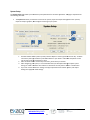
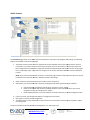
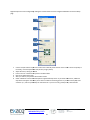
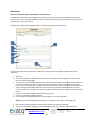
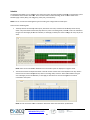
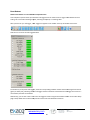
The green progress bar shows how much of the total video has been downloaded. The number of frames
downloaded and the total number of frames are also displayed in the status bar.
The background behind the recorded video bars turn gray to show how much
much of each camera’s video has been
downloaded.
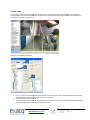
To stop video download, click the Stop button. All video downloaded before you pressed the Stop button can
still be viewed.
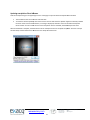
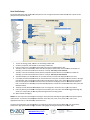
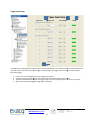
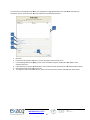
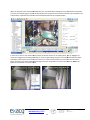
To digitally zoom in on a single camera, double-click
double
its video playback window. To return
eturn to the multi-camera
multi
view, double-click
click the remaining video playback window.
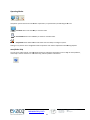
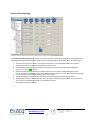
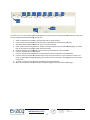
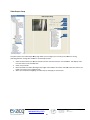
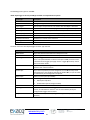
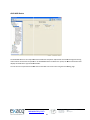
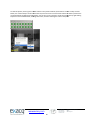
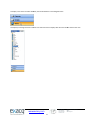
After the download has started, you can scrub back and forth through the video using the scrub bar and video playback
controls. You can view only the portion of the video that
that has downloaded. You can quickly scan the video by dragging the
slider to the left or right or by pressing Enter or Backspace on the keyboard. (Enter and Backspace play every frame of
video as quickly as the system hardware allows, unlike the normal Play
Play and Reverse buttons, which play video at actual
speed even if frames must be skipped to do so.)
+1.317.845.5710
+5255.56080817
+44.1438.310163
+31.485.324.347
www.exacq.com
77
USA (Corporate Headquarters)
Mexico
United Kingdom
Europe