1
TABLE OF CONTENTS
Contact and Legal Information ................................................................................................. 4
Notice to Users ................................................................................................................ 4
Introduction ........................................................................................................................... 5
Overview ......................................................................................................................... 5
System Requirements ....................................................................................................... 5
Licensing ......................................................................................................................... 5
Getting Help .................................................................................................................... 6
Online Help ..................................................................................................................... 6
Technical Support ............................................................................................................ 6
Chapter 1: Installation ............................................................................................................ 7
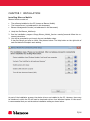
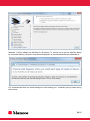
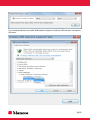
Installing Blancco Mobile................................................................................................... 7
Release Notes ................................................................................................................ 10
Blancco Mobile PC Connectivity Driver Setup .................................................................... 11
Blancco Mobile Setup Licenses ........................................................................................ 11
Setting Up License Consumption from Management Console .............................................. 13
Chapter 2: Interface ............................................................................................................. 15
Overview ....................................................................................................................... 15
Device Listing ................................................................................................................ 15
Status Area ................................................................................................................... 15
Buttons ......................................................................................................................... 16
Device Information Dialog............................................................................................... 17
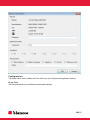
Configuration .................................................................................................................... 18
Erase Tab ...................................................................................................................... 18
Management Console Tab ............................................................................................... 21
Reports Tab................................................................................................................... 22
License Tab ................................................................................................................... 22
Connectivity Tab ............................................................................................................ 23
USB Ports Tab ............................................................................................................... 24
Miscellaneous tab ........................................................................................................... 25
Updates tab ................................................................................................................... 26
2/45