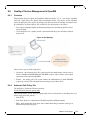
1
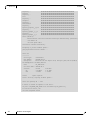
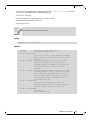
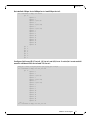
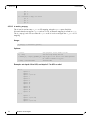
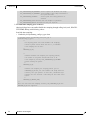
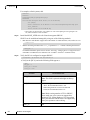
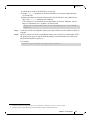
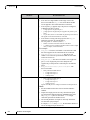
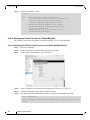
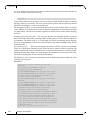
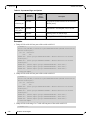
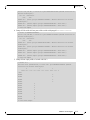
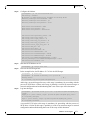
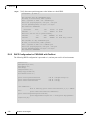
Rev 2.2-1.0.1 Driver Features This is done by configuring the virtual-to-physical PKey mappings for all the VMs, such that at virtual PKey index 0, both vm-1s will have the same pkey and both vm-2s will have the same PKey (different from the vm-1's), and the Dom0's will have the default pkey (different from the vm's pkeys at index 0). OpenSM must be used to configure the physical Pkey tables on both hosts. • The physical Pkey table on both hosts (Dom0) will be configured by OpenSM to be: index 0 = 0xffff index 1 = 0xb000 index 2 = 0xb030 • The vm1's virt-to-physical PKey mapping will be: pkey_idx 0 = 1 pkey_idx 1 = 0 • The vm2's virt-to-phys pkey mapping will be: pkey_idx 0 = 2 pkey_idx 1 = 0 so that the default pkey will reside on the vms at index 1 instead of at index 0. The IPoIB QPs are created to use the PKey at index 0. As a result, the Dom0, vm1 and vm2 IPoIB QPs will all use different PKeys. To partition IPoIB communication using PKeys: Step 1. Create a file "/etc/opensm/partitions.conf" on the host on which OpenSM runs, containing lines. Default=0x7fff,ipoib : ALL=full ; Pkey1=0x3000,ipoib : ALL=full; Pkey3=0x3030,ipoib : ALL=full; This will cause OpenSM to configure the physical Port Pkey tables on all physical ports on the network as follows: pkey idx | pkey value ---------|--------0 | 0xFFFF 1 | 0xB000 2 | 0xB030 (the most significant bit indicates if a PKey is a full PKey). The ",ipoib" causes OpenSM to pre-create IPoIB the broadcast group for the indicated PKeys. Step 2. Configure (on Dom0) the virtual-to-physical PKey mappings for the VMs. Step a. Check the PCI ID for the Physical Function and the Virtual Functions. lspci | grep Mel 104 Mellanox Technologies