1
1 Getting Started
1.1 Power ON/OFF
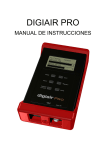
To turn the unit ON, simply push the Power ON/OFF button (the unit is battery
operated).
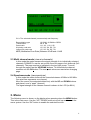
The unit starts in Single channel mode, showing the signal on the meter. To turn the
unit OFF, push and hold down the ON/OFF button.
1.2 Power supply and battery
DIGIAIR PRO can be fed by an external power-supply through the VDC port, by an
external power-source (10-18v dc, max 1A). This is useful in case that the battery
goes empty during an installation. Connect the power-source and hold down the ON
button for a couple of seconds (until the unit turns On).
To turn the unit OFF when the unit is fed by an external power-supply, simply
disconnect the power-source.
A discharged battery takes about 14 hours to recharge. The recharging is controlled
by the units microprocessor and is indicated on the display. Please notice that to
obtain full capacity of new batteries it is necessary to recharge and run down the
battery-pack a couple of times.
The meter has 8 x AA rechargeable NiMe batteries in the battery-compartment. Apart
from recharging the battery the unit does not need any particular maintenance. The
unit should be recharged when the battery is empty (indicated with a battery-indicator
symbol on the display in Single channel mode). It is preferably done with one of the
enclosed chargers (the power-supply or the car-charger).
A fully charged battery is operational for more than two hours (depending on the
external antenna load).
1.3 How to use the meter
Start by connecting the antenna and then turn the meter On.
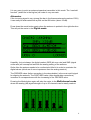
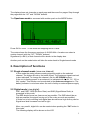
The userinterface works as a “revolver” where the meter starts in Single channelmode (and the latest channel selected), readout of the signallevel in dBuV.
3