1
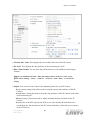
B5110 User Manual Test: After setting the network storage location information, you can tick the test key to test if the connection between IP CAM and network storage location works. Note: If the recording video file is assigned to be stored in a low-speed device (ex. low-speed USB storage disk), there might be some problems to complete the storage. 8.3.2 Alarm sending Set to transmit the snapshot or video clip file with connection to the alarm detection by the external sensor input or by the built-in motion detection function. Select On to send the file to network storage location linked with the alarm detection. Alarm sending: Select On to set to send mail with connection to the alarm detection. Image file name: Type the file name you want to assign to the file to attach a mail. You can use up to 10 alphanumeric, - (hyphen) and _ (underscore) for naming. Suffix: Select a suffix to add to the file name Date & time: The date & time suffix is added to the Image file name. The date & time suffix consists of lower two-digits of year (2 digits), month (2 digits), date (2 digits), hour (2 digits), minute (2 digits) and second (2 digits), and consecutive number (2 digits), thus 14-digit number is added to the file name. Sequence number: A consecutive number is added to the Image file name. Sequence number clear: Click Clear and the suffix of the sequence number returns to 1. Alarm: Motion Detection: Click it on for using Motion Detection function as a sensor. You can set motion detection function at the motion detection function screen. Setting-Advanced Network Storage 58