1
How Do I . . .?
Find the Online EA Application?
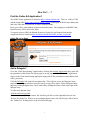
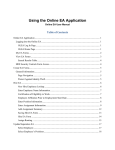
The OLEA Forms application is located at http://eaforms.okstate.edu/. This is a ‘redirect’ URL
and the actual URL (https://app.it.okstate.edu/ea_forms/) will display in the browser address bar
and is the URL that is included in all email communications.
Enter your O-Key email address and password and hit enter. Only employees with HRS Value
Based Security will be allowed to login.
To request access to HRS, the Human Resources System Access Request form must be
completed which is located at http://hr.okstate.edu/docfiles/HRS_System_Access.pdf.
Online EA Log In Page
Add a Delegate?
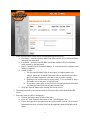
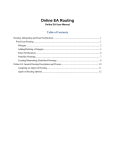
Go to the “Work Item Routing” application by clicking the Routing Application entry in the left
navigation bar of the Online EA sign in page or on any page within the Online EA application.
Sign in to the Work Item Routing application using your O-Key username or email address and
O-Key password.
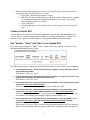
Click the Delegates link in the left navigation bar. This will take you to the Delegates home
page and any delegates that have been previously set up will be listed. On the Delegates home
page any existing delegate entry can be removed by clicking the Remove link to the right of the
delegate entry.
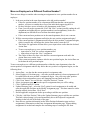
To add a new delegate entry,
click the Add Delegate link.
If there are existing delegate entries, the Add Delegate link is to the right and below the last
Remove link in the list. If there are no existing delegate entries, the Add Delegate link is below
the “Online EA” heading closer to the left side of the page.
1