1
Rohde
TGrep2 Manual
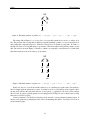
It is equivalent to this:
S < (A < B < C)
The reason it might be useful to allow the extra set of parentheses in the first version is that the subpattern (A < B) may have been defined as a macro. Macros are discussed further in Section 4.9.
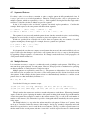
Labels allow the creation of patterns with cycles in the link structure, which is often quite useful. For
each NP that is followed by a VP, the following pattern prints the lowest node dominating both the NP and
the VP (when used with the -a option). Note that the NP is given the label n and is later referred to by that
label. * matches any node and is thus equivalent to . The ‘ marks that node for printing:
NP=n .. (VP=v >> (‘* << =n))
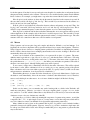
The following pattern is a bit different. It matches any node that dominates an NP and a VP, such that
the NP is followed by a VP and the NP and VP are not dominated by a node lower than the original one. This
differs from the previous pattern in that the prior one may print the same subtree more that once.
*=p << (NP=n .. (VP=v >> =p !>> (* << =n >> =p)))
As one can see, patterns can become rather complex when using labels. However, judicious use of labels
and Boolean expressions can greatly simplify searches. This is discussed more in Sections 4.5 and 4.6.
4.2 Node Names
A node name is an expression that matches the name of a single node in the tree. Node names are similar,
but not identical, in TGrep and TGrep2. A node name can be a simple constant string (e.g., NP-SBJ), a
regular expression (e.g., /ˆNP/), or any number of these things separated by pipes (|) with no spaces (e.g.,
S|/ˆSBAR/).
A constant string that is not enclosed in double quotes cannot contain white space or any of the following
special characters: ;:.,&|<>()[]$!@%‘ˆ=
If a constant string is enclosed in double quotes, it can contain any symbols (e.g., "*$#&%!"). If it
must contain a double quote, the double quote should be preceded by a backslash.
Regular expressions must be enclosed in forward slashes. See the grep manual page for an explanation of regular expression syntax. As with TGrep, the pattern matches any node. In TGrep2, the more
conventional * is preferred.
If a pattern contains several components separated by |s, the pattern will match a node name if any of
its components match. Thus, the | should be read as “or”.
The following pattern matches names like Robert, Bob, bob, bobby, and Bobafett:
Robert|/ˆ[Bb]ob/
If TGrep2 is given the -i flag, case will be ignored when matching either constant or regular expression
patterns. This is especially useful when working with English sentences, where sentence-initial capitalization could cause problems.
If the node name expression begins with a !, the matching process will be complemented. That is,
matches will turn into non-matches, and vice-versa. For example, !DT will match all symbols whose names
are not DT, and !/ˆa/|/a$/ will match any symbols that do not start with “a” and do not end with “a”.
The ! must be the first thing in the node name, prior to any / or " (but after ‘, which is used to mark the
node for printing, as discussed in Section 5.1).
7