1
Headphones Output:
Phone jack (2)
Mini Jack (2)
Battery Test
Insulated tip jacks;
( negative)
red (positive) and black
Case
Die-cast zinc; matte black enamel
Overall Dimensions
80.9 mm x 150 mm x 55.5 mm (3-3/16 x 5-11/16 x 2-3/16
in.)
Net Weight
501 grams (1 lb 2-1/2 oz)
CONTROLS, CONNECTORS, INDICATOR
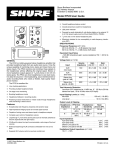
Level Control : applies power to FP12 circuitry and
sets headphone output level. Knob position also indicates when power is applied.
Mic-Line Switch:
nal source.
selects microphone- or line-level sig-
Connections
Connect the signal source (microphone- or line-level)
to the appropriate In/Out connector (XLR or phone
jack), and set the Mic-Line switch. Connect the parallel
signal In/Out connector (XLR or phone jack) to the input
of mixer, tape recorder or amplifier. Connect the headphones (one or two units) to the Phones A, B jacks, and
set the Hi-Z/Lo-Z switch to the proper position for highor low-impedance headphones.
Operation
Position the FP12 for operation. Note that the belt
clip can be used to secure the unit to a belt, trousertops,
or D-rings on other equipment. The belt clip can easily
be removed if desired.
Rotate the Level control from the Off position to the
desired listening level. Note that the exposed color dot
on the Level control knob serves as a reminder that the
unit is on.
Battery voltage can be checked at any time without
removing the battery or turning the unit on. Inserting
voltmeter leads in the Batt Test jacks (observe proper
polarity) will indicate battery condition.
Hi-Z/Lo-Z Switch: selects operation with highimpedance (greater than 600 ohms) or low-impedance
(less than 600 ohms) headphones.
In/Out XLR and Phone Jacks: provide loop-through input and output connections for balanced microphone-or
line-level signal sources.
Phones A, B Jacks: provide for connection to high- or
low-impedance headphones. Note that A and B headphone jacks can be used simultaneously. Each output
can accept a headphone phone plug or mini plug.
Batt Test Jacks:
battery.
can be used to check condition of 9V
OPERATION
Battery Replacement
Use a coin or screwdriver, turning one-quarter turn in
either direction, to open the battery compartment door.
Insert a fresh 9V alkaline battery (NEDA 1604A, Duracell
MN1604, Eveready 522, or equivalent) in the compartment. Note that the battery contacts are polarized, and
the battery cannot be inserted improperly. The compartment door can be closed by pressing shut with the
fastener properly aligned.
GUARANTEE
This Shure product is guaranteed in normal use to be
free from electrical and mechanical defects for a period
of one year from date of purchase. Please retain proof
of purchase date. This guarantee includes all parts and
labor. This guarantee is in lieu of any and all other
guarantees or warranties, express or implied, and there
shall be no recovery for any consequential or incidental
damages.
SHIPPING INSTRUCTIONS
Carefully repack the unit, have it insured, and return it
prepaid to:
Shure Brothers Incorporated
Attention: Service Department
222 Hartrey Avenue
Evanston, Illinois 60202-3696
If outside the United States, return the unit to your
dealer or Authorized Shure Service Center for repair.
The unit will be returned to you prepaid.