1
Quick Installation Guide (for iPhone)
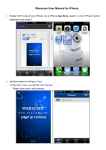
1. Go to iPhone APP Store, search “ADJ WiFi” for download the
ADJ WiFi iPhone Monitor Software. And install it.
2. Connected the camera to ADJ WiFi Software.
A: Use Wifi Mode (Note:The phone and the camera in the same LAN.)
Firstly, connected your mobile phone to wifi.
B: Secondly, run the ADJ WiFi software.
C: Thirdly, after running the ADJ WiFi, you will find “Add Camera”
Please click here and add cameras.
D: Add the camera to the ADJ WiFi Software. ( There are three ways to
add camera into the software ADJ WiFi)
(1) Manually: Please click “LAN Search” Button then you will get a list of
the camera in the same LAN as your phone. Choose the camera
which you want view. Then add the camera as first way.
(2) Automatically (Scan QRCode): Press the “Scan ID” button, you need
to install the “barcode scanner first ,after installed successfully, in
the button of the camera there is a label with the “2-dimensional bar
code”, then use your mobile phone scanner to scan the bar code, it
will show the ID, then press ”ok” you will view the monitoring video.
Touch the screen, the control buttons will show. As below pictures.
4. After adding the camera, you will see following picture:
5. Live video and Operation Interface.
Pay attention: Audio and talkback function cannot be enabled at the
same time. By sliding the screen, you can control your camera.
Snapshots & Recording, the files can be found here.