1
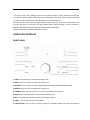
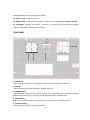
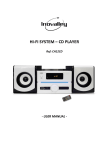
If the disc is very dirty, please use a wet soft cloth to wipe it firstly, and then use the dry soft cloth to wipe it again. Please do not use detergents, benzene, thinner, antistatic liquid or other solvents. Otherwise it will damage the surface of the disc. ◇Please put the discs into the original boxes where they are so as not to bend them. Do not put the discs at the place of high temperature, high humidity or direct sunshine, because the bad environment will also make the discs damaged. ◇Please read the instruction label for the discs. OPERATION INTERFACE FRONT PANEL 1. PREV: Press this key to choose last song or file. 2. NEXT: Press this key to choose next song or file. 3.SOURCE: Press this key to choose CD/USB/SD CARD/BLUETOOTH/AUX/FM mode. 4.REPEAT: Press this key to repeat the song or file. 5. POWER: Press this key to turn on or turn off the power for the unit. 6.FWD: Press this key to enter into the fast forward status 7.REV: Press this key to enter into the fast backward status. 8. STOP: Use this key to stop CD playback 9. PLAY/PAUSE: Use this key to start or pause CD playback. When you press this button 8