1
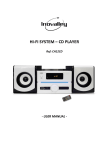
during playback, the unit enters Pause mode. 10. USB: Connect a USB Driver here. 11. OPEN/CLOSE: Press this key to open or close the disc tray (only use under CD mode). 12. VOLUME+/‐: Rotate this button, “Volume+” will make the volume become bigger, “Volume‐“will make volume become smaller. REAR PANEL 1. AUDIO Out These terminals are for connecting audio output of external devices, such as TV. 2. AUX IN These terminals are for connecting PC, Mobile, MP3 etc.. 3. SD/MMC Card: Insert SD/MMC card to this slot, and then press the “FUNCTION” key to choose Card status, and then press PLAY key, it will begin to playing the file from SD/MMC card. 4. FM Antenna: When you choose FM status and search for the FM channels, you need to use it. 5. Speaker Output: These terminals are for connecting speakers. 9