1
Intended Use
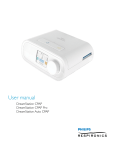
The Philips Respironics DreamStation systems deliver positive airway pressure therapy for the treatment of Obstructive Sleep Apnea in
spontaneously breathing patients weighing over 30 kg (66 lbs). It is for use in the home or hospital/institutional environment.
Important
The device is to be used only on the instruction of a licensed physician. Your home care provider will make the correct pressure
settings and device configurations including accessories, according to your health care professional’s prescription.
Several accessories are available to make your OSA treatment with the DreamStation system as convenient and comfortable as
possible. To ensure that you receive the safe, effective therapy prescribed for you, use only Philips Respironics accessories.
Warnings
A warning indicates the possibility of injury to the user or the operator.
• This manual serves as a reference. The instructions in this manual are not intended to supersede the health care professional’s
instructions regarding the use of the device.
• The operator should read and understand this entire manual before using the device.
• This device is not intended for life support.
• The device should be used only with masks and connectors recommended by Philips Respironics or with those recommended by the
health care professional or respiratory therapist. A mask should not be used unless the device is turned on and operating properly.
The exhalation port(s) associated with the mask should never be blocked. Explanation of the Warning: The device is intended
to be used with special masks or connectors that have exhalation ports to allow continuous flow of air out of the mask. When
the device is turned on and functioning properly, new air from the device flushes the exhaled air out through the mask exhalation
port. However, when the device is not operating, enough fresh air will not be provided through the mask, and exhaled air may be
rebreathed.
• If you are using a full face mask (a mask covering both your mouth and your nose), the mask must be equipped with a safety
(entrainment) valve.
• When using oxygen with this system, the oxygen supply must comply with local regulations for medical oxygen.
• Oxygen supports combustion. Oxygen should not be used while smoking or in the presence of an open flame.
• When using oxygen with this system, turn the device on before turning on the oxygen. Turn the oxygen off before turning the
device off. This will prevent oxygen accumulation in the device. Explanation of the Warning: When the device is not in
operation and the oxygen flow is left on, oxygen delivered into the tubing may accumulate within the device’s enclosure. Oxygen
accumulated in the device enclosure will create a risk of fire.
• When using oxygen with this system, a Philips Respironics Pressure Valve must be placed in-line with the patient circuit between
the device and the oxygen source. The pressure valve helps prevent the backflow of oxygen from the patient circuit into the
device when the unit is off. Failure to use the pressure valve could result in a fire hazard.
• Do not connect the device to an unregulated or high pressure oxygen source.
• Do not use the device in the presence of a flammable anaesthetic mixture in combination with oxygen or air, or in the presence
of nitrous oxide.
• Do not use the device near a source of toxic or harmful vapors.
• Do not use this device if the room temperature is warmer than 35° C (95° F). If the device is used at room temperatures warmer
than 35° C (95° F), the temperature of the airflow may exceed 43° C (109° F). This could cause irritation or injury to your airway.
• Do not operate the device in direct sunlight or near a heating appliance because these conditions can increase the temperature of
the air coming out of the device.
• Contact your health care professional if symptoms of sleep apnea recur.
• If you notice any unexplained changes in the performance of this device, if it is making unusual or harsh sounds, if it has been
dropped or mishandled, if water is spilled into the enclosure, or if the enclosure is broken, disconnect the power cord and
discontinue use. Contact your home care provider.
• Repairs and adjustments must be performed by Philips Respironics-authorized service personnel only. Unauthorized service could
cause injury, invalidate the warranty, or result in costly damage.
• Do not use any accessories, detachable parts, and materials not recommended by Philips Respironics. Incompatible parts or
accessories can result in degraded performance.
• Use only approved cables and accessories. Misuse may affect EMC performance and should be avoided.
• The Health Industry Manufacturers Association recommends that a minimum separation of six inches be maintained between
a wireless phone and a pacemaker to avoid potential interference with the pacemaker. The DreamStation on-board Bluetooth
communication should be considered a wireless phone in this regard.
• Use only power cords supplied by Philips Respironics for this device. Use of power cords not supplied by Philips Respironics may cause
overheating or damage to the device and may result in increased emissions or decreased immunity of the equipment or system.
• The device should not be used while stacked or in close approximation to other non-approved devices.
• Do not pull or stretch the tubing. This could result in circuit leaks.
• Inspect the tubing for damage or wear. Discard and replace the tubing as necessary.
User Manual
1