1
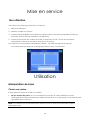
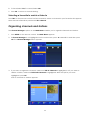
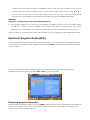
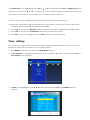
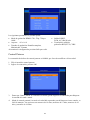
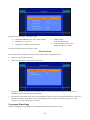
3. Press MENU on the remote control. The Main Menu screen appears.
4. If USB is not highlighted on the menu, press ▲ or ▼ until it is and then press OK.
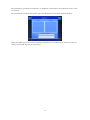
The USB window appears.
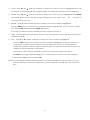
5. press ▲ or ▼Select USB Update and press OK. Receiver will automatically search for software file
on USB memory stick and will load new software on to receiver.
USB Media
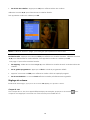
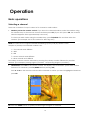
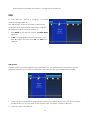
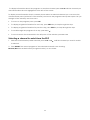
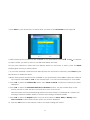
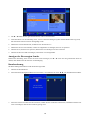
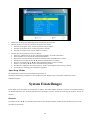
.Press ▲ or ▼to select the USB Media option, then Press OK, Multimedia appears.
1. MUSIC: press ▲ or ▼to select Music.Select the audio file what you want to play.
2. PHOTO: press ▲ or ▼to select Photo. Select the photo what you want to view. Press the
PLAY
key to view next picture.
3. Movie: press ▲ or ▼to select Movie. Select the video file what you want to play.
4. DVR:
Supported Device:
1) Most popular USB2.0 Hard Disk Drives are supported by our STB, however due to many types of
HDD being available in the market, if you find one particular HDD that does not work with our
STB, please kindly provide us the details and we will be happy to solve it for you if possible.
2) System required: FAT32
Instructions for recording TV programs:
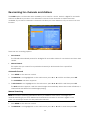
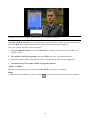
1. To record a TV program you are currently viewing press the RECORD button. The default
recording time is 2 Hours. If you wish to edit the default recording time, press the RECORD
button again then manually enter the desired time using the numeric buttons.
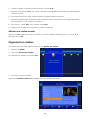
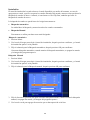
2. To record a TV program from the EPG, press the EPG button, select the program you wish to
record using the ▲ or ▼buttons then press the Reserve/Rec GREEN button. The program
information will be displyed in the timer menu. Scroll down to MODE and select RECORD,
then press the OK button to confirm and EXIT to return to live viewing. The receiver is now
set to record this program. Please note that if you are watching another channel at this
time the receiver will automatically change to the channel set for the recording.
•
During recording, EPG; SUB; Multi AUDIO functions can not be operated.
•
Recorded TV programs will not support EPG: and SUB: Multi AUDIO.
3. When record button is pressed, the channel group list will be displayed if the current stream
has more than one channels , and you can select which channel you wish to record;
(If the current stream just one channel, it will recording currently viewed channel
immediately);And when channel is recording , you can press up or down botton to
change channel on the same stream.)、
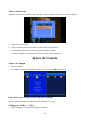
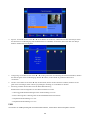
Record Device
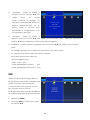
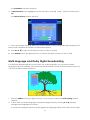
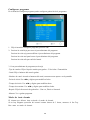
.Press ▲ or ▼ to select the Record Device option, then Press OK, Record Device menu appears.
23