1
DUKANE AV PRODUCTS DIVISION
Page - 3 - of 24
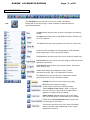
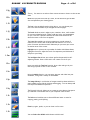
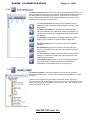
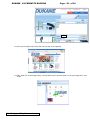
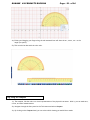
Use this virtual Protractor to measure precise
angles and create designs.
Rulers aide in your line-drawing and precision.
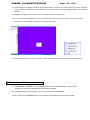
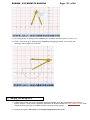
Use the Compass tool to create precise circles
of all sizes- a click of your mouse controls its
radius.
The Switch User function allows you to shift from one
user to another among differing categories.
Select from any number of files to choose a customized
Background Picture for your page.
You can choose from an array of Color palettes to tint
your Dukane Notes creation.
This function enables you to Erase your chosen
background picture with one click.
Select Device enables you to toggle through other
devices connected to your computer like a visualizer.
Acquire allows you to capture a picture from a visualizer.
Information About the version number and copyright can
be found here.
System Setting will allow you to adjust certain pen
functions as you see fit: width, smoothness, and
transparency.
Selecting Exit will allow you to end your session with
Dukane Notes. Be sure to save your information before
closing down.
1.2b
1.2c
1.2d
1.2e
1.2f
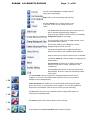
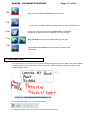
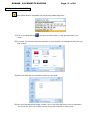
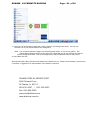
The Switch Mode function allows one to navigate between screens on your
computer- in and out of the Dukane Notes software so that you can work on
multiple projects simultaneously.
Screen Annotation will enable you to write and make notes using the digital
pen on any screen, in any program on your computer. You can then embed the
annotation to permanently save the text in the file you are annotating.
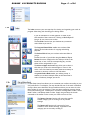
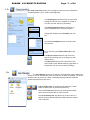
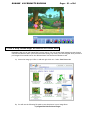
The New button will allow you to add new slides including fresh screens in
varying colors and backgrounds.
The Delete function will erase the slides of your choosing.
Scroll between the Previous and Next slides with this function.