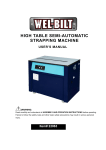
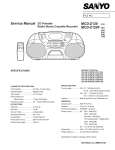
1
User Manual PowerFlex® 6000 Medium Voltage Variable Frequency Drive Publication 6000-UM001B-EN-P Important User Information Read this document and the documents listed in the additional resources section about installation, configuration, and operation of this equipment before you install, configure, operate, or maintain this product. Users are required to familiarize themselves with installation and wiring instructions in addition to requirements of all applicable codes, laws, and standards. Activities including installation, adjustments, putting into service, use, assembly, disassembly, and maintenance are required to be carried out by suitably trained personnel in accordance with applicable code of practice. If this equipment is used in a manner not specified by the manufacturer, the protection provided by the equipment may be impaired. In no event will Rockwell Automation, Inc. be responsible or liable for indirect or consequential damages resulting from the use or application of this equipment. The examples and diagrams in this manual are included solely for illustrative purposes. Because of the many variables and requirements associated with any particular installation, Rockwell Automation, Inc. cannot assume responsibility or liability for actual use based on the examples and diagrams. No patent liability is assumed by Rockwell Automation, Inc. with respect to use of information, circuits, equipment, or software described in this manual. Reproduction of the contents of this manual, in whole or in part, without written permission of Rockwell Automation, Inc., is prohibited. Throughout this manual, when necessary, we use notes to make you aware of safety considerations. WARNING: Identifies information about practices or circumstances that can cause an explosion in a hazardous environment, which may lead to personal injury or death, property damage, or economic loss. ATTENTION: Identifies information about practices or circumstances that can lead to personal injury or death, property damage, or economic loss. Attentions help you identify a hazard, avoid a hazard, and recognize the consequence. IMPORTANT Identifies information that is critical for successful application and understanding of the product. Labels may also be on or inside the equipment to provide specific precautions. SHOCK HAZARD: Labels may be on or inside the equipment, for example, a drive or motor, to alert people that dangerous voltage may be present. BURN HAZARD: Labels may be on or inside the equipment, for example, a drive or motor, to alert people that surfaces may reach dangerous temperatures. ARC FLASH HAZARD: Labels may be on or inside the equipment, for example, a motor control center, to alert people to potential Arc Flash. Arc Flash will cause severe injury or death. Wear proper Personal Protective Equipment (PPE). Follow ALL Regulatory requirements for safe work practices and for Personal Protective Equipment (PPE). Allen-Bradley, Rockwell Software, Rockwell Automation, and TechConnect are trademarks of Rockwell Automation, Inc. Trademarks not belonging to Rockwell Automation are property of their respective companies. Table of Contents Preface Introduction. . . . . . . . . . . . . . . . . . . . . . . . . . . . . . . . . . . . . . . . . . . . . . . . . . . . . . . 7 Who Should Use This Manual . . . . . . . . . . . . . . . . . . . . . . . . . . . . . . . . . . . . . . 7 What Is Not in This Manual . . . . . . . . . . . . . . . . . . . . . . . . . . . . . . . . . . . . . . . . 7 Additional Resources . . . . . . . . . . . . . . . . . . . . . . . . . . . . . . . . . . . . . . . . . . . . . . . 7 General Precautions . . . . . . . . . . . . . . . . . . . . . . . . . . . . . . . . . . . . . . . . . . . . . . . . 8 Service and Support . . . . . . . . . . . . . . . . . . . . . . . . . . . . . . . . . . . . . . . . . . . . . . . . 8 Commissioning Support . . . . . . . . . . . . . . . . . . . . . . . . . . . . . . . . . . . . . . . . 8 Chapter 1 Introduction Safety Considerations . . . . . . . . . . . . . . . . . . . . . . . . . . . . . . . . . . . . . . . . . . . . . . 9 Environmental Conditions . . . . . . . . . . . . . . . . . . . . . . . . . . . . . . . . . . . . . . . 10 How it Works . . . . . . . . . . . . . . . . . . . . . . . . . . . . . . . . . . . . . . . . . . . . . . . . . . . 10 Cascaded “H” Bridge (CHB) Topology . . . . . . . . . . . . . . . . . . . . . . . . 10 Simplified Electrical Diagrams . . . . . . . . . . . . . . . . . . . . . . . . . . . . . . . . . . . . 12 Standards Compliance. . . . . . . . . . . . . . . . . . . . . . . . . . . . . . . . . . . . . . . . . . . . 15 Chapter 2 Drive System Layout Elevation Drawings . . . . . . . . . . . . . . . . . . . . . . . . . . . . . . . . . . . . . . . . . . . . . . Isolation Transformer Cabinet . . . . . . . . . . . . . . . . . . . . . . . . . . . . . . . . . . . . Isolation Transformer . . . . . . . . . . . . . . . . . . . . . . . . . . . . . . . . . . . . . . . . Isolation Transformer Temperature Monitor . . . . . . . . . . . . . . . . . . . Isolation Transformer Auxiliary Cooling Fans . . . . . . . . . . . . . . . . . . Top-mounted Main Cooling Fan(s) . . . . . . . . . . . . . . . . . . . . . . . . . . . Incoming Line Power Cable Connections . . . . . . . . . . . . . . . . . . . . . . Outgoing Motor Cable Connections. . . . . . . . . . . . . . . . . . . . . . . . . . . Door Position Limit Switch . . . . . . . . . . . . . . . . . . . . . . . . . . . . . . . . . . . Voltage Sensing Board . . . . . . . . . . . . . . . . . . . . . . . . . . . . . . . . . . . . . . . . Power Module Cabinet . . . . . . . . . . . . . . . . . . . . . . . . . . . . . . . . . . . . . . . . . . . Power Modules. . . . . . . . . . . . . . . . . . . . . . . . . . . . . . . . . . . . . . . . . . . . . . . Hall Effect Current Sensors (HECs) . . . . . . . . . . . . . . . . . . . . . . . . . . . Top-mounted Main Cooling Fan(s) . . . . . . . . . . . . . . . . . . . . . . . . . . . LV Control Cabinet. . . . . . . . . . . . . . . . . . . . . . . . . . . . . . . . . . . . . . . . . . . . . . Control Unit (all modules). . . . . . . . . . . . . . . . . . . . . . . . . . . . . . . . . . . . PLC. . . . . . . . . . . . . . . . . . . . . . . . . . . . . . . . . . . . . . . . . . . . . . . . . . . . . . . . . HMI . . . . . . . . . . . . . . . . . . . . . . . . . . . . . . . . . . . . . . . . . . . . . . . . . . . . . . . . UPS . . . . . . . . . . . . . . . . . . . . . . . . . . . . . . . . . . . . . . . . . . . . . . . . . . . . . . . . . 17 18 20 21 22 22 22 22 23 24 25 26 28 28 29 30 32 32 32 Chapter 3 Setup and Operation Overview . . . . . . . . . . . . . . . . . . . . . . . . . . . . . . . . . . . . . . . . . . . . . . . . . . . . . . . . Main Interface . . . . . . . . . . . . . . . . . . . . . . . . . . . . . . . . . . . . . . . . . . . . . . . . . . . Drive Setup and Configuration Controls . . . . . . . . . . . . . . . . . . . . . . . Status Indicators . . . . . . . . . . . . . . . . . . . . . . . . . . . . . . . . . . . . . . . . . . . . . Operation Bar. . . . . . . . . . . . . . . . . . . . . . . . . . . . . . . . . . . . . . . . . . . . . . . . Setup and Monitor Box . . . . . . . . . . . . . . . . . . . . . . . . . . . . . . . . . . . . . . . Rockwell Automation Publication 6000-UM001B-EN-P - October 2014 33 33 34 34 35 35 3 Table of Contents Main Interface Controls . . . . . . . . . . . . . . . . . . . . . . . . . . . . . . . . . . . . . . . . . . Set Frequency (Hz) . . . . . . . . . . . . . . . . . . . . . . . . . . . . . . . . . . . . . . . . . . . Drive Operation Controls . . . . . . . . . . . . . . . . . . . . . . . . . . . . . . . . . . . . . View Version Information. . . . . . . . . . . . . . . . . . . . . . . . . . . . . . . . . . . . . Alarm . . . . . . . . . . . . . . . . . . . . . . . . . . . . . . . . . . . . . . . . . . . . . . . . . . . . . . . . . . . Alarm History. . . . . . . . . . . . . . . . . . . . . . . . . . . . . . . . . . . . . . . . . . . . . . . . Trends . . . . . . . . . . . . . . . . . . . . . . . . . . . . . . . . . . . . . . . . . . . . . . . . . . . . . . . . . . View Voltage, Current or Frequency Trends . . . . . . . . . . . . . . . . . . . . Operation . . . . . . . . . . . . . . . . . . . . . . . . . . . . . . . . . . . . . . . . . . . . . . . . . . . . . . . Confirm Bypass Mode . . . . . . . . . . . . . . . . . . . . . . . . . . . . . . . . . . . . . . . . Choose Local/Remote Operation . . . . . . . . . . . . . . . . . . . . . . . . . . . . . . Open/Close Drive Input and Output Contactors . . . . . . . . . . . . . . . Open/Close Bypass Contactors . . . . . . . . . . . . . . . . . . . . . . . . . . . . . . . . Settings. . . . . . . . . . . . . . . . . . . . . . . . . . . . . . . . . . . . . . . . . . . . . . . . . . . . . . . . . . System Settings . . . . . . . . . . . . . . . . . . . . . . . . . . . . . . . . . . . . . . . . . . . . . . . User Settings . . . . . . . . . . . . . . . . . . . . . . . . . . . . . . . . . . . . . . . . . . . . . . . . . Change User Parameters . . . . . . . . . . . . . . . . . . . . . . . . . . . . . . . . . . . . . . Setup Settings . . . . . . . . . . . . . . . . . . . . . . . . . . . . . . . . . . . . . . . . . . . . . . . . View/Change P or T Parameters . . . . . . . . . . . . . . . . . . . . . . . . . . . . . . . Restore “P” or “T” Parameters . . . . . . . . . . . . . . . . . . . . . . . . . . . . . . . . . 35 36 37 38 39 40 41 42 43 43 45 46 47 48 48 50 50 53 53 55 Chapter 4 Parameters and Function Codes P Parameters . . . . . . . . . . . . . . . . . . . . . . . . . . . . . . . . . . . . . . . . . . . . . . . . . . . . . 57 T Parameters. . . . . . . . . . . . . . . . . . . . . . . . . . . . . . . . . . . . . . . . . . . . . . . . . . . . . 63 Alarm List . . . . . . . . . . . . . . . . . . . . . . . . . . . . . . . . . . . . . . . . . . . . . . . . . . . . . . . 64 Chapter 5 Preventative Maintenance and Component Replacement 4 Safety. . . . . . . . . . . . . . . . . . . . . . . . . . . . . . . . . . . . . . . . . . . . . . . . . . . . . . . . . . . . Introduction . . . . . . . . . . . . . . . . . . . . . . . . . . . . . . . . . . . . . . . . . . . . . . . . . . . . . Daily Inspection . . . . . . . . . . . . . . . . . . . . . . . . . . . . . . . . . . . . . . . . . . . . . . Regular Maintenance Intervals . . . . . . . . . . . . . . . . . . . . . . . . . . . . . . . . . Physical Checks (No Medium Voltage or Control Power) . . . . . . . . . . . Power Connection Inspection . . . . . . . . . . . . . . . . . . . . . . . . . . . . . . . . . Physical Inspection . . . . . . . . . . . . . . . . . . . . . . . . . . . . . . . . . . . . . . . . . . . Medium Voltage Testing . . . . . . . . . . . . . . . . . . . . . . . . . . . . . . . . . . . . . . Maintenance after a Fault Condition . . . . . . . . . . . . . . . . . . . . . . . . . . . Final Report . . . . . . . . . . . . . . . . . . . . . . . . . . . . . . . . . . . . . . . . . . . . . . . . . . . . . Isolation Transformer Cabinet . . . . . . . . . . . . . . . . . . . . . . . . . . . . . . . . . . . . Replace/Clean Door Mounted Air Filters. . . . . . . . . . . . . . . . . . . . . . . Inspect Top Mounted Main Cooling Fans . . . . . . . . . . . . . . . . . . . . . . Replace Top Mounted Main Cooling Fans. . . . . . . . . . . . . . . . . . . . . . Fan Balance . . . . . . . . . . . . . . . . . . . . . . . . . . . . . . . . . . . . . . . . . . . . . . . . . . Inspect Isolation Transformer Auxiliary Cooling Fans . . . . . . . . . . . Replace Isolation Transformer Auxiliary Cooling Fans. . . . . . . . . . . Inspect Isolation Transformer . . . . . . . . . . . . . . . . . . . . . . . . . . . . . . . . . Inspect Voltage Sensing Board . . . . . . . . . . . . . . . . . . . . . . . . . . . . . . . . . Rockwell Automation Publication 6000-UM001B-EN-P - October 2014 77 77 78 78 79 79 79 80 80 80 81 81 82 83 84 85 86 86 87 Table of Contents Replace Voltage Sensing Board . . . . . . . . . . . . . . . . . . . . . . . . . . . . . . . . 87 Inspect Door Position Limit Switch. . . . . . . . . . . . . . . . . . . . . . . . . . . . 88 Replace Door Position Limit Switch . . . . . . . . . . . . . . . . . . . . . . . . . . . 89 Power Module Cabinet . . . . . . . . . . . . . . . . . . . . . . . . . . . . . . . . . . . . . . . . . . . 90 Inspect, Clean, or Replace Door Mounted Air Filters . . . . . . . . . . . . 90 Inspect or Replace Top Mounted Main Cooling Fans . . . . . . . . . . . 90 Inspect Power Modules . . . . . . . . . . . . . . . . . . . . . . . . . . . . . . . . . . . . . . . 90 Replace Power Module. . . . . . . . . . . . . . . . . . . . . . . . . . . . . . . . . . . . . . . . 91 Replace Power Module Fuses . . . . . . . . . . . . . . . . . . . . . . . . . . . . . . . . . . 97 Inspect or Replace HECS . . . . . . . . . . . . . . . . . . . . . . . . . . . . . . . . . . . . . 99 Inspect or Replace Door Position Limit Switch . . . . . . . . . . . . . . . . 100 LV Control Cabinet. . . . . . . . . . . . . . . . . . . . . . . . . . . . . . . . . . . . . . . . . . . . . 101 Inspect AC/DC Power Supplies . . . . . . . . . . . . . . . . . . . . . . . . . . . . . . 101 Replace AC/DC Power Supplies. . . . . . . . . . . . . . . . . . . . . . . . . . . . . . 102 Inspect UPS . . . . . . . . . . . . . . . . . . . . . . . . . . . . . . . . . . . . . . . . . . . . . . . . 104 Replace UPS . . . . . . . . . . . . . . . . . . . . . . . . . . . . . . . . . . . . . . . . . . . . . . . . 105 Replace UPS Batteries . . . . . . . . . . . . . . . . . . . . . . . . . . . . . . . . . . . . . . . 106 Inspect PLC . . . . . . . . . . . . . . . . . . . . . . . . . . . . . . . . . . . . . . . . . . . . . . . . 108 Inspect/Replace Control Unit or Control Boards . . . . . . . . . . . . . . 108 Inspect the HMI . . . . . . . . . . . . . . . . . . . . . . . . . . . . . . . . . . . . . . . . . . . . 111 Replace the HMI . . . . . . . . . . . . . . . . . . . . . . . . . . . . . . . . . . . . . . . . . . . . 111 Replace LV Control Relays . . . . . . . . . . . . . . . . . . . . . . . . . . . . . . . . . . . 113 Replace LV Control Circuit Breakers . . . . . . . . . . . . . . . . . . . . . . . . . 114 Inspect Coils . . . . . . . . . . . . . . . . . . . . . . . . . . . . . . . . . . . . . . . . . . . . . . . . 116 Inspect Contacts . . . . . . . . . . . . . . . . . . . . . . . . . . . . . . . . . . . . . . . . . . . . 116 Inspect Pilot Lights . . . . . . . . . . . . . . . . . . . . . . . . . . . . . . . . . . . . . . . . . . 116 Inspect Locking and Interlocking Devices . . . . . . . . . . . . . . . . . . . . . 116 Connections. . . . . . . . . . . . . . . . . . . . . . . . . . . . . . . . . . . . . . . . . . . . . . . . . . . . 117 Inspect LV Component Terminal and Plug-in Connections . . . . 117 Inspect Medium Voltage Cable Connections . . . . . . . . . . . . . . . . . . 117 Inspect Power Cable and Control Wire Terminals . . . . . . . . . . . . . 117 Inspect Transformer Secondary Windings . . . . . . . . . . . . . . . . . . . . . 117 Inspect Power Module Input and Output Power Connections . . 118 General . . . . . . . . . . . . . . . . . . . . . . . . . . . . . . . . . . . . . . . . . . . . . . . . . . . . . . . . 118 Review Firmware and Hardware . . . . . . . . . . . . . . . . . . . . . . . . . . . . . . 118 Inspect/Review Spare Parts. . . . . . . . . . . . . . . . . . . . . . . . . . . . . . . . . . . 118 Appendix A Technical Specifications . . . . . . . . . . . . . . . . . . . . . . . . . . . . . . . . . . . . . . . . . . . . . . . . . . . . . . . . . . . . . . . . 119 Appendix B Catalog Number Explanation . . . . . . . . . . . . . . . . . . . . . . . . . . . . . . . . . . . . . . . . . . . . . . . . . . . . . . . . . . . . . . . . 121 Appendix C Preventative Maintenance Schedule PowerFlex 6000 Maintenance Schedule . . . . . . . . . . . . . . . . . . . . . . . . . . . 123 Rockwell Automation Publication 6000-UM001B-EN-P - October 2014 5 Table of Contents Appendix D Spare Parts Spare Parts List. . . . . . . . . . . . . . . . . . . . . . . . . . . . . . . . . . . . . . . . . . . . . . . . . . 127 Appendix E Torque Requirements Torque Requirements . . . . . . . . . . . . . . . . . . . . . . . . . . . . . . . . . . . . . . . . . . . 129 Index 6 Rockwell Automation Publication 6000-UM001B-EN-P - October 2014 Preface Introduction This document provides procedural information for managing daily or recurring tasks involving PowerFlex 6000 medium voltage variable frequency drives. Who Should Use This Manual This manual is intended for use by personnel familiar with operating medium voltage and solid-state variable speed drive equipment. The manual contains material that enables operation and regular maintenance of the drive system. What Is Not in This Manual This manual provides information specific to maintaining the PowerFlex 6000 medium voltage variable frequency drive. It does not include topics such as: • Dimensional and electrical drawings generated for each customer’s order • Spare parts lists compiled for each customer’s order Please refer to the following documents for additional product detail or instruction relating to PowerFlex 6000 drives: • PowerFlex 6000 Medium Voltage Variable Frequency Drive Shipping, Handling, and Installation Instructions (6000-IN006_-EN-P). This document provides procedural information for physically unloading, moving, and installing PowerFlex 6000 medium voltage drives. • PowerFlex 6000 Medium Voltage Variable Frequency Drive Commissioning Manual (6000-IN007_-EN-P). This document provides information for commissioning PowerFlex 6000 medium voltage drives. Rockwell Automation provides the site- and installation-specific electrical and design information for each drive during the order process cycle. If they are not available on site with the drive, contact Rockwell Automation. Additional Resources These documents contain additional information concerning related products from Rockwell Automation. Resource Description Industrial Automation Wiring and Grounding Guidelines, publication 1770-4.1 Provides general guidelines for installing a Rockwell Automation industrial system. Product Certifications website, http://www.ab.com Provides declarations of conformity, certificates, and other certification details. You can view or download publications at http:/www.rockwellautomation.com/literature/. To order paper copies of technical documentation, contact your local Allen-Bradley distributor or Rockwell Automation sales representative. Rockwell Automation Publication 6000-UM001B-EN-P - October 2014 7 Preface General Precautions ATTENTION: This drive contains ESD (Electrostatic Discharge) sensitive parts and assemblies. Static control precautions are required when installing, testing, servicing or repairing this assembly. Component damage may result if ESD control procedures are not followed. If you are not familiar with static control procedures, reference Allen-Bradley publication 8000-4.5.2, “Guarding Against Electrostatic Damage” or any other applicable ESD protection handbook. ATTENTION: An incorrectly applied or installed drive can result in component damage or a reduction in product life. Wiring or application errors, such as, undersizing the motor, incorrect or inadequate AC supply, or excessive ambient temperatures may result in malfunction of the system. ATTENTION: Only personnel familiar with the PowerFlex 6000 Adjustable Speed Drive (ASD) and associated machinery should plan or implement the installation, start-up and subsequent maintenance of the system. Failure to comply may result in personal injury and/or equipment damage. Service and Support Commissioning Support After installation, Rockwell Automation is responsible for commissioning activities for the PowerFlex 6000 product line. Contact your local Rockwell Automation sales representative to arrange commissioning. Rockwell Automation support includes, but is not limited to: • quoting and managing product on-site start-ups • quoting and managing field modification projects • quoting and managing customer in-house and on-site product training The user or its representatives are responsible for pre-commissioning activities to prepare the drive for commissioning. Failure to complete these activities prior to the commissioning process will delay the start-up of the drive. Please refer to the Pre-commissioning Checklist in the PowerFlex 6000 Medium Voltage Variable Frequency Drive Shipping, Handling, and Installation Instructions (6000-IN006_-EN-P). 8 Rockwell Automation Publication 6000-UM001B-EN-P - October 2014 Chapter 1 Introduction Around the world, Allen-Bradley® PowerFlex® medium voltage drives from Rockwell Automation have built a reputation for providing efficient and reliable motor control for industry's most demanding applications. From the hardware designed to help optimize production to the power of networked control platforms, users can quickly and easily gain access to valuable information from their systems. Better information leads to higher asset availability, reduced energy and maintenance costs, and asset and personnel protection - all resulting in an increased return on your investment and real bottom-line savings. No matter where your applications are located - and whether your requirements are simple or complex, count on PowerFlex medium voltage drives for the optimal solution. Safety Considerations SHOCK HAZARD: Energized industrial control equipment can be dangerous. Severe injury or death can result from electrical shock, burn, or unintended actuation of control equipment. Hazardous voltages may exist in the drive cabinet even with the input circuit breaker in the off position. If it is necessary to work in the vicinity of energized equipment, the safety related work practices outlined in Electrical Safety requirements for Employee Work places must be followed. Before attempting any work, verify the system has been locked out and tested to have no potential. Lockout and tagout the device feeding power to the input of the drive before performing any drive maintenance or component replacements. After the input device cabinet doors are opened, immediately test the outgoing power cables feeding the drive with a live-line tool (hot stick) while wearing high voltage gloves. Repeat the live-line tool (hot stick) testing at the drive incoming line power cable connections to verify that medium voltage is not present. Pay special attention to any capacitors connected to medium voltage that can retain a charge for a period of time. Only after the drive equipment has been verified as isolated and de-energized can subsequent work be performed. Even though the input to the drive may be open, it is still possible for hazardous voltage to be present. Rockwell Automation Publication 6000-UM001B-EN-P - October 2014 9 Chapter 1 Introduction Refer to national and local safety guidelines for detailed procedures on how to safely isolate the equipment from hazards. ATTENTION: The national and local electrical codes outline provisions for safely installing and working on electrical equipment. Installation must comply with specifications regarding wire type, conductor sizes, branch circuit protection and disconnect devices. Failure to do so may result in personal injury and/or equipment damage. Environmental Conditions Elevation above sea level must be less than 1000 m (3250 ft)(1). Ambient air temperature must be between 0...40°C (32...104°F)(2). Relative humidity must be less than 90%, non-condensing. The drive must be installed indoors; there must be no dripping water or other fluids in the room. • Cooling air must be clean without significant concentrations of sand, corrosive or conductive dust (defined by IEC 721-1 as being less than 0.2 mg/m of dust), or explosive gas. • Free from significant vibration. • The drive must be anchored on a level floor. Please refer to the dimension drawing for the anchor point sizes and locations. • • • • For the equipment to operate in conditions other than those specified, consult the local Rockwell Automation Sales Office. How it Works Cascaded “H” Bridge (CHB) Topology The proven CHB topology combines an integrally mounted phase shifting isolation transformer and series-connected power modules for each phase. In addition to stepping down the input voltage, the isolation transformer also provides two other principal functions: • Mitigate common mode voltage stress so motors with standard insulation levels can be used. • Reduce Total Harmonic Distortion (THD), due to the phase shifting of its secondary windings, so input side harmonics don’t negatively impact the plant or utility power grid. (1) Options are available for operation up to 3000 m.a.s.l. However, these must be stated at the time of order and cannot be retrofitted in the field. (2) Options are available for ambient temperatures up to 50 ºC. However, these must be stated at the time of order and cannot be retrofitted in the field. 10 Rockwell Automation Publication 6000-UM001B-EN-P - October 2014 Introduction Chapter 1 A number of identical low voltage power modules are series-connected (cascaded) together to produce the medium voltage levels required to operate the motor. The voltage step for each module is relatively small and a Pulse Width Modulation (PWM) switching pattern is used so output harmonics and torque pulsations at the motor are minimal, even at lower speeds. This technology is very motor friendly so standard motors can be used for new applications and it also is ideal for retrofitting existing motors. This also allows for the motor cable lengths required for most applications, without the requirement for output filtering. This power module concept makes maintenance quick and easy. Each module has powerful built in diagnostics to identify and isolate a module needing replacement, in the unlikely event of a failure. This minimizes power module replacement time, so process uptime is maximized. Figure 1 - 6/6.6 kV Example Power Structure Power Modules Input Power 3 Phase AC Isolation Transformer Rockwell Automation Publication 6000-UM001B-EN-P - October 2014 11 Chapter 1 Introduction Simplified Electrical Diagrams Figure 2 - 3000V / 3300V (18 Pulse - 9 Power Modules) Isolation Transformer Secondary Windings U V W Figure 3 - 6000V /6600V (36 Pulse - 18 Power Modules) Isolation Transformer Secondary Windings U V W Figure 4 - 10,000V (54 Pulse - 27 Power Modules) Isolation Transformer Secondary Windings U V W 12 Rockwell Automation Publication 6000-UM001B-EN-P - October 2014 Introduction Chapter 1 Figure 5 - Connectivity Overview AC220V Control Power Reset Customer Input Contact MV Closed Start Stop Permit Close MV MV Pre-Closed MV Closed Indicator MV Closed Warning Indicator Warning Fault Indicator Running Indicator Fault Running Stop Indicator Stop Ready Indicator Ready Analog Output Current 4-20 mA Analog Output Frequency 4-20 mA Remote Control Indicator Control Analog set 4-20 mA Permit to Close Customer Permit Close CB Analog spare 4-20 mA Trip Analog spare 4-20 mA Emergency/Fault Trip Emergency Stop Three-phase Induction Motor Rockwell Automation Publication 6000-UM001B-EN-P - October 2014 13 Chapter 1 Introduction Figure 6 - PowerFlex 6000 Principal Components Outgoing Load Cables Generous space for terminating incoming line cables. Generous space for terminating outgoing load cables. Integrally mounted Multi-pulse Isolation Transformer (3 wires in & 3 wires out) ensures low line side harmonics and high input power factor Cabinet ships in two sections to minimize shipping and handling issues. All Power Modules are identical to minimize spare parts. All Power Modules are designed for easy removal and replacement to minimize MTTR. Power Module has a PWM pattern to reduce output harmonics All MV doors are electrically interlocked with input switching device Transformer Temperature Monitor Power Modules Incoming Line Cables Isolation Transformer Cooling Fans Isolation Transformer Temperature Monitor All door filters can be changed while the drive is running All cooling fans are internally powered by a dedicated winding in the Isolation Transformer – no separate fan power supply is needed from customer All MV doors are lockable Intuitive, easy-to-use, color touchscreen HMI Many communication modules are available, such as EtherNet I/P and Profibus DP Automatic switchover (no trip) to internally supplied control power if customer-supplied single phase control power is lost On-line UPS supplied as standard Door Filters 14 Rockwell Automation Publication 6000-UM001B-EN-P - October 2014 HMI Introduction Standards Compliance Chapter 1 Technical specifications and relevant standards in the manufacture, testing, and acceptance of equipment include: Standard Number Standard Description IEEE 519 Electrical and Electronics Engineers Institute Harmonics Control Requirements IEC 60146 Semiconductor Converters–Specification of Basic Requirements IEC 60038:1983 IEC Standard Voltages IEC 60050-151:2001 International Electrotechnical Vocabulary, Chapter 151: Electrical and Magnetic Devices IEC 60050-551:1999 International Electrotechnical Vocabulary, Chapter 551: Power Electronics IEC 60076 Electric Power Transformer IEC 60721-3-1:1997 Classification of Environmental Conditions, Part 3: Classification of Groups of Environmental Parameters and their Severities. Section 1: Storage IEC 60721-3-2:1997 Classification of Environmental Conditions, Part 3: Classification of Groups of Environmental Parameters and their Severities IEC 60721-3-3:2008 Classification of Environmental Conditions, Part 3: Classification of Groups of Environmental Parameters and their Severities. Stationary Use at Weather-protected Locations IEC 61000-2-4:2002 Electromagnetic Compatibility (EMC), Part 2, Environment, Chapter 4: Compatibility Levels in Industrial Plants for Low Frequency Conducted Disturbances IEC 61000-4-7:2002 Electromagnetic Compatibility (EMC) Part 4: Testing and Measurement Techniques, Chapter 7: General Guide on Harmonics and Inter-harmonics Measurements and Instrumentation, for Power Supply Systems and Equipment Connected Thereto IEC 61800-3:2004 Adjustable Speed Electrical Power Drive Systems, Part 3: EMC Requirements and Specific Test Methods IEC 61800-4:2004 Adjustable Speed Electrical Power Drive Systems, Part 4: General Requirement—Rating Specifications for AC Power Drive Systems above 1000V AC and not Exceeding 35 kV IEC 60757-1983 Code for Designation of Colors IEC 106:1989 Environment Condition Guides for Specifying Performance Rating of Equipment IEC 61508.1-7 Functional Safety of Electrical/Electronic/Programmable Electronic Safety-related Systems GB/T 2900.18-2008 Electrotechnical terminology—Low Voltage Apparatus (IEC60050-441:1984) GB/T 3859.1-2013 Semiconductor Converters. Specification of Basic Requirements (IEC60146-1-1:1991) GB/T 3859.2-2013 Semiconductor Converters. Application Guide (IEC60146-1-2:1991) GB/T 3859.3-2013 Semiconductor Converters. Transformers and Reactors (IEC 60146-1-3,1991) GB 7678-87 Semiconductor Self-commutated Converters GB 3797-2005 Electric-driving Control Gear, Part 2: Electric-driving Control Gear Incorporating Electronic Devices GB/T 14549-93 Quality of Electric Energy Supply Harmonics in Public Supply Network GB 4208-2008 Degrees of Protection Provided by Enclosures (IP Code) (IEC 60529:1989) GB/T 16935.1-2008 Insulation Coordination for Equipment within Low Voltage Systems, Part 1: Principles, Requirements, and Tests (IEC 60664-1:1992) GB 156-2007 Standard Voltages GB/T 1980-2005 Standard Frequencies GB/T 2423.10 Electric and Electronic Products—Basic Environmental Test Regulations for Electricians— Guidelines for Vibration (sine) GB/T 2681 Colors of Insulated Conductors Used in Electrical Assembly Devices GB 2682 Colors of Indicator Lights and Push Buttons Used in Electrical Assembly Devices GB/T 4588.1-1996 Specification for Single and Double-sided Printed Boards with Plain Holes GB/T 4588.2-1996 Sectional Specification: Single and Double-sided Printed Boards with Plated-through Holes Rockwell Automation Publication 6000-UM001B-EN-P - October 2014 15 Chapter 1 16 Introduction Standard Number Standard Description GB 10233.2005 Basic Test Method for Low Voltage Switchgear and Controlgear GB 12668.4-2006 Adjustable Speed Drive Electrical System, Part 4: General Requirement for Voltage up to 35 kV GB 12668.3-2006 Adjustable Speed Drive Electrical System, Part 3: EMC Requirement and Testing Method GB 12668.701-2013 Adjustable Speed Drive Electrical System, Part 701: Communication GB/T 15139-94 General Technical Standard for Electrical Equipment Structure GB/ 13422-2013 Semiconductor Converters—Electrical Test Methods IEEE 519-1992 Practices and Requirements for Harmonic Control in Electrical Power Systems GB/T 12668.4-2006 Adjustable Speed Electrical Power Drive Systems, Part 4: General Requirements. Rating Specifications for AC Power GB1094.11-2007 Power Transformer, Part 11: Dry-type Transformer Rockwell Automation Publication 6000-UM001B-EN-P - October 2014 Chapter 2 Drive System Layout There are two basic power cell configurations offered in the PowerFlex 6000 product line. For a drive amperage rating ≤200 A, a fixed-mounted power module design is supplied. Fixed-mounted modules are shipped installed in the drive. For a drive amperage rating of >200 A, a drawout power module design is supplied. The PowerFlex 6000 drive is shipped in two sections, the Isolation Transformer Cabinet and the Power Module/LV Control Cabinet. Refer to PowerFlex 6000 Medium Voltage Variable Frequency Drive Shipping, Handling, and Installation Instructions (6000-IN006_-EN-P). Elevation Drawings Isolation Transformer Cabinet 18 Power Module Cabinet 25 LV Control Cabinet 29 Figure 7 - Fixed-mounted Power Module Drive Configuration Isolation Transformer Cabinet Rockwell Automation Publication 6000-UM001B-EN-P - October 2014 Power Module Cabinet LV Control Cabinet 17 Chapter 2 Drive System Layout Figure 8 - Drawout Power Module Drive Configuration Isolation Transformer Cabinet Isolation Transformer Cabinet 18 LV Control Cabinet Power Module Cabinet Isolation Transformer 20 Isolation Transformer Temperature Monitor 21 Isolation Transformer Auxiliary Cooling Fans 22 Top-mounted Main Cooling Fan(s) 22 Incoming Line Power Cable Connections 22 Outgoing Motor Cable Connections 22 Door Position Limit Switch 23 Voltage Sensing Board 24 Rockwell Automation Publication 6000-UM001B-EN-P - October 2014 Drive System Layout Chapter 2 Figure 9 - Isolation Transformer Cabinet (Fixed-mounted Power Module Drive Configuration) Top-mounted Main Cooling Fan(s) Outgoing Motor Power Cable Connections UV W Door Position Limit Switches Incoming Line Power Cable Connections L13 L12 L11 Isolation Transformer Voltage Sensing Board Power Cable Connections to Power Modules Cable Clamp Isolation Transformer Auxiliary Cooling Fans Figure 10 - Isolation Transformer Cabinet (Drawout Power Module Drive Configuration) Top-mounted Main Cooling Fans Incoming Line Power Cable Connections L13 L12 L11 W V U Door Position Limit Switches Outgoing Motor Power Cable Connections Voltage Sensing Board Isolation Transformer Cable Clamp Isolation Transformer Auxiliary Cooling Fans Rockwell Automation Publication 6000-UM001B-EN-P - October 2014 19 Chapter 2 Drive System Layout Isolation Transformer The primary winding of the isolation transformer is rated for the voltage of the distribution system. It is connected to the distribution system by the incoming line power cables. The secondary windings of the isolation transformer are connected to the inputs of the power modules. The secondary winding voltage is typically 690V, to feed the low voltage power modules. There are between 9 and 27 three-phase secondary side windings, dependent on the motor voltage requirements. The phase relationship between the secondary windings are optimized to provide the highest reduction of line side harmonics. The isolation transformer’s three-phase primary coils are oriented C, B, and A from left to right, as viewed from the front. The secondary windings are also divided into three principal sections from top to bottom. The upper third are to feed the power modules in the U output phase. The middle third are to feed the power modules in the V output phase. The bottom third are to feed the power modules in the W output phase (Figure 11). Figure 11 - Isolation Transformer Primary and Secondary Winding Orientation PRIMARY WINDING INPUT C (L3) B (L2) A (L1) V SECONDARY WINDING OUTPUT U W The secondary windings are brought out to corresponding vertical isolated standoffs on the body of the transformer (orientated C, B, and A from left to right as viewed from the front). 20 Rockwell Automation Publication 6000-UM001B-EN-P - October 2014 Drive System Layout Chapter 2 For drives with fixed-mounted power modules, the U and W phase interconnections to the isolation transformer secondary windings are on the front of the isolation transformer and the connections to the V phase are on the rear of the isolation transformer. The power cable connections to the power modules are made at the factory. Therefore, the field power cable connections need to be made at the isolation transformer secondary winding termination points (see 6000-IN006_-EN-P). For drives with drawout power modules, all of the interconnections between the isolation transformer secondary windings and the power modules are made in the rear of the isolation transformer and the connection to the power modules are also in the rear. The power cable connections to the isolation transformer secondary winding termination point are made at the factory. Therefore, the field power cable connections must be made at the power module input points (see 6000-IN006_-EN-P). Isolation Transformer Temperature Monitor A discrete transformer temperature monitor is mounted on the LV door in the isolation transformer cabinet. Three temperature sensors are embedded in the isolation transformer. The monitor can be set to indicate an alarm condition or a trip condition, dependent on the temperature detected. Figure 12 - Isolation Transformer Temperature Monitor A separate user manual from the manufacturer is included in the documentation package. Rockwell Automation Publication 6000-UM001B-EN-P - October 2014 21 Chapter 2 Drive System Layout Isolation Transformer Auxiliary Cooling Fans Six fans are mounted directly underneath the isolation transformer to force air directly through the windings - to ensure reliable cooling. A baffle structure surrounds the periphery of the transformer structure to ensure the cooling air does not bypass the interior of the transformer windings. These fans are powered by a tertiary winding in the isolation transformer. Separate fan control power is not required. Top-mounted Main Cooling Fan(s) The top mounted cooling fan(s) work with the auxiliary cooling fans to ensure reliable cooling of the isolation transformer. They ensure the air is exhausted from the cabinet by creating an induced draft. Incoming Line Power Cable Connections The incoming line cables connect to the line side terminals on the isolation transformer. Incoming line cables can be brought in through the top or bottom of the isolation transformer cabinet. Generous working space is provided, if stress cones are required. See publication 6000-IN006_-EN-P for additional details. Outgoing Motor Cable Connections The outgoing motor cables connect to a cable stand-off assembly on the cabinet side sheet (Fixed-mounted Power Module configuration) or to the cable standoffs mounted on the Isolation Transformer (Drawout Power Module configuration). The outgoing motor cables connect to output phase of the power module array. Outgoing motor cables can be brought in through the top or bottom of the isolation transformer cabinet. Generous working space is provided. See publication 6000-IN006_-EN-P for additional details. 22 Rockwell Automation Publication 6000-UM001B-EN-P - October 2014 Drive System Layout Chapter 2 Door Position Limit Switch Each cabinet door that allows access to medium voltage components is lockable and also has a Guardmaster® safety limit switch. If the cabinet door is opened when the input switching device feeding power to the drive is closed, the input device will be tripped off. ATTENTION: The door position interlock is a safety feature. It must not be used solely as a part of the plant operation process to ensure the drive has been disconnected from input medium voltage. Keep the medium voltage doors locked as standard practice. If access to the medium voltage rated cabinets is required, always go to the input device feeding the drive to verify if it is open. Lock out and tagout the input device before performing any work on the drive or bypass units. Figure 13 - Door Position Limit Switch Location Door Position Limit Switch Rockwell Automation Publication 6000-UM001B-EN-P - October 2014 23 Chapter 2 Drive System Layout Voltage Sensing Board The Voltage Sensing Board (VSB) is connected to the drive output terminals that connect to the motor. The VSB converts motor voltage to low voltage levels which allows the drive to monitor the output voltage to the motor. Figure 14 - Voltage Sensing Board Figure 15 - Power Cabling Overview (3.3 kV Fixed-mounted Power Module Configuration) U U Motor V V W W Isolation Transformer Voltage Sensing Board Input power 3-phase AC any voltage A1 B1 C1 PC A1 A2 B2 C2 PC A2 A3 B3 C3 PC A3 L11 A4 B4 C4 PC B1 L12 A5 B5 C5 PC B2 A6 B6 C6 PC B3 L13 A7 B7 C7 PC C1 A8 B8 C8 PC C2 A9 B9 C9 PC C3 Isolation Transformer Cabinet 24 Power Module/LV Control Cabinet Rockwell Automation Publication 6000-UM001B-EN-P - October 2014 Drive System Layout Chapter 2 Power Module Cabinet Power Modules 26 Hall Effect Current Sensors (HECs) 28 Top-mounted Main Cooling Fan(s) 28 Figure 16 - Fixed-mounted Power Module Configuration Figure 17 - Drawout Power Module Configuration Rockwell Automation Publication 6000-UM001B-EN-P - October 2014 25 Chapter 2 Drive System Layout Power Modules Power Modules are available in a wide variety of amperage ratings relating to the required motor current. Power Modules rated up to and including 200 A are fixed-mounted in the drive and ship already installed. Drawout power modules are supplied for a drive current rating of >200 A. The power modules are shipped separately and must be installed in the cabinet. A Power Module lift cart is included and shipped together with the other components. Basic Principle of Power Module The Power Module combines a three phase rectifier and an “H” bridge inverter, powered from the secondary side windings of the Isolation Transformer. After rectifying and filtering, it outputs AC current with variable frequency and variable voltage under the control of four IGBTs using a PWM switching pattern. Several Power Modules, after being connected in series and superposed, can output three-phase AC current with adjustable frequency and voltage to control an AC motor. Figure 18 - Low Voltage Power Module D1 Input U D2 D3 C1 R1 C2 R2 C3 R3 Fuse 1 Input V Input W Single Phase IGBT Inverter Network DC Bus Capacitor Network Three-phase Diode Rectifier Bridge Output A Output B Fuse 2 D4 D5 D6 IGBT 1 IGBT 2 Control signals to the Power Module and the feedback signals from the Power Module are transmitted by fiber optic cables which provide electrical isolation between the medium voltage and low voltage sections of the drive, and protects against electromagnetic interference. Although the voltage produced by each power unit is typically less than 690V, the voltage-to-ground can reach the VFD rated output voltage, if operating at rated frequency. The control signals from the main control unit, through the optical-electrical converter, are sent to the Power Module control board for further processing and to the corresponding gate drive circuits to turn the IGBTs on or off. 26 Rockwell Automation Publication 6000-UM001B-EN-P - October 2014 Drive System Layout Chapter 2 The status information of the Power Module is transmitted through the electrical-optical converter and sent to the main control unit. When there is a fault, the main control unit sends control signals to lockout or bypass the affected Power Module. The Power Module cabinet consists of Power Modules, current transformers and high-voltage cable. The Power Modules are divided evenly into three phases (U, V, and W). The units in each phase are connected end-to-end at the output terminals. Then individual phases are formed, using a star connection. Current transformers are installed into the U phase and W phase. Different models of Power Modules are used for VFDs of different power ratings (Figure 19). Figure 19 - Typical Fixed-mounted Power Module Output Terminal Optic Fiber Socket and Status Indicator Fuse Line Terminals Rockwell Automation Publication 6000-UM001B-EN-P - October 2014 27 Chapter 2 Drive System Layout Table 1 - Power Module Ratings Catalog Number Spare Part Number Current Rating (Amps) TPUxx/030-AC3 HTPUXX/030-AC3-R 30 TPUxx/040-AC3 HTPUXX/040-AC3-R 40 TPUxx/050-AC3 HTPUXX/050-AC3-R 50 TPUxx/060-AC3 HTPUXX/060-AC3-R 60 TPUxx/075-AC3 HTPUXX/075-AC3-R 75 TPUxx/080-AC3 HTPUXX/080-AC3-R 80 TPUxx/100-AC3 HTPUXX/100-AC3-R 100 TPUxx/120-AC3 HTPUXX/120-AC3-R 120 TPUxx/150-AC3 HTPUXX/150-AC3-R 150 TPUxx/180-AC3 HTPUXX/180-AC3-R 180 TPUxx/200-AC3 HTPUXX/200-AC3-R 200 TPUxx/300-AC3 HTPUXX/300-AC3-R 300 TPUxx/380-AC3 HTPUXX/380-AC3-R 380 TPUxx/420-AC3 HTPUXX/420-AC3-R 420 Hall Effect Current Sensors (HECs) The Hall Effect Current Sensors are current transformers capable of measuring current throughout the output frequency range of the drive. They monitor the current waveform in each of the phases going to the motor and provide feedback to the control system. Top-mounted Main Cooling Fan(s) The Top-mounted Cooling Fans ensure reliable cooling of the Power Modules. They draw cool air in through the vents in the Power Module Cabinet doors, through the Power Modules, and exhaust the heated air out through the top of the cabinet. 28 Rockwell Automation Publication 6000-UM001B-EN-P - October 2014 Drive System Layout LV Control Cabinet Control Unit (all modules) 30 PLC 32 HMI 32 UPS 32 Chapter 2 The LV Control Cabinet consists of the Control Unit, the human-machine Interface (HMI), PLC, AC/DC power supplies, contactors and relays. The HMI is located on the front door of the LV Control Cabinet, where an operator can setup, monitor, and control the drive. Control Unit PLC LV Circuit Breakers LV Control Relays UPS Rockwell Automation Publication 6000-UM001B-EN-P - October 2014 29 Chapter 2 Drive System Layout Control Unit (all modules) The control unit provides the core functionality of the variable frequency drive. This includes controlling the power modules to produce the required output voltage and frequency, monitoring the power modules, motor voltage, and motor current to provide alarm and trip signals based on the information. Figure 20 - PowerFlex 6000 Interface Fiber Optic Sockets Transceiver Indicators PWM Board A Board Handle Board Mounting Screw PWM Board B PWM Board C CPU Board Analog Signal Processor Board (AT) Digital Signal Processor Board (DT) HMI Communication Interface Power Indication Status Indicators Status DB Board Interface Terminals The CPU Board accepts external inputs through the connected communication network, hard-wired control devices or user interactions via the HMI to determine the actions required of the drive. The CPU Board also monitors motor voltage and current as well as internal inputs from the PLC, analog and digital signal processor boards and Power Modules. It uses these inputs in its motor control and protection algorithms to determine the necessary actions to be taken and outputs to be set. In combination with the PWM Boards, the CPU board sends the necessary optical PWM control signals to the Power Modules to allow the Power Modules to output the required voltage and frequency to the motor 30 Rockwell Automation Publication 6000-UM001B-EN-P - October 2014 Drive System Layout Chapter 2 Figure 21 - Control Unit Layout HMI RS-485 Modbus RJ45 Modbus TCP/IP Fieldbus PLC DCS DB VSB AT DT HECS Communication Board CPU Board Modbus PWM Board A PWM Board B PWM Board C Phase A Power Modules Phase B Power Modules Phase C Power Modules Table 2 - Control Unit description Board Function PWM Board A, B, C CPU Board Analog Signal Processor Board (AT) Digital Signal Processor Board (DT) DB Board Connector HMI Communication Interface Fiber Optic Socket Interface Terminals Status Indicators Phase control board transceiver indicator light Output PWM and control signals to Power Modules Collect and process fault and state information from Power Modules to CPU board Each phase PWM board can control up to nine power cells Process analog input signals, switch and fault information, control DA and switch signal output, realize V/F algorithm, set and change parameters in communication with HMI Collect and process analog input signals to CPU Board, output analog signals processed by DT board Collect and output digital signals, digital to analog conversion function Acts as a base board in the Control Unit and interfaces the digital and analog signal cables Connection between HMI and Control Unit. Provides inputs from the HMI and PLC to the CPU Board Connection between Power Modules and Control Unit (two per module) Connects external inputs, outputs and the CPU Board B: board healthy indicator T: transmit data to power module indicator R: receive data from power module indicator CPU Board Indicator Lights 5V 5V power supply indicator 3.3V 3.3V power supply indicator FPGA FPGA healthy indicator DSP1 DSP1 healthy indicator DSP2 DSP2 healthy indicator Rockwell Automation Publication 6000-UM001B-EN-P - October 2014 31 Chapter 2 Drive System Layout Digital Signal Processor Board Indicator Lights HVEN Allow High voltage switching on indicator RUN Drive Running indicator Fault Drive is in fault state Trip Drive is in trip state; any fault can result in trip Alarm Drive in alarm state Reserved PLC The PowerFlex 6000 uses a Micro850 PLC to perform many of its internal control functions. The PLC controls and monitors the cooling fans, input and bypass switching devices, door switch status, etc. The PLC is also responsible for interfacing with the user's automation control system via many optional communication protocols. Standard communication protocols are EtherNet/IP, Modbus/TCP Server and Modbus RTU. Optional communication modules are available to support other communication protocols. Figure 22 - PLC Location EtherNet/IP Port Power Input PLC Plug in Plug in Plug in Extend I/O Extend I/O HMI The PowerFlex 6000 HMI is a PanelView Plus 700 series, catalog number 2711PT7C4D9. The HMI is connected to the Master Control board through a communication interface (standard RJ45 EtherNet/IP connection). The HMI configures operating parameters and input operation commands, and displays the operation status, operation parameters, and fault messages. UPS The UPS supplies power to the LV Control cabinet using internal batteries if the customer-supplied control power and isolation transformer control power is off. The UPS provides control power in the event of transient power loss to ensure the drive control can operate without interruption. 32 Rockwell Automation Publication 6000-UM001B-EN-P - October 2014 Chapter 3 Setup and Operation The structure of the touchscreen operation is shown in Figure 23. Overview Figure 23 - HMI Overview Main Interface Home Alarm Data Display Main Operation Set Frequency Set Frequency Alarm Status V Alarm History I Actual Frequency Start/Stop/Reset Motor Voltage Act. Freq. Accel/Decel Operation Trends Settings No Bypass Manual Bypass Auto Bypass Default Local/ Remote Local/ Remote Local/ Remote Select Language Switch Status Switch Status Switch Status Motor Current Open/Close Switch Select Bypass Mode User Setup R&D Set Several Set Several Set All P Parameters P Parameters P Parameters Set All T Parameters View K Parameters Status Info. Version Info. The Main Interface Screen contains configuration and operation controls, monitoring parameters and actual speed. Main Interface Figure 24 - Main Interface Screen Screen Layout 1 Top Menu Bar 2 Status Bar 3 Set and Monitor Box 4 Actual Frequency Display Box 5 Version Information Box 6 Actual Date and Time 7 Operation Bar 1 2 3 4 5 6 7 Rockwell Automation Publication 6000-UM001B-EN-P - October 2014 33 Chapter 3 Setup and Operation Drive Setup and Configuration Controls There are five buttons in the Top Menu Bar. A description of the functionality is described in Table 3. Table 3 - Setup and Configuration Controls • Return to Main Interface screen • • • • Check warnings Check faults Reset alarm status Show alarm history • • • • Check voltage trends Check current trends Check frequency trends Pause trending • Confirm/change bypass configuration • Change from local to remote control • Close/open drive contactors (auto bypass) • Access System Settings – Change Language – Change Bypass Mode • Access P and T Parameters Status Indicators There are eight status indicators on Status Bar. Table 4 - Status Indicators 34 Allowed The drive is in a state that will allow MV to be applied MVClosd Indicates that the input switching device feeding MV power to the drive is closed Ready Drive is ready to start Connect Being connected with medium voltage Running The drive is running Warning The system has faults or warnings Local The system is under Local Control Remote The system is under Remote Control Rockwell Automation Publication 6000-UM001B-EN-P - October 2014 Setup and Operation Chapter 3 Operation Bar Table 5 - Operation Bar Buttons Start Starts the drive only if no fault is found during self test at startup; otherwise, this button is invalid Accel Increases the frequency by the set step Decel Decreases the frequency by the set step Stop Stop output of the drive Reset(1) Resets the drive (under fault conditions) once (1) The drive must not be running to complete this operation. Setup and Monitor Box The set frequency field is the only one which is user-configurable. See Set Frequency (Hz) for instruction on how to set the frequency. Table 6 - Monitoring Parameters Main Interface Controls Set Frequency Frequency set for the drive (Hz) Actual Frequency Actual frequency of the drive (Hz) Motor Speed Speed of the motor (%) Motor Voltage Voltage of the motor stator (V) Motor Current Current of the motor stator (A) From the Main Interface screen, you can: Set Frequency (Hz) 36 Drive Operation Controls 37 View Version Information 38 Rockwell Automation Publication 6000-UM001B-EN-P - October 2014 35 Chapter 3 Setup and Operation Set Frequency (Hz) 1. Press the Set Frequency: input field. 2. Press the Set Freq: input field. Numpad Cancel Enter Backspace 3. Enter desired frequency and press 4. Press 36 to accept or Rockwell Automation Publication 6000-UM001B-EN-P - October 2014 . to cancel. Setup and Operation Chapter 3 Drive Operation Controls Press the desired Drive Operation Control button, and to accept or to cancel. ATTENTION: Drive Operation Controls will only function if using Local Control, otherwise the following dialog appears. Rockwell Automation Publication 6000-UM001B-EN-P - October 2014 37 Chapter 3 Setup and Operation View Version Information Press under Version Info. to view the currently installed Firmware. The Version Information screen shows the most current firmware installed for the applicable devices. Will always appear blue The number of Power Modules in the drive will appear as blue; the rest appear as grey Fields show the firmware version, where applicable 38 Rockwell Automation Publication 6000-UM001B-EN-P - October 2014 Setup and Operation Chapter 3 Alarm If the drive encounters and alarm or warnings, indicating an active alarm. Press the will blink, button in the Top Menu Bar to see the active alarms. List of Active Alarms Alarm Code Quantity Accumulated Time Alarm Code Alarm code. Codes beginning with W indicates a warning, codes beginning with F indicates a fault. QTY How many times the alarm has occurred Acc Time Time which has elapsed since the alarm Message Description of the warning or fault Active Alarms Controls Reset Status Scroll to Top or Bottom of List Page Up/ Page Down Scroll Alarm by Entry Shows Alarm History Reset Status will reset just the quantity and accumulated time of the alarms. This function does not reset the drive. Rockwell Automation Publication 6000-UM001B-EN-P - October 2014 39 Chapter 3 Setup and Operation Alarm History Press to see a detailed listed of all warnings and faults on the drive. The controls to scroll through the alarms are the same. Sort Alarms Press once to sort once to sort by time. Press again to sort by message. TIP 40 Current alarms appear as red; past alarms appear as gray. Rockwell Automation Publication 6000-UM001B-EN-P - October 2014 Setup and Operation Chapter 3 There are three different trending options, Voltage, Current, and Trends. Press any button to view the trends. Trends You can view Voltage, Current, or Frequency trends. Voltage is measured in volts, Current in amps, and Frequency in Hz. Back Y-Axis X-axis Trend Controls The trend controls are the same for all three screens. Zoom Y-axis in Zoom Y-axis out Scroll X-axis left Scroll X-axis right Rockwell Automation Publication 6000-UM001B-EN-P - October 2014 Pause trending 41 Chapter 3 Setup and Operation View Voltage, Current or Frequency Trends 1. From the Main Interface screen, press . 2. Press , or , in the Trends Selection screen. 3. Use the Press the TIP 4. Press 5. Press 42 and and buttons to zoom in or out. buttons to scroll. The time shown in the X-axis captures 20 minutes. Scrolling left or right will scroll in 10 minute increments. to pause the trend capture. to return to the Trends Selection screen. Rockwell Automation Publication 6000-UM001B-EN-P - October 2014 Setup and Operation Operation Chapter 3 The Operation interface displays the bypass mode, control owner selection, and contactor operation. Select Local/ Remote Control Bypass Configuration Open/Close Drive/Bypass Contactors In this screen, you can: Confirm Bypass Mode 43 Choose Local/Remote Operation 45 Open/Close Drive Input and Output Contactors 46 Open/Close Bypass Contactors 47 Confirm Bypass Mode 1. Press from the Main Interface screen. 2. Confirm the Bypass Configuration matches one of the three Input Supply graphics. No Bypass Cabinet Rockwell Automation Publication 6000-UM001B-EN-P - October 2014 43 Chapter 3 Setup and Operation Manual Bypass Cabinet Automatic Bypass Cabinet Note the Contactor Operation selection appears when Automatic Bypass is selected 3. To change the Bypass Mode: a. Press . b. Press . c. Choose desired Bypass Mode under Select Bypass Mode. d. Press e. Press 44 . to confirm operation. Rockwell Automation Publication 6000-UM001B-EN-P - October 2014 Setup and Operation Chapter 3 Choose Local/Remote Operation 1. Press from the Main Interface screen. 2. Under Control Owner Selection, press either or . 3. Select to confirm in the Select Local Control? or Select Remote Control? dialog box. ATTENTION: This operation can only operate while drive is not running. Rockwell Automation Publication 6000-UM001B-EN-P - October 2014 45 Chapter 3 Setup and Operation Open/Close Drive Input and Output Contactors IMPORTANT Turn the 3-position on the selector switch on the front of the LV Cabinet to the Drive position. 1. Under Contactor Operation, press either or . 2. Select to confirm in the Close Drive Input & Output Contactors? or Open Drive Input & Output Contactors? dialog box. ATTENTION: Operations in this graphic can only operate while on local control. ATTENTION: This operation can only operate while drive is not running. 46 Rockwell Automation Publication 6000-UM001B-EN-P - October 2014 Setup and Operation Chapter 3 Open/Close Bypass Contactors IMPORTANT Turn the 3-position on the selector switch on the front of the LV Cabinet to the Bypass position. 1. Under Contactor Operation, press either or . 2. Select to confirm in the Close Bypass Contactors? or Open Bypass Contactors? dialog box. ATTENTION: Operations in this graphic can only operate while on local control. ATTENTION: This operation can only operate while drive is not running. Rockwell Automation Publication 6000-UM001B-EN-P - October 2014 47 Chapter 3 Setup and Operation Settings The Settings screen is where you can access and modify parameters, choose or change system language, or change bypass mode. Current Access Level User Account System Settings Select Language and Bypass Mode User Settings View or modify User-level parameter settings Setup Settings View or modify “P” or “T” parameters R&D Settings For use by authorized Rockwell Automation personnel only. System Settings Change the HMI language or bypass mode under System Settings. 1. Press . 2. Press desired language to choose that language. 48 Rockwell Automation Publication 6000-UM001B-EN-P - October 2014 Setup and Operation 3. Select bypass mode and press 4. Press to accept or Chapter 3 to cancel. to accept. ATTENTION: Operations in this graphic can only operate while on local control. ATTENTION: This operation can only be performed when any switch is closed. Rockwell Automation Publication 6000-UM001B-EN-P - October 2014 49 Chapter 3 Setup and Operation User Settings You can access, view, or change the user parameters in User Settings. Reset all Parameters to Factory Values User Parameter List User Parameter Value Parameter Description Change User Parameters 1. Press . 2. The User Login dialog box appears. Press . 3. Enter the User and Password details. 50 Press to enter user details. Press Press to enter password details. Press Rockwell Automation Publication 6000-UM001B-EN-P - October 2014 when finished. when finished. Setup and Operation 4. Press Chapter 3 to login. 5. If the login was successful, the Current User will show as User. 6. Press IMPORTANT . If the login information was incorrect, you will be prompted to login again. In the User Parameters Settings screen, the user parameters automatically refresh. Press the parameter input field to change the parameter value. Numpad Cancel Enter Backspace Rockwell Automation Publication 6000-UM001B-EN-P - October 2014 51 Chapter 3 Setup and Operation Press to restore all user parameters to the factory setting. ATTENTION: Operations in this graphic can only operate while on local control. ATTENTION: This operation can only operate while drive is not running. to return to the Parameter Access Level screen. Press TIP 52 User parameter access will logout when you exit User Settings. Rockwell Automation Publication 6000-UM001B-EN-P - October 2014 Setup and Operation Chapter 3 Setup Settings View or modify “P” or “T” Parameters in the Setup Settings interface. Reset Parameter Values Parameter Number Page Up Parameter Field Page Down Select a Parameter number to see the description here View/Change P or T Parameters IMPORTANT You must have Setup login access to view or modify “P” or “T” parameters. 1. Press under Parameter Access Level. The Setup Login dialog box appears. Press . 2. Enter the User and Password details. Rockwell Automation Publication 6000-UM001B-EN-P - October 2014 53 Chapter 3 Setup and Operation Press to enter user details. Press Press to enter password details. Press 3. Press when finished. when finished. to login. The Current User will now display Setup, indicating appropriate access has been granted. 4. Once logged in, press IMPORTANT to proceed. If the login information was incorrect, you will be prompted to login again. 5. Press Parameter Type. or in the Setup 6. Press the Parameter Field and enter desired value on the keypad dialog and 54 press . 7. Press or to Page Up or Page Down through the parameters. Rockwell Automation Publication 6000-UM001B-EN-P - October 2014 Setup and Operation Chapter 3 Restore “P” or “T” Parameters Press Press to restore the parameters to factory settings. to accept or to cancel. ATTENTION: Operations in this graphic can only operate while on local control. ATTENTION: This operation can only operate while drive is not running. Rockwell Automation Publication 6000-UM001B-EN-P - October 2014 55 Chapter 3 Setup and Operation Notes: 56 Rockwell Automation Publication 6000-UM001B-EN-P - October 2014 Chapter 4 Parameters and Function Codes P Parameters Parameter Description Number Default Modify Value Root Lower Limit Upper Limit P004 Command Source 0: Communication Port 1: Other Sources 0 OFF 0 1 P005 Restore Factory Settings 40: User Level 30: Setup Level 50: R&D Level 0 OFF 0 50 P007 Number Of Power Cells Per Phase 9 ON 0 9 P008 Motor Rotation Direction Under Local Control 1: Forward 0: Reverse 1 OFF 0 1 P009 Motor Rotation Direction Command Selection: 0: Local 1: DCS 0 OFF 0 1 P010 Power Cell Fault Mask 32767 ON 0 32767 P017 Number Of Motor Pole Pairs 2 OFF 0 100 P018 Enable Flying Start With Encoder 0 OFF 0 1 P019 Encoder Resolution 1024 OFF 0 4096 P020 Mask Bit For System Fault 32767 ON 0 32767 P021 Mask Bit For System Warning 32767 ON 0 32767 P022 Mask Bit For Logic Fault A 32767 ON 0 32767 P023 Mask Bit For Logic Fault B 32767 ON 0 32767 P024 Stop Method 0: Ramp Down 1: Coast Stop 0 ON 0 1 P025 Flux Reduction Enable 0 ON 0 1 P026 Power Angle Threshold For Flux Reduction 0 ON 0 180 P027 Time For Flux Reducing 5000 ON 0 32767 P028 Flux Reduction Ratio 70 ON 0 100 P029 Power Angle Threshold For Flux Restore 0 ON 0 180 P040 Safe Start Condition 0: Zero Frequency Command Required 1: Frequency Command Allowed 1 OFF 0 1 P089 Skip Frequency Enable 0: Disable 1: Enable 0 ON 0 1 Rockwell Automation Publication 6000-UM001B-EN-P - October 2014 57 Chapter 4 58 Parameters and Function Codes Parameter Description Number Default Modify Value Root Lower Limit Upper Limit P090 Skip Frequency 1 Lower Limit 0 ON 0 75 P091 Skip Frequency 1 Upper Limit 0 ON 0 75 P092 Skip Frequency 2 Lower Limit 0 ON 0 75 P093 Skip Frequency 2 Upper Limit 0 ON 0 75 P113 Flying Start-Initial Output Voltage Percentage (%) 5 ON 0 100 P114 Flying Start-Current Comparison Delay For Motor Speed Search (ms) 1000 ON 0 5000 P115 Flying Start-Current Threshold For Successful Motor Speed Search 5 ON 0 100 P198 HECS Rated Current (A) 0 ON 0 5000 P199 Motor Rated Current (A) 0 ON 0 5000 P200 Ia Motor Current Memory Address 13 ON 0 500 P201 Motor Ia Scaling Correction Factor 100 ON 0 199.99 P202 Ib Motor Current Memory Address 14 ON 0 500 P203 Motor Ib Scaling Correction Factor 100 ON 0 199.99 P204 Motor Uab Voltage Address 11 ON 0 500 P205 Motor Uab Voltage Scaling Factor Correction 199.99 ON 0 199.99 P206 Motor Uac Voltage Scaling Factor Correction 199.99 ON 0 199.99 P211 Filter Time For Abnormal Output Voltage (ms) 1000 ON 0 32767 P212 Filter Time For Output Short-Circuit (ms) 10 ON 0 32767 P213 Output Short-Circuit Fault Threshold 180 ON 0 199.99 P214 Over Current Low/High Speed Region Boundary 5 ON 0 100 P215 Filter Time For Output Over Current (0.1 s) 200 ON 0 32767 P216 High-Frequency Output Over Current Threshold 120 ON 0 199.99 P217 Low-Frequency Output Over Current Threshold 70 ON 0 199.99 P218 Filter Time For Motor Over Temperature (0.1 s) 6000 ON 0 32767 P219 Motor Over Temperature Warning Threshold 110 ON 0 199.99 P220 Motor Over Temperature Fault Threshold 120 ON 0 199.99 P221 Filter Time For Output Over Voltage (ms) 100 ON 0 32767 P222 Output Over Voltage Fault Threshold 130 ON 0 199.99 P223 Output Voltage Deviation Warning Threshold 60 ON 0 199.99 P224 Output Voltage Deviation Fault Threshold 80 ON 0 199.99 P225 Motor Over Temperature Warning Cancellation Temperature 100 ON 0 199.99 P226 Output Voltage Abnormality Warning Cancellation Threshold 50 ON 0 199.99 P227 Ground Fault Detection Scaling Correction Factor 100 ON 0 199.99 P228 Filter Time For Ground Fault (ms) 1000 ON 0 32767 P229 Ground Fault Warning Threshold 20 ON 0 199.99 P230 Ground Fault Trip Threshold 60 ON 0 199.99 P231 Filter Time For Overspeed Fault (Upper Limit) 100 ON 0 32767 Rockwell Automation Publication 6000-UM001B-EN-P - October 2014 Parameters and Function Codes Chapter 4 Parameter Description Number Default Modify Value Root Lower Limit Upper Limit P232 Filter Time For Overspeed Fault (Lower Limit) 100 ON 0 32767 P233 Threshold Of Over-Speed Fault At Lower Frequency Limit 20 ON 0 199.99 P234 Threshold Of Over-Speed Fault At Upper Frequency Limit 20 ON 0 199.99 P235 Frequency Deviation Warning Cancellation Threshold 0.99 ON 0 199.99 P236 Frequency Deviation Warning Threshold 6 ON 0 199.99 P237 Frequency Deviation Warning Delay (ms) 8 ON 0 32767 P238 Motor Stall Fault Threshold 10 ON 0 199.99 P239 Motor Stall Fault Delay (ms) 6000 ON 0 32767 P240 Transformer Over Temperature Fault Delay (ms) 5000 ON 0 32767 P241 Transformer Over Temperature Warning Delay (ms) 5000 ON 0 32767 P247 Software Interlock: 1-Disable, 0-Enable 1 ON 0 1 P250 Input Contactor/Circuit Breaker Close Delay (ms) 5000 ON 0 10000 P251 Frequency Command-Low Frequency Region Boundary 0.5 ON 0 100 P252 Motor In Stopping Condition Threshold 1 ON 0 100 P253 Motor Coast Stop Time 10 ON 0 10000 P256 Ground Fault Warning Cancellation Threshold 10 ON 0 199.99 P257 Motor Stall Warning Cancellation Threshold 2.98 ON 0 199.99 P259 Frequency Command Analog Offset 0 ON -100 199.99 P260 Frequency Command Analog Scaling Factor 100 ON 0 199.99 P261 Frequency Command Analog Minimum 0.49 ON 0 199.99 P262 Frequency Command Source Selection: 0-Digital, 1Analog 0 OFF 0 1 P270 Delayed Lockout Time Of Stop Operation (ms) 2000 ON 0 5000 P271 Flux Delay (ms) 50 ON 0 5000 P300 Digital Output #0 Memory Address 99 ON 0 500 P301 Digital Output #0 Logic: 1-Inverting, 0-Non-Inverting 0 ON 0 1 P302 Digital Output #0 Bit Selection (0...15) 0 ON 0 15 P303 Digital Output #0 Delay (ms) 0 ON 0 32767 P304 Digital Output #1 Memory Address 99 ON 0 500 P305 Digital Output #1 Logic: 1-Inverting, 0-Non-Inverting 0 ON 0 1 P306 Digital Output #1 Bit Selection (0...15) 1 ON 0 15 P307 Digital Output #1 Delay (ms) 0 ON 0 32767 P308 Digital Output #2 Memory Address 99 ON 0 500 P309 Digital Output #2 Logic 1: Inverting 0: Non-Inverting 0 ON 0 1 P310 Digital Output #2 Bit Selection (0...15) 2 ON 0 15 P311 Digital Output #2 Delay (ms) 0 ON 0 32767 P312 Digital Output #3 Memory Address 99 ON 0 500 Rockwell Automation Publication 6000-UM001B-EN-P - October 2014 59 Chapter 4 60 Parameters and Function Codes Parameter Description Number Default Modify Value Root Lower Limit Upper Limit P313 Digital Output #3 Logic 1: Inverting 0: Non-Inverting 0 ON 0 1 P314 Digital Output #3 Bit Selection (0...15) 3 ON 0 15 P315 Digital Output #3 Delay (ms) 0 ON 0 32767 P316 Digital Output #4 Memory Address 99 ON 0 500 P317 Digital Output #4 Logic 1: Inverting 0: Non-Inverting 0 ON 0 1 P318 Digital Output #4 Bit Selection (0...15) 4 ON 0 15 P319 Digital Output #4 Delay (ms) 0 ON 0 32767 P320 Digital Output #5 Memory Address 99 ON 0 500 P321 Digital Output #5 Logic 1: Inverting 0: Non-Inverting 0 ON 0 1 P322 Digital Output #5 Bit Selection (0...15) 5 ON 0 15 P323 Digital Output #5 Delay (ms) 0 ON 0 32767 P324 Digital Output #6 Memory Address 99 ON 0 500 P325 Digital Output #6 Logic 1: Inverting 0: Non-Inverting 0 ON 0 1 P326 Digital Output #6 Bit Selection (0...15) 6 ON 0 15 P327 Digital Output #6 Delay (ms) 0 ON 0 32767 P328 Digital Output #7 Memory Address 99 ON 0 500 P329 Digital Output #7 Logic 1: Inverting 0: Non-Inverting 0 ON 0 1 P330 Digital Output #7 Bit Selection (0...15) 7 ON 0 15 P331 Digital Output #7 Delay (ms) 0 ON 0 32767 P332 Analog Output #1 Memory Address 252 ON 0 500 P333 Analog Output #1 Filter Time (ms) 1000 ON 0 32767 P334 Analog Output #1 Offset 0 ON -100 100 P335 Analog Output #1 Scaling Factor 100 ON 0 199.99 P336 Analog Output #2 Memory Address 206 ON 0 500 P337 Analog Output #2 Filter Time (ms) 1000 ON 0 32767 P338 Analog Output #2 Offset 0 ON -100 100 P339 Analog Output #2 Scaling Factor 100 ON 0 199.99 P340 Analog Output #3 Memory Address 0 ON 0 500 P341 Analog Output #3 Filter Time (ms) 1000 ON 0 32767 P342 Analog Output #3 Offset 0 ON -100 100 P343 Analog Output #3 Scaling Factor 100 ON 0 199.99 P344 Analog Output #4 Memory Address 0 ON 0 500 P345 Analog Output #4 Filter Time (ms) 1000 ON 0 32767 Rockwell Automation Publication 6000-UM001B-EN-P - October 2014 Parameters and Function Codes Chapter 4 Parameter Description Number Default Modify Value Root Lower Limit Upper Limit P346 Analog Output #4 Offset 0 ON -100 100 P347 Analog Output #4 Scaling Factor 100 ON 0 199.99 P351 Rated Frequency HMI Display Filter Time (ms) 100 ON 0 32767 P352 Rated Frequency HMI Display Integer Part 50 ON 0 75 P353 Rated Frequency HMI Display Decimal Part 0 ON 0 1000 P354 Motor Voltage HMI Display Filter Time (ms) 2000 ON 0 32767 P355 Motor Voltage HMI Display Integer Part 10000 ON 0 16384 P356 Motor Voltage HMI Display Decimal Part 0 ON 0 1000 P357 Actual Frequency HMI Display Filter Time (ms) 100 ON 0 32767 P358 Actual Frequency HMI Display Integer Part 50 ON 0 75 P359 Actual Frequency HMI Display Decimal Part 0 ON 0 1000 P360 Motor Current HMI Display Filter Time (ms) 2000 ON 0 32767 P361 Motor Current HMI Display Integer Part 0 ON 0 5000 P362 Motor Current HMI Display Decimal Part 0 ON 0 1000 P371 Rated Frequency HMI Display Address 221 ON 0 500 P372 Motor Voltage HMI Display Address 119 ON 0 500 P373 Actual Frequency HMI Display Address 252 ON 0 500 P374 Motor Current HMI Display Address 118 ON 0 500 P399 Deceleration Time (s) 300 ON 0 3276 P400 Deceleration Time During Loss Of Input Supply (s) 200 ON 0 3276 P401 Acceleration Time (s) 200 ON 0 3276 P402 Acceleration Ramp Transition Time (s) 3 ON 0 3276 P403 Acceleration Time Unit 1000 = 0.01 s 10000 = 0.1s 0.1 ON 0 0.1 P405 Deceleration Ramp Transition Time (s) 3 ON 0 3276 P406 Deceleration Time Unit 1000 = 0.01 s 10000 = 0.1s 0.1 ON 0 0.1 P409 Amplification Coefficient Of Error Terms 100 ON 0 199.99 P413 Frequency Command Lower Limit 0 ON -16384 16384 P414 Frequency Command Deadband Upper Limit 0.49 ON 0 100 P415 Frequency Command Upper Limit 16384 ON -16384 16384 P416 Flying Start Mode 0: Disable 1: Set Frequency 2: Stop Frequency Plus 5 Hz 3: Rated Frequency 0 ON 0 3 P417 Flying Start Motor Speed Search Timeout (s) 50 ON 0 1000 P438 Flying Start Current Compensation Threshold 100 ON 0 199.99 P439 Current Compensator Output Upper Limit 100 ON 0 100 P442 Current Compensation Threshold 190 ON 0 199.99 Rockwell Automation Publication 6000-UM001B-EN-P - October 2014 61 Chapter 4 62 Parameters and Function Codes Parameter Description Number Default Modify Value Root Lower Limit Upper Limit P443 Upper Limit Of Current Compensation Input Deadband 0 ON -16384 32767 P444 Lower Limit Of Current Compensation Input Deadband 0 ON -16384 32767 P445 Proportional Coefficient Of Current Compensation (%) 5 ON 0 199.99 P446 Integral Coefficient Of Current Compensation (ms) 100 ON 0 32767 P447 Lower Limit Of Current Compensation Output -100 ON -100 0 P448 Minimum Frequency For Current Compensation 5 ON 0 100 P449 Proportional Coefficient Of Current Compensation Output (%) 0.99 ON 0 199.99 P450 Upper Limit Of Frequency Compensation Output 100 ON 0 100 P451 Low Speed Voltage Compensation (%) 0.99 OFF 0 10 P452 Low Speed Voltage Compensation Frequency Threshold 20 ON 0 100 P453 V/F Curve 0: Linear 1: Parabolic Curve 2: Predefined Curve #1 3: Predefined Curve #2 1 OFF 0 3 P454 Flux Time (s) 0.5 OFF 0 10 P455 Modulation Index 87.99 ON 0 199.99 P456 Motor Voltage Upper Limit 87.99 ON 0 199.99 P457 Flying Start Voltage Recovery Time (s) (Low Speed Region) 5 ON 0 163.84 P458 Coefficient A 40 OFF 0 100 P459 Flying Start Voltage Recovery Time (s) (High Speed Region) 5 ON 0 163.84 P460 Rated Output Frequency 50 OFF 0 75 P461 Restart Enable 0 ON 0 1 P462 Fault Reset Timeout (s) 120 ON 0 120 P463 Flying Start Low/High Speed Regions Boundary (%) 16 ON 0 100 P465 Power Cell Fault Auto Reset Delay (s) 4 ON 0 10 P466 Maximum Output Frequency 50 OFF 0 75 P467 Over Speed Enable 0 OFF 0 1 P470 Version Compatibility Enable 1 OFF 0 1 P497 Major Rev # Of DSP Main Firmware 0 Cannot Modify —— —— P498 Minor Rev # Of DSP Main Firmware 2 Cannot Modify —— —— P499 Display Fault Masks Button 0 ON 0 1 P500 Display DSP Variables 0 ON 0 1 Rockwell Automation Publication 6000-UM001B-EN-P - October 2014 T Parameters Parameters and Function Codes Chapter 4 Parameter Description Number Default Modify Lower Value Root Limit Upper Limit T01 Fault-To-Bypass 0: Disable 1: Enable 0 ON 0 1 T02 Fault-To-Bypass Delay 3 ON 0 60 T03 Fault-To-Bypass Delay When Starting the Motor (0...60s) 60 ON 0 60 T04 Fault-To-Bypass Minimum Frequency 0...Rated Frequency (Hz) 5 ON 0 Rated Frequency T05 Auto Restart After Input Supply Power Loss 0: Disable 1: Enable 0 ON 0 1 T06 Input Supply Power Loss Time for Auto Restart (0...20s) 20 ON 0 20 T07 Local Frequency Command Selection 0: Digital 1: Analog 0 ON 0 1 T08 Remote Frequency Command Selection 1: Analog 2: 4-Step Speed 4: Communication Port 1 ON 1 4 T09 Frequency Step For Accel or Decel 1 ON 1 Rated Frequency T10 Exit Config Environment Password 555 OFF T11 Automatic Bypass-To-Drive or Drive-To-Bypass Selection T12 PID Parameter Settings P 0.01 ON 0 32767 I 0.01 ON 0 32767 D 0 ON 0 32767 D Gain 0 ON 0 32767 Speed 1 10 ON 0 Rated Frequency Speed 2 20 ON 0 Rated Frequency Speed 3 30 ON 0 Rated Frequency Speed 4 40 ON 0 Rated Frequency T13 4-Step Variable Speed (available only when T8=2) Rockwell Automation Publication 6000-UM001B-EN-P - October 2014 63 Chapter 4 Parameters and Function Codes Alarm List 64 Code Alarm F0000 IGBT Set #1 Over Current In Power Cell #1 F0001 IGBT Set #2 Over Current In Power Cell #1 F0002 Input Over Voltage In Power Cell #1 F0004 Communication Error In Power Cell #1 F0005 No PWM1 Pulse For IGBT Set #1 In Power Cell #1 F0006 No PWM2 Pulse For IGBT Set #2 In Power Cell #1 F0007 IGBT Set #1 Failed To Turn On In Power Cell #1 F0008 IGBT Set #2 Failed To Turn On In Power Cell #1 F0009 Power Cell #1 Bypassed F0010 Over Temperature In Power Cell #1 F0011 Power Cell #1 Failed To Bypass F0012 One Phase Lost In Power Cell #1 F0013 Two Phases Lost In Power Cell #1 F0100 IGBT Set #1 Over Current In Power Cell #2 F0101 IGBT Set #2 Over Current In Power Cell #2 F0102 Input Over Voltage In Power Cell #2 F0104 Communication Error In Power Cell #2 F0105 No PWM1 Pulse For IGBT Set #1 In Power Cell #2 F0106 No PWM2 Pulse For IGBT Set #2 In Power Cell #2 F0107 IGBT Set #1 Failed To Turn On In Power Cell #2 F0108 IGBT Set #2 Failed To Turn On In Power Cell #2 F0109 Power Cell #2 Bypassed F0110 Over Temperature In Power Cell #2 F0111 Power Cell #2 Failed To Bypass F0112 One Phase Lost In Power Cell #2 F0113 Two Phases Lost In Power Cell #2 F0200 IGBT Set #1 Over Current In Power Cell #3 F0201 IGBT Set #2 Over Current In Power Cell #3 F0202 Input Over Voltage In Power Cell #3 F0204 Communication Error In Power Cell #3 F0205 No PWM1 Pulse For IGBT Set #1 In Power Cell #3 F0206 No PWM2 Pulse For IGBT Set #2 In Power Cell #3 F0207 IGBT Set #1 Failed To Turn On In Power Cell #3 F0208 IGBT Set #2 Failed To Turn On In Power Cell #3 F0209 Power Cell #3 Bypassed F0210 Over Temperature In Power Cell #3 F0211 Power Cell #3 Failed To Bypass F0212 One Phase Lost In Power Cell #3 F0213 Two Phases Lost In Power Cell #3 Rockwell Automation Publication 6000-UM001B-EN-P - October 2014 Parameters and Function Codes Code Alarm F0300 IGBT Set #1 Over Current In Power Cell #4 F0301 IGBT Set #2 Over Current In Power Cell #4 F0302 Input Over Voltage In Power Cell #4 F0304 Communication Error In Power Cell #4 F0305 No PWM1 Pulse For IGBT Set #1 In Power Cell #4 F0306 No PWM2 Pulse For IGBT Set #2 In Power Cell #4 F0307 IGBT Set #1 Failed To Turn On In Power Cell #4 F0308 IGBT Set #2 Failed To Turn On In Power Cell #4 F0309 Power Cell #4 Bypassed F0310 Over Temperature In Power Cell #4 F0311 Power Cell #4 Failed To Bypass F0312 One Phase Lost In Power Cell #4 F0313 Two Phases Lost In Power Cell #4 F0400 IGBT Set #1 Over Current In Power Cell #5 F0401 IGBT Set #2 Over Current In Power Cell #5 F0402 Input Over Voltage In Power Cell #5 F0404 Communication Error In Power Cell #5 F0405 No PWM1 Pulse For IGBT Set #1 In Power Cell #5 F0406 No PWM2 Pulse For IGBT Set #2 In Power Cell #5 F0407 IGBT Set #1 Failed To Turn On In Power Cell #5 F0408 IGBT Set #2 Failed To Turn On In Power Cell #5 F0409 Power Cell #5 Bypassed F0410 Over Temperature In Power Cell #5 F0411 Power Cell #5 Failed To Bypass F0412 One Phase Lost In Power Cell #5 F0413 Two Phases Lost In Power Cell #5 F0500 IGBT Set #1 Over Current In Power Cell #6 F0501 IGBT Set #2 Over Current In Power Cell #6 F0502 Input Over Voltage In Power Cell #6 F0504 Communication Error In Power Cell #6 F0505 No PWM1 Pulse For IGBT Set #1 In Power Cell #6 F0506 No PWM2 Pulse For IGBT Set #2 In Power Cell #6 F0507 IGBT Set #1 Failed To Turn On In Power Cell #6 F0508 IGBT Set #2 Failed To Turn On In Power Cell #6 F0509 Power Cell #6 Bypassed F0510 Over Temperature In Power Cell #6 F0511 Power Cell #6 Failed To Bypass F0512 One Phase Lost In Power Cell #6 F0513 Two Phases Lost In Power Cell #6 F0600 IGBT Set #1 Over Current In Power Cell #7 Rockwell Automation Publication 6000-UM001B-EN-P - October 2014 Chapter 4 65 Chapter 4 66 Parameters and Function Codes Code Alarm F0601 IGBT Set #2 Over Current In Power Cell #7 F0602 Input Over Voltage In Power Cell #7 F0604 Communication Error In Power Cell #7 F0605 No PWM1 Pulse For IGBT Set #1 In Power Cell #7 F0606 No PWM2 Pulse For IGBT Set #2 In Power Cell #7 F0607 IGBT Set #1 Failed To Turn On In Power Cell #7 F0608 IGBT Set #2 Failed To Turn On In Power Cell #7 F0609 Power Cell #7 Bypassed F0610 Over Temperature In Power Cell #7 F0611 Power Cell #7 Failed To Bypass F0612 One Phase Lost In Power Cell #7 F0613 Two Phases Lost In Power Cell #7 F0700 IGBT Set #1 Over Current In Power Cell #8 F0701 IGBT Set #2 Over Current In Power Cell #8 F0702 Input Over Voltage In Power Cell #8 F0704 Communication Error In Power Cell #8 F0705 No PWM1 Pulse For IGBT Set #1 In Power Cell #8 F0706 No PWM2 Pulse For IGBT Set #2 In Power Cell #8 F0707 IGBT Set #1 Failed To Turn On In Power Cell #8 F0708 IGBT Set #2 Failed To Turn On In Power Cell #8 F0709 Power Cell #8 Bypassed F0710 Over Temperature In Power Cell #8 F0711 Power Cell #8 Failed To Bypass F0712 One Phase Lost In Power Cell #8 F0713 Two Phases Lost In Power Cell #8 F0800 IGBT Set #1 Over Current In Power Cell #9 F0801 IGBT Set #2 Over Current In Power Cell #9 F0802 Input Over Voltage In Power Cell #9 F0804 Communication Error In Power Cell #9 F0805 No PWM1 Pulse For IGBT Set #1 In Power Cell #9 F0806 No PWM2 Pulse For IGBT Set #2 In Power Cell #9 F0807 IGBT Set #1 Failed To Turn On In Power Cell #9 F0808 IGBT Set #2 Failed To Turn On In Power Cell #9 F0809 Power Cell #9 Bypassed F0810 Over Temperature In Power Cell #9 F0811 Power Cell #9 Failed To Bypass F0812 One Phase Lost In Power Cell #9 F0813 Two Phases Lost In Power Cell #9 F0900 IGBT Set #1 Over Current In Power Cell #10 F0901 IGBT Set #2 Over Current In Power Cell #10 Rockwell Automation Publication 6000-UM001B-EN-P - October 2014 Parameters and Function Codes Code Alarm F0902 Input Over Voltage In Power Cell #10 F0904 Communication Error In Power Cell #10 F0905 No PWM1 Pulse For IGBT Set #1 In Power Cell #10 F0906 No PWM2 Pulse For IGBT Set #2 In Power Cell #10 F0907 IGBT Set #1 Failed To Turn On In Power Cell #10 F0908 IGBT Set #2 Failed To Turn On In Power Cell #10 F0909 Power Cell #10 Bypassed F0910 Over Temperature In Power Cell #10 F0911 Power Cell #10 Failed To Bypass F0912 One Phase Lost In Power Cell #10 F0913 Two Phases Lost In Power Cell #10 F1000 IGBT Set #1 Over Current In Power Cell #11 F1001 IGBT Set #2 Over Current In Power Cell #11 F1002 Input Over Voltage In Power Cell #11 F1004 Communication Error In Power Cell #11 F1005 No PWM1 Pulse For IGBT Set #1 In Power Cell #11 F1006 No PWM2 Pulse For IGBT Set #2 In Power Cell #11 F1007 IGBT Set #1 Failed To Turn On In Power Cell #11 F1008 IGBT Set #2 Failed To Turn On In Power Cell #11 F1009 Power Cell #11 Bypassed F1010 Over Temperature In Power Cell #11 F1011 Power Cell #11 Failed To Bypass F1012 One Phase Lost In Power Cell #11 F1013 Two Phases Lost In Power Cell #11 F1100 IGBT Set #1 Over Current In Power Cell #12 F1101 IGBT Set #2 Over Current In Power Cell #12 F1102 Input Over Voltage In Power Cell #12 F1104 Communication Error In Power Cell #12 F1105 No PWM1 Pulse For IGBT Set #1 In Power Cell #12 F1106 No PWM2 Pulse For IGBT Set #2 In Power Cell #12 F1107 IGBT Set #1 Failed To Turn On In Power Cell #12 F1108 IGBT Set #2 Failed To Turn On In Power Cell #12 F1109 Power Cell #12 Bypassed F1110 Over Temperature In Power Cell #12 F1111 Power Cell #12 Failed To Bypass F1112 One Phase Lost In Power Cell #12 F1113 Two Phases Lost In Power Cell #12 F1200 IGBT Set #1 Over Current In Power Cell #13 F1201 IGBT Set #2 Over Current In Power Cell #13 F1202 Input Over Voltage In Power Cell #13 Rockwell Automation Publication 6000-UM001B-EN-P - October 2014 Chapter 4 67 Chapter 4 68 Parameters and Function Codes Code Alarm F1204 Communication Error In Power Cell #13 F1205 No PWM1 Pulse For IGBT Set #1 In Power Cell #13 F1206 No PWM2 Pulse For IGBT Set #2 In Power Cell #13 F1207 IGBT Set #1 Failed To Turn On In Power Cell #13 F1208 IGBT Set #2 Failed To Turn On In Power Cell #13 F1209 Power Cell #13 Bypassed F1210 Over Temperature In Power Cell #13 F1211 Power Cell #13 Failed To Bypass F1212 One Phase Lost In Power Cell #13 F1213 Two Phases Lost In Power Cell #13 F1300 IGBT Set #1 Over Current In Power Cell #14 F1301 IGBT Set #2 Over Current In Power Cell #14 F1302 Input Over Voltage In Power Cell #14 F1304 Communication Error In Power Cell #14 F1305 No PWM1 Pulse For IGBT Set #1 In Power Cell #14 F1306 No PWM2 Pulse For IGBT Set #2 In Power Cell #14 F1307 IGBT Set #1 Failed To Turn On In Power Cell #14 F1308 IGBT Set #2 Failed To Turn On In Power Cell #14 F1309 Power Cell #14 Bypassed F1310 Over Temperature In Power Cell #14 F1311 Power Cell #14 Failed To Bypass F1312 One Phase Lost In Power Cell #14 F1313 Two Phases Lost In Power Cell #14 F1400 IGBT Set #1 Over Current In Power Cell #15 F1401 IGBT Set #2 Over Current In Power Cell #15 F1402 Input Over Voltage In Power Cell #15 F1404 Communication Error In Power Cell #15 F1405 No PWM1 Pulse For IGBT Set #1 In Power Cell #15 F1406 No PWM2 Pulse For IGBT Set #2 In Power Cell #15 F1407 IGBT Set #1 Failed To Turn On In Power Cell #15 F1408 IGBT Set #2 Failed To Turn On In Power Cell #15 F1409 Power Cell #15 Bypassed F1410 Over Temperature In Power Cell #15 F1411 Power Cell #15 Failed To Bypass F1412 One Phase Lost In Power Cell #15 F1413 Two Phases Lost In Power Cell #15 F1500 IGBT Set #1 Over Current In Power Cell #16 F1501 IGBT Set #2 Over Current In Power Cell #16 F1502 Input Over Voltage In Power Cell #16 F1504 Communication Error In Power Cell #16 Rockwell Automation Publication 6000-UM001B-EN-P - October 2014 Parameters and Function Codes Code Alarm F1505 No PWM1 Pulse For IGBT Set #1 In Power Cell #16 F1506 No PWM2 Pulse For IGBT Set #2 In Power Cell #16 F1507 IGBT Set #1 Failed To Turn On In Power Cell #16 F1508 IGBT Set #2 Failed To Turn On In Power Cell #16 F1509 Power Cell #16 Bypassed F1510 Over Temperature In Power Cell #16 F1511 Power Cell #16 Failed To Bypass F1512 One Phase Lost In Power Cell #16 F1513 Two Phases Lost In Power Cell #16 F1600 IGBT Set #1 Over Current In Power Cell #17 F1601 IGBT Set #2 Over Current In Power Cell #17 F1602 Input Over Voltage In Power Cell #17 F1604 Communication Error In Power Cell #17 F1605 No PWM1 Pulse For IGBT Set #1 In Power Cell #17 F1606 No PWM2 Pulse For IGBT Set #2 In Power Cell #17 F1607 IGBT Set #1 Failed To Turn On In Power Cell #17 F1608 IGBT Set #2 Failed To Turn On In Power Cell #17 F1609 Power Cell #17 Bypassed F1610 Over Temperature In Power Cell #17 F1611 Power Cell #17 Failed To Bypass F1612 One Phase Lost In Power Cell #17 F1613 Two Phases Lost In Power Cell #17 F1700 IGBT Set #1 Over Current In Power Cell #18 F1701 IGBT Set #2 Over Current In Power Cell #18 F1702 Input Over Voltage In Power Cell #18 F1704 Communication Error In Power Cell #18 F1705 No PWM1 Pulse For IGBT Set #1 In Power Cell #18 F1706 No PWM2 Pulse For IGBT Set #2 In Power Cell #18 F1707 IGBT Set #1 Failed To Turn On In Power Cell #18 F1708 IGBT Set #2 Failed To Turn On In Power Cell #18 F1709 Power Cell #18 Bypassed F1710 Over Temperature In Power Cell #18 F1711 Power Cell #18 Failed To Bypass F1712 One Phase Lost In Power Cell #18 F1713 Two Phases Lost In Power Cell #18 F1800 IGBT Set #1 Over Current In Power Cell #19 F1801 IGBT Set #2 Over Current In Power Cell #19 F1802 Input Over Voltage In Power Cell #19 F1804 Communication Error In Power Cell #19 F1805 No PWM1 Pulse For IGBT Set #1 In Power Cell #19 Rockwell Automation Publication 6000-UM001B-EN-P - October 2014 Chapter 4 69 Chapter 4 70 Parameters and Function Codes Code Alarm F1806 No PWM2 Pulse For IGBT Set #2 In Power Cell #19 F1807 IGBT Set #1 Failed To Turn On In Power Cell #19 F1808 IGBT Set #2 Failed To Turn On In Power Cell #19 F1809 Power Cell #19 Bypassed F1810 Over Temperature In Power Cell #19 F1811 Power Cell #19 Failed To Bypass F1812 One Phase Lost In Power Cell #19 F1813 Two Phases Lost In Power Cell #19 F1900 IGBT Set #1 Over Current In Power Cell #20 F1901 IGBT Set #2 Over Current In Power Cell #20 F1902 Input Over Voltage In Power Cell #20 F1904 Communication Error In Power Cell #20 F1905 No PWM1 Pulse For IGBT Set #1 In Power Cell #20 F1906 No PWM2 Pulse For IGBT Set #2 In Power Cell #20 F1907 IGBT Set #1 Failed To Turn On In Power Cell #20 F1908 IGBT Set #2 Failed To Turn On In Power Cell #20 F1909 Power Cell #20 Bypassed F1910 Over Temperature In Power Cell #20 F1911 Power Cell #20 Failed To Bypass F1912 One Phase Lost In Power Cell #20 F1913 Two Phases Lost In Power Cell #20 F2000 IGBT Set #1 Over Current In Power Cell #21 F2001 IGBT Set #2 Over Current In Power Cell #21 F2002 Input Over Voltage In Power Cell #21 F2004 Communication Error In Power Cell #21 F2005 No PWM1 Pulse For IGBT Set #1 In Power Cell #21 F2006 No PWM2 Pulse For IGBT Set #2 In Power Cell #21 F2007 IGBT Set #1 Failed To Turn On In Power Cell #21 F2008 IGBT Set #2 Failed To Turn On In Power Cell #21 F2009 Power Cell #21 Bypassed F2010 Over Temperature In Power Cell #21 F2011 Power Cell #21 Failed To Bypass F2012 One Phase Lost In Power Cell #21 F2013 Two Phases Lost In Power Cell #21 F2100 IGBT Set #1 Over Current In Power Cell #22 F2101 IGBT Set #2 Over Current In Power Cell #22 F2102 Input Over Voltage In Power Cell #22 F2104 Communication Error In Power Cell #22 F2105 No PWM1 Pulse For IGBT Set #1 In Power Cell #22 F2106 No PWM2 Pulse For IGBT Set #2 In Power Cell #22 Rockwell Automation Publication 6000-UM001B-EN-P - October 2014 Parameters and Function Codes Code Alarm F2107 IGBT Set #1 Failed To Turn On In Power Cell #22 F2108 IGBT Set #2 Failed To Turn On In Power Cell #22 F2109 Power Cell #22 Bypassed F2110 Over Temperature In Power Cell #22 F2111 Power Cell #22 Failed To Bypass F2112 One Phase Lost In Power Cell #22 F2113 Two Phases Lost In Power Cell #22 F2200 IGBT Set #1 Over Current In Power Cell #23 F2201 IGBT Set #2 Over Current In Power Cell #23 F2202 Input Over Voltage In Power Cell #23 F2204 Communication Error In Power Cell #23 F2205 No PWM1 Pulse For IGBT Set #1 In Power Cell #23 F2206 No PWM2 Pulse For IGBT Set #2 In Power Cell #23 F2207 IGBT Set #1 Failed To Turn On In Power Cell #23 F2208 IGBT Set #2 Failed To Turn On In Power Cell #23 F2209 Power Cell #23 Bypassed F2210 Over Temperature In Power Cell #23 F2211 Power Cell #23 Failed To Bypass F2212 One Phase Lost In Power Cell #23 F2213 Two Phases Lost In Power Cell #23 F2300 IGBT Set #1 Over Current In Power Cell #24 F2301 IGBT Set #2 Over Current In Power Cell #24 F2302 Input Over Voltage In Power Cell #24 F2304 Communication Error In Power Cell #24 F2305 No PWM1 Pulse For IGBT Set #1 In Power Cell #24 F2306 No PWM2 Pulse For IGBT Set #2 In Power Cell #24 F2307 IGBT Set #1 Failed To Turn On In Power Cell #24 F2308 IGBT Set #2 Failed To Turn On In Power Cell #24 F2309 Power Cell #24 Bypassed F2310 Over Temperature In Power Cell #24 F2311 Power Cell #24 Failed To Bypass F2312 One Phase Lost In Power Cell #24 F2313 Two Phases Lost In Power Cell #24 F2400 IGBT Set #1 Over Current In Power Cell #25 F2401 IGBT Set #2 Over Current In Power Cell #25 F2402 Input Over Voltage In Power Cell #25 F2404 Communication Error In Power Cell #25 F2405 No PWM1 Pulse For IGBT Set #1 In Power Cell #25 F2406 No PWM2 Pulse For IGBT Set #2 In Power Cell #25 F2407 IGBT Set #1 Failed To Turn On In Power Cell #25 Rockwell Automation Publication 6000-UM001B-EN-P - October 2014 Chapter 4 71 Chapter 4 72 Parameters and Function Codes Code Alarm F2408 IGBT Set #2 Failed To Turn On In Power Cell #25 F2409 Power Cell #25 Bypassed F2410 Over Temperature In Power Cell #25 F2411 Power Cell #25 Failed To Bypass F2412 One Phase Lost In Power Cell #25 F2413 Two Phases Lost In Power Cell #25 F2500 IGBT Set #1 Over Current In Power Cell #26 F2501 IGBT Set #2 Over Current In Power Cell #26 F2502 Input Over Voltage In Power Cell #26 F2504 Communication Error In Power Cell #26 F2505 No PWM1 Pulse For IGBT Set #1 In Power Cell #26 F2506 No PWM2 Pulse For IGBT Set #2 In Power Cell #26 F2507 IGBT Set #1 Failed To Turn On In Power Cell #26 F2508 IGBT Set #2 Failed To Turn On In Power Cell #26 F2509 Power Cell #26 Bypassed F2510 Over Temperature In Power Cell #26 F2511 Power Cell #26 Failed To Bypass F2512 One Phase Lost In Power Cell #26 F2513 Two Phases Lost In Power Cell #26 F2600 IGBT Set #1 Over Current In Power Cell #27 F2601 IGBT Set #2 Over Current In Power Cell #27 F2602 Input Over Voltage In Power Cell #27 F2604 Communication Error In Power Cell #27 F2605 No PWM1 Pulse For IGBT Set #1 In Power Cell #27 F2606 No PWM2 Pulse For IGBT Set #2 In Power Cell #27 F2607 IGBT Set #1 Failed To Turn On In Power Cell #27 F2608 IGBT Set #2 Failed To Turn On In Power Cell #27 F2609 Power Cell #27 Bypassed F2610 Over Temperature In Power Cell #27 F2611 Power Cell #27 Failed To Bypass F2612 One Phase Lost In Power Cell #27 F2613 Two Phases Lost In Power Cell #27 F2700 Output Short Circuit F2701 Output Over Current F2702 Motor Over Temperature F2703 Output Over Voltage F2704 Abnormal Output Voltage F2705 Ground Fault F2706 Over Speed Fault F2707 Motor Stalled Rockwell Automation Publication 6000-UM001B-EN-P - October 2014 Parameters and Function Codes Code Alarm F2900 Cabinet Door Opened While Drive Energized F2901 E-Stop Trip F2902 Input Circuit Breaker Opened (Not Initiated By The Drive) F2903 Non-Zero Frequency Command Exists Upon Start F2904 Flying Start Failed F2905 Input Circuit Breaker Tripped F2909 System Locked F2910 CPU Board In Wrong Position F2911 AT Board In Wrong Position F2912 5V Power Supply Fault F2913 15V Power Supply Fault F2914 24V DCS Power Supply Fault F2915 24V PLC Power Supply Fault F3000 PWMA Board In Wrong Position F3001 PWMB Board In Wrong Position F3002 PWMC Board In Wrong Position F3003 DT Board In Wrong Position F3100 PWMA Board Not Compatible With PUA1 Board F3101 PWMA Board Not Compatible With PUA2 Board F3102 PWMA Board Not Compatible With PUA3 Board F3103 PWMA Board Not Compatible With PUA4 Board F3104 PWMA Board Not Compatible With PUA5 Board F3105 PWMA Board Not Compatible With PUA6 Board F3106 PWMA Board Not Compatible With PUA7 Board F3107 PWMA Board Not Compatible With PUA8 Board F3108 PWMA Board Not Compatible With PUA9 Board F3109 PWMA Board Not Compatible With PUA10 Board F3110 PWMA Board Not Compatible With PUA11 Board F3111 PWMA Board Not Compatible With PUA12 Board F3112 PWMA Board Not Compatible With PUA13 Board F3113 Primary FPGA Not Compatible With PWMA Board F3114 Primary FPGA Not Compatible With PWMB Board F3115 Primary FPGA Not Compatible With PWMC Board F3200 PWMB Board Not Compatible With PUB1 Board F3201 PWMB Board Not Compatible With PUB2 Board F3202 PWMB Board Not Compatible With PUB3 Board F3203 PWMB Board Not Compatible With PUB4 Board F3204 PWMB Board Not Compatible With PUB5 Board F3205 PWMB Board Not Compatible With PUB6 Board F3206 PWMB Board Not Compatible With PUB7 Board Rockwell Automation Publication 6000-UM001B-EN-P - October 2014 Chapter 4 73 Chapter 4 74 Parameters and Function Codes Code Alarm F3207 PWMB Board Not Compatible With PUB8 Board F3208 PWMB Board Not Compatible With PUB9 Board F3209 PWMB Board Not Compatible With PUB10 Board F3210 PWMB Board Not Compatible With PUB11 Board F3211 PWMB Board Not Compatible With PUB12 Board F3212 PWMB Board Not Compatible With PUB13 Board F3213 Primary FPGA Not Compatible With DT Board F3214 Primary DSP Not Compatible With Primary FPGA F3215 Primary DSP Not Compatible With Secondary DSP F3300 PWMC Board Not Compatible With PUC1 Board F3301 PWMC Board Not Compatible With PUC2 Board F3302 PWMC Board Not Compatible With PUC3 Board F3303 PWMC Board Not Compatible With PUC4 Board F3304 PWMC Board Not Compatible With PUC5 Board F3305 PWMC Board Not Compatible With PUC6 Board F3306 PWMC Board Not Compatible With PUC7 Board F3307 PWMC Board Not Compatible With PUC8 Board F3308 PWMC Board Not Compatible With PUC9 Board F3309 PWMC Board Not Compatible With PUC10 Board F3310 PWMC Board Not Compatible With PUC11 Board F3311 PWMC Board Not Compatible With PUC12 Board F3312 PWMC Board Not Compatible With PUC13 Board F3313 Versions Of System Not Compatible F3400 Primary DSP Not Compatible With PLC F3401 HMI Not Compatible With PLC F3402 Primary DSP Not Compatible With HMI FCOM1 DSP Communication Fault FCOM2 PLC Communication Fault FP006 Transformer Over Temperature Trip FP007 Auxiliary Power Off FP008 Cabinet Door Open W0003 DC Bus Under Voltage In Power Cell #1 Warning W0014 Input Over Voltage In Power Cell #1 Warning W0103 DC Bus Under Voltage In Power Cell #2 Warning W0114 Input Over Voltage In Power Cell #2 Warning W0203 DC Bus Under Voltage In Power Cell #3 Warning W0214 Input Over Voltage In Power Cell #3 Warning W0303 DC Bus Under Voltage In Power Cell #4 Warning W0314 Input Over Voltage In Power Cell #4 Warning W0403 DC Bus Under Voltage In Power Cell #5 Warning Rockwell Automation Publication 6000-UM001B-EN-P - October 2014 Parameters and Function Codes Code Alarm W0414 Input Over Voltage In Power Cell #5 Warning W0503 DC Bus Under Voltage In Power Cell #6 Warning W0514 Input Over Voltage In Power Cell #6 Warning W0603 DC Bus Under Voltage In Power Cell #7 Warning W0614 Input Over Voltage In Power Cell #7 Warning W0703 DC Bus Under Voltage In Power Cell #8 Warning W0714 Input Over Voltage In Power Cell #8 Warning W0803 DC Bus Under Voltage In Power Cell #9 Warning W0814 Input Over Voltage In Power Cell #9 Warning W0903 DC Bus Under Voltage In Power Cell #10 Warning W0914 Input Over Voltage In Power Cell #10 Warning W1003 DC Bus Under Voltage In Power Cell #11 Warning W1014 Input Over Voltage In Power Cell #11 Warning W1103 DC Bus Under Voltage In Power Cell #12 Warning W1114 Input Over Voltage In Power Cell #12 Warning W1203 DC Bus Under Voltage In Power Cell #13 Warning W1214 Input Over Voltage In Power Cell #13 Warning W1303 DC Bus Under Voltage In Power Cell #14 Warning W1314 Input Over Voltage In Power Cell #14 Warning W1403 DC Bus Under Voltage In Power Cell #15 Warning W1414 Input Over Voltage In Power Cell #15 Warning W1503 DC Bus Under Voltage In Power Cell #16 Warning W1514 Input Over Voltage In Power Cell #16 Warning W1603 DC Bus Under Voltage In Power Cell #17 Warning W1614 Input Over Voltage In Power Cell #17 Warning W1703 DC Bus Under Voltage In Power Cell #18 Warning W1714 Input Over Voltage In Power Cell #18 Warning W1803 DC Bus Under Voltage In Power Cell #19 Warning W1814 Input Over Voltage In Power Cell #19 Warning W1903 DC Bus Under Voltage In Power Cell #20 Warning W1914 Input Over Voltage In Power Cell #20 Warning W2003 DC Bus Under Voltage In Power Cell #21 Warning W2014 Input Over Voltage In Power Cell #21 Warning W2103 DC Bus Under Voltage In Power Cell #22 Warning W2114 Input Over Voltage In Power Cell #22 Warning W2203 DC Bus Under Voltage In Power Cell #23 Warning W2214 Input Over Voltage In Power Cell #23 Warning W2303 DC Bus Under Voltage In Power Cell #24 Warning W2314 Input Over Voltage In Power Cell #24 Warning W2403 DC Bus Under Voltage In Power Cell #25 Warning Rockwell Automation Publication 6000-UM001B-EN-P - October 2014 Chapter 4 75 Chapter 4 76 Parameters and Function Codes Code Alarm W2414 Input Over Voltage In Power Cell #25 Warning W2503 DC Bus Under Voltage In Power Cell #26 Warning W2514 Input Over Voltage In Power Cell #26 Warning W2603 DC Bus Under Voltage In Power Cell #27 Warning W2614 Input Over Voltage In Power Cell #27 Warning W2800 Motor Over Temperature Warning W2801 Abnormal Output Voltage Warning W2802 Ground Fault Warning W2803 Output Frequency Deviation Warning W3314 Version Fault Identification Code Error WP001 Control Power Switch Warning WP002 Transformer Cabinet Fan Fault WP003 Power Module Cabinet Fan Fault WP004 Transformer Over Temperature Warning WP005 Analog Loss Warning WP009 Power Module Cabinet Fan Circuit Breaker Open WP010 Transformer Cabinet Fan Circuit Breaker Open Rockwell Automation Publication 6000-UM001B-EN-P - October 2014 Chapter 5 Preventative Maintenance and Component Replacement Safety ATTENTION: Servicing energized Medium Voltage Motor Control Equipment can be hazardous. Severe injury or death can result from electrical shock, bump, or unintended actuation of controlled equipment. Recommended practice is to disconnect and lockout control equipment from power sources, and release stored energy, if present.For countries following NEMA standards, refer to National Fire Protection Association Standard No. NFPA70E, Part II and (as applicable) OSHA rules for Control of Hazardous Energy Sources (Lockout/ Tagout) and OSHA Electrical Safety Related Work Practices safety related work practices, including procedural requirements for lockout/tagout, and appropriate work practices, personnel qualifications and training requirements, where it is not feasible to de-energize and lockout or tagout electric circuits and equipment before working on or near exposed circuit parts.For countries following IEC standards, refer to local codes and regulations. ATTENTION: Use suitable personal protective equipment (PPE) per local codes or regulations. Failure to do so may results in severe burns, injury, or death. ATTENTION: Always perform Power Lockout procedure before servicing equipment. Verify with a hot stick or appropriate voltage measuring device that all circuits are voltage free. Failure to do so may result in severe burns, injury, or death. ATTENTION: These tasks require person(s) skilled in this type of detailed work. Read and understand this manual thoroughly before commencing. Contact Rockwell Automation with any questions or for clarification. Introduction The drive can experience reduced service life if operated outside of its design parameters. Ensure the operating environment is within specifications. Daily inspection and regular maintenance will maximize the service life of the equipment. Rockwell Automation Publication 6000-UM001B-EN-P - October 2014 77 Chapter 5 Preventative Maintenance and Component Replacement Daily Inspection Check the following items during normal operation of the drive: • abnormal noise or vibration in the drive or motor • abnormal temperature in the drive or motor • ambient temperature in the control room above nominal • accumulation of dust or particulate on control room floor or surfaces • abnormal load current above nominal Regular Maintenance Intervals The annual maintenance requirements are summarized on page 123 as a guideline. Detailed procedures referred to in the Preventative Maintenance Schedule are described beginning on page 81. Medium Voltage Motor control equipment should be inspected periodically. Inspection intervals should be based on environmental and operating conditions and adjusted as indicated by experience. An initial comprehensive inspection, within 3 to 4 months after installation, is suggested. Refer to the following standards for general guidelines for setting-up a periodic maintenance program.For countries following NEMA standards, refer to National Electrical Manufacturers Association (NEMA) Standard No. ICS 1.1 (Safety Guidelines for the Application, Installation, and Maintenance of Solid-Sate Control) for MV Drives and ICS 1.3 (Preventive Maintenance of Industrial Control and Systems Equipment) for MV Controllers. For countries following IEC standards, refer to IEC 61800-5-1 Sec. 6.5 for MV Drives and IEC 60470 Sec. 10, IEC 62271-1 Sec. 10.4 for MV Controllers. If inspection reveals that dust, dirt, moisture or other contamination has reached the control equipment, the cause must be eliminated. This could indicate unsealed enclosure openings (conduit or other) or incorrect operating procedures. Replace any damaged or embrittled seals, and repair or replace any other damaged or malfunctioning parts. Replace dirty, wet, or contaminated control devices unless they can be cleaned effectively by vacuuming or wiping. IMPORTANT 78 Compressed air is not recommended for cleaning because it may displace dirt, dust, or debris into other parts or equipment, or damage delicate parts. Rockwell Automation Publication 6000-UM001B-EN-P - October 2014 Preventative Maintenance and Component Replacement Chapter 5 Physical Checks (No Medium Power Connection Inspection • Inspect PowerFlex 6000 drive, input/output/bypass sections, and all Voltage or Control Power) • • • • associated drive components for loose power cable connections and ground cable connections: torque them based on the required torque specifications. Inspect the bus bars and check for any signs of overheating / discoloration and tighten the bus connections to the required torque specifications. Clean all cables and bus bars that exhibit dust build-up. The torques of incoming / outgoing cable screws of the power unit shall be check if they are in the specified range. Use torque sealer on all connections. Carry out the integrity checks on the signal ground and safety grounds. Physical Inspection • Check for any visual/physical evidence of damage or degradation of components in the low voltage compartments. – This includes Relays, Contactors, Timers, Terminal connectors, Circuit breakers, Ribbon cables, Control Wires, UPS, AC/DC Power Supplies etc.; Causes could be corrosion, excessive temperature, or contamination. • Check for any visual/physical evidence of damage or degradation of components in the medium voltage compartments (cables, contactors, circuit breakers, isolation disconnecting blades, power units, etc.). – This includes main cooling fan, power devices, heat sinks, circuit boards, insulators, cables, capacitors, current transformers, potential transformers, fuses, wiring, etc.; Causes could be corrosion, excessive temperature, or contamination. • Clean all contaminated components using a vacuum cleaner (DO NOT use a blower), and wipe clean components where appropriate. • Carry out the physical inspection and verification for the proper operation of the contactor/isolator interlocks, and door interlocks. • Carry out the physical inspection and verification for the proper operation of the key interlocks. • Carry out the cleaning of the fans and ensure that the ventilation passages are not blocked and the impellers are freely rotating without any obstruction. • Carry out the insulation megger test on the transformer, motor, and associated cabling. • Check all bolts for fastening and adjust them as necessary. Rockwell Automation Publication 6000-UM001B-EN-P - October 2014 79 Chapter 5 Preventative Maintenance and Component Replacement Medium Voltage Testing Medium voltage insulation resistance (IR) or dielectric withstanding voltage (megger) tests should not be used to check solid-state control equipment. When meggering electrical equipment, such as transformers or motors, solid-state devices must be bypassed before performing the test. Even though no damage may be readily apparent after a megger test, the solid-state devices are degraded and repeated application of high voltage can lead to failure. Maintenance after a Fault Condition Opening of the short circuit protective device (such as fuses or circuit breakers) in a properly coordinated motor branch circuit is an indication of a fault condition in excess of operating overload. Such conditions can cause damage to medium voltage motor control equipment. Before restoring power, the fault condition must be corrected and any necessary repairs or replacements must be made to restore the medium voltage motor control equipment to good working order. Refer to NEMA Standards Publication No. ICS-2, Part ICS2-302 for procedures. Use only replacement parts and devices recommended by Rockwell Automation to maintain the integrity of the equipment. Ensure the parts are properly matched to the model, series and revision level of the equipment. After maintenance or repair of the equipment, always test the control system for proper functioning under controlled conditions (that avoid hazards in the event of a control malfunction). For additional information, refer to NEMA ICS 1.3, PREVENTIVE MAINTENANCE OF INDUSTRIAL CONTROL AND SYSTEMS EQUIPMENT, published by the National Electrical Manufacturers Association, and NFPA70B, ELECTRICAL EQUIPMENT MAINTENANCE, published by the National Fire Protection Association. Final Report A complete, detailed report on all steps in the Preventive Maintenance procedures should be recorded to identify changes. A detailed description of all adjustments and measurements that were taken during the process must be recorded (Interlock Adjustments, Loose Connections, Voltage Readings, Megger Results, Parameters, etc.). 80 Rockwell Automation Publication 6000-UM001B-EN-P - October 2014 Preventative Maintenance and Component Replacement Isolation Transformer Cabinet Chapter 5 Replace/Clean Door Mounted Air Filters 81 Inspect Top Mounted Main Cooling Fans 82 Replace Top Mounted Main Cooling Fans 83 Fan Balance 84 Inspect Isolation Transformer Auxiliary Cooling Fans 85 Replace Isolation Transformer Auxiliary Cooling Fans 86 Inspect Isolation Transformer 86 Inspect Voltage Sensing Board 87 Replace Voltage Sensing Board 87 Inspect Door Position Limit Switch 88 Replace Door Position Limit Switch 89 Replace/Clean Door Mounted Air Filters Periodically remove and clean, or remove and replace, the air filters according to the Preventative Maintenance table on page 124. The frequency with which you renew the filters depends on the cleanliness of the available cooling air. The cabinet door filters are installed in six locations, including four locations on the Power Module Cabinet, and two locations on the Isolation Transformer Cabinet. However, the method to remove or clean the air filters is the same. The screens may be replaced while the drive is operating, but the procedure is easier to perform while the drive is shut down. If the drive is running, you must replace the filter as soon as possible to prevent foreign material from entering into the drive. Recommended Cleaning Method of Filters: • Vacuum Cleaner – A vacuum cleaner on the inlet side of the filter will remove accumulated dust and dirt. • Blow with Compressed Air – point compressed air nozzle in opposite direction of operating air flow (Blow from exhaust side toward intake side) • Cold Water Rinse – Under normal conditions the foam media used in the filters, require no oily adhesives. Collected dirt is washed away quickly and easily using just a standard hose nozzle with plain water. ATTENTION: The filter must be completely dry before reinstalling. • Immersion in Warm Soapy Water – Where stubborn air-borne dirt is present, the filter may be dipped in a solution of warm water and mild detergent. Rinse in clear clean water, let stand until completely dry and free of moisture. Rockwell Automation Publication 6000-UM001B-EN-P - October 2014 81 Chapter 5 Preventative Maintenance and Component Replacement Use only Rockwell Automation-supplied or -approved replacement filters (see Spare Parts List on page 127). Replace the filters in the reverse order of its removal. Check that there are no openings to allow foreign matter to enter the drive. 1. Unlatch and open the cabinet filter door more than 90°. 2. Remove the screens by pulling up out of the door. IMPORTANT When removing the filter, prevent accumulated dirt on the inlet side of the filter from being sucked into the drive. It may be difficult to remove the filter material without tearing due to the suction at the air inlet. 3. Re-install the cleaned or new air filter using reverse order of removal. Ensure the door is fully closed and locked. Inspect Top Mounted Main Cooling Fans Inspect fans used for forced air cooling. Replace any that have bent, chipped, or missing blades, or if the shaft does not turn freely. Apply power momentarily to check operation. If unit does not operate, check and replace wiring, fuse, or fan motor as appropriate. Clean or change air filters as recommended in the Users Manual. Ensure the aviation plug has a proper hand-tight connection. Ensure that the ventilation passages are not blocked and the impellers can rotate freely without any obstruction. 82 Rockwell Automation Publication 6000-UM001B-EN-P - October 2014 Preventative Maintenance and Component Replacement Chapter 5 Replace Top Mounted Main Cooling Fans The top fan housing consists of a motor and impeller assembly. To replace the fan, it is necessary to remove the Fan Housing Lid. ATTENTION: Fan replacement requires working at a significant height from the floor. Complete this procedure on a safe, stable platform. ATTENTION: Always perform Power Lockout procedure before servicing equipment. Verify with a hot stick or appropriate voltage measuring device that all circuits are voltage free. Failure to do so may result in severe burns, injury, or death. 1. Remove and retain four tapping screws around the Fan Housing Lid, and remove the Lid. 2. Remove and retain eight M6 x 12 bolts from the Fan Housing Assembly which connect to the Fan Support Bracket. Fan Housing Lid M6 x 12 Bolt (4) Fan Support Bracket Lock washer (4) Washer (4) Wiring Cover M6 x 12 Bolt (8) Fan Assembly Washer (16) Washer (16) Tapping Screw (4) Lock washer (8) Aviation Plug Fan Housing Assembly Rockwell Automation Publication 6000-UM001B-EN-P - October 2014 83 Chapter 5 Preventative Maintenance and Component Replacement 3. Remove and retain four M6 x 12 bolts from the top of the Fan Support Bracket, and remove the bracket from the Fan Assembly. 4. Remove the Wiring Cover and disconnect the wiring. 5. Install the fan in the reverse order of its removal. Rotate the impeller by hand to ensure that there is no contact with the Fan Housing Assembly. ATTENTION: The fan must be handled with extreme care. Failure to do so can alter the fan balance and will negatively impact performance and life span. Fan Balance Fan impellers are statically and dynamically balanced within acceptable tolerances at the factory. Damage in shipping or from incorrect handling or installation may upset the balance. An improperly balanced impeller can lead to excessive vibration causing undue wear on the entire unit. If vibration is excessive, shut down the fan and determine the cause. Common causes of excessive vibration include: • Drive support structure not sufficiently rigid or level • Loose mounting bolts • Loose impeller or bushing 84 Rockwell Automation Publication 6000-UM001B-EN-P - October 2014 Preventative Maintenance and Component Replacement Chapter 5 Inspect Isolation Transformer Auxiliary Cooling Fans When the drive is running, verify that each of the coil temperatures are the same on the Isolation Transformer Temperature Monitor display. If there is more than a 5 °C difference between the highest and lowest temperature, check the Isolation Transformer Auxiliary Cooling Fans. Test the Isolation Transformer Auxiliary Cooling Fans: ATTENTION: Verify that all circuits are voltage-free, using a hot stick or appropriate high voltage-measuring device. Failure to do so may result in injury or death. 1. Open the LV Control Door on the Isolation Transformer Cabinet. Locate the correct circuit breaker(s). 2. Disconnect the wires from the load side of the Isolation Transformer Auxiliary Cooling Fan circuit breaker. Refer to Electrical Drawings. Figure 25 - Circuit Breaker Location on LV Control Door 3. Connect 380V power to the wires to verify operation of the fans. If a fan is not operational, see Replace Isolation Transformer Auxiliary Cooling Fans on page 86. 4. Remove the power source and reconnect the wires to the circuit breaker. Rockwell Automation Publication 6000-UM001B-EN-P - October 2014 85 Chapter 5 Preventative Maintenance and Component Replacement Replace Isolation Transformer Auxiliary Cooling Fans 1. If the fan is in the front, cut the tie straps to loosen the wire bundle from the top of the fan. 2. Disconnect three wires at the top of the fan. 3. Remove four M6 bolts and hardware and retain. 4. Remove the Auxiliary Cooling Fan. Figure 26 - Isolation Transformer Hardware Location Isolation Transformer Auxiliary Cooling Fan M6 Bolt Lock Washer Washer M6 Nut 5. Install the new fan in reverse order of removal. If necessary, install new tie straps around the a, b, c, and o cables through the fan vent. Inspect Isolation Transformer 1. Verify the fan is rotating in the proper direction. 2. Verify the incoming and outgoing power cable connections are torqued to specifications. See Torque Requirements on page 129. 3. Check the cabinet interior and Isolation Transformer windings and remove any foreign material. Vacuum dust or debris from the Isolation Transformer cabinet. 4. Check for any physical evidence of damage or degradation of components. 86 Rockwell Automation Publication 6000-UM001B-EN-P - October 2014 Preventative Maintenance and Component Replacement Chapter 5 Inspect Voltage Sensing Board The input VSB cable connections and output VSB wire connectors must be firmly fastened and show no signs of damage or accumulation of dirt, dust, or debris. Replace Voltage Sensing Board ATTENTION: To prevent electrical shock, disconnect the main power before working on the Voltage Sensing Board. Verify that all circuits are voltage-free, using a hot stick or appropriate high voltage-measuring device. Failure to do so may result in injury or death. 1. Remove the Voltage Sensing Board input and output cables. 2. Remove the eight nylon nuts to remove the Insulation Board from the cabinet side sheet. Figure 27 - Remove the Insulation Board Nylon M10 Bolt (x8) Nylon M10 Nut (x8) Rockwell Automation Publication 6000-UM001B-EN-P - October 2014 87 Chapter 5 Preventative Maintenance and Component Replacement 3. Remove the nylon nuts which connect the Voltage Sensing Board to the Insulation Board. Figure 28 - Remove the Voltage Sensing Board from the Insulation Board Nylon M10 Nut (x9) Nylon M10 Nut (x9) Insulation Board Voltage Sensing Board 4. Install the new Voltage Sensing Board to the Insulation Board in reverse order of removal. 5. Reinstall the Insulation Board to the cabinet side sheet in reverse order of removal. 6. Reconnect the input and output cables according to the Electrical Drawings. Inspect Door Position Limit Switch Check for obvious signs of damage, dust, or foreign material. Remove any dirt or foreign material. Wipe components with an anti-static cloth, where applicable. Check the aviation plug has a hand-tight connection. 88 Rockwell Automation Publication 6000-UM001B-EN-P - October 2014 Preventative Maintenance and Component Replacement Chapter 5 Replace Door Position Limit Switch ATTENTION: Ensure the input circuit breaker feeding the drive is open. Lock out and tagout the input circuit breaker before performing any work on the drive or bypass units. 1. Open the drive cabinet door. 2. Disconnect the aviation plug from the back of the Limit Switch. 3. Remove two M4 x 35 bolts and hardware from the mounting bracket. 4. Install the new Limit Switch in reverse order of removal. Figure 29 - Replace Door Position Limit Switch M4 x 35 Bolt Aviation Plug Washer Nut Lock washer Rockwell Automation Publication 6000-UM001B-EN-P - October 2014 89 Chapter 5 Preventative Maintenance and Component Replacement Power Module Cabinet Inspect, Clean, or Replace Door Mounted Air Filters 90 Inspect or Replace Top Mounted Main Cooling Fans 90 Inspect Power Modules 90 Replace Power Module 91 Install Drawout Power Modules 95 Replace Power Module Fuses 97 Inspect or Replace HECS 99 Inspect or Replace Door Position Limit Switch 100 Inspect, Clean, or Replace Door Mounted Air Filters See Replace/Clean Door Mounted Air Filters on page 81. Inspect or Replace Top Mounted Main Cooling Fans See Inspect Top Mounted Main Cooling Fans on page 82. Inspect Power Modules 1. Check for damage or degradation of the Power Modules a. Inspect the power connections for loose connections or any evidence of discoloration of connections from heating b. For Drawout Power Module configurations, remove the back plates from the Power Module Cabinet and inspect the plug-in connectors on the back of each Power Module. Look for evidence of discoloration from overheating. 2. Remove dust or debris from all ventilation openings on the Power Module 3. Inspect the electrolytic capacitors, located in the ventilation openings of the Power Module. a. Inspect for signs of discoloration, odor, or leakage. b. Replace Power Modules if the capacitors have discoloration, odor, or leakage. 90 Rockwell Automation Publication 6000-UM001B-EN-P - October 2014 Preventative Maintenance and Component Replacement Chapter 5 Replace Power Module Table 7 - Power Module Specifications Type Output Rating (Amps) Dimensions (HxWxD), approx. Weight, approx. Fixed-mounted ≤150 A 420 x 180 x 615 mm (16.5 x 7.1 x 24.2 in.) 20 kg (44.1 lb) 151...200 A 420 x 260 x 615 mm (16.5 x 10.2 x 24.2 in.) 25 kg (55.1 lb) 201...380 A 575 x 342 x 691 mm (22.6 x 13.5 x 27.2 in.) 40 kg (88.2 lb) 381...420 A 575 x 342 x 910 mm (22.6 x 13.5 x 35.8 in.) 50 kg (110.2 lb) Drawout ATTENTION: Two people are required to handle the Power Modules. Always handle the drawout Power Modules using the two recessed lifting handles on both mounting rails (Figure 33). Fixed-mounted Power Module ATTENTION: The high-voltage power source must be switched off before replacing a Fixed-mounted Power Module. Wait for 20 minutes before opening the cabinet doors. Verify that all circuits are voltage-free, using a hot stick or appropriate high voltage-measuring device. Failure to do so may result in injury or death. 1. Remove the positioning barriers from both sides of the Power Module. 2. Disconnect the Three-phase Input Power Cables. Figure 30 - Fixed-mounted Power Module Component Location Output Copper Bar (not shown) Connection Location Fiber Optic Cables Connection Point Positioning Barriers Fuse Center Jumper Bar Three-phase Input Cables from Isolation Transformer Rockwell Automation Publication 6000-UM001B-EN-P - October 2014 91 Chapter 5 Preventative Maintenance and Component Replacement 3. Remove the Output Copper Bars that connect adjacent Power Modules (Figure 31). If the Power Module is at the end of a row, remove the VSB and Motor cable instead of an output copper bus. 4. Disconnect the fiber optic cables. ATTENTION: When removing the fiber optic cables, be careful to prevent the cables from straining or crimping as the resulting loss in light transmission will impact performance. ATTENTION: Minimum bend radius permitted for the fiber optic cables is 50 mm (2.0 in.). Any bends with a shorter inside radius can permanently damage the fiber-optic cable. Figure 31 - Close up of Fiber Optic Location and Power Cables VSB Cable Motor Cable Fiber Optic Cables Output Copper Bar 5. Carefully withdraw the Power Module. 6. Install the new Power Module in reverse order of removal. 92 Rockwell Automation Publication 6000-UM001B-EN-P - October 2014 Preventative Maintenance and Component Replacement Chapter 5 Replace Drawout Power Module ATTENTION: Only authorized personnel should operate the lift cart. Keep hands and feet away from the lifting mechanism. Do not stand under the lift tray when in use. Store the lift cart with the tray fully lowered. Lift Carts are supplied and shipped separately with drawout power module configurations. The unit’s hydraulic cylinder can be operated by either a hand or foot crank. The lifting capacity is 1000 kg (2206 lb). Figure 32 - Lift Cart Procedure 1. Visually inspect the lift cart to ensure it is fully operational. 2. Turn the Pressure Release Knob clockwise until tight. Hand Crank Pressure Release Knob 3. Raise the lift tray using the Hand Crank or the Foot Crank. TIP Release Pressure in Cylinder Seal Pressure in Cylinder The Foot Crank raises the lift tray faster than the Hand Crank. Use this to raise the Power Module to just below the tray assembly in the drive. Use the Hand Crank for final precise positioning. 4. Lower the lift tray by turning the Pressure Release Knob counter-clockwise. Lift Tray Foot Crank Rockwell Automation Publication 6000-UM001B-EN-P - October 2014 93 Chapter 5 Preventative Maintenance and Component Replacement Figure 33 - Drawout Power Module Lifting Handles Mounting Rail Finger Assemblies Recessed Lifting Handles ATTENTION: Do not use the front mounted positioning handles for lifting the Power Modules. They are designed to position or withdraw the Power Module when on the tray assembly. 94 Rockwell Automation Publication 6000-UM001B-EN-P - October 2014 Preventative Maintenance and Component Replacement Chapter 5 Install Drawout Power Modules 1. Place the Power Module module on the lift cart. Ensure the Power Module is properly oriented; the finger assemblies must face towards the drive. 2. Position the lift cart in front of the cabinet and raise the Power Module to the proper height. 3. Align the wheels on the Power Module with the tray assembly guides on each side of the Power Module tray assembly. Power Module Positioning Handles Cam Mechanism Actuator Tray Assembly Guides Wheels 4. Push the Power Module slowly backwards into the cabinet until the cam mechanism contacts the pin mounted on the tray assembly. Rockwell Automation Publication 6000-UM001B-EN-P - October 2014 95 Chapter 5 Preventative Maintenance and Component Replacement 5. Insert the locking key into the cam mechanism actuator and rotate clockwise while gently pushing on the face of the Power Module. Cabinet Stab Assemblies Finger Assemblies Connection to Motor Phase Bus Three Phase Input Power from Isolation Transformer Cam Mechanism Locking Key SIDE VIEW Pin The cam mechanism will catch the pin on the tray assembly. 6. Continue rotating the locking key until the Power Module is fully seated. This ensures the finger assemblies at the back of the Power Module are fully connected to the stab assemblies at the back of the Power Module compartment. Cam Mechanism Actuator Locking Key TOP VIEW Cam Mechanism Pin ATTENTION: The Power Module finger assemblies must be fully seated on the cabinet stab assemblies. 96 Rockwell Automation Publication 6000-UM001B-EN-P - October 2014 Preventative Maintenance and Component Replacement Chapter 5 Replace Power Module Fuses Fixed-mounted Power Module ATTENTION: Ensure the input circuit breaker feeding the drive is open. Lock out and tagout the input circuit breaker before performing any work on the drive or bypass units. 1. Remove the M8 nut, lock washer, and copper washer from the top and bottom of the fuse. 2. Remove the cables from the top and bottom of the fuse, and remove another copper washer. 3. Install the new fuse, and replace cables and hardware in reverse order of removal. 4. Torque all hardware to specifications (see Torque Requirements on page 129). Figure 34 - Exploded View of Fixed-mounted Power Module Fuse Copper Washer Lock washer M8 Nut Fuse Rockwell Automation Publication 6000-UM001B-EN-P - October 2014 97 Chapter 5 Preventative Maintenance and Component Replacement Drawout Power Module ATTENTION: Ensure the input circuit breaker feeding the drive is open. Lock out and tagout the input circuit breaker before performing any work on the drive or bypass units. 1. Remove and retain the M12 bolt, washer, lock washer, and nut from the top and bottom of the fuse. 2. Remove the fuse from between the fixed bracket and the power cable and bus bar. 3. Install the new fuse, and the hardware in reverse order of removal. 4. Torque all hardware to specifications (see Torque Requirements on page 129). ATTENTION: The hardware connecting the Drawout Power Modules MUST be reinstalled facing up, as shown in Figure 35. Failure to install the hardware in this manner will affect clearance distance between bolts and can cause an arc. Figure 35 - Exploded View of Fixed-mounted Power Module Fuse Nut Lock washer Washer Bus bar Fuse Washer M12 x 30 Bolt Power Cable 98 Rockwell Automation Publication 6000-UM001B-EN-P - October 2014 Preventative Maintenance and Component Replacement Chapter 5 Inspect or Replace HECS ATTENTION: To prevent electrical shock, disconnect the main power before working on the drive. Verify that all circuits are voltage-free, using a hot stick or appropriate high voltage-measuring device. Failure to do so may result in injury or death. Two current sensors are located at the top inside the Power Module Cabinet. Verify that the current sensor wire connector is properly seated. Check for obvious signs of damage. 1. Unplug the Current Sensor Connector from the HECS. Mounting Bracket Current Sensor Connection HECS 2. Disconnect one end of the power cable that goes through the HECS from the Power Module. 3. Remove the Mounting Bracket with the HECS still attached. Rockwell Automation Publication 6000-UM001B-EN-P - October 2014 99 Chapter 5 Preventative Maintenance and Component Replacement 4. Remove and retain M5 x 12 hardware connecting the HECS to the Mounting Bracket. IMPORTANT Note the orientation of the HECS on the bracket. The new HECS must be installed facing the same direction. Figure 36 - Exploded view of the HECS and Mounting Bracket M5 x 12 Nut Washer M5 x 12 Nut 5. Install the HECS on the Mounting Bracket using the existing hardware. ATTENTION: Verify that the current sampling direction is correct. This is indicated by an arrow symbol on the top of the HECS. 6. Install the Mounting Bracket to the cabinet using existing hardware. 7. Reroute the power cable through the HECS and reattach to the Power Module. Inspect or Replace Door Position Limit Switch See Replace Door Position Limit Switch on page 89. 100 Rockwell Automation Publication 6000-UM001B-EN-P - October 2014 Preventative Maintenance and Component Replacement Chapter 5 LV Control Cabinet Inspect AC/DC Power Supplies 101 Replace AC/DC Power Supplies 102 Inspect UPS 104 Replace UPS 105 Replace UPS Batteries 106 Inspect PLC 108 Inspect/Replace Control Unit or Control Boards 108 Inspect the HMI 111 Replace the HMI 111 Replace LV Control Relays 113 Replace LV Control Circuit Breakers 114 Inspect Coils 116 Inspect Contacts 116 Inspect Pilot Lights 116 Inspect Locking and Interlocking Devices 116 Inspect AC/DC Power Supplies Ensure the input and output terminal connections are tight. Use a voltmeter to check the output voltage. A green LED indicates normal operation. Figure 37 - AC/DC Power Supplies G1 G2 G3 N L N L Rockwell Automation Publication 6000-UM001B-EN-P - October 2014 101 Chapter 5 Preventative Maintenance and Component Replacement Replace AC/DC Power Supplies ATTENTION: Always perform Power Lockout procedure before servicing equipment. Verify with a hot stick or appropriate voltage measuring device that all circuits are voltage free. Failure to do so may result in severe burns, injury, or death. G1 or G2 Power Supplies 1. Open the LV Control cabinet door. 2. Loosen the top and bottom terminal screws and remove the wires on the G1 or G2 power supplies. Figure 38 - Remove AC/DC Power Supply wires (G3 Power Supply not shown for clarity) Unscrew the connecting wires on the top and bottom 3. Release the spring-loaded latches at the bottom of the power supply and lift the control relay off the DIN rail. Figure 39 - Release the latches on the Power Supplies (G3 Power Supply not shown for clarity) 4. Install the new power supply in reverse order of removal. 102 Rockwell Automation Publication 6000-UM001B-EN-P - October 2014 Preventative Maintenance and Component Replacement Chapter 5 G3 Power Supply 1. Loosen, but do not remove, the screws on the top of the G3 Power Supply. 2. Remove the wires. Figure 40 - Remove G3 Power Supply wires (G1 and G2 Power Supply not shown for clarity) Loosen screws and remove all wires 3. Remove two M3 Tapping screws to remove the unit. Figure 41 - Remove AC/DC Power Supply M3 Tapping Screw 4. Install the new power supply in reverse order of removal. Rockwell Automation Publication 6000-UM001B-EN-P - October 2014 103 Chapter 5 Preventative Maintenance and Component Replacement Inspect UPS 1. Check there are no obstructions or dirt/debris in the exhaust heat fan. 2. Ensure there are no visible signs of damage. If the drive has not been turned on for more than 3 months, the UPS batteries must be charged for at least 10 hours. Apply either MV to the drive or customer-supplied control power. IMPORTANT Check UPS Output Voltage 1. Open the LV Control cabinet door. 2. Turn off the back-up control power circuit breaker (Q5) and the customersupplied power supply circuit breaker (Q1). Figure 42 - Circuit Breaker Location in LV Control Cabinet PLC Q1 Q2 Q3 Q5 Q6 Circuit Breakers LV Control Relays 3. Press ON on the front of the UPS. 4. Using a voltmeter, check the output voltage of the UPS by checking the input voltage on the line side of the Q2 circuit breaker (equivalent electrical point). The input voltage must be 220V AC. 104 Rockwell Automation Publication 6000-UM001B-EN-P - October 2014 Preventative Maintenance and Component Replacement Chapter 5 Replace UPS ATTENTION: Always perform Power Lockout procedure before servicing equipment. Verify with a hot stick or appropriate voltage measuring device that all circuits are voltage free. Failure to do so may result in severe burns, injury, or death. 1. Turn off the Q2, Q3, and Q6 circuit breakers in the LV Control Cabinet (Figure 42). 2. Press and hold OFF on the front of the UPS. Figure 43 - Front Display of UPS Press and hold for 3 seconds to turn the UPS off 3. Turn off the Q1 and Q5 circuit breakers in the LV Control Cabinet. 4. Unplug the UPS input and output power cables and disconnect the ground wire. 5. Remove and retain four screws from the mounting bracket. Mounting Bracket M5 x 12 Bolt (x4) Rockwell Automation Publication 6000-UM001B-EN-P - October 2014 105 Chapter 5 Preventative Maintenance and Component Replacement 6. Install the replacement UPS, and reconnect input and output cables. 7. Turn the Q1 circuit break and press the ON button on the UPS. Wait for 2...3 seconds. 8. Using a voltmeter, check the input voltage on the line side of the Q2 circuit breaker. The input voltage must be 220V AC. 9. Turn on Q2, Q3, Q5, and Q6 circuit breakers to complete the procedure. ATTENTION: During removal and installation of the UPS, do not omit the UPS ground wire. Replace UPS Batteries ATTENTION: Do not handle batteries that have leaked electrolytes, as they are corrosive and can cause burns. The UPS must be removed from the LV Control Cabinet in order to access and replace the batteries. See steps 1...5 of Replace UPS on page 105 for instruction on safely removing the UPS. Remove the UPS Batteries 1. Remove and retain seven screws from the outside of the UPS enclosure (two screws on either side and three screws on the back). 2. Remove the outer UPS cover and set aside. Figure 44 - Remove the UPS enclosure hardware UPS Enclosure 106 Rockwell Automation Publication 6000-UM001B-EN-P - October 2014 Preventative Maintenance and Component Replacement Chapter 5 3. Remove the cables from the top battery one at a time, and immediately wrap insulating tape around end of each cable. Indicate on the tape the positive or negative terminal, as appropriate. ATTENTION: Do not touch the positive and negative battery wires to each other or the UPS enclosure. 4. Repeat step 2 for the two remaining batteries. 5. Remove and retain two screws on either side of the mounting bracket, and remove the bracket. Figure 45 - Remove the mounting bracket 6. Remove the batteries from the UPS. Do NOT throw batteries in the garbage. Dispose of the batteries according to local regulations. 7. Place the new batteries in the enclosure, and reinstall the mounting bracket using the hardware removed in step 5. 8. Reconnect the cables to the correct terminals on each battery. 9. Use a voltmeter to check the output of the batteries. The total voltage must be 37...40V DC. 10. Install the UPS enclosure using the hardware removed in step 1. See step 6...9 of Replace UPS on page 105 to reinstall the UPS. Rockwell Automation Publication 6000-UM001B-EN-P - October 2014 107 Chapter 5 Preventative Maintenance and Component Replacement Inspect PLC 1. Verify all input and output terminal connections are secure. 2. Verify all LEDs are working and indicate normal status. See publication 2080-UM002_-EN-P for further information for the PLC, or publication 2080-WD002_-EN-P for further information regarding the Isolated Serial Port Plug-in Modules. Inspect/Replace Control Unit or Control Boards ATTENTION: Always perform Power Lockout procedure before servicing equipment. Verify with a hot stick or appropriate voltage measuring device that all circuits are voltage free. Failure to do so may result in severe burns, injury, or death. • Verify that the terminal connections on the bottom of the Control Unit are secure and are free of dirt, dust, or foreign material. Clean with an antistatic cloth. • Verify the fiber optic cables are properly connected to the A/B/C PWM boards. Verify an appropriate bend radius (if applicable). • Check all boards for damage and properly working LEDs. Replace a Control Unit IMPORTANT The Control Unit does not have to be removed to replace Control Boards. 1. Turn off all the control power, turn off the UPS, and confirm the LV Control Cabinet is unenergized before operation. 2. Disconnect all of the bottom terminals. 3. Disconnect the fiber optic wires from A/B/C Phase board. ATTENTION: When removing the fiber optic cables, be careful to prevent the cables from straining or crimping as a resulting loss in light transmission will impact performance. 4. Disconnect the HMI communication cable from the CPU board. 5. Remove four M6 x 12 bolts, and remove the Control Unit. 108 Rockwell Automation Publication 6000-UM001B-EN-P - October 2014 Preventative Maintenance and Component Replacement Chapter 5 Figure 46 - Remove Retaining Screws of Control Unit Washer Lock washer M6 x 12 Bolt 6. Install the new Control Unit in reverse order of removal. Refer to Electrical Drawings for exact placement of all wires and connections. Replace a Control Board ATTENTION: Some circuit boards can be destroyed by static charges. Use of damaged circuit boards may also damage related components. Use a grounding wrist strap when handling sensitive circuit boards. 1. Turn off all the control power, turn off the UPS, and confirm the LV Control Cabinet is unenergized before operation. If applicable, remove the fiber optic wires. ATTENTION: When removing the fiber optic cables, be careful to prevent the cables from straining or crimping as a resulting loss in light transmission will impact performance. 2. Remove the fastening screws on the both sides of the board. Fastening Screws Rockwell Automation Publication 6000-UM001B-EN-P - October 2014 109 Chapter 5 Preventative Maintenance and Component Replacement 3. Use both hands and carefully remove the board by using the handles on either side on the front of the board. Only remove the board using the two handles on the front 4. Install the new boards in the reverse order of removal. 110 Rockwell Automation Publication 6000-UM001B-EN-P - October 2014 Preventative Maintenance and Component Replacement Chapter 5 5. Refer to the Electrical Drawings for reconnecting the fiber optic wires. Connect Fiber Optic Wires here (Refer to Electrical Drawings) Reconnect the HMI Communication Cable Reconnect the bottom terminal Inspect the HMI 1. Verify the input and output cables and communication cables are handtight. 2. Power up the HMI. 3. Verify the HMI display is operating normally. Replace the HMI ATTENTION: Always perform Power Lockout procedure before servicing equipment. Verify with a hot stick or appropriate voltage measuring device that all circuits are voltage free. Failure to do so may result in severe burns, injury, or death. The touch screen is located on the LV Control Cabinet door. Rockwell Automation Publication 6000-UM001B-EN-P - October 2014 111 Chapter 5 Preventative Maintenance and Component Replacement 1. Disconnect the data cable from communication board, the EtherNet/IP cable from PLC, the ground cable, and the 24V power supply cable. HMI 24V Power Supply Data Cable from Communication Board EtherNet/IP Cable from PLC Ground Cable 2. Remove and retain four screws from HMI. IMPORTANT Support the HMI from the outside of the door to prevent it from falling through the front of the door. 3. Install the new HMI from the inside of the LV Control Cabinet door. HMI Hardware 4. Reconnect all cables in reverse order of removal. TIP 112 The following HMI components can be replaced: • Logic Module • Display Module • Bezel • Backlight • Battery See publication 2711P-UM006_-EN-P for further information. Rockwell Automation Publication 6000-UM001B-EN-P - October 2014 Preventative Maintenance and Component Replacement Chapter 5 Replace LV Control Relays ATTENTION: Always perform Power Lockout procedure before servicing equipment. Verify with a hot stick or appropriate voltage measuring device that all circuits are voltage free. Failure to do so may result in severe burns, injury, or death. 1. Open the LV Control cabinet door. Figure 47 - LV Control Relay Location 2. Loosen the top and bottom screws and remove the wires on the control relay. Figure 48 - Loosen screws on the LV Control Relay Loosen screws and remove wires Loosen screws and remove wires Rockwell Automation Publication 6000-UM001B-EN-P - October 2014 113 Chapter 5 Preventative Maintenance and Component Replacement 3. Release the spring-loaded latches at the bottom of the control relay and lift the control relay off the DIN rail. Figure 49 - Release the spring-loaded latch on the LV Control Relay 4. Install the new control relay in reverse order of removal. Replace LV Control Circuit Breakers ATTENTION: Always perform Power Lockout procedure before servicing equipment. Verify with a hot stick or appropriate voltage measuring device that all circuits are voltage free. Failure to do so may result in severe burns, injury, or death. 1. Open the LV Control cabinet door. 2. Switch the circuit breaker to the off position. Figure 50 - Circuit Breaker Location in LV Control Cabinet 114 Rockwell Automation Publication 6000-UM001B-EN-P - October 2014 Preventative Maintenance and Component Replacement Chapter 5 3. Loosen the top and bottom screws and remove the wires on the circuit breaker. Figure 51 - Screw location on Circuit Breaker Loosen screws and remove wires Circuit Breaker Switch must be in the Off position Loosen screws and remove wires 4. Release the spring-loaded latches at the bottom of the circuit breaker and lift the circuit breaker off the DIN rail. Figure 52 - Release spring-loaded latch on LV Circuit Breakers 5. Install the new circuit breaker in reverse order of removal. Rockwell Automation Publication 6000-UM001B-EN-P - October 2014 115 Chapter 5 Preventative Maintenance and Component Replacement Inspect Coils If a coil exhibits evidence of overheating (cracked, melted or burned insulation), it must be replaced. In that event, check for and correct overvoltage or undervoltage conditions, which can cause coil failure. Be sure to clean any residue of melted coil insulation from other parts of the device or replace such parts. Inspect Contacts Check contacts for excessive wear and dirt accumulations. Vacuum or wipe contacts with a soft cloth if necessary to remove dirt. Contacts are not harmed by discoloration and slight pitting. Do not file contacts. Do not use contact spray cleaners as residues on magnet pole faces or in operating mechanisms can cause sticking and can interfere with electrical continuity. Replace contacts only after the contact face material is badly worn. Replace contacts in complete sets to avoid misalignment and uneven contact pressure. Inspect Pilot Lights Replace any burned out lamps or damaged lenses. Do not use solvents or cleaning agents on the lenses. Do not use test equipment for solid-state controls which is not factory recommended. Doing so can result in damage to the control or test equipment, or unintended actuation of the controlled equipment. Solid-state devices require little more than a periodic visual inspection. Replace discolored, charred, or burned components. Necessary replacements should be made only at the PC board or plug-in component level. Verify the printed circuit boards are seated in the edge board connectors. Board locking tabs should also be in place. Protect solid-state devices from contamination, and maintain appropriate cooling provisions. Do not use solvents on printed circuit boards. Inspect Locking and Interlocking Devices Check these devices to verify proper working condition. Make any necessary replacements only with Allen-Bradley renewal parts or kits. Adjust or repair only in accordance with Allen-Bradley instructions found in the product User Manuals. 116 Rockwell Automation Publication 6000-UM001B-EN-P - October 2014 Preventative Maintenance and Component Replacement Chapter 5 Connections Inspect LV Component Terminal and Plug-in Connections 117 Inspect Medium Voltage Cable Connections 117 Inspect Power Cable and Control Wire Terminals 117 Inspect Transformer Secondary Windings 117 Inspect Power Module Input and Output Power Connections 118 Inspect LV Component Terminal and Plug-in Connections All LV control connections must be secure. Check for dirt, debris, or foreign material, and clean with anti-static cloth if necessary. Check relays, contactors, timers, terminal connectors, circuit breakers, ribbon cables, control wires, etc. Check for corrosion, excessive temperature, or contamination. Clean all components using a vacuum cleaner. Inspect Medium Voltage Cable Connections Verify that all MV power cable connections and grounding cables are torqued to specification. Apply torque sealer where necessary. Check for corrosion, excessive temperature, or contamination. Inspect Power Cable and Control Wire Terminals Loose connections in power circuits can cause overheating that can lead to equipment malfunction or failure. Loose connections in control circuits can cause control malfunctions. Loose bonding or grounding connections can increase hazards of electrical shock and contribute to electromagnetic interference (EMI). Check the tightness of all terminals and bus bar connections and tighten securely any loose connections. Replace any parts or wiring damaged by overheating, and any broken wires or bonding straps. Refer to the User Manual for torque values required for power cable and bus hardware connections. Inspect Transformer Secondary Windings Check the Incoming Line Power Cable connections (L1, L2, and L3), the Outgoing Motor Power Cable connections (U, V, W), and the Isolation Transformer Power Cable Connections are torqued to specifications. See Figure 9 on page 19 and Figure 10 on page 19. Rockwell Automation Publication 6000-UM001B-EN-P - October 2014 117 Chapter 5 Preventative Maintenance and Component Replacement Inspect the bus bars and cable connections. Check for any signs of overheating / discoloration and tighten the bus connections to the required torque specifications. Clean all cables and bus bars that exhibit dust build-up. Check for corrosion, excessive temperature, or contamination. Inspect Power Module Input and Output Power Connections Verify that all Power Module input line cables and output bus connections are properly torqued. Verify the output cables, VSB Cables and star connection cables are properly torqued. Apply torque sealer if required. Check for corrosion, excessive temperature, or contamination. General Review Firmware and Hardware Verify the firmware version on the HMI. Contact Rockwell Automation to determine whether there are any enhancements or changes made to the Drive Hardware and Control that would be valuable to the application. Verify that the HMI is operational. Check the status indicators on the Control Unit in the LV Control Cabinet register as normal. ATTENTION: Ensure there is no power to the drive and wear an anti-static wristband. Remove any dirt or foreign material. Wipe components with an anti-static cloth, where applicable. Inspect/Review Spare Parts Check for signs of damage, dirt, or foreign material. See Spare Parts on page 127. ATTENTION: Some circuit boards can be destroyed by static charges. Use of damaged circuit boards may also damage related components. Use a grounding wrist strap when handling sensitive circuit boards. 118 Rockwell Automation Publication 6000-UM001B-EN-P - October 2014 Appendix A Technical Specifications Description Power Rating Range @ 3 kV motor voltage 320…1600 kW Power Rating Range @ 3.3 kV motor voltage 360…1720 kW Power Rating Range @ 6 kV motor voltage 200…3360 kW Power Rating Range @ 6.6 kV motor voltage 220…3720 kW Power Rating Range @ 10 kV motor voltage 200…5600 kW Motor Type Induction (asynchronous) motors Input Voltage Rating 3 kV, 3.3 kV, 6 kV, 6.6 kV, 10 kV, 11 kV Input Voltage Tolerance ±10% of Nominal Input Voltage Sag -20% of Nominal, duration – 60 seconds Input Frequency 50/60 Hz, ±5% Input Impedance Device Multiphase Isolation Transformer Output Voltage 0…3000V, 0…3300V, 0…6000V, 0…6600V, 0…10,000V Rectifier Configurations 18 pulse (3 kV, 3.3 kV), 36 pulse (6 kV, 6.6 kV), 54 pulse (10 kV, 11 kV) Inverter Configuration Pulse Width Modulated (PWM) power modules Power Semiconductors Diodes (rectifier), IGBTs (inverter) Output Current THD (1st…49th) < 5% Output Waveform to Motor Near Sinusoidal Current / Voltage Medium Voltage Isolation Fiber Optic Control Method Volts per hertz Output Frequency Range 0.5…75 Hz Acceleration/Deceleration time 0...3276 seconds Flying Start Capability Yes Service Duty Rating 120% Overload for 1 min every 10 min Input Power Factor >.95 >96.5% VFD Efficiency(1) VFD Noise Level < 80 dB Operator Interface 7 in. WinCE Color Touchscreen Languages English, Chinese Control Power 120V 60 Hz, 240V 60 Hz, 110V 50 Hz, or 220V 50 Hz (3 kVA) External Input Ratings 24V DC External Output Ratings 240V AC/2 A Analog Inputs (Optional) Four non-isolated, 4…20 mA or 0…10V DC (two spare) Analog Outputs (Optional) Two isolated: 4…20 mA, two isolated: 0…5V DC (spare) Communications Protocols (Optional) RS232/422/485, Modbus, Modbus Plus, Profibus DP, EtherNet I/P Enclosure IP31 (standard), IP42 (optional) Structure Finish Epoxy Powder - Paint Exterior Sandtex Light Grey (RAL 7038) - Black (RAL 8022) Internal - Control Sub Plates - High Gloss White (RAL 9003) Corrosion Protection Unpainted Parts (Zinc Plated / Bronze Chromate) Ambient Temperature (Operating) 0…40 °C (standard), 0…50 °C (optional with derating) Ambient Temperature (Storage) -25…55 °C Relative Humidity Max. 95% non-condensing Altitude 0…1000 m (standard) 1001…3000 m (optional) (1) Average for Product Portfolio. Rockwell Automation Publication 6000-UM001B-EN-P - October 2014 119 Appendix A Technical Specifications Notes: 120 Rockwell Automation Publication 6000-UM001B-EN-P - October 2014 Appendix B Catalog Number Explanation Position 1 2 3 4 5 6 7 8 9 6000 AAA 41 M R 5 AL R 1...etc. a b c d e f g h i a c (continued) Bulletin Number A A A Drive Current Rating(4) Code Description Code Description Code Description 6000 All Drive Products 33 33 Amp 112 112 Amp 36 36 Amp 120 120 Amp 40 40 Amp 125 125 Amp 41 41 Amp 138 138 Amp 45 45 Amp 140 140 Amp 48 48 Amp 150 150 Amp 50 50 Amp 160 160 Amp 54 54 Amp 168 168 Amp 56 56 Amp 180 180 Amp 60 60 Amp 192 192 Amp 63 63 Amp 200 200 Amp 66 66 Amp 225 225 Amp 71 71 Amp 250 250 Amp 75 75 Amp 280 280 Amp 80 80 Amp 300 300 Amp 84 84 Amp 315 315 Amp 90 90 Amp 350 350 Amp c 96 96 Amp 380 380 Amp A A A Drive Current Rating(4) 100 100 Amp 420 420 Amp 108 108 Amp b Service Duty/Altitude/Ambient Temperature Code Code •• • • •• Type Service Duty (First Position) A: Normal Duty Z: Custom (Contact Factory) Altitude (Second Position) A: 0...1000 m(1) B: 1001...2000 m(2) C: 2001...3000 m(2) Z: Custom (Contact Factory) Ambient Temperature (Third Position) A: 0...40 ºC B: 0...50 ºC (1)(3) Z: Custom (Contact Factory) (1) 0...1000 m (• A B) is the only valid altitude for 50 ºC, as a standard supported option. (2) Derating for altitude is 10% of the stated A A A Drive Current Rating for 1001...2000 m, and 20% of the stated A A A Drive Current Rating for 2001...3000 m. (3) Derating for ambient temperature is 2.5% of the stated A A A Drive Current Rating per degree over 40 ºC. Code Description Code Description 15 15 Amp 25 25 Amp 16 16 Amp 26 26 Amp 18 18 Amp 28 28 Amp 20 20 Amp 30 30 Amp 24 24 Amp 32 32 Amp (4) A A A Drive Current Ratings shown are only for Normal Duty, 0...1000 m altitude, and 0...40 ºC ambient temperature. Not all drive current ratings are available in all voltages. Refer to the PowerFlex 6000 Selection Guide. Rockwell Automation Publication 6000-UM001B-EN-P - October 2014 121 Appendix B Catalog Number Explanation Position 1 2 3 4 5 6 7 8 9 6000 AAA 41 M R 5 AL R 1...etc a b c d e f g h i d g Enclosure Type Control Voltage(5) Code Description M IP31 W IP42 e Nominal Line Voltage Code Description AG 110V AJ 120V AL 220V AP 240V (5) The only control voltage/frequency combinations available as a standard supported option are 110V/50 Hz, 220V/50 Hz, 120V/60 Hz, and 240V/60 Hz. Code Description B 3.0 kV C 3.3 kV F 6.0 kV J 6.6 kV Code Description R 10 kV B 3.0 kV S 11 kV C 3.3 kV F 6.0 kV J 6.6 kV R 10 kV f Line Frequency Code Description 5 50 Hz 6 60 Hz h Nominal Load (Motor) Voltage(6) (6) Nominal line voltage equals nominal load voltage except for 11 kV line voltage, where 11 kV is NOT available as a load voltage. For 11 kV line voltage, the only valid load voltage options are 3.3 kV and 6.6 kV. i Options Refer to PowerFlex 6000 Medium Voltage Drives Options List. 122 Rockwell Automation Publication 6000-UM001B-EN-P - October 2014 Appendix C Preventative Maintenance Schedule PowerFlex 6000 Maintenance Schedule This Annual Preventative Maintenance Program includes a visual inspection of all drive components visible from the front of the unit, power supply voltage level checks, general cleaning and maintenance, checking of all accessible power connections for tightness, and other tasks. I – Inspection This indicates that the component should be inspected for signs of excessive accumulation of dust/dirt/etc. or external damage. M – Maintenance This indicates a maintenance task that is outside the normal preventative maintenance tasks. R – Replacement This indicates that the component has reached its mean operational life, and should be replaced to decrease the chance of component failure. It is very likely that components will exceed the design life in the drive, and that is dependent on many factors such as usage, heating, etc. C – Cleaning This indicates the cleaning of a part that can be reused, and refers specifically to the door-mounted air filters. Rv – Review This refers to a discussion with Rockwell Automation to determine whether any of the enhancements/changes made to the Drive Hardware and Control would be valuable to the application. RFB/R – Refurbishment/Replacement The parts can be refurbished at lower cost OR the parts can be replaced with new ones. Rockwell Automation Publication 6000-UM001B-EN-P - October 2014 123 Appendix C Preventative Maintenance Schedule Table 8 - Preventative Maintenance Schedule (0...10 yrs.) Interval Period (in years from commissioning date) Component Location Component Category Isolation Transformer Cabinet Air-cooling system Door Mounted Air Filters Power Module Cabinet LV Control Cabinet General 0 1 2 3 4 5 6 7 8 9 10 C/R C/R C/R C/R C/R C/R C/R C/R C/R C/R C/R Top-Mounted Main Cooling Fans I I I I RFB/R I I I I RFB/R Auxiliary Cooling Fans I I I R I I I R I I Integral Magnetics Isolation Transformer I I I I I I I I I I LV Control Isolation Transformer Temperature Monitor I I I I I R I I I I Voltage Sensing Board I I I I I I I I I I C/R C/R C/R C/R C/R C/R C/R C/R C/R C/R Top Mounted Main Cooling Fans I I I I RFB/R I I I I RFB/R Power Module Electrolytic Capacitors(1) I I I I R I I I I I Misc. HECS I I I I I I I I I I Misc. AC/DC Power Supplies I I I I R I I I I I UPS UPS I I I I I I I I I I Batteries (UPS)(2) M M R M M R M M R M PLC I I I I I I I I I I Control Unit I I I I I I I I I I HMI I I I I I I I I I I LV Control Relays I I I I I I I I I I LV Control Circuit Breakers I I I I I I I I I I LV Component Terminal & Plug-in Connections I I I I I I I I I I Medium Voltage Cable Connections I I I I I I I I I I Transformer Secondary Winding Connections I I I I I I I I I I Power Module Input and Output Power Connections I I I I I I I I I I Firmware Rv Rv Rv Rv Rv Rv Rv Rv Rv Rv Hardware — — Rv — — Rv — — Rv — Air-cooling system Door Mounted Air Filters LV Control All Component/Item Connections Enhancements C/R Operational Conditions Parameters / Variables I I Rv I I Rv I I Rv I Spare Parts Inventory Needs I I Rv I I Rv I I Rv I (1) Power Modules are refurbished at factory as part of an exchange program. (2) Fully discharge and recharge the UPS batteries every 6 months, to extend battery life. 124 Rockwell Automation Publication 6000-UM001B-EN-P - October 2014 Preventative Maintenance Schedule Appendix C Table 9 - Preventative Maintenance Schedule (11...20 yrs.) Interval Period (in years from commissioning date) Component Location Component Category Isolation Transformer Cabinet Air-cooling system Door Mounted Air Filters Power Module Cabinet LV Control Cabinet General 11 12 13 14 15 16 17 18 19 20 C/R C/R C/R C/R C/R C/R C/R C/R C/R C/R Top Mounted Main Cooling Fans I I I I RFB/R I I I I I Auxiliary Cooling Fans I R I I I R I I I R Integral Magnetics Isolation Transformer I I I I I I I I I I LV Control Isolation Transformer Temperature Monitor I R I I I I I R I I Voltage Sensing Board I I I I I I I I I I C/R C/R C/R C/R C/R C/R C/R C/R C/R C/R Top Mounted Main Cooling Fans I I I I RFB/R I I I I I Power Module Electrolytic Capacitors(1) R I I I I I R I I I Misc. HECS I I I I I I I I I I Misc. AC/DC Power Supplies R I I I I I R I I I UPS UPS I I I I I I I I I I Batteries (UPS)(2) M R M M R M M R M M PLC I I I I I I I I I I Control Unit I I I I I I I I I I HMI I I I I I I I I I I LV Control Relays I I I I I I I I I I LV Control Circuit Breakers I I I I I I I I I I LV Component Terminal & Plug-in Connections I I I I I I I I I I Medium Voltage Cable Connections I I I I I I I I I I Transformer Secondary Winding Connections I I I I I I I I I I Power Module Input and Output Power Connections I I I I I I I I I I Firmware Rv Rv Rv Rv Rv Rv Rv Rv Rv Rv Hardware — Rv — — Rv — — Rv — — Air-cooling system Door Mounted Air Filters LV Control All Component/Item Connections Enhancements Operational Conditions Parameters / Variables I Rv I I Rv I I Rv I I Spare Parts Inventory Needs I Rv I I Rv I I Rv I I (1) Power Modules are refurbished at factory as part of an exchange program. (2) Fully discharge and recharge the UPS batteries every 6 months, to extend battery life. Rockwell Automation Publication 6000-UM001B-EN-P - October 2014 125 Appendix C Preventative Maintenance Schedule Notes: 126 Rockwell Automation Publication 6000-UM001B-EN-P - October 2014 Appendix D Spare Parts Spare Parts List Part Number Part Description H5JZ-065-276-R Power Module Control Board 315 H5JZ-065-269-R DB Board, Ver. 1.0.0 H5JZ-065-271-01-R Control Unit Digital Signal Processor Board (H5JZ-065-271-01) H5JZ-065-270-R Control Unit Analog Signal Processor Board (Version 1.0.0) H5JZ-065-272-01-R CPU Board (H5JZ-065-272-01) H5JZ-065-277-01-R PWM Board (H5JZ-065-277-01) H5JZ.065.152-R 1200V HV DC-DC BAR-TYPE Board Assembly H5JZ.065.065-R HMI Communication Board Assembly H5JZ-065-032-R Power Module Balance Board Assembly H3M45014-3.0KV-R 3 kV Voltage Sensing Board Assembly H3M45014-R 6 kV Voltage Sensing Board Assembly H3M45048-R 10 kV Voltage Sensing Board Assembly H02040199-01-R Control Unit (H02040199-01), (including all boards) H01012343-R Control Unit Enclosure HTPUXX/030-AC3-R 30 Amp Power Module HTPUXX/040-AC3-R 40 Amp Power Module HTPUXX/050-AC3-R 50 Amp Power Module HTPUXX/060-AC3-R 60 Amp Power Module HTPUXX/075-AC3-R 75 Amp Power Module HTPUXX/080-AC3-R 80 Amp Power Module HTPUXX/100-AC3-R 100 Amp Power Module HTPUXX/120-AC3-R 120 Amp Power Module HTPUXX/150-AC3-R 150 Amp Power Module HTPUXX/180-AC3-R 180 Amp Power Module HTPUXX/200-AC3-R 200 Amp Power Module HTPUXX/300-AC3-R 300 Amp Power Module HTPUXX/380-AC3-R 380 Amp Power Module HTPUXX/420-AC3-R 420 Amp Power Module 2711-T7C4D9 PanelView Plus 6 HMI HRH40M-50-60-R 50/60HZ Centrifugal Fan RH40M HRH45M-50-60-R 50/60HZ Centrifugal Fan RH45M H01020062-R Door Filter (005 BK 25P P2 1700*1000*10) HFL-000090-R Standby Fiber (Plug) T -R 5 Meters Rockwell Automation Publication 6000-UM001B-EN-P - October 2014 Repair Replace 127 Appendix D 128 Spare Parts Part Number Part Description H01220097-R UPS KR1000 1000VAH-AC220V I/O H01200077-R Hall Effect Current Sensor CHF (100G 100A-15V-5V-D35) H01200078-R Hall Effect Current Sensor CHF (200G 200A-15V-5V-D35) H01200079-R Hall Effect Current Sensor CHF (300G 300A-15V-5V-D35) HDQ-000015-R Hall Effect Current Sensor CHF (400G 400A-15V-5V-D35) H01200112-R Hall Effect Current Sensor CHF (500G 500A-15V-5V-D35) H0109010169-R Fuse RGS7-700V-63A H0109010163-R Fuse RGS7-700V-80A H0109010164-R Fuse RGS7-700V-100A H0109010170-R Fuse RGS7-700V-125A H0109010165-R Fuse RGS7-700V-160A H01340697-R Fuse RGS7-700V-200A H01340698-R Fuse RGS7-700V-250A H0109020029-R Fuse RS98E-700V-350A H0109020099-R Fuse RS98G-700V-500A H5JZ-065-234-R IGBT FF450R17ME3 drive board assembly H5JZ-065-235-R IGBT module FS450R17KE3 drive interface board Rockwell Automation Publication 6000-UM001B-EN-P - October 2014 Repair Replace Appendix E Torque Requirements Torque Requirements Proper tightening torque must be used for installation and wiring. Table 10 - Torque Requirements Thread Size Torque N•m lb•ft M4 1.4 1.0 M5 2.8 2.1 M6 4.6 3.4 M8 11 8.1 M10 22 16.2 M12 39 28.8 M14 62 45.7 M16 95 70.1 M20 184 135.7 Rockwell Automation Publication 6000-UM001B-EN-P - October 2014 129 Appendix E Torque Requirements Notes: 130 Rockwell Automation Publication 6000-UM001B-EN-P - October 2014 Index A AC/DC Power Supplies 101 Check Output Voltage 101 Inspect 101 Maintenance Schedule 124 Replace 102 Replace G1 102 Replace G2 102 Replace G3 103 Acc Time 39 Accel 35 Function 37 Actual Frequency 35 Additional Resources 7 Air Filters 81 Clean 81 Location 81 Replace 81 Alarm Acc Time 39 Code 39 History 39 List 64 Message 39 QTY 39 Reset Alarm 39 Reset Status 39 Sort 40 Alarm History 40 Alarm Status 39 Allowed 34 Altitude 121 Ambient Air Temperature 10 Ambient Temperature Code 121 Analog Signal Processor Board (AT) 30 Auto Bypass 49 B Batteries Disposal 107 Battery Replace UPS Batteries 106 Bulletin Number 121 Button Function Alarm 34 Home 34 Operation 34 Settings 34 Trends 34 Bypass Contactor Open/Close 47 Bypass Mode Auto Bypass 49 Manual Bypass 49 No Bypass 49 C Catalog Number Explanation 121 Close Bypass Contactor 47 Close Drive Input Contactors 46 Close Drive Output Contactors 46 Code 39 Coils Maintenance 116 Commissioning Support 8 Confirm Bypass Mode 43 Connect 34 Connectivity Overview 13 Control Board Hardware 109 Replace 109 Control Unit 30 Analog Signal Processor Board 30 Component Layout 30 CPU Board 30 Description 30 Digital Signal Processor Board (DT) 30 Fiber Optic Socket Location 30 Function Summary 30 Hardware 109 HMI Communication Interface Location 30 Inspect 108 Interface Terminals 30 Maintenance Schedule 124 Part Description 31 PWM Board A 30 PWM Board B 30 PWM Board C 30 Replace 108 Replace Control Board 109 Schematic 31 Control Voltage 122 CPU Board 30 Current Trends 42 Current User User 50 D DB Board Control Unit DB Board 30 Decel 35 Function 37 Digital Signal Processor Board (DT) 30 Door Mounted Air Filters Maintenance Schedule 124 Door Position Limit Switch Inspect 88 Drawount Power Module Basic Principles 26 Rockwell Automation Publication 6000-UM001B-EN-P - October 2014 131 Index Drawout Power Module Catalog Number 28 Configuration 25 Dimensions 91 Lift Cart 93 Locking Key 96 Low Voltage Power Module 26 Output Rating 91 Replace 93, 95 Replace Fuse 98 Spare Part NumberDrawout Power Module Current Rating 28 Weight 91 Drive Current Rating 121 Drive Input Contactors Close 46 Open 46 Drive Output Contactors Close 46 Open 46 Drive Setup and Configuration Controls 34 Fuse Drawout Power Module Fuse Hardware 98 Fixed-Mounted Power Module Fuse Hardware 97 Replace Drawout Power Module 98 Replace Fixed-mounted Power Module 97 G G1 Power Supply Location 101 Replace 102 G2 Power Supply Location 101 Replace 102 G3 Power Supply Location 101 Replace 103 General Precautions 8 Guardmaster Safety Limit Switch 23 H E Elevation 10 Elevation Drawings 17 Drawout Power Module Configuration 18 Fixed-mounted Power Module Configuration 17 Enclosure Type 122 Environmental Conditions 10 Ambient Air Temperature 10 Elevation 10 IEC721-1 10 HECS Hardware 99 Inspect 99 Maintenance Schedule 124 Mounting Bracket 100 Replace 99 History Alarm 39 F Firmware Maintenance Schedule 124 Firmware Version 38 Fixed-mounted Power Module Basic Principles 26 Catalog Number 28 Components 27, 91 Configuration 25 Current Rating 28 Dimensions 91 Fuse Location 27 Hardware 91 Line Terminal Location 27 Low Voltage Power Module 26 Output Rating 91 Output Terminal Location 27 Replace 91 Replace Fuse 97 Spare Part Number 28 Specifications 91 Weight 91 Frequency Trends 42 132 Rockwell Automation Publication 6000-UM001B-EN-P - October 2014 Index HMI 24V Power Supply 112 Acc Time 39 Additional Information 112 Alarm 34 Alarm History 40 Alarm Status 39 Change Interface Language 48 Change P Parameters 53 Change Parameters 50 Change T Parameters 53 Choose Local/Remote Operation 45 Code 39 Configuration Controls 34 Confirm Bypass Mode 43 Connect 34 Current Trends 42 Data Cable 112 Drive Setup Controls 34 EtherNet/IP 112 Firmware 118 Frequency Trends 42 Ground Cable 112 Home 34 Local 34 Maintenance Schedule 124 Message 39 MVClsd 34 Open/Close Bypass Contactor 47 Open/Close Drive Input Contactors 46 Open/Close Drive Output Contactors 46 Operation 34 Operation Bar 35 Operation Layout 43 Overview 33 QTY 39 Ready 34 Remote 34 Restore P Parameters 55 Restore T Parameters 55 Running 34 Select Bypass Mode 49 Set Frequency 36 Settings 34, 48 Setup and Monitor Box 35 Sort Alarms 40 Status Indicators 34 Trend Selection 41 Trends 34, 41 User Login 50 Version Information 38 Voltage Trends 42 Warning 34 I IEC721-1 10 Incoming Line Power Cable Connection Location 19 Isolation Transformer 3-phase Primary Coils 20 Auxiliary Cooling Fans 22 Clean/Replace Air Filters 81 Fan Balance 84 Inspect 86 Inspect Secondary Windings 117 Location 19 Maintenance Schedule 124 Power Cabling Overview 24 Primary Winding Voltage Rating 20 Replace HECS 99 Replace Isolation Transformer Auxiliary Cooling Fan 86 Replace Voltage Sensing Board 87 Secondary Winding Voltage 20 Temperature Monitor 21 Top Mounted Main Cooling Fans 82 Voltage Sensing Board 24 Isolation Transformer Auxiliary Cooling Fan 85 Circuit Breaker Location 85 Hardware 86 Inspect 85 Replace 86 Test 85 Isolation Transformer Auxiliary Cooling Fans 19, 22 Maintenance Schedule 124 Isolation Transformer Cabinet Drawout Power Module Drive Configuration Components 19 Layout 19 Isolation Transformer LV Door Temperature Monitor 21 Isolation Transformer MV Door Safety Interlock 23 Isolation TransformerReplace Top Mounted Main Cooling Fans 83 L Language Change HMI Language 48 LC Control Cabinet Circuit Breaker Location 104 Replace UPS 105 UPS 104 Lift Cart 93 Operation 93 Line Frequency 122 Local 34 Local Operation 45 Lockout and tagout 9 Login 50 Setup 53 Rockwell Automation Publication 6000-UM001B-EN-P - October 2014 133 Index LV Control Cabinet 29 AC/DC Power Supplies 101 Component Layout 29 HMI Firmware 118 Inspect PLC 108 LV Control Circuit Breakers Hardware 115 LV Control Relay Hardware 113 Replace AC/DC Power Supplies 102 Replace Control Boards 108 Replace Control Unit 108 Replace G1 AC/DC Power Supply 102 Replace G2 AC/DC Power Supply 102 Replace G3 AC/DC Power Supply 103 Replace LV Control Circuit Breakers 114 Replace LV Control Relay 113 Replace the HMI HMI Replace 111 Replace UPS Batteries 106 Test UPS Battery Voltage 107 LV Control Circuit Breakers Hardware 115 Location 114 Replace 114 LV Control Relay Hardware 113 Location 113 Replace 113 LV Control Relays Maintenance Schedule 124 LV Control Unit 30 M Main Interface Screen Layout 33 Maintenance 77 Inspect Power Connection 79 Inspect Power Module Input Connections 118 Inspect Power Module Output Power Connections 118 Isolation Transformer Secondary Windings 117 LV Component Terminals 117 MV Connections 117 Physical Checks 79 Regular 78 Report 80 Schedule 123 Manual Bypass 49 Medium Voltage Cable Connections Maintenance Schedule 124 Monitoring Parameters Display 35 Motor Current 35 Motor Speed 35 Motor Voltage 35 Mounting Bracket, HECS 100 MV Door Safety Interlock 23 Location 23 MVClsd 34 134 N Nominal Line Voltage 122 Nominal Load (Motor) Voltage 122 O Open Bypass Contactor 47 Open Drive Input Contactors 46 Open Drive Output Contactors 46 Operation Layout 43 Operation Bar Accel 35 Decel 35 Reset 35 Start 35 Stop 35 Outgoing Motor Power Cable Connections Location 19 Output Voltage AC/DC Power Supplies 101 P P Parameters Restore 55 Parameter Access Level Setup Settings 53 Parameters Change 50 Physical Maintenance Checks 79 Inspect Power Connections 79 Pilot Lights Maintenance 116 PLC 32 Additional Information 108 Components 32 Inspect 108 Maintenance Schedule 124 Power Module Inspect Input Power Connections 118 Inspect Output Power Connections 118 Replace Drawout Power Module 93 Replace Fixed-mounted Power Module 91 Power Module Cabinet 25 Clean/Replace Air Filters 81 Drawout Power Module Configuration 25 Fan Balance 84 Fixed-mounted Power Module Configuration 25 Power Cabling Overview 24 Replace HECS 99 Replace Isolation Transformer Auxiliary Cooling Fan 86 Replace Top Mounted Main Cooling Fans 83 Top Mounted Main Cooling Fans 82 Rockwell Automation Publication 6000-UM001B-EN-P - October 2014 Index PowerFlex 6000 Altitude Rating 121 Ambient Temperature Code 121 Bulletin Number 121 Catalog Number Explanation 121 Drive Current Rating 121 Elevation Drawings 17, 18 Enclosure Type 122 Firmware Version 38 Isolation Transformer Cabinet 18 Isolation Transformer Cabinet Layout 19 Line Frequency 122 Maintenance Schedule 123 Nominal Line Voltage 122 Nominal Load (Motor) Voltage 122 Power Cabling Overview 24 Service Duty 121 Technical Specifications 119 Torque Requirements 129 Principal Components 14 Pulse Width Modulation 11 Q QTY 39 R R&D Settings Function 48 Ready 34 Remote 34 Remote Operation 45 Reset 35 Function 37 Reset Alarm 39 Running 34 S Safety Door Switches Location 19 Secondary Windings Inspect 117 Service and Support 8 Service Duty 121 Set Frequency 35, 36 Settings Overview 48 R&D Settings 48 Setup Settings 48 System Settings 48 User Settings 48 Setup and Monitor Box 35 Actual Frequency 35 Motor Current 35 Motor Speed 35 Motor Voltage 35 Set Frequency 35 Setup Login 53 Setup Settings Change P Parameters 53 Change T Parameters 53 Function 48 P Parameters 53 T Parameters 53 Simplified Electrical Diagrams 12 10,000V (54 Pulse - 27 Power Modules) 12 3000V/3300V (18 Pulse - 9 Power Modules) 12 6000V/6600V (36 Pulse - 18 Power Modules) 12 Spare Parts 127 Inspect 118 Standards Compliance 15 16 GB 10233.2005 16 GB 12668.4-2006 16 GB 12668.701-2013 16 GB 156-2007 15 GB 2682 15 GB 3797-2005 15 GB 4208-2008 15 GB 7678-87 15 GB/ 13422-2013 16 GB/T 12668.4-2006 16 GB/T 14549-93 15 GB/T 15139-94 16 GB/T 16935.1-2008 15 GB/T 1980-2005 15 GB/T 2423.10 15 GB/T 2681 15 GB/T 2900.18-2008 15 GB/T 3859.1-2013 15 GB/T 3859.2-2013 15 GB/T 3859.3-2013 15 GB/T 4588.1-1996 15 GB/T 4588.2-1996 15 GB1094.11 -2007 16 IEC 106, 1989 15 IEC 60038, 1983 15 IEC 60050-151, 2001 15 IEC 60050-551, 1999 15 IEC 60076 15 IEC 60146 15 IEC 60721-3-1, 1997 15 IEC 60721-3-2, 1997 15 IEC 60721-3-3, 2008 15 IEC 60757-1983 15 IEC 61000-2-4, 2002 15 IEC 61000-4-7, 2002 15 IEC 61508.1-7 15 IEC 61800-3, 2004 15 IEC 61800-4, 2004 15 IEEE 519 15 IEEE 519-1992 16 Start 35 Function 37 Stop 35 Function 37 System Settings Function 48 Rockwell Automation Publication 6000-UM001B-EN-P - October 2014 135 Index T T Parameters List 63 Restore 55 Technical Specifications 119 Temperature Monitor 21 Layout 21 User Manual 21 Top Mounted Main Cooling Fan Hardware 83 Top Mounted Main Cooling Fans Fan Balance 84 Inspect 82 Replace 83 Top-mounted Main Cooling Fan 22 Location 19 Top-mounted Main Cooling Fans 28 Maintenance Schedule 124 Topology 10 Connectivity Overview 13 Pulse Width Modulation 11 Typical Power Structure 11 Torque Requirements 129 Transformer Secondary Winding Connections Maintenance Schedule 124 Trends 41 Scroll Controls 41 Typical Power Structure 11 Voltage Sensing Board 19, 24 Hardware 88 Inspect 87 Insulation Board 87 Location (Drawout Power Module Configuration) 19 Location (Fixed-mounted Configuration) 19 Maintenance Schedule 124 Power Cabling Overview 24 Replace 87 Voltage Trends 42 W Warning 34 U UPS 32 Enclosure 106 Front Display 105 Inspect 104 LV Circuit Breaker Location 104 Maintenance Schedule 124 Mounting Bracket 107 Replace 105 Replace Batteries 106 Test Battery Output Voltage 107 UPS Batteries Maintenance Schedule 124 User Login 50 User Parameter Settings 51 Change 51 User Settings Function 48 V Version Information 38 Screen Layout 38 136 Rockwell Automation Publication 6000-UM001B-EN-P - October 2014 Rockwell Automation Support Rockwell Automation provides technical information on the Web to assist you in using its products. At http://www.rockwellautomation.com/support, you can find technical manuals, technical and application notes, sample code and links to software service packs, and a MySupport feature that you can customize to make the best use of these tools. You can also visit our Knowledgebase at http://www.rockwellautomation.com/knowledgebase for FAQs, technical information, support chat and forums, software updates, and to sign up for product notification updates. For an additional level of technical phone support for installation, configuration, and troubleshooting, we offer TechConnectSM support programs. For more information, contact your local distributor or Rockwell Automation representative, or visit http://www.rockwellautomation.com/support/. Installation Assistance If you experience a problem within the first 24 hours of installation, review the information that is contained in this manual. You can contact Customer Support for initial help in getting your product up and running. United States or Canada 1.440.646.3434 Outside United States or Canada Use the Worldwide Locator at http://www.rockwellautomation.com/rockwellautomation/support/overview.page, or contact your local Rockwell Automation representative. New Product Satisfaction Return Rockwell Automation tests all of its products to help ensure that they are fully operational when shipped from the manufacturing facility. However, if your product is not functioning and needs to be returned, follow these procedures. United States Contact your distributor. You must provide a Customer Support case number (call the phone number above to obtain one) to your distributor to complete the return process. Outside United States Please contact your local Rockwell Automation representative for the return procedure. Documentation Feedback Your comments will help us serve your documentation needs better. If you have any suggestions on how to improve this document, complete this form, publication RA-DU002, available at http://www.rockwellautomation.com/literature/. Medium Voltage Products, 135 Dundas Street, Cambridge, ON, N1R 5X1 Canada, Tel: (1) 519.740.4100, Fax: (1) 519.623.8930 Online: www.ab.com/mvb Allen-Bradley, Rockwell Software, Rockwell Automation, and TechConnect are trademarks of Rockwell Automation, Inc. Trademarks not belonging to Rockwell Automation are property of their respective companies. Publication 6000-UM001B-EN-P - October 2014 Copyright © 2014 Rockwell Automation, Inc. All rights reserved. Printed in Canada.