1
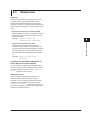
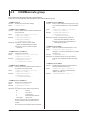
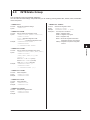
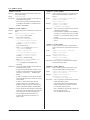
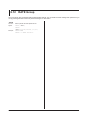
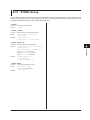
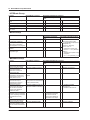
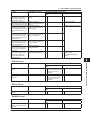
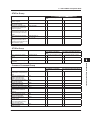
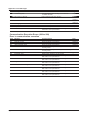
6.15 STORe Group
1
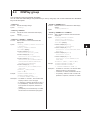
The commands in this group deal with storing measured data and saving setup parameters. You can make the same
settings and queries that you can by pressing the UTILITY key on the front panel and then using the StorE menu or
by pressing the SAVE/LOAD key and then using the SAVE menu.
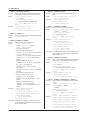
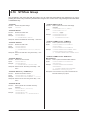
:STORe?
Function
Syntax
3
Queries all storage settings.
:STORe?
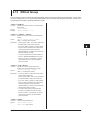
:STORe[:STATe]
Function
Syntax
Example
2
4
Sets or queries the storage on/off state.
:STORe[:STATe] {<Boolean>}
:STORe:STATe?
:STORE:STATE ON
:STORE:STATE? -> :STORE:STATE 1
5
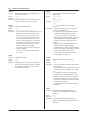
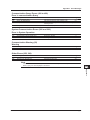
:STORe:INTerval
Function
Syntax
Sets or queries the storage interval.
:STORe:INTerval {<NRf>,<NRf>,<NRf>}
:STORe:INTerval?
{<NRf>,<NRf>,<NRf>} = 0,0,0 to 99,59,59
First <NRf> = 0 to 99 (hours)
Second <NRf> = 0 to 59 (minutes)
Third <NRf> = 0 to 59 (seconds)
Example :STORE:INTERVAL 0,0,0
:STORE:INTERVAL?
-> :STORE:INTERVAL 0,0,0
6
Commands
7
8
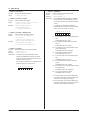
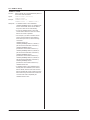
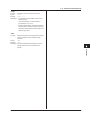
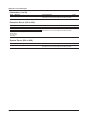
:STORe:PANel
Function
Syntax
Example
Saves setup parameters to a file.
:STORe:PANel {<NRf>}
<NRf> = 1 to 4 (file number)
:STORE:PANEL 1
App
Index
IM WT310-17EN
6-31